Installing Garage Door Sensors: A Complete How-To Guide
Learn how to install garage door sensors safely and effectively. This guide covers sensor types, mounting, wiring, testing, and troubleshooting to help homeowners prevent injuries and false closures.


In this guide you will learn how to install garage door sensors to improve safety and automation. By following step-by-step instructions, homeowners can mount door-edge and floor-mounted sensors, align them correctly, and test operation. According to GarageDoorAdjust, proper sensor placement reduces false closes and protects pets and children. This article covers wiring options, mounting heights, and troubleshooting. You'll learn when to use integrated vs. wireless sensors and how to verify alignment with simple tests.
Why install garage door sensors matter
Sensors are safety devices that detect when objects cross the door path and interrupt closing to prevent injuries and damage. For homeowners, properly installed sensors also improve reliability of automatic reversal and remote monitoring. According to GarageDoorAdjust, sensor alignment and secure mounting significantly reduce false closures and service calls. In this section, you’ll understand the safety rationale, the code-adjacent expectations, and how sensors fit into a modern garage door system. You’ll learn how these components tie into the overall door balance and opener programming, and why neglecting this step can invite repeated failures. Most garages use the standard bottom-edge sensors on each side of the door; we’ll discuss placement, compatibility with openers, and how to evaluate whether wired or wireless sensors suit your setup. We’ll also cover common types of sensors, their power needs, and how to select a kit that matches your door size and mounting options.
Sensors are not just about automation; they are about safety. A correctly positioned sensor pair creates a reliable safety beam that stops a closing door if anything interrupts the light path. Misalignment or loose mounting can cause doors to close on objects or people, defeating the purpose of these safety features. For DIY enthusiasts, this section emphasizes methodical planning, verifying the opener’s compatibility, and choosing sensors that fit your door and track configuration. GarageDoorAdjust recommends starting with a compatible sensor kit and reading your opener manual to confirm wiring terminals and safety feature requirements.
In practice, sensor performance depends on precise alignment and keeping cables away from pinch points and moving parts. If your sensor beams are blocked by dust, misalignment, or weather exposure, you’ll experience nuisance closures. The goal is to achieve a clean, pandemic-proof setup that remains reliable in daily use and across seasons. By understanding sensor placement, you’ll minimize recurring maintenance and ensure that your garage door operates safely for every family member.
What you need before you start
Before you begin, take a moment to confirm opener compatibility and inspect your garage layout. Gather all required tools and materials so you won’t stop mid-install. Consider the environment: is the sensor path exposed to moisture or heat? Do you have a power source or will you rely on wireless units? Safety first: unplug or switch off the opener to avoid accidental movements during mounting and wiring. Review the installation manual for your sensor kit and your garage door opener model, noting terminal colors, connector types, and any safety instructions. A quick pre-install checklist helps prevent surprises and ensures you have everything you need for a smooth job. This planning stage also gives you a chance to review the recommended sensor height (typically near floor level on each side) and to verify there’s no interference from obstructions or reflective surfaces that could affect beam accuracy.
Key considerations include compatibility with your door track and jamb, the availability of a low-voltage wiring path, and whether you’re using wired or wireless sensors. If you own an older opener, ensure it has a dedicated safety sensor input and that the total cable length won’t create excessive sag. Gather items like mounting brackets, screws, a level, a tape measure, and protective gear. By preparing properly, you’ll reduce the risk of misalignment and improve the odds of a dependable sensors installation.
Finally, decide whether you’ll mount on both sides of the door or reuse a single pair if your kit supports one-sided installation. Some kits are designed for universal mounting, while others specify a fixed orientation. Read your product documentation to confirm the intended mounting plan and prepare for a neat, weather-resistant wire path that protects the sensors and wiring from damage. This upfront planning pays off when you run your first test and everything aligns perfectly.
Sensor types and choosing the right kit
Garage door safety sensors come in several configurations, with wired and wireless options being the most common. Wired sensors typically use a short low-voltage wire that runs from the sensor to the opener’s safety input. Wireless sensors communicate via a small transmitter and battery, eliminating the need for a wiring run but adding battery maintenance considerations. When choosing a kit, consider your opener model compatibility, the required power source, and the installation environment. Weather exposure, cable routing constraints, and the ease of mounting on the door frame all influence which kit is best for you. In general, wired sensors offer a robust, low-maintenance solution for permanent installations, while wireless kits provide flexibility for renters or homes with temporary setups. Ensure the kit includes mounting brackets, screws, and a clear mounting template to simplify alignment.
Another key decision is the type of beam technology. Most traditional kits use infrared beams that must intersect cleanly between the two sensors. Some newer kits use reflective or dual-beam approaches, which can improve reliability in dusty environments but may require more precise calibration. If you have pets or clutter near the door opening, look for sensors with adjustable beam sensitivity and easy field calibration. Battery life should also be considered for wireless kits; check battery type and replacement intervals before purchase. By selecting a kit that matches your opener’s safety input, power availability, and mounting space, you’ll reduce installation difficulty and long-term maintenance.
GarageDoorAdjust’s guidance emphasizes choosing sensors that align with your door’s height profile and the floor clearance in the doorway. If your garage floor is uneven or you have low-lying obstacles, ensure the sensor beams will still align properly after mounting. Finally, verify the kit’s compatibility with your door opener’s software or programming interface. Some openers require programming to recognize a new sensor pair, while others automatically detect sensor activity once wired or paired. The right kit balances reliability, ease of installation, and ongoing safety performance.
Mounting sensors: placement and alignment
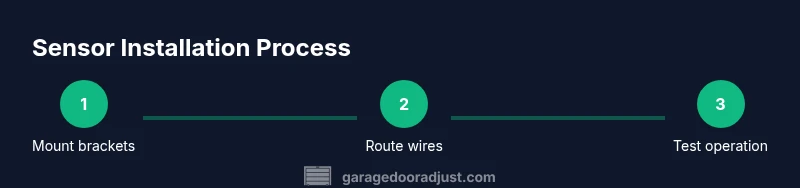
Placement accuracy is the backbone of sensor effectiveness. Mount each sensor at or near floor level on opposite sides of the door opening. Use the provided mounting brackets and ensure the sensors face each other with a clear line of sight. Start by marking the mounting points and double-checking the symmetry of the left and right sides. Use a level to ensure the sensor faces are perfectly parallel to avoid misalignment. Securely fasten brackets to solid wood or sturdy metal surfaces, using wall anchors when needed and avoiding placement where brackets could be damaged by door hardware or vehicles. A small misalignment can cause the beam to miss and trigger false closures, so take time to confirm precision before wiring.
If your kit includes an adjustable mounting bracket, test different heights in small increments to locate the optimal beam path. In dusty or humid environments, seal any gaps around mounting screws with weatherproof sealant to minimize condensation or moisture penetration. Once firmly mounted, perform a visual check from several angles to make sure both sensors have a straight path toward each other. A practical tip is to temporarily hold the sensor bodies in place with painter’s tape during the initial alignment before final mounting. This helps you fine-tune positioning without loosening hardware.
Wiring options and opener compatibility
Wiring considerations depend on whether you’re using wired or wireless sensors. For wired kits, route the low-voltage wires along the track and toward the opener’s safety input. Use wire nuts and electrical tape to secure and insulate connections, avoiding sharp edges or metal surfaces that could abrade the cable. If your setup requires you to cross over components, keep wires away from moving parts and ensure they’re neatly tucked to prevent interference with the door’s operation. For wireless kits, insert fresh batteries and pair the sensors with the receiver following the manufacturer’s instructions. If your opener has a dedicated safety input, connect the transmitter or receiver per the wiring diagram, ensuring you maintain the correct polarity and secure any loose leads.
When working with any organic or weather-exposed environment, consider adding a simple conduit or protective sheath for longer runs. Avoid placing wires where they could become pinch points as the door moves. If your opener provides test ports or diagnostic indicators, refer to those indicators during the setup to confirm proper communication. After wiring, perform a careful inspection to ensure there’s no strain on cables when the door moves and that sheathing remains intact along the entire length.
Testing, calibration, and daily checks
Testing should begin with a controlled, object-free environment. With the opener unplugged or powered down, manually trigger the safety sensors to confirm that the door reverses when the beam is interrupted. Reconnect power and perform a cycle with the door opening and closing. Observe whether the safety beam remains steady and whether the door stops or reverses when an obstruction crosses the beam path. If the door does not respond correctly, re-check sensor alignment, wiring, and the safety input connections on the opener. Some openers provide a calibration mode; follow the manufacturer’s instructions to adjust sensitivity if needed. Regular checks—especially after weather changes or floor settling—help maintain reliability.
As part of ongoing maintenance, test the sensors monthly and after any garage alterations. Clean the sensor lenses with a soft cloth to prevent dirt buildup that can misread intrusions. If you notice consistent misreads with no obvious obstruction, inspect for moisture or condensation on the sensor lenses and reseal mounting points if needed. By integrating a simple testing routine into your garage maintenance schedule, you’ll minimize false closures and extend the life of your sensor system.
Troubleshooting common issues and when to call a pro
Even well-installed sensors can experience issues. Common causes of false closures include misalignment, dirty sensor lenses, or damaged wiring insulation. If you notice intermittent sensor activity, re-check alignment, clean the lenses, and inspect cable runs for wear. Slider or misrouted cables can create interference, so ensure that all wiring remains secure and out of the path of moving parts.
If the opener does not detect the sensor at all, verify the sensor’s power source or battery, confirm the wiring to the safety input, and consult the operation manual to ensure proper pairing. In some cases, a software update to the opener may be required to recognize newer sensor models. If after thorough checks the problem persists, consider consulting a professional installer to avoid potential safety risks. The GarageDoorAdjust team recommends seeking professional help when dealing with high-voltage wiring, compromised structural components, or signs of electrical damage.
mainTopicQueryforWikidataLookup
Tools & Materials
- Photoelectric sensor pair(Two sensors (transmitter and receiver) per door side, with matching beaming alignment)
- Mounting brackets(Brackets designed for door frame mounting, compatible with track style)
- Screws and wall anchors(Drywall or concrete anchors as needed for secure mounting)
- Drill with appropriate bit(For pilot holes and fastener installation)
- Screwdriver (Phillips)(Used for brackets and sensor mounting screws)
- Level(To ensure brackets are perfectly horizontal)
- Tape measure(For precise placement and symmetry)
- Wire nuts(Secure low-voltage sensor wiring (wired kits))
- Electrical tape(Insulate and protect connections)
- Wire strippers(If wiring a wired kit, helps prep conductors)
- Low-voltage wiring (short length)(Only if your kit uses a dedicated run to the opener)
- Battery (for wireless sensors)(Check battery type and replacement interval)
- Ladder(Access mounting points safely)
- Safety glasses(Eye protection during drilling and mounting)
Steps
Estimated time: Total time: 45-60 minutes
- 1
Prepare workspace and tools
Power down the opener and clear the area. Lay out all tools and materials on a stable surface, ensuring you can reach the mounting points without bending awkwardly. This reduces the risk of dropping parts and protects sensitive components.
Tip: Double-check that the opener is unplugged before touching any wiring to avoid shocks. - 2
Mount bottom sensor brackets
Position the bottom sensor brackets on each side of the door opening at the recommended height. Use a level to ensure the brackets are perfectly vertical and aligned. Mark pilot holes, drill, then secure the brackets with screws and anchors as needed.
Tip: Temporarily hold sensors in place with painter’s tape while finalizing alignment. - 3
Install sensors and route wiring
Attach the sensor bodies to their brackets and thread wires neatly along the frame. Keep wires away from the door path and moving parts. Use wire looms or conduit if you have long runs or exposure to moisture.
Tip: Avoid sharp bends and protect wires from bracket edges to prevent wear. - 4
Connect to opener and pair (if needed)
Connect wired sensors to the opener’s safety terminals following the manufacturer’s wiring diagram. If using wireless sensors, pair the transmitters and verify signal indicators on the receiver.
Tip: Refer to the opener manual for terminal colors and pairing steps. - 5
Test and calibrate
Reapply power and run multiple opening/closing cycles. Check that the beam interrupts correctly and that the door reverses when blocked. Make final adjustments if the beam width or alignment seems off.
Tip: Test with real objects (boxes, toy, or a leg of a table) to ensure reliable detection.
Got Questions?
Do I need a professional to install garage door sensors or can I DIY?
Most homeowners can install basic safety sensors themselves if they follow the manufacturer’s instructions and observe safety precautions. Complex wiring or compatibility issues with older openers may require a technician.
You can usually DIY, but hire a pro if you encounter complex wiring or compatibility problems.
Where should I place the sensors on my garage door?
Place sensors on both sides of the door near floor level, facing each other with a clear line of sight. Ensure they’re mounted securely to avoid misalignment.
Place them on both sides near the bottom, facing each other clearly, and secure them well.
What type of sensors should I buy for a typical residential door?
Most homes use wired infrared safety sensors, but wireless battery-powered sensors are available. Choose based on opener compatibility, wiring ease, and climate exposure.
Most homes go with wired infrared sensors, but wireless options are available if you prefer not to run wires.
How do I test the sensors after installation?
Reconnect power and cycle the door multiple times with objects placed in the beam path to ensure it stops and reverses as expected.
Plug the opener back in and run several test cycles with objects in the beam path.
What can cause false sensor readings?
Dirt on lens, misalignment, or loose wiring can cause false readings. Clean the lenses, re-align if needed, and secure all connections.
Dirt, misalignment, or loose wires can cause false readings; clean and realign if needed.
Can I install sensors on an old opener without safety inputs?
Some older openers lack a dedicated sensor input. In those cases, you may need an adapter or wired kit compatible with your model, or consult a professional.
Older openers may need an adapter or a compatible wired kit; check your model’s compatibility.
Watch Video
Quick Summary
- Mount sensors level for reliable detection
- Test alignment with a simple beam test
- Verify compatibility with your opener
- Secure wiring and protect from damage