How to Replace Garage Door Sensors: A Complete Guide
Learn how to replace garage door sensors safely with a step-by-step process, essential tools, and maintenance tips to keep your system working reliably.


By the end, you will successfully replace malfunctioning garage door sensors and restore safe operation. The process involves disconnecting power, diagnosing whether misalignment or dirty lenses caused the fault, installing new photo-eye sensors, and verifying proper alignment and wiring. Gather a ladder, screwdriver, voltage tester, and compatible safety sensors before you begin.
Why replacing garage door sensors matters and how they protect your home
According to GarageDoorAdjust, properly functioning garage door sensors are a critical safety feature that prevents a closing door from striking people or objects. Photo-eye sensors detect any obstruction in the door’s path and stop the opener. Over time they can misalign, become dirty, or fail, leading to false trips or unsafe closures. Replacing worn or misaligned sensors restores the system’s reliability and reduces the risk of injury or property damage. If you notice the door reverses unexpectedly or the LED indicators blink in a pattern, it’s a strong sign that you should replace or recalibrate the sensors rather than continue operating with faulty hardware.
What you’ll gain: improved safety for family members and pets, fewer nuisance closures, and peace of mind knowing your opener is responsive to obstructions. This task is a common DIY repair for homeowners who are comfortable with basic tools and electrical caution. While it can be done in an afternoon, take your time to inspect related wiring and the mounting hardware to prevent future misalignment.
If you’re unsure about handling electrical components, consult a professional. GarageDoorAdjust emphasizes prioritizing safety and following manufacturer instructions to avoid creating a new fault or voiding warranties. You should always disconnect power before touching any sensor or wiring and test the system only after reassembly to confirm proper operation.
How photo-eye sensors work and what can go wrong
Photo-eye sensors are a pair of small devices mounted on opposite sides of the garage door track about 6–8 inches above the floor. They emit an invisible beam between two lenses. When an object blocks that beam, the opener receives a signal to stop and reverse. Common issues include misalignment, dirty lenses, damaged housings, and wiring wear from door movement. Misalignment is the most frequent cause of false positives, while dirty or cracked lenses can reduce signal strength and trigger fault codes. Regular cleaning with a soft, dry cloth and periodic checks help maintain reliability. If the system is older, the sensor housings may have degraded seals, allowing moisture to affect performance.
Tools & Materials
- Photo-eye safety sensors (replacement pair)(Choose a compatible model for your garage door opener; consider 2-wire vs 3-wire configurations.)
- Screwdriver set (Phillips and flathead)(Ph2 screwdriver is commonly needed for mounting screws.)
- Voltage tester(Used to confirm there is no live power on the sensor wiring.)
- Ladder or step stool(Access sensors mounted on the track height.)
- Electrical tape(Secures small wires or covers exposed terminals if needed.)
- Wire nuts (butt connectors)(For splicing or replacing wiring in some installations.)
- Isopropyl alcohol and lint-free cloth(Clean lenses before testing alignment.)
- Multimeter (optional)(Useful for checking continuity in wiring in unfamiliar setups.)
Steps
Estimated time: 45-75 minutes
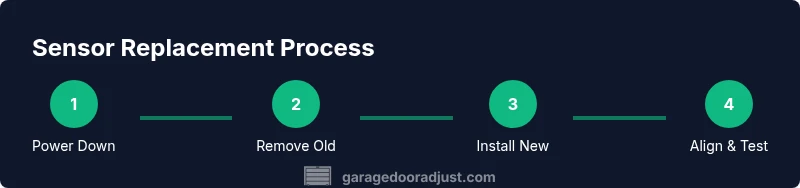
- 1
Power down and verify area
Turn off power to the garage door opener at the wall switch and the circuit breaker if accessible. This ensures no live current while you remove and inspect the sensors. Visually inspect the area for any obvious damage or moisture before touching components.
Tip: Double-check the power source with the voltage tester before removing any wiring. - 2
Access and inspect the old sensors
Locate the sensors on each side of the door track. Check for loose mounting screws, obvious cracks in the housings, or dirty lenses. If the LEDs on the sensors fail to light or blink in an irregular pattern, note the behavior for troubleshooting.
Tip: Take a quick photo of the sensor alignment to compare with the new unit’s mounting position. - 3
Remove old sensors
Carefully disconnect the sensor wiring from the terminal blocks. If screws are stubborn, use the screwdriver to loosen them, then gently pull the sensor away from the bracket. Avoid pulling on wires themselves—disconnect at the terminals first.
Tip: Label wires if needed to match them to the new sensors’ terminals. - 4
Prepare new sensors
Unpack the replacement sensors and verify model compatibility. Clean any contact surfaces on the mounting brackets to ensure a clean seat. If wiring colors differ from your old setup, consult the installer manual for correct pairing.
Tip: Use manufacturer instructions to confirm whether a 2-wire or 3-wire configuration is required. - 5
Mount and connect the new sensors
Attach the new sensors to the mounting brackets at roughly the same height as the old units. Reconnect the wiring exactly as the old setup—keep color pairs consistent. Securely fasten screws without overtightening to avoid bracket damage.
Tip: Keep cables neat and away from moving parts to prevent wear. - 6
Align the sensors
Face the sensor lenses toward each other so the indicator LEDs illuminate steadily. Small misalignment can cause false trips; adjust in small increments and re-test the beam until the LEDs are solid and the signal is clear.
Tip: Use the LED indicators as a quick alignment reference rather than relying solely on the physical angle. - 7
Test the system
Restore power and run the opener through a few cycles with an object placed in the door’s path. The door should stop and reverse when the beam is interrupted. If the door continues to close, recheck alignment and wiring.
Tip: Keep a hand nearby to stop testing if the door behaves unexpectedly. - 8
Finalize and document
Tidy up any loose wires, re-secure the housing, and replace faceplates. Record the date of replacement and the sensor model for future maintenance. If problems persist, consult the manufacturer or a professional installer.
Tip: Maintain a quick maintenance log for future reference.
Got Questions?
Do I need to power off the garage door opener before replacing sensors?
Yes. Always power down the opener and, if possible, switch off the circuit breaker to ensure there is no live current while handling sensors.
Yes. Power off the opener and the circuit if you can, to stay safe while you replace the sensors.
Can I align sensors without a ladder?
Accessing sensors high on the track is safer with a ladder or step stool. If you can’t reach them safely, pause and seek professional help.
If you can’t reach them safely, don’t attempt alignment from a bad position; get a safe ladder or pro help.
What if the new sensors’ LEDs won’t light up?
Check wiring connections first, then confirm that you installed the correct sensor model. If the LEDs still don’t light, there may be a power or circuit issue requiring professional attention.
If the LEDs don’t light, recheck wiring and model compatibility; you might need a professional check.
Are door sensors required by code?
Safety sensors are widely recommended and often required by manufacturer guidelines and local codes. Check your local building code and the opener’s manual for specifics.
Most codes require safety sensors or equivalent safety features; verify with your local code and the manual.
Will replacement sensors work with any garage door opener?
Not all sensors are compatible with every opener. Always verify compatibility with your garage door opener model and the sensor brand before purchasing.
No—check the model and compatibility notes in your opener’s manual before buying sensors.
How long does installation usually take?
Most homeowners complete the replacement in thirty to sixty minutes, depending on access and any wiring adjustments needed.
Expect about half an hour to an hour for a typical replacement.
Watch Video
Quick Summary
- Replace sensors only with manufacturer-approved units
- Proper alignment is essential for safe operation
- Always disconnect power before servicing sensors
- Regularly clean lenses to maintain reliability