Garage Door Replacement Sensors: Step-by-Step Guide
Step-by-step instructions to safely replace garage door replacement sensors, align the photoelectric eyes, and verify reliable operation for homeowners.


Replace faulty safety sensors on a garage door with a clear, repeatable process. This guide covers essential tools, step-by-step actions, and safety warnings. You'll measure sensor alignment, install new photoelectric eyes, test with the opener, and verify light beams. Expect 45-60 minutes for a typical double-car setup, with caution to disconnect power before starting.
Why Sensor Replacement Matters
Replacing garage door replacement sensors is a crucial maintenance task that directly affects the safety of everyone in the home. The photoelectric sensors, or safety eyes, sit near the floor on each side of the door opening and detect an obstacle in the path of the door. When one beam is blocked or misaligned, the opener may reverse suddenly or fail to close completely. According to GarageDoorAdjust, reliably functioning sensors are a cornerstone of safe operation and long-term performance. The GarageDoorAdjust team emphasizes that properly installed sensors reduce the risk of injury and property damage, especially for households with children or pets. If you notice continual beam errors, intermittent closing, or a blinking sensor indicator, it’s a strong cue that replacement is warranted. Replacing sensors isn’t just about making the door work—it’s about restoring the built-in safety system that prevents doors from closing on people or objects. In this guide we focus on residential setups and typical door configurations, keeping the process approachable for homeowners without professional trades training, while still respecting safety protocols and local codes.
How Photoelectric Safety Sensors Work
Photoelectric safety sensors create a light beam across the doorway. When the beam is intact, the door can move as programmed; when the beam is interrupted, the opener halts or reverses. This is a fundamental safety standard in modern garage doors. If the alignment is off or the sensor faces are dirty, false readings occur and the system may behave unpredictably. GarageDoorAdjust analysis shows that many sensor failures stem from simple misalignment, loose connections, or dirt buildup rather than defective units. Understanding the basic operation helps homeowners diagnose issues quickly and avoid unnecessary replacements. When you replace sensors, you’re not just swapping parts—you’re restoring a key safety feature that protects family members and vehicles. Ensure the new sensors are compatible with your door model and opener for guaranteed safety performance.
Safety Precautions Before You Start
Before you touch any wiring or power components, set up a safe working environment. Power down the garage door opener by unplugging it or turning off the circuit breaker to prevent accidental movement. Clear the area of clutter and place a sturdy ladder or step stool for a comfortable working height. Wear safety gloves to protect your hands from sharp edges and screws, and keep a dry, clean workspace to prevent slipping on spilled lubricant or moisture. If your door is heavier or has torsion springs nearby, consider asking a helper to hold the door steady while you work. Following these precautions minimizes risk and helps you complete the task without incidents. In addition, verify that the door is fully open and stable before touching the tracks to avoid any sudden movement.
Choosing Replacement Sensors: Compatibility and Specs
Not all replacement sensors fit every garage door. When selecting sensors, check that the sensor housing dimensions, mounting brackets, and wire routing match your existing system. You’ll want sensors with compatible voltage requirements and a similar beam distance to avoid calibration headaches. If your door uses a hard-wired connection, confirm the wiring color codes and connector types before buying. For battery-powered sensors, ensure the battery type and replacement interval are clearly specified by the manufacturer. If you’re unsure, bring the old sensor to a home improvement store or consult the door opener’s manual. The right sensors should align with your door’s height, track layout, and the opener model to ensure reliable protection and compliance with safety standards.
The Replacement Process: Overview
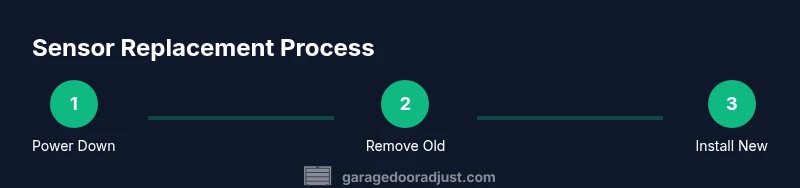
Replacing sensors involves four core stages: disconnecting power and removing the old units, mounting new brackets, wiring or connecting the new sensors, and aligning/testing the beams. While this is a manageable project for most homeowners, it’s important to follow the manufacturer’s instructions for your specific model. Keep track of screws and brackets; losing hardware can cause misalignment or insecure mounting later. Once the sensors are installed, you’ll perform a beam calibration and a formal test using the opener’s safety beam test mode to confirm proper operation. This overview sets the stage for precise, step-by-step actions that follow, prioritizing safety and accuracy over speed.
Aligning and Testing the New Sensors
Alignment is the linchpin of sensor performance. Start by placing the sensors at the same height on each side of the door—usually within 2-6 inches off the ground, depending on the model. Ensure the LEDs on both sensors illuminate steadily when the beam is clear, and go out or blink if misaligned. With the door closed, adjust one sensor until both indicator lights show solid operation. Then open the door slightly and observe that the beam remains uninterrupted as you test from various angles. Finally, perform a full door test with the opener: the door should move smoothly, stop if an obstacle is detected, and reverse if the path is blocked. Consistent beam alignment is the best defense against false positives or missed obstructions.
Troubleshooting Common Sensor Issues
Common sensor problems include misalignment, dirty lenses, damaged wiring, and faulty connectors. If the door doesn’t respond correctly during tests, inspect the sensor lenses for dirt or condensation and clean with a soft, dry cloth. Check the wiring for loose connections, corrosion, or pinched cables near the track. If the indicator LEDs don’t behave as expected after cleaning and realignment, replace the sensors with a compatible model rather than attempting ad hoc repairs. In some cases, a simple reset or re-pairing with the opener solves the issue; otherwise, it may indicate a deeper problem with the wiring or control board that warrants professional service.
Maintenance Tips to Extend Sensor Life
Store replacement sensor screws and brackets in a labeled container to keep hardware organized for future maintenance. Schedule an annual inspection to clean the lenses, check wiring, and verify alignment. Keep the sensor housings free of dust and moisture; wipe them gently with a dry cloth. If your garage experiences extreme temperatures or humidity, consider protective housings or weather-resistant models designed for such environments. Regular testing should be part of your routine; a quick beam test every few months helps ensure the safety system remains reliable and ready to protect your family.
When to Call a Pro and How to Verify Local Codes
If you encounter persistent misalignment, corroded connectors, or the control board shows unusual error codes, it’s prudent to contact a licensed technician. A pro can verify the wiring diagram, confirm compatibility with your opener, and ensure the project complies with local safety codes and manufacturer requirements. Local regulations may require certain mounting heights or licensing for electrical work; a professional assessment guarantees compliance and reduces liability. The GarageDoorAdjust team recommends consulting a qualified installer if you’re unsure about any step or if you notice signs of structural issues with the door or mounting brackets.
Tools & Materials
- New replacement garage door sensors (photoelectric eye units)(Verify compatibility with your door model and opener.)
- Screwdriver set (Phillips #2 and flathead)(Used for mounting brackets and casing.)
- Drill with appropriate bits(For mounting brackets and adjusting holes.)
- Measuring tape(Align sensors at the manufacturer-recommended height.)
- Wire nuts and electrical tape(Secure any exposed connections and prevent shorts.)
- Electrical tester or multimeter(Verify power is off and test sensor continuity if needed.)
- Ladder or sturdy step stool(Provide safe access to sensor mounting height.)
- Safety gloves(Protect hands during drilling and wiring.)
- User manual for the sensors(Helpful for model-specific wiring and calibration steps.)
Steps
Estimated time: 30-45 minutes
- 1
Power down and secure the door
Unplug the opener or switch off the circuit breaker to prevent any movement while you work. Open the door fully and secure it so it cannot move during sensor replacement. This prevents injury from sudden shifts and keeps the door from pinching fingers.
Tip: Verify power is off with a tester before touching wiring. - 2
Remove the old sensors
Carefully disconnect wires from the old sensors, taking a photo of the wiring for reference. Remove the mounting screws and brackets, then gently take the sensors away from the wall. Keep all hardware organized to reuse with the new sensors.
Tip: A photo backup helps avoid wiring mistakes during reassembly. - 3
Install the new sensors and brackets
Mount the new sensors at the same height as the old ones, using the provided brackets. Attach the brackets securely with screws, ensuring the housings sit level. Route the wires neatly along existing conduits or chassis to avoid snagging moving parts.
Tip: Use a level to ensure horizontal alignment for proper beam performance. - 4
Connect wiring to the opener
Attach the sensor wires to the corresponding terminals or quick-disconnect connectors on the opener, following the sensor’s wiring diagram. Insulate exposed conductors with wire nuts and electrical tape. Keep wires away from the door’s moving components and track.
Tip: Label wires if you’re unsure about color codes. - 5
Align the sensor beams
Power the system back on and observe the LED indicators. Adjust each sensor until the beams are solid and uninterrupted when aligned. If needed, use masking tape to mark baseline positions and refine alignment gradually.
Tip: Run a door-open/close test after each minor adjustment. - 6
Test and finalize
With the door in motion, verify that opening and closing stop when an obstacle blocks the beam. Confirm the safety reversing mechanism works by conducting a beam test from the controller. Recheck all fasteners and clean any debris from the sensor windows.
Tip: Document the date of replacement for future maintenance.
Got Questions?
What are replacement sensors and why should I replace them?
Replacement sensors are the photoelectric safety eyes that detect beam disruption and stop the door. Replace them if the beams don’t illuminate, if there are continuous misreads, or if there are error codes. Properly functioning sensors protect people and pets from a closing door.
Replacement sensors are the safety eyes that detect the beam; replace them if they fail to light or misread. This keeps people safe when the door closes.
Can I replace sensors myself, or should I hire a pro?
Many homeowners can replace sensors themselves by following the manual and safety steps. If you’re unsure about wiring or the opener’s compatibility, consider a professional installation to ensure compliance with local codes and warranty terms.
DIY is possible if you follow the manual; otherwise, hire a pro to ensure proper installation and safety.
Do I need to recalibrate after replacement?
Yes. After installing new sensors, you should re-align and test the beams and run the door through a full cycle to confirm the safety system works correctly. Calibration helps prevent false positives and ensures reliable operation.
Yes—recalibrate and test after replacing sensors to ensure proper safety operation.
How long does a sensor replacement typically take?
Most homeowners complete the task in 30 to 60 minutes, depending on door configuration and wiring complexity. Having the right tools on hand helps keep the process smooth.
Most replacements take about half an hour to an hour with the right tools.
What are the signs sensors need replacement?
Indicators include blinking LEDs, inconsistent beam readings, failure to detect a blocked path, or frequent error codes from the opener. If these occur after cleaning and alignment, replacement is likely needed.
Look for blinking LEDs, misreads, or error codes—these often mean you should replace the sensors.
What safety codes should I follow when replacing sensors?
Follow local electrical codes and the garage door opener manufacturer’s instructions. If uncertain about code requirements, consult a licensed technician to ensure compliance and warranty protection.
Follow local codes and the manufacturer’s instructions; consult a pro if you’re unsure.
Watch Video
Quick Summary
- Identify compatibility before buying replacement sensors
- Align beams precisely for reliable operation
- Test thoroughly after installation using the door’s safety beam test
- Schedule regular maintenance to extend sensor life