Why is My Garage Door Opener Blinking? A Troubleshooting Guide
Urgent, step-by-step troubleshooting for blinking garage door opener lights. Learn quick checks, diagnostic flow, and when to call a pro. From power issues to sensor misalignment, resolve blinking fast with GarageDoorAdjust.


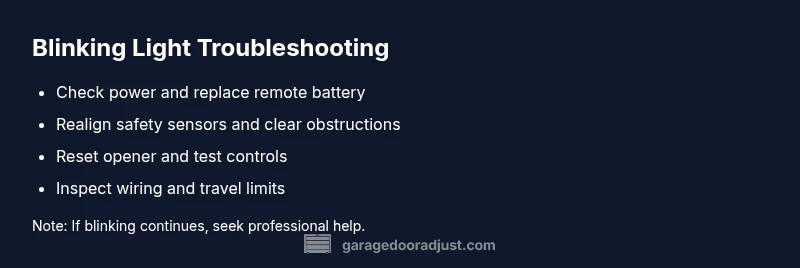
Blinking on a garage door opener usually signals a fault code or safety alert. Start with simple checks: confirm power, replace the remote battery, and reset the opener. If the blinking continues, inspect safety sensors and limit switches. Avoid operating the door until the issue is resolved.
Understanding the blinking signal
If you're asking why is my garage door opener blinking, you're not alone. Blinking lights are the opener's way of signaling a fault code, safety alert, or a reset state. According to GarageDoorAdjust, the most common causes are power issues (a dead outlet or blown fuse), a weak remote battery, misaligned safety sensors, or a recent reset that hasn't completed. Recognizing the pattern helps you pick the right fix quickly and reduces the risk of injury or damage to the door. In many cases, the fix is straightforward and can be completed in under an hour by a careful homeowner. If your unit has multiple blinking codes, consult the manual or manufacturer site to map the pattern to a specific issue.
Quick checks you can perform safely
Before you dive into deeper troubleshooting, run through these low-risk checks. They cover the most frequent causes and often resolve blinking without tools:
- Ensure the opener is powered: verify the outlet is live, check the circuit breaker, and unplug-replug the unit.
- Replace the remote battery: a weak battery is a primary culprit for intermittent blinking when you press the remote.
- Test the wall console and door control panel: confirm it responds consistently and isn’t sticking or loose.
- Inspect the safety sensors: look for misalignment, obstructions in the sensor path, and clean sensor lenses gently.
- Manually operate the door: if it’s hard to move or feels out of balance, stop and don’t force it.
If these checks don’t stop the blinking, move to model-specific reset steps or call a pro. The next sections walk you through a safe diagnostic flow and the most common fixes.
Common blinking patterns and their likely causes
Garage door openers use blinking patterns to indicate different problems. Regular, slow blinks at idle often point to a loose connection or dormant fault code, whereas rapid or irregular blinking can indicate sensor misalignment, an obstruction in the photoelectric safety beam, or a failed safety device. If the LED blinks in a repeating code (for example, a sequence of long and short bursts), refer to your model’s manual to translate the pattern into a fault category such as power, safe operation, or network issue. Remember, not all central blinking meanings are universal across brands, so consult your owner's guide or the GarageDoorAdjust knowledge base for patterns you see on your unit.
Diagnostic steps you should follow
A structured diagnostic approach saves time and reduces risk. Start with the simplest explanations and progress toward more involved checks:
- Symptom review: note when the blinking occurs (pressing the remote, using the wall switch, or during startup).
- Hardware sanity: confirm power, inspect wiring for visible damage, and check for loose connections at the outlet and the opener.
- Safety sensor check: verify both sensor housings glow as intended (green or amber indicators) and that there is a clear line between them.
- Reset and re-test: perform a standard reset for your model, then test the remote and wall switch again.
- If it persists: document the blinking pattern and contact customer support or a professional technician.
Step-by-step fix for the most common cause (safety sensor alignment)
The most frequent cause of blinking is misaligned safety sensors. These steps guide you to fix the issue and restore normal operation:
- Power down and unplug the opener to prevent movement while you work. Tip: Keep hands clear of the door and torsion springs.
- Locate both safety sensors at the bottom of the door track and inspect for misalignment or obstructions. Tip: Use a level to ensure sensors are perfectly aimed at each other.
- Clean sensor lenses with a soft cloth to remove dust or grime that can disrupt the beam. Tip: Avoid touching the sensor lenses with fingers to prevent oil smudges.
- Realign sensors so the indicator lights face each other and stay steady when aligned. Tip: A small adjustment can make a big difference; re-tighten any loose mounting screws.
- Reconnect power and perform a test: use the remote to close the door and confirm the beam stays uninterrupted. Tip: Observe whether the blinking stops immediately or only after a few cycles.
- If blinking returns despite alignment, inspect for wiring damage or switch faults, and consider a professional inspection. Tip: Photograph the sensor setup to show an installer exactly how you found it.
Safety tips and when to call a professional
Safety-relevant issues require caution and professional support. Always disconnect power before inspecting components, especially near springs or torsion hardware. If you observe any of the following, stop and contact a pro promptly:
- Persistent or escalating blinking after basic resets
- Signs of wear, corrosion, or damaged wiring
- Unresponsive or erratic door movement, or the door reversing unexpectedly
- Unclear fault codes or a model you can’t identify
Preventive care reduces future blinking: lubricate moving parts sparingly, keep tracks clean, and test safety sensors regularly. Keeping your system well-maintained makes blinking codes less frequent and easier to interpret when they do occur.
Steps
Estimated time: 30-45 minutes
- 1
Verify power to the opener
Confirm the unit is receiving power by inspecting the outlet and testing the breaker. If the outlet is dead, reset the circuit and try another nearby outlet if needed.
Tip: Label the circuit if you need to troubleshoot other devices on the same breaker. - 2
Replace the remote battery
Open the remote and replace with the correct type. After replacing, test the remote at close range to confirm responsiveness.
Tip: Dispose of old batteries safely; avoid contact with metal objects. - 3
Reset the opener
Follow your model’s reset procedure (usually a combination of button presses). This clears fault memory and can resolve blinking caused by a reset state.
Tip: Keep the manual handy; misplacing steps can cause repeats of the same issue. - 4
Test the wall switch and keypad
Press the wall switch and keypad (if present) to verify consistent operation. If one fails, the issue may be wiring or the control board.
Tip: Wipe any condensate or dust that might affect contact reliability. - 5
Inspect safety sensors
Check both sensors for proper alignment and obstruction-free paths. Clean lenses and re-align until indicators show steady signals.
Tip: If one sensor’s LED stays off, replace the sensor rather than forcing alignment. - 6
Test door balance and travel limits
With the door unplugged, manually move it to ensure it opens and closes smoothly. Reconnect power and test all travel limits in the opener settings.
Tip: If the door is heavy or hard to move manually, do not force it; seek professional help.
Diagnosis: LED blinking pattern on opener when pressed
Possible Causes
- highPower issue or dead battery
- mediumSensor misalignment or obstruction
- lowReceiver/wiring fault
Fixes
- easyCheck outlet and circuit breaker; replace battery
- easyRealign safety sensors and clear obstructions
- mediumInspect wiring and control panel; consult manual
Got Questions?
Why is my garage door opener blinking after I press the button?
Blinking usually signals a fault code or safety alert. Start with power, battery, and sensor checks, then reset the opener. If the blinking continues, follow the diagnostic steps or contact a professional.
Blinking after you press the button usually means a fault code or safety alert. Start with power, battery, and sensor checks, then reset the opener. If it keeps blinking, consult the guide or a professional.
What should I check first when blinking occurs?
First, verify power to the opener, replace the remote battery, and test the wall switch. If still blinking, inspect the safety sensors for misalignment or obstruction.
First check power, replace the remote battery, and test the wall switch. If it still blinks, inspect the safety sensors for misalignment or obstruction.
Can neighbors' remotes cause blinking?
Interference can cause unpredictable blinking. Ensure your remote frequency is unique and remove nearby devices that might be causing interference.
Yes, neighbors' remotes can interfere. Make sure your frequency is unique and remove nearby devices that might cause interference.
When is it time to call a professional?
If blinking persists after basic checks, if you hear unusual noises, or if the door behaves unpredictably, contact a licensed technician. Electrical or spring issues require professional handling.
If blinking continues after the basic checks, or if you notice unusual noises or unsafe door behavior, call a pro.
How do I reset most garage door openers?
Reset procedures vary by model. Refer to your manual or manufacturer site for the exact sequence, then re-test the unit with the remote and keypad.
Reset steps differ by model. Check the manual for your exact sequence, then test again with the remote and keypad.
Watch Video
Quick Summary
- Identify blinking patterns and map to likely causes
- Start with power, battery, and sensor checks
- Follow a safe diagnostic flow before calling a pro
- Reset and test in controlled steps
- Prevent future blinks with regular maintenance