Why is the Garage Door Sensor Blinking Red? A Homeowner's Troubleshooting Guide
Learn why the garage door sensor blinks red and how to fix it fast. This guide covers common causes, a step-by-step diagnostic flow, safety tips, and when to call a pro. Written by GarageDoorAdjust for homeowners.


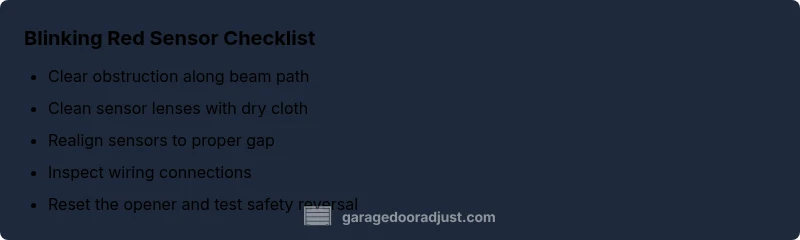
Most likely, a blinking red garage door sensor signals a safety beam alignment or obstruction issue, or a wiring fault. Start by clearing debris from the sensor faces and inspecting for any objects blocking the beams. Then realign the sensors so the LEDs face each other within the recommended gap. If it still blinks, reset the opener and inspect cables for damage.
Why is the garage door sensor blinking red
If your garage door sensor blinks red, you’re not imagining a hazard—this is a deliberate safety signal. The blinking light typically means the photoelectric safety beam is not seeing the opposite sensor reliably, signaling an obstruction, misalignment, or a fault in the wiring. The question "why is garage door sensor blinking red" comes up often for homeowners who want a quick fix, and you’ll find the most practical answers here. According to GarageDoorAdjust, blinking red usually points to alignment or debris rather than a total sensor failure. Start with the simplest checks: look for objects in the beam path, wipe dust from the sensor faces, and verify both LEDs are facing each other. A clean, properly aligned system often restores safe operation without replacing parts.
In this guide we’ll walk through the most common causes, how to test them, and what to do next. The aim is to get you back to a safe, reliable door without guessing or unnecessary parts replacement. Remember: the safety features are there to protect you, so take each step seriously and stop if anything feels unsafe.
Quick checks you can perform without tools
Begin with the easy, no-tools checks to rule out obvious causes. Clear the floor area under the beam; even a small toy or dust can interrupt the signal. Then wipe the sensor lenses with a soft, dry cloth. If your sensors use a vertical mounting, ensure the bottom of one is directly opposite the top of the other, within the manufacturer’s recommended gap (commonly 4-6 inches, but check your manual). Check the power supply to the opener: a loose plug or tripped outlet can create a false fault. After each step, run the door to see if the red blink stops. If the light continues, proceed to realign or inspect the cables.
If you’re still unsure, step back and confirm you’re following the safety instructions. A methodical approach reduces risk and speeds up a proper fix.
Diagnostic nuances: patterns and what they mean
Different blink patterns can indicate different issues. A steady blink often signals a misalignment or obstruction, while rapid or irregular blinking can point to damaged wiring or a sensor fault. In many homes, the red beacon is designed to draw attention to a safety problem—never ignore it. For homeowners, the keyword is diagnosis by elimination: start with the easiest fixes (cleaning and alignment) and move to wiring checks only if the issue persists. GarageDoorAdjust notes that misalignment is by far the most common culprit, followed by debris and then wiring problems. Understanding the pattern helps you choose the right next step instead of guessing.
As you work, keep the manual handy and document any changes you make. A systematic approach is your best defense against recurring faults.
Safety-first mindset and when to call a professional
Safety sensors are a critical safety feature of every automatic door system. If the blinking red light persists after cleaning, realigning, and wiring inspection, do not force the system. Power down the opener and call a qualified technician. Signs you deserve professional help include frayed cables, scorch marks near the outlet, water damage, or heat from the sensors. A trained technician can verify circuitry, test the safety reversal mechanism, and ensure compliance with safety standards. The goal is a reliably safe door that stops when the beam is interrupted.
Prevention tips to minimize future issues
To prevent future red blinking, perform regular maintenance: clean the lenses every 3-6 months, check alignment whenever you relocate a wall or door, and replace weather-stripping that interferes with the beam. Periodically test the safety sensors using the test button (per your manual) and monitor the LED indicators. Keep the area free of clutter on the beam path and ensure your door springs and tracks are in good balance. Regular inspection can catch loose connectors and worn cables before a failure occurs.
Steps
Estimated time: Estimated total time: 35-60 minutes
- 1
Power down and safety prep
Unplug the opener or switch off at the wall to prevent the door from moving while you inspect the sensors. Remove jewelry and keep hands clear of the tracks. Confirm you have a clear floor and a working light source.
Tip: Document what you unplug and why for the technician later. - 2
Clear path and clean lenses
Remove any toys, leaves, or cobwebs from the beam path. Wipe both sensor lenses with a soft, dry cloth to remove dust or moisture that could scatter the beam.
Tip: Never use solvents on plastic sensor faces. - 3
Realign sensors
Loosen the mounting screws just enough to adjust the sensor alignment. Make sure the two LEDs face each other and are within the recommended gap provided by the manual.
Tip: Use a small ruler or the manual’s gap spec to confirm distance. - 4
Check wiring and connectors
Inspect the wiring for loose connections, frayed insulation, or water damage. Re-seat connectors firmly but gently and power the system back up to test.
Tip: Only handle wiring with power off and away from metal edges. - 5
Reset the opener
Plug the opener back in and perform the reset as described in the manual. This helps clear transient faults after realignment or rewiring.
Tip: If you don’t have the manual, look up the exact reset steps from the maker’s site. - 6
Test door function
Operate the door with the remote and wall button. Verify the safety reversing mechanism works if the beam is interrupted during operation.
Tip: Test both directions and in different lighting conditions. - 7
Know when to call a pro
If blinking continues after steps 1-6, schedule a service call. Persistent issues can indicate a failed sensor or a faulty circuit that requires professional testing.
Tip: Have the LED pattern and any error codes ready for the technician.
Diagnosis: Garage door safety sensor blinking red
Possible Causes
- highObstruction in the sensor path or dirt on the lenses
- highMisaligned sensors
- mediumDamaged or loose wiring/connectors
- lowAmbient light interference
- lowPower issue or reset needed
Fixes
- easyClear debris and clean sensor faces
- easyRealign sensors per manual
- mediumInspect/secure sensor wiring and connectors
- easyReset the opener following manufacturer instructions
- hardReplace sensors if damaged or misalignment persists
Got Questions?
What does a blinking red garage door sensor mean?
A blinking red signal usually indicates a problem with the safety beam, such as misalignment, an obstruction, or wiring faults. Do not ignore it—safety features exist to prevent injury or damage.
A blinking red sensor means the safety beam isn’t working properly and needs attention.
Can I fix misalignment without tools?
Often you can realign the sensors by loosening the mounting screws and nudging them until the LEDs face each other within the recommended gap. Clean the lenses first for best results.
Usually you can realign by hand after cleaning.
Is blinking red dangerous?
Yes. The sensors protect you from the door closing on a person or object. Do not disable safety features to bypass the blinking light.
Yes, it’s a safety issue—address it before using the door.
Should I replace the sensor if blinking continues after cleaning?
If cleaning and realignment don’t stop the blink, the sensor or wiring may be faulty. Replace with a compatible model and re-test; if unresolved, call a pro.
If it still blinks, replacement or professional testing is advised.
How often should I test the sensors?
Test monthly by triggering the beam and ensuring the door reverses. Do a full inspection at least once a year.
Test them monthly and inspect yearly.
Watch Video
Quick Summary
- Identify red blink as a safety-beam issue.
- Start with cleaning and alignment before wiring checks.
- Test after each fix and document changes.
- Call a pro if blinking persists after steps.