Garage Door Remote Troubleshooting: Quick Fixes and Safety
Urgent guide to fix a garage door remote that won’t operate. Battery, pairing, and interference are the top culprits—follow our safe, step-by-step flow to restore function fast.


If your garage door remote won t work, start with the simplest fixes: check the battery, verify you re in range, and re-sync the remote with the opener. Most issues come from a dead battery, weak signal, or a mispaired remote. This quick guide walks you through a safe, step-by-step flow to restore function quickly.
why doesn t my garage door remote work
If you are reading this because you want to know why does n t my garage door remote work, you are not alone. In many homes the fix is simple: a dying battery, a weak signal, or a remote that has fallen out of sync with the opener receiver. According to GarageDoorAdjust, the majority of remote failures come from three everyday culprits: a dying battery, RF interference from nearby devices, or a remote that has lost its pairing. A quick, patient check can prevent a trip to the hardware store. Before you assume a malfunction in the opener, work through a short diagnostic flow that starts with the simplest, safest steps and then moves to more complex checks. This approach minimizes downtime and keeps your garage secure.
Start with the simplest fixes
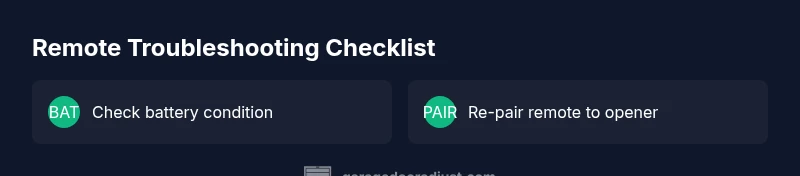
The first checks should be quick and non-destructive. Start with a fresh battery in the remote—old batteries can fail suddenly or drift in voltage, causing sporadic operation. If you have multiple remotes, test another one to see if the issue is isolated to a single control. Make sure you are within a reasonable range of the opener and that you are not trying to press the button through metal or heavy objects that block the signal. Remove any potential RF interference sources nearby (older cordless phones, microwaves, or other wireless devices). If the remote still does not respond, you have narrowed the problem to either the transmitter, the receiver, or a pairing mismatch.
Check the basics: battery, range, and controls
Battery quality matters more than most homeowners expect. Replace with a fresh battery the type your opener specifies and test again. Move closer to the opener to rule out range issues, and press the button slowly and steadily. Inspect the remote buttons for sticking or corrosion, and ensure you are not accidentally using the wrong button (some remotes perform different actions on a double-press). Look for any LED indicators on the opener when you press the remote—no flash could indicate a transmitter issue, a dead battery, or a disconnected receiver.
Interference and pairing: how remotes talk to openers
Radio frequency interference can come from many household devices. If the opener LED does not flash when you press the remote, try re-pairing the remote to the opener. The exact steps vary by model, but the general process involves removing the current pairing, putting the opener into pairing mode, and then pressing the remote button to re-sync. Some remotes require you to use a companion button on the wall control during pairing. After pairing, test the range again and verify that the LED on the opener confirms a successful link.
Diagnosing symptoms: what your remote is telling you
Intermittent operation often signals a weak battery or an aging receiver. A remote that works only when held at a certain angle suggests an antenna issue on the receiver or a damaged remote contact. If you notice buzzing, static, or the opener making unusual noises when you press the button, the problem may lie with the internal receiver or wiring. In all cases, documenting the symptoms helps when you consult a professional or check the model manual for model-specific troubleshooting steps.
Safety, professional help, and prevention
Diagnosing and repairing garage door openers involves high-tension springs and electrical components. If you smell burning or hear unusual noises, power down the system and avoid disassembly. When in doubt, contact a qualified technician. Preventive steps include regular battery checks, keeping the remote away from potential RF interference, and re-pairing the remote after any service on the opener. Keep a spare remote handy and update the firmware if your model supports it.
Steps
Estimated time: 30-60 minutes
- 1
Replace the remote battery
Open the remote housing, remove the old battery, and insert a fresh battery of the correct type with correct polarity. Close the case and test the button. If the opener LED lights when pressed, the battery was the issue.
Tip: Keep a spare battery on hand and label it for the specific remote model. - 2
Test with another remote
If another remote works, the original remote is likely defective or out of sync. Compare the two remotes for damage or wear on the buttons and contacts.
Tip: Eliminate variables by ensuring both remotes have fresh batteries. - 3
Re-pair the remote to the opener
Enter pairing mode on the opener and then press the remote button to re-sync. The exact steps vary by model; consult the user manual for the correct sequence.
Tip: If your model uses a wall control, you may need to press and hold a reset button during the pairing cycle. - 4
Check the antenna and receiver
Ensure the receiver antenna is intact and properly positioned. Do not cut or bend the antenna and avoid contact with metal that may shield the signal.
Tip: A bent or damaged antenna often causes reduced range. - 5
Evaluate aftercare and next steps
If the issue persists after battery, pairing, and antenna checks, consider the receiver or opener hardware as the fault. Decide whether to repair or replace based on age and warranty.
Tip: Document symptoms and steps already tried to share with a technician.
Diagnosis: Remote won't open or responds inconsistently
Possible Causes
- highDead or weak battery
- mediumOut of range or obstructions
- lowInterference from other devices
- lowMispaired remote or worn receiver
Fixes
- easyReplace with a fresh battery and test again
- easyMove closer to the opener and remove obstructions; re-test
- mediumRe-pair the remote to the opener following model-specific steps
- easyTest with a second remote to confirm receiver health
Got Questions?
Why doesn t my garage door remote work after a power outage?
Power outages can drain remote batteries and reset paired signals. After a outage, replace the battery if needed and re-pair the remote to the opener. Check for any changes to the opener settings and test range after re-pairing.
Power outages can drain batteries and reset signals. After a outage, replace the battery if needed and re-pair the remote to the opener; then test the range.
How do I re-pair a garage door remote with the opener?
To re-pair, access the opener’s pairing mode (often via a button on the rail or wall control) and then press the remote button to link. Follow model-specific steps from the manual. Confirm the LED indicates a successful pairing.
To re-pair, enter pairing mode on the opener and press the remote button. Follow your model's manual and check the LED indicator.
Can interference from Wi-Fi or cordless phones cause remote failure?
Yes, certain devices can cause RF interference that reduces range or blocks signals. Move away from large RF sources, reduce the number of active devices near the opener, and re-test after removing interference.
Interference can block signals. Move away from RF devices and test again after minimizing nearby sources.
What is the typical range of a garage door remote?
Most remotes work from a short to moderate distance, but range varies by model, walls, and metal obstacles. If distance or line of sight is limited, bring the remote closer during testing.
Range varies, but staying close helps during testing; walls and metal reduce range.
Is it safe to continue using the remote if it suddenly stops working?
If it stops working suddenly, stop using it until you identify the cause. Check battery, pairing, and safety sensors before attempting again. If issues persist, discontinue use and call a pro.
Stop using it until you diagnose the cause. Check battery and pairing, then test.
Should I replace the opener receiver or the entire unit?
Consider replacing the receiver if issues persist after battery checks and re-pairing. Often repairing the receiver or upgrading to a newer opener is more cost-effective than continuing with a failing system.
If issues persist, consider receiver replacement or upgrading the opener.
Watch Video
Quick Summary
- Start with fresh batteries and re-pair the remote.
- Rule out range issues and interference early.
- Use the diagnostic flow to avoid jumping to conclusions.
- If in doubt, consult a professional for safety and durability.