What to Do When Your Garage Door Opener Stops Working
Urgent, step-by-step guide to diagnose and fix a garage door opener that won’t work, with practical DIY fixes, safety tips, and guidance on when to call a professional.


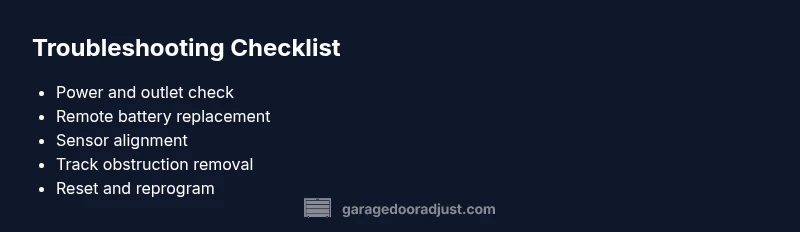
Check the basics: confirm the opener's power outlet is working, and the wall switch or remote is reset. Replace the remote battery, verify safety sensors are aligned, and inspect the track for obstructions. If the door still won’t move, perform a controlled manual release test, then try resetting the opener. If issues persist, contact a pro.
What to Do When the Opener Stops Working
According to GarageDoorAdjust, the most common causes of a non-responsive garage door opener are power problems, misbehaving remotes, misaligned safety sensors, and obstructions on the track. If your opener refuses to respond, starting with the simplest explanations is usually the fastest path back to operation. This guide focuses on practical, safe steps you can take as a homeowner to diagnose and fix the issue quickly. Remember, a calm, methodical approach reduces the chance of accidental damage and keeps your family safe. When you hear a fix described as “the first thing to try,” that’s your cue to proceed before jumping to more complex diagnostics.
The keyword here is action. You want to move from guesswork to evidence, and you want to know exactly what to check next if the problem persists. By staying organized and avoiding risky shortcuts, you protect your door’s mechanism and your own safety. GarageDoorAdjust’s team emphasizes a structured workflow because it minimizes downtime and preserves the door’s longevity. If at any point you feel unsure, skip ahead to professional help rather than risk injury or further damage.
As you work through these steps, you’ll encounter scenarios where the symptoms are identical but the underlying cause differs. For example, a non-responsive opener can be caused by a dead battery or a tripped circuit, yet the user experience is the same: nothing happens when pressing the remote or wall switch. This is why a systematic approach is essential for effective results.
Key questions to answer as you proceed include: Is the unit receiving power? Are the safety sensors aligned? Is there any obstruction on the tracks? Is the remote correctly programmed? Answering these questions with precision allows you to narrow down the possible causes and apply the right fixes without unnecessary experimentation.
In short, when you’re faced with “what to do when garage door opener doesn’t work,” start with the power, then move to signaling devices, then to alignment and obstruction checks. If those fail, you’ll have a much clearer path when you contact a professional.
Immediate Safety Checks You Should Perform
Before you touch any moving parts, take a quick safety pause. Disconnect power to the opener if you need to inspect tracks or springs. Keep children and pets away while you test or adjust components. Use a sturdy work light and wear eye protection if you’ll be near the tracks or sensors. The goal is to prevent injuries while you diagnose. If your door falls or moves unexpectedly, stop and seek professional assistance immediately. The simplest steps—like ensuring the nearby outlet is live or replacing a dead remote battery—are low-risk and can save time and money.
Garage doors are heavy and operate on spring tensions. Do not attempt to manually lift or balance a door if you feel resistance. A stuck door is not a student project for improvisation. If you doubt your ability to safely handle the door, call a pro right away. Even with all the best intentions, attempting to fix high-tension systems without proper training can result in serious injuries or further damage. This is where prudence meets practicality: safety comes first, always.
Common Symptoms and What They Likely Mean
- Opener clicks but nothing happens: Could indicate a signal issue, sensor misalignment, or a stuck relay in the opener. Start by replacing the remote battery and reprogramming the remote and wall switch.
- Door responds only to the wall switch or only to the remote: This points to a misprogrammed remote or a failing receiver in the opener. Re-pair devices and test each control separately.
- Door begins to move then stops and reverses: Likely an obstruction, sensor misalignment, or an issue with force limits. Check track clarity, sensor alignment, and limit switch settings.
- Door moves partially but stalls: Could be power issues or friction in the tracks. Inspect the rails, rollers, and springs for wear or binding.
If you’re unsure about any symptom, use the diagnostic flow in this guide to map symptoms to likely causes and recommended fixes.
Quick Diagnostics Overview
This section builds a practical framework you can apply to most common failures. It mirrors the diagnostic flow from the formal diagnostic chart but is phrased for homeowners tackling the issue in real time. Start with power, then move to signaling, then alignment and mechanical checks. For each symptom, you’ll identify a primary cause and a straightforward fix, plus safe “if this doesn’t work, try…” options to keep progress moving.
Steps
Estimated time: 45-60 minutes
- 1
Verify power and wiring
Begin by confirming the opener is plugged in and the outlet is live. Check the circuit breaker or GFCI outlet for trips. If you can’t hear any motor hum or feel vibration, power delivery is the first thing to prove.
Tip: If in doubt, unplug and replug the unit to reset the electronics. - 2
Test the wall switch and remotes
Use the wall switch and at least one remote to determine if signals are reaching the opener. Replace the remote battery and re-pair devices if necessary. Note any difference in behavior between the switch and remotes.
Tip: Keep the spare remote handy for quick testing. - 3
Inspect safety sensors
Look at the sensor eyes at the bottom of the door tracks. They should face each other with a small gap. Clean any dust or spider webs and shift the alignment until the beam is uninterrupted.
Tip: Avoid touching the sensor lenses directly; use a clean microfiber cloth. - 4
Check the tracks and hardware
Inspect rails for dust, grime, or dents. Ensure rollers run smoothly and the tracks are properly aligned. Tighten any loose screws that may cause binding or misalignment.
Tip: If the door is hard to move by hand, stop and assess for binding before powering the opener again. - 5
Reset and reprogram the opener
Follow the manufacturer’s steps to reset the opener and reprogram remotes, keypads, and smart features. Test operations after each step to isolate the fix that works.
Tip: Document your steps so you can repeat the process if needed. - 6
Re-test with manual release
Use the manual release to operate the door when the power is off, then restore power to verify normal operation. This confirms whether the issue is electrical or mechanical.
Tip: Keep your hands clear of the door’s path during manual operation.
Diagnosis: Garage door opener won't open or respond
Possible Causes
- highNo power to the opener (blown fuse, tripped circuit, or outlet dead)
- highRemote or wall switch not sending signal due to dead battery or misprogramming
- mediumSafety sensors misaligned or blocked
- mediumObstruction or binding on rails/tracks
- lowLimit switches misadjusted or controller issue
Fixes
- easyCheck the outlet and power strip with a simple lamp or tester; reset the circuit if needed
- easyReplace the remote battery and reprogram the remote and wall switch according to the user manual
- easyClean sensor eyes, ensure they face each other with no obstructions, and realign if needed
- mediumClear debris from tracks, tighten mounting hardware, and lubricate moving parts if specified by the manufacturer
- mediumConsult the manual to readjust limit switches or contact support for a professional inspection
Got Questions?
Why is my garage door opener not responding to the remote?
Common causes include a dead remote battery, a misprogrammed remote, or interference from nearby devices. Start by replacing the battery and reprogramming the remote and wall switch. If the problem persists, check for a stuck receiver or misalignment with the opener.
Check the battery, reprogram the remote, and test the switch. If it still won’t respond, there may be a receiver or sensor issue.
What should I do if the door goes down and reverses on contact?
This usually indicates an obstacle or misaligned safety sensors. Remove any obstruction, ensure sensor beams are clear and aligned, and adjust the door’s edge sensor settings if available. If the issue continues, inspect the track and balance.
Make sure nothing is in the doorway and your safety sensors see each other clearly.
Is it safe to lubricate the tracks myself?
Yes, with the right lubricant. Use a silicone- or lithium-based lubricant recommended by the manufacturer and apply sparingly to the rollers and rails. Avoid over-lubricating as it can attract dirt.
Lubricate sparingly as directed by the manual to keep things moving smoothly.
What maintenance can prevent opener failures?
Regularly inspect springs, cables, and rollers for wear, test reversing safety features, and keep sensors clean and aligned. Schedule annual checks and replace worn parts before they fail.
Do routine checks and address worn parts before they fail.
When should I call a professional?
If you hear grinding, see smoke, or have trouble safely releasing/operating the door, contact a licensed technician. High-tension components require professional handling for safety.
Call a professional if you hear grinding or see safety issues.
Can a smart opener be fixed without a technician?
Many issues with smart openers stem from connectivity or app pairing. Revisit the app settings, firmware, and Wi-Fi connection before seeking in-home service.
Most smart opener problems can be resolved by checking the app, firmware, and network.
Watch Video
Quick Summary
- Start with power and signaling checks to rule out the basics
- Reprogram remotes and reset the opener if signals fail
- Align safety sensors and clear track obstructions for reliable operation
- Use the diagnostic flow and step-by-step fixes to avoid guesswork
- Call a professional for high-tension issues or if you hear grinding or see error codes