Can Garage Door Remotes Go Bad? Troubleshooting Guide
Urgent guide for homeowners: can garage door remotes go bad and how to diagnose, test, and fix quickly. Learn battery checks, re-pairing, interference, and safety tips.


If your garage door won’t respond to the remote, the most likely culprits are a dead battery, mis-pairing, or interference. Start by checking the battery, then re-pair the remote with the opener. If the issue persists, test another remote to confirm whether the receiver or wiring needs attention today right now.
Can garage door remotes go bad? Understanding the basics
There is a common misconception that remotes fail randomly. In reality, most remote problems are simple, repeatable faults that homeowners can fix. Can garage door remotes go bad? Yes, for several reasons: battery life, button wear, transmitter damage, receiver issues, and interference from other devices. A remote's reliability depends on components and environment. According to GarageDoorAdjust, battery health accounts for the majority of remote failures. When the LED on the remote blinks inconsistently or fails to trigger the opener, start with the battery, then verify pairing and proximity. If you notice no response at all, test with a different remote to confirm whether the issue is local to the device or the opener.
Common causes of remote failure
Before tearing apart the opener, inspect the simplest culprits first. The most frequent reason a remote stops working is a weak or dead battery. Other common causes include worn-out buttons that fail to make contact, transmitter or antenna damage, RF interference from nearby routers, microwave ovens, or other remotes operating on the same frequency, and an unlearned or mispaired remote. Less obvious issues include a dirty keypad push that triggers unintended signals or a damaged PCB inside the remote. If multiple remotes fail to work, the problem may lie with the opener's receiver or the safety sensors, rather than a single remote.
How to test the remote and identify the culprit
To diagnose quickly, test the remote at different ranges and hold positions; watch the opener’s light or listen for a click. If the LED on the remote blinks but nothing happens, the signal may be reaching the receiver but not triggering the motor. As part of our diagnostic approach, GarageDoorAdjust Analysis, 2026 shows battery issues account for the majority of remote failures. Ensure you test with the same model of remote you normally use and, if available, try a known-good spare. If another remote works, the problem is likely within the original remote or its pairing; if no remotes work, the issue is with the opener’s receiver or safety sensors.
Quick troubleshooting checklist you can do today
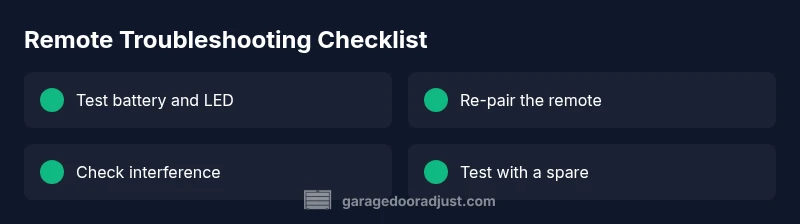
- Replace the remote battery with a fresh alkaline cell and test a few presses with the opener closed.
- Re-pair the remote with the opener following the manual: press the learn button on the opener and then press a button on the remote within the specified range.
- Move other wireless devices away from the opener to reduce interference; turn off devices briefly to test.
- Check the remote’s buttons for sticking or dirt and clean gently with a dry cloth.
- Try a spare remote if you have one to determine whether the issue is device-specific.
- Inspect the opener’s receiver area for loose wires or obvious damage.
Safety notes and when to call a pro
If you notice exposed wiring, a burning smell, or damaged safety sensors, stop and call a professional. Do not attempt to disassemble critical components beyond battery access. It’s easy to accidentally mis-wire or create a safety hazard if you push beyond your comfort zone.
Prevention tips to extend remote life
To minimize future failures, store remotes away from extreme heat or moisture, replace batteries on a predictable schedule, keep the remote clean, and avoid dropping it or exposing it to moisture. Periodically re-pair remotes after major electrical events, like power outages or installer activity. Keeping a spare remote handy reduces downtime and helps you verify when issues are remote vs. opener-related.
Steps
Estimated time: 20-40 minutes
- 1
Check battery and LED
Open the remote housing and inspect the battery. If you see corrosion or a loose contact, replace the battery and clean the contacts. Confirm the LED on the remote lights up with each press to ensure the circuit is functional.
Tip: Use a fresh alkaline battery and avoid reusing old batteries that show low voltage. - 2
Re-pair the remote
Put the opener into learning mode (per the manual, often by pressing and holding a learn button). Then press a button on the remote within the recommended range. Watch for a confirmation blink on the opener or a status light.
Tip: Keep the remote close to the opener during learning; avoid doors in the path to prevent interference. - 3
Test range and response
Test the remote from the closest point to the door and then from the far end of its typical range. Note any dead zones or areas with no response to gauge if the issue is range-related.
Tip: Do this in a calm, seated position; avoid operating the door while up on a ladder or near the edge of a trench or hazard. - 4
Try a spare remote
If you have a second remote, test it using the same steps. If the spare works, the original remote is faulty or its pairing needs redoing.
Tip: If the spare also fails, the issue is likely with the receiver or wiring rather than the remote itself. - 5
Inspect the receiver and antenna
Carefully examine the opener’s receiver area for loose wires, corrosion, or a damaged antenna. Do not force components or apply power to damaged parts. If you see obvious damage, stop and call a pro.
Tip: Shut off power to the unit before handling interior parts to avoid shocks. - 6
Document results and plan next steps
Record which remotes were tested, the results, and any steps taken. If none of the remotes work after testing and re-pairing, plan for replacement of the remote(s) or the receiver.
Tip: Keep a log; it helps if you contact support or a professional later.
Diagnosis: Remote control stops working or has intermittent response
Possible Causes
- highDead battery causing weak or no transmission
- mediumUnpaired or mislearned remote
- lowInterference from nearby devices
- lowDamaged receiver in the opener
- lowAntenna or transmitter damage to the remote
Fixes
- easyReplace the remote battery and test LED; try a different battery if needed
- easyRe-pair or relearn the remote with the opener following the manual
- easyMove away from potential interference sources and reset nearby devices if possible
- easyTest with a spare remote to rule out a single remote issue
- mediumInspect the opener's receiver and antenna; if faulty, call a pro
Got Questions?
Can a dead battery cause a garage door remote to stop working?
Yes. A dead or weak battery reduces transmit power, which often prevents the opener from responding. Replace the battery and re-test.
Yes. A dead battery can cause the remote to stop working; replace it and test again.
Why won’t my remote pair with the opener after replacement?
Make sure you follow the exact learning sequence in the manual and stay within the recommended range. If needed, retry with the opener reset.
Make sure you follow the exact pairing steps and stay close to the opener.
Can interference from other devices affect the remote?
Yes. Nearby wireless devices can jam signals. Try turning off nearby devices temporarily and re-test the remote.
Yes, interference can cause issues. Move other devices away while testing.
Should I replace the remote or the receiver if nothing works?
Test with another remote first. If multiple remotes fail, the issue is likely the receiver; otherwise, replace the faulty remote.
If several remotes fail, the receiver may be at fault; if not, the remote is the problem.
Do I need to hire a professional for remote issues?
If you encounter damaged wiring, sensor faults, or unsafe conditions, contact a qualified technician. For battery and pairing issues, DIY is usually sufficient.
Yes, professionals if there’s wiring or sensor damage; otherwise DIY for batteries and pairing.
How often should I replace a garage door remote battery?
Test the battery routinely and replace when performance drops or the LED weakens. Typical life is dependent on usage.
Test and replace when performance drops; typical use varies by remote.
Watch Video
Quick Summary
- Test the battery first and re-pair if needed
- Use a spare remote to verify the issue
- Rule out interference before replacing parts
- Call a pro for receiver or sensor problems