Why Does My Garage Door Open When I'm Not Home? Troubleshooting Guide
Urgent, practical troubleshooting for garage doors that open by themselves. Learn causes, quick checks, and step-by-step fixes to keep your home secure, with expert tips from GarageDoorAdjust.


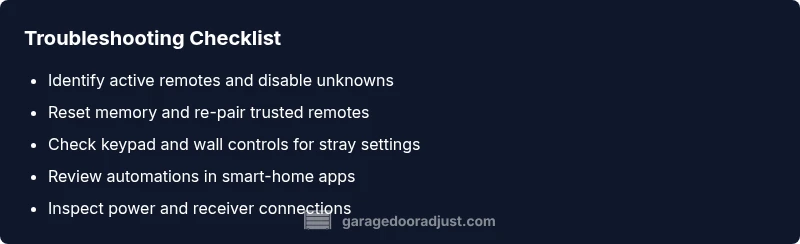
Most likely cause is remote interference or a misconfigured opener memory. Quick fix: remove extra remotes from the keyring and disable unknown ones; reset the opener by unplugging for 60 seconds; check the wall console and keypad for stray settings; if it still opens on its own, stop and contact a professional.
Why this happens: common causes
If you're asking, why does my garage door open when i'm not home, the answer often lies in remote interference, a misconfigured memory, or automation rules that trigger the opener without your input. According to GarageDoorAdjust, the most frequent culprits are stray remotes, unrecognized keypads, and outdated memory settings in the opener. Start with a thorough audit: list every device connected to the system, then remove anything unfamiliar. This prevents hidden signals from triggering the door while you’re away. Remember, a door operated by a hidden remote can pose a serious security risk; take immediate steps to identify and isolate signals.
Check the basics before you dive deeper
Before you tackle advanced diagnostics, perform quick, safe checks you can do at home. Remove extra remotes from the keyring, and consolidate control to a single, trusted device. Inspect the wall button and keypad for signs of wear, stuck keys, or misprogramming. Review any connected apps for automation rules that could trigger the door when you’re away—disable or delete suspicious automations. If you use a smart hub, ensure it isn’t set to open the door on a schedule or in response to specific triggers. Finally, perform a reset by unplugging the opener for 60 seconds to clear memory and test again.
Diagnostic flow overview
When the door opens without input, the typical path is memory issues, remote linkage, or automation triggers. A structured approach helps you isolate the root cause without guessing. This section maps symptoms to likely causes and practical fixes, so you can work safely and efficiently. If you notice multiple devices trying to control the opener, focus on memory reset first, then re-pair only the necessary remotes.
Step-by-step fix for the most common cause
Addressing the most frequent root cause—remote interference or misconfigured memory—requires a clear sequence of actions. Start with a clean slate: remove all nonessential remotes, reset the opener, and re-pair only the remotes you trust. After each step, retest the door by simulating a normal open/close cycle to confirm the symptom has resolved. If the door continues to open unexpectedly, the issue may involve the receiver or wiring, in which case professional help is recommended.
Safety, prevention, and common mistakes
Safety is non-negotiable. Do not poke at live wiring or circuitry with power on, and never rely on improvised fixes that leave a potential for injury. Keep a master list of trusted remotes, routinely check for unfamiliar devices, and schedule a quarterly memory reset to prevent drift. Common mistakes include neglecting to remove forgotten remotes, skipping the reset step, and ignoring suspicious automations that could trigger the door when you’re away.
Prevention tips and quick recap
To prevent future self-open scenarios, keep only the essential remotes and disable any autonomous routines that could open the door while you’re not home. Regularly audit connected devices and update firmware in the opener and any smart-home integrations. The goal is to reduce stray signals, maintain secure access, and ensure you’re the only one who can trigger the door remotely.
Steps
Estimated time: 45-90 minutes
- 1
Identify active remotes and devices
Make a list of every remote, keypad, and app that could control the opener. Note which ones you recognize and which you don’t. This helps you quickly spot stray signals and prioritize resets.
Tip: Label each device so you can track changes later. - 2
Reset the opener memory
Unplug the unit or switch the breaker for 60 seconds to clear the memory. This removes lingering codes that could trigger opens. After replugging, do not yet re-pair remotes.
Tip: A cold reset is the most reliable way to remove hidden codes. - 3
Re-pair trusted remotes
Pair only the remotes you trust. Start with the main remote and the wall control. Test the door after each pairing to ensure no unexpected opens occur.
Tip: Keep remotes in a single secure location. - 4
Check keypad and wall controls
Inspect for stuck keys or wear. Reprogram the keypad if needed and ensure it isn’t triggering the opener due to a fault.
Tip: Replace worn keypads to prevent false opens. - 5
Review smart-home automations
Open the app connected to the opener and scan all automations. Disable any rules that could trigger the door when you’re not home.
Tip: Test with one automation disabled at a time. - 6
Test power and receiver connections
With safety precautions, inspect the power supply, plug connections, and the receiver board for issues. A loose connection can create inconsistent signals.
Tip: Only perform this if you have electrical safety training. - 7
Re-test system after each change
Attempt a normal open/close cycle after each adjustment to confirm the symptom is resolved. Repeat until the door behaves correctly.
Tip: Document each test so you can trace what fixed the issue. - 8
Call a professional if needed
If the door still opens by itself, or you notice odd noises or wiring problems, schedule a professional inspection.
Tip: Early professional help can prevent property damage and guard against intrusions.
Diagnosis: Door opens by itself when no input is detected
Possible Causes
- highRemote interference or forgotten remotes
- highMisconfigured memory or unpaired remotes
- mediumAutomation rules or smart-home routines triggering opener
- lowPower issues or receiver faults in the opener
Fixes
- easyRemove unfamiliar remotes, unplug and reset the opener to clear memory, then re-pair trusted remotes only
- easyReview and disable any automation rules or routines that could trigger the opener when you’re away
- mediumInspect power supply and receiver connections; if faults are suspected, consult a professional
Got Questions?
Why does my garage door open by itself when I'm away from home?
Self-opening usually results from remote interference, misconfigured memory, or automation rules. Begin with a remote audit and a memory reset, then review automations.
Self-openers are most often caused by stray remotes or automation rules. Start by auditing remotes and resetting memory.
How can I tell if a remote is causing the issue?
Check for unfamiliar remotes or key fobs and remove them. Re-pair only trusted devices and test after each removal.
Look for unknown remotes and remove them, then re-pair trusted ones and test.
Can smart-home routines trigger the door?
Yes, a misconfigured automation can open the door when you're not home. Review all connected apps and disable any that are not essential.
Automation rules can trigger the door; check your smart-home apps and disable problematic routines.
When should I call a professional?
If you cannot isolate the cause after resets, or if you notice wiring issues or odd sounds, contact a professional to prevent security risks and property damage.
Call a pro if resets don’t fix the problem or you see wiring issues.
Is it safe to unplug the opener for troubleshooting?
Unplugging is safe if you follow proper safety steps and disconnect power only when necessary. Do not attempt repairs with power on.
Unplug only when necessary and with caution; never work on live circuitry without training.
What maintenance helps prevent this issue?
Regularly audit remotes, reset memory during routine maintenance, and update software/firmware for the opener and smart-home integrations.
Keep remotes organized, refresh memory, and keep software updated to prevent issues.
Watch Video
Quick Summary
- Audit all remotes and keypads first.
- Reset memory and re-pair trusted remotes only.
- Disable unwanted automations to prevent auto-open.
- Regularly review connected devices and firmware updates.