What Can Cause a Garage Door to Open: A Homeowner's Troubleshooting Guide
Discover what can cause a garage door to open unexpectedly and how to troubleshoot safely. Remotes, sensors, switches, and interference are covered with step-by-step checks and professional guidance.


Definition: What can cause a garage door to open by itself is usually a signal or control issue rather than a structural problem. Common culprits include stray signals from remotes, a misaligned or dirty safety sensor, a stuck wall switch, nearby wireless interference, or a faulty opener receiver. Addressing the simplest cause first often stops the door from moving on its own.
Why unexpected openings happen
Unexpected garage door openings are rarely caused by the door itself. Most of the time, the root cause is a signal, control, or safety system issue that triggers the opener without a human command. According to GarageDoorAdjust, the most common culprits fall into five categories: stray remote signals, misaligned safety sensors, a stuck wall switch, interference from nearby electronics, and a malfunctioning opener receiver. Even if the door seems to operate normally when you test it, a hidden problem can cause it to start opening on its own at random times, especially when you’re not nearby. The good news is that most issues are safe to diagnose and fix with a calm, methodical approach. Start with the simplest explanation first, then move to the next probable cause. Documenting what you observe—like the time of day, what buttons were pressed, and whether a car or neighbor’s signal might be involved—helps narrow the field and reduces the risk of unnecessary repairs. The key is to separate symptoms from guesses. If you can reproduce the issue reliably, you can test each potential cause in sequence and confirm the fix before moving on. In sum, a methodical approach reduces risk and speeds recovery, especially when every minute counts for a busy household.
Quick checks you can perform today
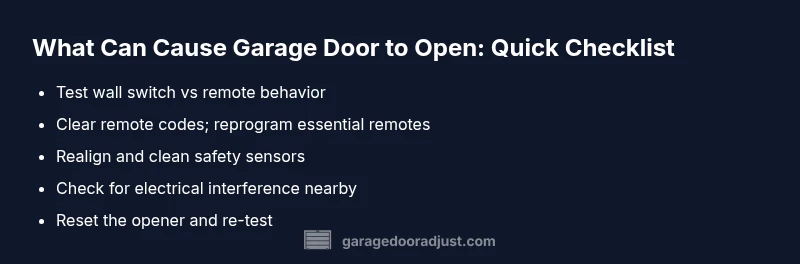
- Test whether the door opens when you press the wall switch versus using a remote. If it only happens with remotes, focus on remote codes or the opener receiver.
- Look for extra remotes in cars, drawers, or coat pockets and remove or reprogram them to eliminate stray signals.
- Inspect the keypad and any on-wall switches; a stuck button can repeatedly trigger the system even if you’re not actively using it.
- Check the safety sensors by the door tracks. If the lenses are dirty, misaligned, or blocked, they can misread the beam and trigger occasional openings.
- Unplug the opener for 60 seconds, then plug back in to reset the control board. Reconnect remotes and reprogram as needed.
- Relocate or power down devices that might emit radio interference near the opener (garage routers, cordless phones, etc.).
- If the issue persists, keep a log of when it occurs and what devices were active; this helps a technician diagnose it faster.
Diagnostic flow overview
Diagnosing why a garage door opens by itself follows a simple, repeatable flow. Start by confirming the symptom is reproducible (the door opens without prompting). Then rule out the most common culprits in order: remote signals, wall switch or keypad, safety sensors, and the opener's receiver. Each check should be done with the power off when you unplug, then re-tested after reassembly. If you identify a single cause, you can apply the appropriate fix and test again. If the problem remains after each step, it is wise to pause and contact a professional. In many cases, a combination of issues is involved, so testing in sequence helps isolate the root cause while reducing risk. The diagnostic flow keeps you in control and minimizes downtime for your garage.
Common culprits: remote controls and safety sensors
The most frequent reasons a garage door opens on its own are remote control misbehavior and sensor problems. Remote codes can accumulate if several remotes are paired with the opener, and stale codes may trigger the system when you’re not aware. Safety sensors can misread the beam if they’re misaligned, dirty, or blocked by objects. Start by clearing unused remotes and reprogramming the ones you use daily. Then inspect the safety beams for proper alignment and clean lens surfaces with a dry cloth. After addressing remotes and sensors, test the door multiple times to ensure stability. If interference from neighboring devices is suspected, move the opener away from potential sources and re-test to confirm.
Safety sensors and beam alignment
Safety sensors project an infrared beam across the bottom of the door frame. When the beam is interrupted or misread, the opener should stop or reverse; however, a misalignment can also cause intermittent openings. Check that the sensors face each other directly, that their lenses are clean, and that mounting brackets are stable. If one sensor is visibly offset, adjust it slowly and retest. If the indicator lights on the sensors suggest a fault, replace the wiring or the sensor module as needed. Do not ignore sensor issues; they’re the primary safety feature and a common source of false activations. Addressing misalignment early prevents recurring false openings and protects family members.
Electrical power, ground, and environmental factors
Power issues and environmental conditions can create phantom openings. A loose outlet or faulty power strip may send unstable signals to the opener, especially during storms or power fluctuations. Ensure the opener is plugged into a dedicated, unswitched outlet and that the circuit breaker hasn’t tripped. Weather conditions like high humidity can cause moisture to affect electronics, and metal doors can pick up stray electrical noise. If you’ve recently installed new electronics near the opener, test again after removing them from the area. Regularly inspecting the power source is a simple, effective prevention strategy.
Maintenance and prevention to avoid future incidents
Regular inspection and simple preventive actions dramatically reduce the chance of unexpected openings. Keep all remotes in a single place and reprogram them periodically. Clean and realign safety sensors during routine maintenance and check the wall switch for stuck contacts. Lubricate moving parts per manufacturer guidelines and replace worn weather seals to reduce environmental interference. Finally, create a quick reference sheet with your opener’s model, codes, and remote fob IDs so you can quickly reconfigure if something changes. Consistent, proactive maintenance is the best defense and keeps your garage secure year-round.
Steps
Estimated time: 45-60 minutes
- 1
Power down and reset the opener
For safety, unplug the garage door opener and wait 60 seconds. Plug it back in and reprogram the primary remote. This clears temporary glitches that could trigger the door without command.
Tip: Always disconnect power before touching any internal components. - 2
Test wall switch and keypad input
With the opener powered, press the wall switch and the keypad to see if either triggers the door on its own. If both are quiet, the issue is likely not a stuck input, pointing toward remotes or sensors instead.
Tip: If a keypad button feels sticky, remove and clean or replace the keypad. - 3
Review remote codes and reprogram
Remove all non-essential remotes from the list in the opener’s settings. Reprogram the primary remotes you use, and test the door’s response after each reset.
Tip: Keep one trusted remote to avoid future confusion. - 4
Check safety sensors for alignment
Inspect the two safety sensors at the bottom corners of the doorway. They should face each other directly; adjust and clean the lenses if needed.
Tip: A slight misalignment is often the culprit; small tweaks make a big difference. - 5
Test for interference sources
Move potential interference devices away from the opener area (routers, cordless phones, power tools). Retest the door’s behavior to determine if interference was the cause.
Tip: Even a nearby phone charger can create enough noise to trigger the system. - 6
Document results and plan next steps
Record which fixes worked and which didn’t. If the door still opens unexpectedly, contact a professional and consider a diagnostic visit.
Tip: A structured log speeds up professional diagnosis and reduces repeat visits.
Diagnosis: Garage door opens by itself or without command
Possible Causes
- highStray remote signals or stale codes
- mediumMisaligned or dirty safety sensors
- mediumStuck or misconfigured wall switch / keypad
- lowRadio interference from nearby devices
- mediumFaulty opener receiver or control board
Fixes
- easyClear unused remotes and reprogram the ones you use daily; remove invalid codes from the opener
- easyRealign or clean safety sensors and ensure lenses are unobstructed
- easyInspect and test the wall switch or keypad for sticking inputs; replace if necessary
- easy unplug the opener for reset and reprogram remotes after power restoration
- easyCheck for nearby devices causing interference and relocate or power them down
Got Questions?
Why does my garage door open by itself even when I didn't press the remote?
Self-opening is usually caused by signal or control issues, not a structural fault. Start by checking remotes, sensors, and the wall switch. If unresolved, use a methodical diagnostic flow to identify the root cause.
Self-opening doors are typically due to signal or control issues. Begin with remotes and sensors, and proceed through a diagnostic flow to find the root cause.
Can a faulty safety sensor cause unintended openings?
Yes. Misaligned or dirty sensors can read an obstacle or beam interruption and trigger the opener unexpectedly. Realign, clean, and test after each adjustment.
Yes. Misaligned or dirty safety sensors can cause unwanted openings. Realign and clean them, then test again.
Should I unplug the opener to reset?
Unplugging and replugging the opener is a safe way to reset the control board and clear glitches. Always reprogram remotes afterward.
Unplug and replug the opener to reset it, then reprogram remotes.
Is it safe to adjust safety sensors myself?
Yes, within limits. Do not tamper with high-tension components. Gently realign sensors and replace damaged parts if needed, or call a pro for advanced fixes.
You can safely realign safety sensors, but avoid high-tension parts. Call a pro if you’re unsure.
When should I call a professional for a stubborn issue?
If multiple checks fail to resolve the issue, or if the door still opens unexpectedly after following the diagnostic flow, a professional diagnostic visit is warranted.
Call a pro if the issue persists after trying the steps.
How can I prevent future false openings?
Regularly test remotes, clean sensor lenses, and keep the area clear of interfering devices. Maintain the opener per manufacturer guidelines and reprogram codes periodically.
Prevent by testing remotes, cleaning sensors, and maintaining the opener regularly.
Watch Video
Quick Summary
- Test remotes and sensors first to locate simple causes.
- Reset and reprogram after any power cycle for accuracy.
- Regular maintenance prevents phantom openings from returning.
- Call a professional if issues persist after basic checks.
- Document findings to speed up diagnostics.