Why Does a Garage Door Open by Itself? A Troubleshooting Guide
Urgent, step-by-step guide to diagnose why a garage door opens and closes by itself. Learn quick checks, safety tips, diagnostic flow, and when to call a pro.


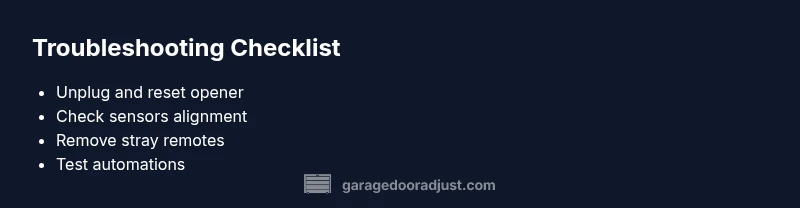
Most often, the door opens by itself due to interference from remotes or keypads, a misprogrammed opener, or a faulty sensor, sometimes even a stuck wall switch. Start with quick fixes: unplug the opener, remove stray remotes, replace batteries in remotes, reset devices, and reseat safety sensors. Then follow the diagnostic flow to identify the exact fault and the safest fix.
Why the door opens by itself: what causes garage door to open by itself
If you're wondering what causes garage door to open and close by itself, you're not alone. In most homes this behavior comes down to a handful of electrical or mechanical issues that send stray signals to the opener. The three most common culprits are radio signal interference from remotes or keypads, a misprogrammed or stuck opener, and faulty safety sensors that wrongly detect obstruction. Weather, nearby devices, and even battery levels can aggravate these problems. Treat this as an urgent safety check, because a door that moves on its own can pinch, trap, or cause injury. By methodically ruling out interference sources, reprogramming devices, and inspecting sensors, you can usually pinpoint the cause and fix it quickly.
For homeowners asking what causes garage door to open by itself, the pattern is predictable: one or two easy fixes resolve most cases, while a handful of stubborn quirks may require deeper testing. The key is to stay organized, keep safety features engaged, and avoid bypassing any sensor or switch. In addition to the mechanical checks, remember that smart devices, voice assistants, and apps can trigger openings if they’re misconfigured or near the opener. A calm, systematic approach is your best defense against dangerous surprises.
Quick checks you can perform safely
Before you reach for tools, perform a few quick checks that cover most situations. First, unplug the garage door opener and unplug any nearby timers or smart devices that could automate a command. Remove or store extra remotes and keypads away from the garage. Replace remote batteries and re-pair the remote(s) to the opener. Inspect the wall-mounted switch and keypad for stuck buttons or wiring damage. Finally, ensure the safety sensors at the bottom of the door track are clean, aligned, and unobstructed. These steps resolve many cases without professional help, and they establish a safe baseline before deeper testing. If any sensor LEDs indicate a fault, note it for the next steps. Remember: never disable safety sensors as a troubleshooting shortcut—this increases injury risk and could violate local codes.
If you’re facing repeated false signals, also consider nearby devices that might emit infrared or radio frequencies, such as motion-activated lights, remote-controlled porch cameras, or other radios on the same frequency. Moving or shielding these devices can reduce interference. Finally, document the dates and devices you’ve tested so you can reproduce or describe the problem to a technician if needed.
Diagnostic flow: symptom to diagnosis to solution
Start with the symptom: the door opens or closes when no one is present. Then consider the likely causes: signal interference, misprogrammed openers, faulty sensors, stuck switches, or automation. For each cause, verify a simple fix first (clear interference, reset devices, adjust sensor alignment). If the symptom persists, move to more thorough tests (inspect wiring, test motor relays, and check floor safety limits). The flow helps prevent wasted time and reduces risk by isolating the issue step by step. This approach also aligns with common homeowner troubleshooting pathways so you can quickly rule in or out the most frequent culprits.
Throughout the process, keep a log of what you changed and when you tested the door. If you document your steps, you’ll have a clear history to share with a professional if you decide to escalate the repair.
Step-by-step fix for the most common cause: sensor misalignment or obstruction
- Power down the opener: unplug or switch off at the breaker to prevent accidental movement. 2) Visually inspect both safety sensors on the track ends; look for misalignment, dirt, or condensation. 3) Clean sensor lenses with a soft cloth and realign each sensor until the LEDs indicate a proper signal. 4) Reconnect power and test the door with a short activation. 5) If the door still opens by itself, test with a fake obstruction and ensure the auto-reverse feature operates. 6) Re-seat the sensor wiring securely and re-pair remotes if needed.
Tip: Safety sensors are the primary defense against injury—avoid bypassing them, and re-check alignment after any door adjustment.
Preventing future self-opening: maintenance and safety best practices
Create a simple maintenance routine to minimize repeats. Schedule monthly sensor checks, keep the track clean, and lubricate moving parts per manufacturer guidelines. Regularly update remotes and keypads, and avoid placing extra devices near the opener that could emit stray signals. Consider adding a surge protector and a Wi-Fi router placement that reduces interference. Finally, document any changes so you can retrace steps if the door starts acting up again. Regular checks also help detect wear in the spring system, which could manifest as misreads or erratic behavior.
Steps
Estimated time: 45-60 minutes
- 1
Power down the opener
Unplug the opener or switch off the circuit breaker to safely halt any movement during inspection.
Tip: Always start with power off to prevent injuries. - 2
Inspect remotes and keypads
Check for stuck buttons, stray remotes in the vicinity, and re-pair to the main unit.
Tip: Remove any batteries from unused remotes temporarily. - 3
Reset and re-pair devices
Reset the opener to factory settings and re-pair each remote and keypad one at a time.
Tip: Only pair one remote at a time to avoid cross-connection. - 4
Check safety sensors
Ensure sensors are clean, aligned, and unobstructed; adjust until the indicator LEDs show proper alignment.
Tip: A small misalignment can cause constant false readings. - 5
Test the wall switch and keypad
Press the wall switch and the keypad while observing door movement to ensure they aren’t triggering unintentionally.
Tip: Unplug the switch temporarily to rule out a fault. - 6
Inspect wiring and relays
Look for damaged wires or loose connectors at the opener and sensor junctions; reseat connections firmly.
Tip: If wiring looks damaged, stop and call a pro. - 7
Reassemble and retest
Plug back in, re-test with a controlled activation, and observe through a few opening/closing cycles.
Tip: Document changes and outcomes to guide future maintenance.
Diagnosis: Door opens or closes by itself without user input
Possible Causes
- highRadio or device interference from remotes, keypads, or smart devices near the opener
- highMisprogrammed or newly added remote or keypad
- highFaulty safety sensors misreading a non-existent obstruction or misalignment
- mediumStuck or pressed wall switch or keypad button
- lowWiring issues or damaged circuitry in the opener
- lowTimer-to-close or smart home automation triggering the door
Fixes
- easyReset the opener and all paired remotes/keypads; re-pair devices to the opener
- mediumCheck and realign safety sensors; clean sensor lenses and ensure a clear path
- easyInspect and unstick any pressed wall switch or keypad, secure wiring
- hardCheck for stray wiring or damaged components; if in doubt, consult a pro
- easyDisable unnecessary automations or timer-to-close features
Got Questions?
What causes a garage door to open by itself?
Common causes include remote interference, misprogrammed remotes, faulty sensors, stuck switches, or smart-home routines. Start with resets and sensor checks, then move to wiring inspections if needed.
Common causes are interference, misprogrammed remotes, and faulty sensors. Start with a reset and sensor checks to diagnose.
How can I stop my garage door from opening by itself?
Unplug the opener, remove stray remotes, reset devices, and verify sensor alignment. Re-pair remotes only after confirming the door behaves correctly.
First unplug and reset, then check sensors. Re-pair remotes only after it stays stable.
Could timer-to-close or automation trigger the door?
Yes. Timers or smart-home routines can trigger openings. Disable or modify automations and test again to isolate the issue.
Timers or automations can trigger it; disable them to test.
What if resetting remotes doesn't help?
Check the safety sensors for misalignment and inspect wiring for damage. If you see frayed wires, stop and contact a professional.
If resets fail, check sensors and wiring. Call a pro if wiring looks damaged.
Is it unsafe to disable the wall switch to stop self-opening?
Disabling the wall switch can prevent normal use and may hide the underlying issue. Address the root cause instead and limit access to the switch until fixed.
Disabling the switch isn't advised; fix the root cause first.
When should I call a professional for this issue?
If basic fixes don’t resolve the problem, if wiring looks damaged, or if sensors fail to operate after tests, a qualified technician should diagnose and repair it.
Call a pro if you can’t fix it with basic checks or if wiring looks damaged.
Watch Video
Quick Summary
- Act quickly to unplug and reset to stop erratic openings
- Sensor misalignment is the single most common cause
- Resetting remotes and keypads often fixes the issue
- If basic fixes fail, contact a pro for wiring or sensor diagnostics