Reasons Garage Door Opens by Itself: A Troubleshooting Guide
Discover why a garage door opens by itself and follow a practical troubleshooting flow. Learn safe first steps, common causes, and when to call a pro from GarageDoorAdjust for urgent, reliable fixes.


Most often, a garage door opens by itself due to remote signal interference, a stuck wall control, or a fault in the opener's receiver. Start by disconnecting all remotes and disabling the wall console, then check sensors and track alignment. If the door still moves, unplug the unit and call a pro.
Why a Garage Door Opens by Itself
When a garage door unexpectedly moves, it’s alarming but usually traceable to a handful of root causes. According to GarageDoorAdjust, most self-opening issues stem from stray remote signals, a stuck wall control, misaligned safety sensors, or a fault in the opener's receiver. The good news is that many fixes are safe to try at home, and they establish a solid baseline for any professional you might call. Early action not only stops the door from opening on its own but also protects you and your family from potential injuries. By understanding the common culprits, you can approach this problem with confidence and urgency.
Common Causes and How to Spot Them
There are several frequent culprits behind a door that opens without warning. The easiest to test first include stray remotes from other devices or neighbors, a wall-mounted control that’s pressed or stuck, and misaligned safety sensors that falsely trigger the opener. Less obvious are RF interference from nearby wireless devices or a failing receiver/logic board inside the opener. Take a moment to observe when the issue happens: does it occur at certain times of day, after certain devices are used, or only when the door is down? This pattern can help narrow the cause quickly. Remember: even when you find a likely reason, you should still perform safety checks before any test move.
Quick, Safe Checks to Do Before Digging Deeper
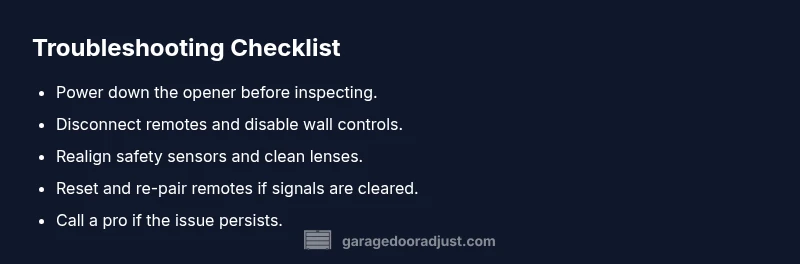
Safety is paramount when troubleshooting garage doors. Start by unplugging the opener to eliminate powered movement while you inspect. Remove or temporarily disable all remotes and the wall control to ensure no signals are being sent. Inspect the safety sensors at the bottom corners of the door frame for position, cleanliness, and alignment. Clean the sensor lenses gently if they’re dusty, and verify the indicator lights show proper alignment. If you must move the door manually, do so with the door closed or in a controlled position to avoid injury. These checks form the safest, simplest foundation before more involved diagnostics.
Diagnostic Path: Signals, Sensors, and the Receiver
A systematic approach helps separate root causes from symptoms. Start with signal sources: are any remotes nearby, or could a neighbor’s device be transmitting at the same frequency? Then test the wall control for button sticking or a short in the wiring. Next, inspect the safety sensors—misalignment or obstruction can trigger the opener even when the door is not commanded to move. Finally, consider a failing receiver or logic board, which may require professional assessment. Document what you observe (time, conditions, lights) to share with a technician.
When to Clean, Realign, or Reset—and What Not to Do
Small adjustments can fix many issues, but some situations demand professional service. Do not force lubricants into the opener or touch exposed wiring; these can create hazards or short circuits. Realign sensors by nudging their mounting brackets until both LEDs illuminate consistently. If the door still opens by itself after a clean reset and sensor realignment, unplug the unit and schedule a service visit. For ongoing problems, a technician can perform a deeper diagnosis using manufacturer tools and safety precautions.
Safety, Warnings, and Prevention
Garage doors are heavy and operate at high speed with powerful springs. A misstep can cause serious injury. Always disconnect power when inspecting the opener or sensors. Keep remotes out of reach of children and avoid testing the system when people or pets are nearby. Consistent maintenance—lubricating hinges, inspecting tracks, and cleaning sensors—helps prevent future self-opening incidents. If you’re ever unsure, stop and call a professional; your safety comes first.
Steps
Estimated time: 45-60 minutes
- 1
Power down and remove remotes
Unplug the opener to stop all movement and remove every remote. If accessible, power down any external controllers too. This creates a known-safe baseline so you can test without signals riding along.
Tip: Keep a log of which remotes you disabled and when you perform resets. - 2
Check the wall control
Inspect the wall-mounted control for sticking buttons or loose wiring. Press each button firmly to ensure it springs back and check for any visible damage. If you find a stuck button, secure or replace the switch before re-testing.
Tip: If the wall control is old, consider replacing it; a new unit reduces false triggers. - 3
Inspect the safety sensors
Look at both sensors at the bottom corners of the door frame. Confirm they’re aligned and unobstructed. Clean the lenses with a soft cloth and verify the indicator lights behave as the manual describes.
Tip: Ensure no toys, cords, or debris block the sensor path. - 4
Power cycle and test
Plug the opener back in and perform a reset if your model supports it. Re-test with a single remote and observe whether the door moves when no signals are present. If it still triggers, move to a deeper diagnosis.
Tip: Allow the system a full minute to reinitialize after reset. - 5
Re-pair remotes and test
Re-link the remotes one by one following the manufacturer’s instructions. Test each remote at a safe distance and note any persistent triggers. If a remote consistently causes movement, replace it.
Tip: Date label each remote so you can retire any that misbehave. - 6
Check for RF interference
Identify nearby RF devices (garage door openers, wireless speakers, security systems) that could be transmitting. Temporarily deactivate or relocate them and re-test the door. If interference is a factor, you may need channel adjustments or professional help.
Tip: Document nearby devices and their frequencies to discuss with a technician. - 7
Consult a professional if unresolved
If the door still opens by itself after thorough checks, avoid protracted DIY fixes. A qualified technician can diagnose a failing receiver, wiring issue, or control board with proper safety precautions.
Tip: Do not attempt invasive repairs to springs or cables yourself.
Diagnosis: Garage door opens by itself
Possible Causes
- highRemote signal interference or stray remotes
- highWall control button stuck or shorted
- highMisaligned safety sensors triggering the opener
- mediumFaulty receiver/logic board in the opener
- lowRF interference from nearby devices
Fixes
- easyDisconnect all remotes and disable the wall control; unplug the opener to reset
- easyInspect and clear a stuck wall control button or shorted wiring
- easyRealign safety sensors and clean sensor lenses; ensure no obstruction
- mediumTest and replace faulty receiver/logic board components or call a pro
- easyIdentify and mitigate RF interference sources nearby, then re-test
Got Questions?
What should I do first if my garage door opens by itself?
Begin by removing all remotes and unplugging the opener to stop movement. Check the wall control for sticking buttons and inspect the safety sensors for misalignment. If it continues, proceed with the diagnostic flow or contact a professional.
First, unplug the opener and remove remotes, then check the wall control and sensors. If it keeps happening, follow the diagnostic flow or call a professional.
Can RF interference cause the door to open by itself?
Yes. Nearby remotes or wireless devices can transmit signals that trigger the opener. Identifying and mitigating nearby sources is a key early step.
Yes. Nearby remotes or devices can trigger the opener, so find and reduce interference sources.
How do I reset my garage door opener?
Power cycle the unit by unplugging, then replugging after a minute. Re-pair remotes according to the manufacturer’s instructions. This can clear ghost signals and stabilize operation.
Power cycle the opener, then re-pair remotes per the manual.
When should I call a professional?
If the door continues to open by itself after checks, or you notice wiring damage or unusual smells, professional diagnosis is essential for safety.
If it keeps happening or you see wiring issues, call a pro for safety.
Is it safe to keep using the door while this issue persists?
No. A door that moves on its own poses serious risk. Stop using it until the root cause is identified and fixed.
No—don’t use it until it’s fixed.
Watch Video
Quick Summary
- Identify root cause: remotes, sensors, or control board.
- Disconnect power and test with no signals present.
- Realign sensors and check for obstructions.
- Call a professional if issues persist.