Can a Garage Door Open by Itself? Troubleshooting Guide
Urgent, step-by-step guidance to diagnose why a garage door opens by itself, with practical fixes, safety notes, and prevention tips. Learn quick checks, diagnostic flow, and when to call a pro.


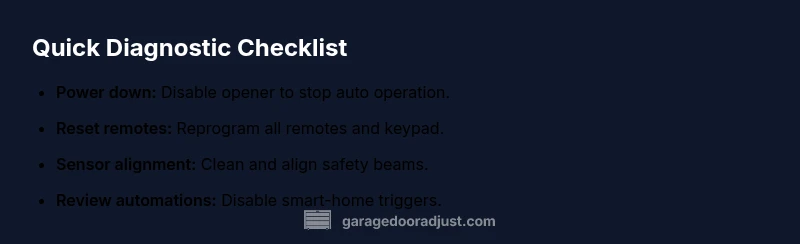
Most often a garage door opens by itself due to stray radio signals, a misprogrammed remote, or sensor misalignment. Safety first: unplug the opener and disconnect any remote devices to stop further openings. According to GarageDoorAdjust, begin with simple checks: reset remotes, test the wall switch, and verify sensor alignment. Also inspect keypads, battery life, and any linked smart-home automations that could trigger the opener.
Can a Garage Door Open by Itself? Common Causes and What to Check First
A garage door that opens without your input is not just an inconvenience—it can be a safety risk. The most frequent culprits are stray radio signals from nearby remotes or devices, misconfigured remotes, or misaligned safety sensors that fail to detect an obstruction. The root issue often lies in something simple you can verify within minutes. Throughout this guide, we reference practical checks and the role of safety systems because a misbehaving opener can indicate a wider problem with wiring, mounting, or older components that require attention. According to GarageDoorAdjust, starting with a systematic triage helps homeowners regain control quickly while staying within safety guidelines. In 2026, updates to openers and smart-home integrations mean there are more potential triggers than ever before, so a methodical approach matters.
Initial Safety and Quick Validation Checks
Before you touch any components, ensure everyone is clear of the door path and there is no physical obstruction. Next, power down the unit to stop automatic operation. Inspect the physical components you can access safely: unplug the garage door opener from the outlet, remove the wall-mounted control panel cover to check for damaged wiring or loose connections, and verify that any removable remotes are not actively transmitting signals when stored away. A short reset of the system often resolves transient glitches and can narrow down whether the problem is remote-related or sensor-based.
Sensor Alignment and Obstruction Checks
The photoelectric sensors at the bottom corners of the door frame are a common source of false opens. Inspect both lenses for dust, spider webs, or condensation. Realign the beams so they are parallel and unobstructed across the door’s path. If the beam is misaligned, even a slight misalignment can trigger a safety override and cause the door to open unexpectedly. If you notice the light indicators on the sensors behaving oddly, that’s a telltale sign they need adjustment or replacement. Additionally, check the infrared beams for pinched wires or damaged cables behind the sensor housing.
Remote and Keypad Troubleshooting
Reset all remotes and reprogram them to the opener. Ensure each remote has fresh batteries and is not within range of other devices that could cause interference. If you have a keypad, clear its memory or reprogram it to ensure it isn’t triggering the opener due to a sticky button or a stuck input. If any smart-home app or voice assistant is linked to the garage door, review automations and disable any routines that might cause the door to open automatically. In some cases, replacing the remote’s control chip is necessary when interference persists.
Wiring, Circuitry, and Controller Checks
Older openers may have aging limit switches or control boards that drift and cause unintended opens. If you’re comfortable, power down the unit, open the housing, and visually inspect for damaged capacitors, burnt smells, or loose wires. A humming relay can still switch open if the limit switch is out of alignment or failing. If you see obvious damage or smell burning insulation, stop and call a professional. Don’t test high-voltage components beyond your comfort zone.
Summarizing: Where to Focus Next
Document the sequence of symptoms: when the door opens, which remotes are active, sensor status, and any automation triggers. This record helps you isolate whether the issue is remote-based, sensor-related, or a combination of both. If simple resets don’t resolve the behavior, it’s time to move to more deliberate diagnostics or call a pro. The goal is to eliminate false positives that could result in injury or property damage while ensuring you regain reliable control over the door.
One More Important Note on Safety and Prevention
Safety features are designed to protect you, children, and pets. Do not bypass safety sensors or disable auto-reverse features without a clear reason and a professional plan. Regular maintenance and periodic recalibration of sensors, remotes, and controllers reduce the risk of future incidents. The GarageDoorAdjust team emphasizes safety as a non-negotiable priority for every troubleshooting step.
Steps
Estimated time: 45-60 minutes
- 1
Power down the opener
Unplug the unit at the outlet or switch off the circuit breaker to disable automatic operation. This prevents further openings while you troubleshoot.
Tip: Keep children and pets away from the door during the process. - 2
Reset remotes and keypad
Remove batteries from remotes, press and hold any button to discharge, then reinsert batteries. Reprogram remotes and keypad according to the manufacturer's instructions.
Tip: Label remotes and avoid storing near potential interference sources. - 3
Test wall control and sensors
With power restored, test the wall switch and check the safety sensors for alignment. Clear any debris or obstructions and ensure the beams are unobstructed.
Tip: If the beam lights are irregular, the sensor may need adjustment. - 4
Review smart-home triggers
Check any connected apps or voice assistants for routines that could trigger the opener. Disable or reprogram those routines to confirm whether they cause unexpected opens.
Tip: Temporarily disable all automations to isolate the issue. - 5
Inspect wiring and control components
Power down again, remove the housing cover, and inspect for loose wires, wear on connectors, or burnt components. Do not touch high-voltage parts if you are unsure.
Tip: If you see signs of damage, stop and call a professional. - 6
Test operation and establish a baseline
Reconnect power, test several cycles with remotes and keypad, and verify that the door behaves normally. Note any anomalies for future reference.
Tip: Document your test results for future troubleshooting.
Diagnosis: Garage door opens by itself or at unpredictable times
Possible Causes
- highStray radio signals or remote interference
- highMisconfigured or stuck remote/keypad
- mediumSensor beam misalignment or obstruction
- lowLinked smart-home automation or voice assistant trigger
Fixes
- easyDisconnect power and reset all remotes/keypad, then reprogram
- easyRealign or clean sensor beams and check for obstructions
- easyReview and disable any unintended automations or routines
- mediumInspect wiring and board for damage; call a pro if you see signs of failure
Got Questions?
Why does my garage door open by itself even when I haven't pressed a remote?
Unwanted opens are usually from radio interference, a misconfigured remote, or a misaligned sensor. Start by powering down the opener and resetting remotes, then check the sensors for alignment and obstruction.
Most likely radio interference, a misconfigured remote, or misaligned sensors. First, power down and reset remotes, then inspect the sensors.
Can smart-home devices trigger my garage door?
Yes. Some routines or voice assistants can trigger the opener inadvertently. Review connected automations and disable any that cause unexpected opens while diagnosing.
Yes, smart-home routines can trigger it. Check and disable any routines during troubleshooting.
Is it safe to troubleshoot the opener myself?
You can perform basic checks, but avoid tampering with high-voltage components. If wiring, circuitry, or the door balance seems off, contact a professional for safety.
Basic checks are fine, but don’t fiddle with high-voltage parts. Call a pro if you’re unsure.
How do I reset the garage door opener to stop it from opening by itself?
Power down, reprogram remotes, and reset the wall control as per the manufacturer’s instructions. Test with a few cycles before reactivating automations.
Reset the opener, reprogram remotes, and test several cycles.
What should I do if the sensors look misaligned or damaged?
Realign the sensors so the beams are parallel and unobstructed. If damage is evident, replace components or call a technician for safe replacement.
Realign or replace damaged sensors; don’t attempt risky repairs yourself.
When should I replace my garage door opener?
If the opener is older, frequently malfunctions, or requires expensive repairs, replacement with a modern, secure model is often more cost-effective and safer.
If it’s old or unreliable, consider upgrading to a newer model.
Watch Video
Quick Summary
- Diagnose in stages: remote interference, sensor issues, then automation triggers.
- Always cut power before inspecting wiring or sensors.
- Reprogram remotes and reset automations to limit false opens.
- Call a pro if you see damaged wiring or non-resolving sensor faults.