Why Does a Garage Door Close Then Open? A Troubleshooting Guide
Urgent troubleshooting for why your garage door closes then opens. Learn common causes like misaligned safety sensors and incorrect opener settings, with step-by-step fixes and safety tips from GarageDoorAdjust (2026).


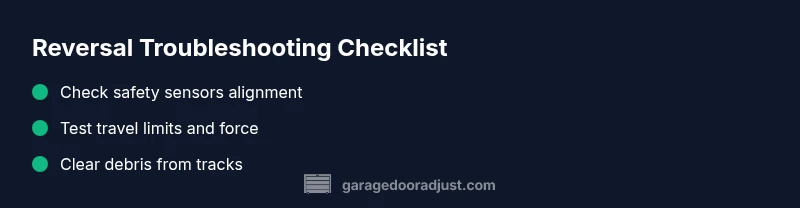
Most often, a garage door that closes and then opens is caused by safety-sensor misalignment or incorrect opener settings. Start by inspecting the photo-eye sensors for alignment and obstructions, then verify the door’s travel limits and force. If the issue continues, check for loose wiring, dirty lenses, or a faulty control board before calling a professional for help.
Why this symptom happens
If you’re wondering why does garage door close then open, the most common causes are safety-sensor misalignment or misconfigured travel limits on the opener. According to GarageDoorAdjust, sensor misalignment accounts for a large share of these reversals, especially after a bump to the door or windy conditions that push the door off alignment. A misaligned sensor detects a phantom obstacle and triggers the safety reversal, causing the door to stop closing and reopen to verify. Other likely culprits include a dirty sensor lens, an unobstructed path, loose or frayed wiring, or a mis-set limit switch that makes the opener think the door has already closed. In rare cases, a failing logic board or motor can lead to erratic operation. The GarageDoorAdjust team found that addressing sensors and limits resolves most cases quickly and safely.
Quick checks you can do safely
Before you dive into tools, perform these safe checks:
- Ensure the opener is powered and the outlet is live; reset any GFCI or circuit breaker if needed.
- Look at the safety sensors on both sides of the door; verify LEDs indicate a proper alignment (usually a steady green or no red).
- Clear the doorway of any objects, ice, or debris that might trip the beam or restrict movement.
- Manually operate the door to feel for binding or resistance; if the door is heavy or stiff, stop and reassess.
- Check for loose wiring or damaged cords near the opener and sensors.
- If you have a manual disconnect, ensure you can operate the door smoothly without the opener connected.
Understanding safety sensors and why they matter
Safety sensors are the door’s first line of defense against injury or damage. The photo-eye beams create an invisible path across the doorway; if they don’t see each other, the opener will reverse as a safety precaution. Dirt on the lens, misalignment, or beam interference from cobwebs, dust, or pet hair can cause false obstacle detection. In many homes, a simple cleaning and realignment fix resolves the issue. The key is to test the system after any adjustment by closing the door from the wall control and then from a remote to ensure both signals are consistent.
Resetting and adjusting opener travel limits
Travel limits control how far the door moves to the open and closed positions. If these are off, the opener may think the door has already reached its endpoint and reverse to recheck. Start by turning off power to the unit and locating the limit screws on the opener body (these vary by model). Make small adjustments and test the door’s movement in short cycles, watching for smooth operation without reversal. Always consult your model’s manual for exact directions, as improper changes can damage the opener.
Inspecting tracks, rollers, and hardware
A poorly aligned or damaged track can cause the door to track incorrectly, triggering the safety reversal. Look for dents, bends, or obstructions in the tracks and ensure the rollers move freely without binding. Do not attempt to bend the track; minor misalignment or debris can usually be corrected with gentle realignment and lubrication. If you hear grinding or feel resistance, stop and call a professional—maladjusted tracks can be dangerous.
Weather, dust, and sensor interference
Seasonal changes bring extra dust, sand, or moisture that can affect sensor performance. Freezing rain, sleet, or snow can accumulate on sensor lenses, creating false readings. Cleaning the lenses with a soft cloth and keeping the sensor area dry will help. If you notice persistent interference from outdoor lights or reflected objects (windows, cars), adjust sensor placement or shield the sensors from direct light. Guard against pets and debris that could obstruct the beam.
Common scenarios and how to fix them
- Sensor misalignment: Realign the sensors so the beams face each other squarely and are not blocked by mounting hardware. Check the LED indicators for a steady color. The fix is often a quick straightening and re-tightening of mounting screws.
- Dirty or obstructed lenses: Clean both lenses with a soft, dry cloth. Avoid abrasive cleaners that could scratch the plastic housing.
- Incorrect limit switches: Reset travel limits to factory settings or re-calibrate per the manual. Small adjustments can restore proper door position and eliminate reversals.
- Wiring issues: Inspect for loose connectors or damaged wires at the opener and sensors. If you see exposed conductors or burning smells, stop and call a pro.
When to call a professional and safety reminders
If the reversal persists after attempting the basic checks and Safe-Operation resets, it’s time to contact a professional. Electrical work or component replacement near the opener carries the risk of shock or injury. The GarageDoorAdjust team recommends a professional diagnosis when you notice unusual noises, sparking, or persistent reversals despite proper alignment and clean sensors. Regular maintenance and prompt attention to sensor issues prevent growth of bigger problems.
Prevention and maintenance tips
Routine maintenance helps prevent the close-then-open issue from returning. Schedule a semi-annual inspection to:
- Clean and realign sensors; confirm beams stay aligned after door movement.
- Lubricate moving parts (rollers, hinges) with manufacturer-approved lubricants.
- Check and tighten hardware, and remove debris from tracks.
- Test safety features by placing a small object in the doorway and verifying the door reverses on contact.
Steps
Estimated time: 60-90 minutes
- 1
Power down and test manual operation
Unplug the opener and detach the door from the automatic system using the emergency release. Manually lift and lower the door to feel for binding. If the door is heavy or stiff, stop and reassess safety before continuing.
Tip: Always reattach the emergency cord when you’re done testing and restore power before testing again. - 2
Check safety sensor alignment
Inspect the two photo-eye sensors on either side of the doorway. They should face directly at each other with a clear line-of-sight. Realign mounting brackets if the sensors appear tilted or misaligned.
Tip: Use a small level or straightedge to ensure a straight line between sensors. - 3
Clean sensor lenses
Wipe both lenses gently with a soft microfiber cloth. Remove dust, cobwebs, or moisture that could scatter the beam and trigger a false obstruction.
Tip: Avoid harsh cleaners that could scratch the lens; keep the area dry after cleaning. - 4
Test LED indicators
With power on, verify the indicator LEDs on the sensors are steady and not blinking red. A blinking or red LED usually means misalignment or obstruction.
Tip: If LEDs are abnormal, re-align and re-test before proceeding. - 5
Adjust travel limits and force
Locate the limit screws on the opener and adjust in small increments. Test the door after each adjustment by closing it fully and noting if it reverses.
Tip: Make the smallest possible adjustment and test—small changes yield big improvements. - 6
Inspect tracks and hardware
Check tracks for dents, bends, or obstructions. Ensure rollers move smoothly and doors track true during operation. Do not attempt to bend tracks yourself.
Tip: Lubricate tracks lightly with the recommended product; avoid lubricating the track directly on the door’s balance surfaces. - 7
Run a full system test
Reconnect to the power and perform a full cycle test from both the wall switch and remote. Confirm the door closes and stays put without reversing.
Tip: If the door still reverses, proceed to professional service; do not continue to override safety features. - 8
Document and schedule maintenance
Make a maintenance log: sensor condition, track state, and limit settings. Schedule a professional check if issues persist after DIY fixes.
Tip: Regular maintenance reduces the likelihood of future reversals.
Diagnosis: Door closes then reverses or reopens during closing
Possible Causes
- highMisaligned or dirty safety sensors (photoelectric eyes)
- highIncorrect travel limits or force settings on the opener
- mediumObstruction in sensor beam or track debris
- lowWiring fault or sensor damage
Fixes
- easyRealign and clean the safety sensors; ensure the beam is unobstructed
- easyReset or adjust travel limits and force on the opener according to the manual
- easyClear any debris on the tracks and ensure the door moves freely
- mediumInspect wiring and replace damaged sensors if necessary; call a pro for electrical work
Got Questions?
Why does my garage door close then open again?
This is usually caused by safety sensors misaligned, a dirty lens, or incorrect opener limits. Start by realigning and cleaning sensors, then reset the travel limits and test the door again.
Commonly sensor misalignment or wrong opener limits cause reversal. Realign sensors, clean lenses, and re-test the door.
Is a reversed door dangerous to ignore?
Yes. A door that reverses can indicate a safety issue that could injure someone or cause damage. Do not bypass safety features; diagnose and fix promptly.
Ignoring reversal can be risky. Address safety features immediately.
Can I fix this without calling a pro?
Many root causes (sensor alignment, lens cleaning, limit settings) are DIY-friendly. Some issues (wiring, electronics, or damaged tracks) require a professional.
Some fixes are DIY, but call a pro for wiring or structural issues.
How often should I test the safety sensors?
Test sensors monthly and after major weather events or door adjustments. This helps ensure consistent operation and safety.
Test sensors monthly and after changes to door setup.
What if the door still reverses after fixes?
If reversal persists, stop using the opener and schedule a professional inspection. There may be an electrical issue or structural problem.
If it still reverses, call a professional for inspection.
Does weather affect door reversals?
Yes. Wind, snow, and moisture can shift sensors or create debris. Clean sensors and seal the sensor area after severe weather.
Weather can affect reversals; clean sensors and check seals after storms.
Watch Video
Quick Summary
- Check safety sensors first for alignment and cleanliness.
- Verify travel limits and force settings are correct.
- Inspect tracks and hardware for obstructions or damage.
- Perform tests from both wall control and remote.
- Call a pro if reversals persist after safe DIY steps.