Troubleshooting Garage Door Sensors: A Homeowner’s Urgent Guide
Urgent, step-by-step guide to diagnose and fix garage door sensor problems safely, with practical checks, fixes, and maintenance tips for homeowners.


The most common causes are dirty or misaligned sensor eyes, or an object in the sensor path. Start with a quick cleaning, then realign the brackets and re-test with the opener. If the issue persists, inspect wiring and power, and consider replacing a faulty sensor module.
What troubleshooting garage door sensors really means
Troubleshooting garage door sensors is about quickly isolating the low-hanging problems that prevent the safety beam from working correctly. The two eyes on either side of the door are designed to sense obstructions and stop or reverse the door to protect people and objects. When something blocks the beam, or the sensor alignment drifts, the opener often won’t close or will reverse unexpectedly. According to GarageDoorAdjust, homeowners should approach sensor issues with a calm, methodical plan rather than jumping straight to replacements. This guide uses clear steps, keeps risk minimal, and prioritizes safety and prevention. By following these checks, you can often restore reliable operation without a service call, saving time and money while keeping your family safe.
Common symptoms and quick checks
Common sensor-related symptoms include the door refusing to close, reversing before touching the floor, or lights on the sensor units blinking in a pattern. A blinking LED can indicate misalignment, dirty lenses, or a fault in wiring. Before assuming a failed sensor, run through a few quick checks:
- Clean the sensor lenses with a soft, dry cloth to remove dust, spider webbing, or moisture.
- Visually inspect the sensor brackets; they should face each other directly and be parallel.
- Ensure there is no obstruction in the path of the beams, including small toys, mud, or bumper stickers applied near the sensors.
- Check the wiring at the sensor and at the opener for loose connections or visible damage.
If these checks don’t restore function, continue with the diagnostic flow below. The GarageDoorAdjust team emphasizes starting with simple fixes to avoid unnecessary replacements.
Safety first: risks and precautions
Working around garage doors carries serious pinch and crush hazards. Always unplug or switch off the opener when you’re inspecting sensors or wiring, and keep children and pets away from the area. Wear eye protection if you’re tightening brackets or handling small parts. Avoid using harsh cleaners that could damage plastic sensor housings. If you feel unsure at any point, discontinue work and call a pro. Safety should always come first, especially when dealing with electrical components and heavy door springs that can fall without warning.
Simple at-home checks that take minutes
This section covers rapid checks you can perform in under 5 minutes, designed to keep the troubleshooting garage door sensors effort moving without jumping to replacements. Start by cleaning both sensor eyes with a microfiber cloth to remove dust and moisture. If you notice one LED flashing, note its pattern as it can indicate misalignment or obstruction. Realign the brackets by loosening the screws, nudging one side slightly closer to or farther from the door, and retightening. After realignment, test the door using the wall control, looking for smooth closure without reversing.
Diagnostic flow: symptom → diagnosis → fixes
A clear flow helps identify root causes without guesswork. For many homeowners, the sequence below mirrors the actual experience:
- Symptom: The door will not close fully or reverses when approaching the floor.
- Diagnosis: Misaligned sensors, dirty lenses, or an object in the beam path.
- Fixes: Clean lenses, realign brackets, remove obstructions, and re-test. If the door still behaves oddly, inspect wiring and power.
This approach minimizes downtime and prevents unnecessary sensor replacement. As you work, remember that small misalignments can create big issues, so proceed patiently and verify each step’s result before moving on. GarageDoorAdjust recommends repeating the test after any fix to ensure consistent behavior.
Step-by-step: common fixes in depth
The following steps expand on the diagnostic flow with actionable actions you can perform safely:
- Step 1: Power cycle the opener and reset basics. Disconnect power to the opener, then reconnect after 30 seconds. Use the wall control to test the door’s response.
- Tip: If your opener has a learn button, you can use it after re-powering to reestablish the control pairing.
- Step 2: Clean sensor lenses and housing. Remove any visible dirt, spider webs, or condensation using a soft, dry cloth. Do not use solvents on plastic lenses.
- Tip: Wipe in a straight line from top to bottom to avoid streaks that may affect the beam.
- Step 3: Check the alignment of sensor brackets. They should be pointed directly at each other with a small, unobstructed gap. Tighten screws evenly.
- Tip: If the LED indicators show a misaligned pattern, slightly adjust and retest until both LEDs are steady.
- Step 4: Clear the beam path and test with a light obstruction. Place a small object under the door (not during active closing) to confirm the sensor responds by stopping and reversing.
- Tip: Do not rely on forceful testing—use light objects like a folded paper towel to simulate obstructions.
- Step 5: Inspect wiring and connections. Look for loose wires, cracked insulation, or pinched cables near the opener and the sensor mounts. Reseat connectors firmly.
- Tip: Use zip ties to secure loose cable runs and prevent movement that could lead to wear.
- Step 6: Replace faulty sensors if persistent. If LEDs remain off or inconsistent after cleaning and realignment, it’s safer to replace the pair with compatible sensors.
- Tip: When replacing, follow the manufacturer’s instructions and check for compatibility with your opener model.
Estimated total time: 25-40 minutes.
Edge cases: power, wiring, and interference
Some issues aren’t visible on the surface. A power outage, a tripped breaker, or voltage fluctuations can affect sensor performance. If the beam has a strong hiss or crackle in the wires when you wiggle the connectors, the problem may be electrical rather than mechanical. Interference from nearby RF devices or metal shelving can also mislead sensors. If you notice blinking patterns that don’t match the typical misalignment indicator, perform a full power cycle and inspect the control wiring for loose or damaged connections. GarageDoorAdjust notes that persistent electrical issues usually require a professional
Maintenance to prevent future sensor problems
Prevention helps you avoid repeat problems and keeps the door functioning safely. Schedule a monthly visual check of sensor alignment and wiring. Clean the sensor lenses during seasonal maintenance to remove dust and moisture buildup. Ensure nothing blocks the beam path, including posters or decals placed near the sensors. If you notice frequent misalignment, check the mounting hardware for fatigue or loose screws. Finally, replace aging sensor pairs in a timely manner and retain a basic spare kit for minor field repairs. Regular upkeep translates to fewer calls and longer sensor life. The GarageDoorAdjust team recommends building a simple maintenance routine into your home upkeep calendar."
When to call a professional
If you’ve followed the steps and the door still behaves unpredictably, or if you detect damaged wiring, frayed insulation, or a non-functional sensor module, it’s safer to contact a licensed technician. Incorrect wiring or sensor replacement can create a hazard around moving doors. Professional help ensures electrical safety, proper calibration, and code-compliant repair. In many regions, technicians can diagnose electrical faults more quickly and provide a warranty on their work. The GarageDoorAdjust team recommends seeking expert assistance when you’re unsure, when you must replace critical components, or when you notice recurrent sensor faults despite multiple fixes.
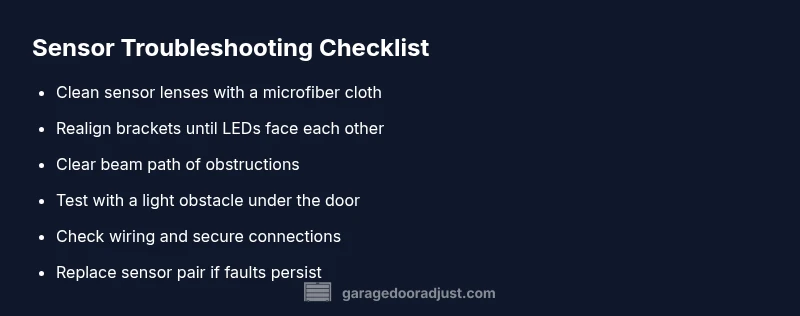
Steps
Estimated time: 25-40 minutes
- 1
Power cycle the opener
Turn off the opener at the wall switch or unplug it, wait 30 seconds, then restore power and test with the wall control. Listen for normal motor sounds and watch LED indicators for expected behavior.
Tip: A full reset often clears transient faults. - 2
Clean sensor lenses
Wipe both sensor lenses with a dry microfiber cloth. Avoid liquid cleaners that could seep into the housing. Inspect for condensation or smudges after cleaning.
Tip: Clean from top to bottom to prevent streaks that can mimic dirt. - 3
Realign sensors
Loosen the mounting screws slightly and adjust the sensors so they face each other squarely. Both LEDs should illuminate steadily when aligned, with a small door-frame gap between them.
Tip: Make small adjustments and test frequently to avoid over-correcting. - 4
Test with a light obstruction
Place a light obstacle under the door travel path and operate the opener to confirm the sensor stops or reverses correctly.
Tip: Use a lightweight object to avoid damage during testing. - 5
Check wiring and connections
Inspect wire runs for wear, tighten connectors, and confirm strain relief. Look for exposed copper or frayed insulation and replace damaged sections.
Tip: Secure cables with zip ties to prevent movement that causes wear. - 6
Decision point: replace if needed
If LEDs remain off, or misalignment still causes faults after fixes, replace the sensor pair according to the opener’s compatibility requirements.
Tip: Follow manufacturer instructions for sensor replacement to avoid compatibility issues.
Diagnosis: Garage door reverses or fails to close when sensing near the floor
Possible Causes
- highDirt, moisture, or smudges on sensor lenses
- highSensor misalignment or mounting drift
- mediumObstruction in the sensor beam path
- lowWiring damage or loose connections
Fixes
- easyClean sensor lenses with a microfiber cloth and verify there is no obstruction
- easyRealign sensor brackets so the LED eyes face each other squarely
- mediumInspect and reseat wiring at sensors and opener, replace damaged cables if needed
- hardReplace the sensor pair if indicators show persistent fault after cleaning and realignment
Got Questions?
What are garage door sensors and how do they work?
Garage door sensors are safety devices that detect objects in the door’s path. They emit an invisible beam between two mounting eyes; if the beam is broken, the opener stops or reverses. Proper alignment and clean lenses are essential for reliable operation.
Garage door sensors detect objects in the path with a beam between two eyes. If the beam is broken, the door stops or reverses. Keep them aligned and clean for dependable safety.
Why is the sensor LED blinking after I cleaned them?
A blinking LED usually signals misalignment or an intermittent connection. Recheck alignment, then re-seat all connectors. If the blinking continues after a full reset, there may be a wiring fault.
Blinking LEDs typically mean misalignment or a loose connection. Recheck alignment and reseat wiring; if it keeps blinking, you may have a wiring issue.
Can I fix sensors myself or should I hire a pro?
Many sensor issues can be resolved with cleaning, alignment, and basic wiring checks. Complex problems like damaged wiring or module failure may require a licensed technician. If you’re unsure, it’s safer to call professional help.
Many sensor problems you can fix yourself, but for wiring damage or module failure, you should call a pro. When in doubt, get professional help.
How do I know if sensors need replacement?
If cleaning and realignment don’t restore function, or LEDs remain off, replacement is likely. Use the opener’s compatibility guide to choose the right sensor pair and follow installation instructions.
If the sensors won’t work after fixes, replacement is likely. Check compatibility and follow the installation steps.
What prevents sensor problems in the future?
Regular cleaning, periodic alignment checks, and keeping the beam path clear prevent most sensor issues. Inspect wiring for wear and secure cables to avoid damage from door movement.
Keep sensors clean, aligned, and secured. Regular checks prevent future problems.
Watch Video
Quick Summary
- Start with cleaning and realignment for sensor problems
- If issues persist, inspect wiring and power supply
- Replace sensors only when tests confirm failure
- Maintain sensors regularly to prevent future faults
- Call a professional if you’re unsure at any step