Remote Control Garage Door Not Working: Troubleshooting Guide
Struggling with a remote control garage door not working? This urgent, step-by-step guide helps homeowners diagnose power, battery, pairing, and sensor issues to restore reliable operation quickly.


Most often, a non-working remote control garage door is due to a dead battery, a mispaired remote, or a tripped receiver. Start with the simplest fixes: replace the remote battery, verify the power to the opener and wall switch, and try the wall button. If the door still won’t respond, re-pair the remote, reset the opener, and check the safety sensors and antenna alignment for issues.
Overview: Why the Remote Control Fails
When your remote control garage door not working, the issue is almost always caused by a simple, fixable problem. According to GarageDoorAdjust, the most common culprits are a dead battery in the remote, a remote that isn't paired correctly with the opener, or a receiver that has been tripped or overwhelmed by signal interference. Environmental factors like nearby electronics, metal shelving, or even a weak antenna connection can also degrade signal quality. In most homes, diagnosing these root causes first saves time and prevents unnecessary replacements. This section explains the typical failure modes and what they look like so you can spot them quickly and take decisive action. Keeping a calm, methodical approach reduces stress and accelerates repair.
Quick Checks to Do First
Before you dive into more involved troubleshooting, run through these lowest-effort checks. They catch the majority of remote-related issues and require no tools:
- Check the remote battery: If the LED on the remote barely lights or doesn’t light at all, replace with the recommended type. Avoid mixing battery brands.
- Test the wall button: If the door moves with the wall switch but not with the remote, the issue is likely in the remote or its pairing, not the opener's power.
- Verify opener power: Confirm the outlet feeding the opener has power (use a lamp or tester). A tripped circuit breaker can cut power to the unit.
- Inspect the receiver indicator: Many openers show a status LED. If it’s off or flashing abnormally, the receiver may be at fault and require reset or professional attention.
If these checks don’t restore operation, proceed to the diagnostic flow to isolate the exact cause and plan your fix step by step.
Diagnostic Flow: Symptom → Diagnosis → Solution
A systematic flow helps you identify the root cause without guessing:
-
Symptom: Remote does not affect door movement, but the wall switch works.
- Diagnosis: Remote signal or pairing issue; receiver may still be powered.
- Solution: Re-pair the remote; reset or relearn codes on the opener; re-check the LED indicators during pairing.
-
Symptom: Door responds inconsistently or after multiple presses.
- Diagnosis: Weak signal due to battery, antenna, or interference; receiver may be sensitive to metal objects or appliances.
- Solution: Replace remote battery; adjust antenna position; move other devices away from the receiver.
-
Symptom: Door never moves with remote or wall switch, but opener power light is on.
- Diagnosis: Receiver failure, logic board issue, or safety sensor blocking.
- Solution: Inspect safety sensors for alignment; check the LED on the receiver; consider a reset or professional diagnosis for board faults.
Step-by-Step: Core Fixes (Battery and Re-Pair)
This section provides concrete actions you can perform to fix most remote control issues. Follow these steps in order and stop if a step resolves the problem.
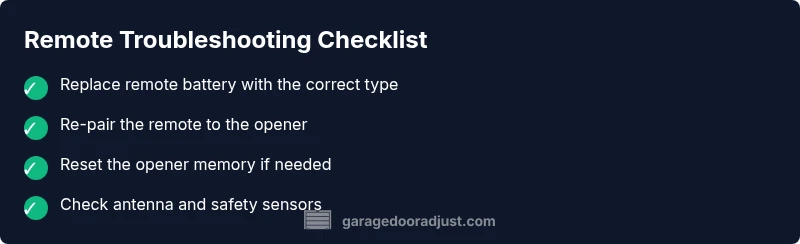
- Replace the remote battery with a fresh, manufacturer-recommended type. A fresh battery quickly proves whether a battery issue is at fault.
- Re-pair the remote to the opener. Use the opener’s learn button and watch the LED indicator. Hold the remote near the opener during the pairing window until the LED confirms a successful sync.
- If pairing fails, reset the opener’s memory. This often clears conflicts from older codes and allows fresh pairing.
- Test again with the remote and wall button. If both respond consistently, you’ve likely resolved the issue.
- Check the receiver antenna alignment. A loose, damaged, or poorly routed antenna can degrade range dramatically.
- Inspect safety sensors. Misaligned or blocked sensors can prevent the door from operating regardless of remote input.
If the door still doesn’t respond after these steps, move to the advanced checks in the next sections and consider professional service if needed. Estimated time: 30-60 minutes depending on accessibility and whether parts need replacement.
Safety and Prevention: Do’s and Don’ts
Working on garage door systems involves high-torque components and springs that can cause injury if mishandled. Always unplug the opener when performing internal inspections, especially if you suspect wiring or sensor misalignment. Use eye protection and never place hands near the track, rollers, or torsion springs while testing.
Prevention tips:
- Replace batteries annually or at the first sign of dim LED indicators.
- Keep the transmitter and receiver free from interference sources such as wireless routers, cordless phones, and large metal shelving near the receiver.
- Maintain the antenna’s position pointing downward or toward the device for best reception.
- Regularly test the door with the remote and the wall switch to ensure consistent operation across control inputs.
If you notice unusual noises, jerky movement, or failure to reset after a battery change, avoid forcing the system. These are signs to pause and escalate to a professional.
When to Call a Professional: Knowing the Limits
If the door does not respond after all basic fixes, or if you encounter repeated resets, unfamiliar burning or plastic smells, or obvious wiring damage, it’s time to call a pro. A qualified technician can diagnose receiver board failures, control wiring faults, or sensor alignment issues that require specialized tools. Even when you can perform most fixes yourself, a professional assessment protects you from accidental injury and ensures compliance with safety standards. The GarageDoorAdjust team recommends scheduling a service call if troubleshooting extends beyond battery replacement, pairing, or simple reset routines.
Real-World Scenarios and Quick Recaps
In practice, many homeowners resolve remote control issues by methodically addressing battery health, pairing status, and receiver integrity. A common scenario starts with a dead battery, followed by a failed pairing, and ends with a simple reset of the opener. If the LED indicators behave oddly or the door refuses to pair, a sensor misalignment or antenna problem is often the culprit. Regular checks help prevent most problems: replace batteries on schedule, keep the receiver area clear of debris, and verify sensor alignment at least every six months. By staying proactive, you minimize downtime and maintain convenient, safe operation for your garage.
Summary: Your Quick Recovery Plan
- Start with battery and simple power checks; these are the fastest wins.
- Re-pair or reset the remote and test with the wall switch.
- Inspect the receiver, antenna, and safety sensors for interference, misalignment, or damage.
- If unresolved after following the steps, contact a professional technician for a thorough inspection.
Steps
Estimated time: 30-60 minutes
- 1
Check the remote battery
Open the remote case and replace with the correct battery type if dim LED indicators are observed. Test the remote immediately after replacement.
Tip: Keep spare batteries in a known, protected location. - 2
Test the wall control first
Verify that the wall switch operates the door. If it does, the issue is likely with the remote or its pairing.
Tip: If the wall switch fails too, the problem may be the opener power supply or a safety sensor. - 3
Re-pair the remote
Put the opener in learning mode (often by pressing and holding the learn button until the LED blinks). Then press the remote button to pair. Release once the LED confirms.
Tip: Keep the remote within a few feet during pairing to ensure a strong signal. - 4
Reset the opener (if needed)
If pairing fails, reset the opener’s memory according to the manufacturer’s instructions, then re-attempt pairing.
Tip: Record the remote's code if the system uses a manual code method. - 5
Check the antenna and receiver
Inspect the receiver antenna for damage and ensure it is securely connected. Adjust the antenna direction for stronger reception.
Tip: Avoid bending the antenna excessively; improper handling can damage the receiver. - 6
Inspect safety sensors
Look for misalignment or debris blocking the sensors. A misaligned sensor can prevent operation even with a working remote.
Tip: Align sensors so the red indicator lines up when the door is closed.
Diagnosis: Remote control garage door not working
Possible Causes
- highDead battery in the remote
- highRemote not paired with the opener
- mediumReceiver or logic board issue
- lowObstacle interference or antenna misalignment
Fixes
- easyReplace the remote battery with the correct type
- easyRe-pair the remote to the opener using the learn/pairing sequence
- mediumReset the opener to clear old codes and re-learn remote(s)
- mediumInspect and adjust the receiver antenna; check for loose wiring
- easyCheck safety sensors and alignment; clear any obstruction
Got Questions?
What should I do first when the remote control garage door stops working?
Start with the simplest checks: replace the remote battery, test the wall switch, and verify power to the opener. If the door responds to the wall switch but not the remote, the problem is likely pairing or receiver-related.
Start with the battery, then test the wall switch. If the wall switch works but not the remote, focus on pairing or the receiver.
How do I re-pair a remote with my garage door opener?
Put the opener into learning mode and press the remote button to pair. Follow the opener’s LED indicators to confirm a successful pair. If pairing fails, reset memory and try again.
Put the opener in learning mode, press the remote, and watch for the confirmation LED. If it fails, reset and retry.
Can sensors cause the remote to fail even if the remote is fine?
Yes. Misaligned or blocked safety sensors can prevent the door from moving even if the remote is functioning. Check alignment and remove obstructions.
Sensors can stop the door from moving even if the remote is good. Check and align them and clear any debris.
When should I replace the opener or call a pro?
If you notice signs of wiring damage, burnt smells, or repeated failures after following standard fixes, it’s time to contact a professional for a thorough diagnosis.
Call a pro if you see wiring damage or persistent failures after troubleshooting.
Is it possible interference from other devices affects the remote?
Yes. Nearby devices like routers, cordless phones, or metal shelving can interfere with signals. Move devices away and limit metal obstacles around the receiver.
Other devices can interfere with the signal. Move them away and reduce metal obstacles near the receiver.
What maintenance can prevent remote issues?
Regularly test the system, replace batteries annually, and inspect the antenna and sensors. Keeping the track clean also helps prevent future misreads.
Test the system often, replace batteries, and inspect sensors and the antenna to prevent issues.
Watch Video
Quick Summary
- Check the simplest causes first: battery, pairing, and power to the opener
- Re-pair the remote and reset the opener if pairing fails
- Inspect the receiver antenna and safety sensors for alignment
- Call a professional if the issue persists or there are signs of wiring or board faults