Problem with garage door sensor: Troubleshooting Guide
Urgent guide to diagnose and fix a problem with garage door sensor. Step-by-step checks, safety tips, and prevention to restore reliable operation in 2026.


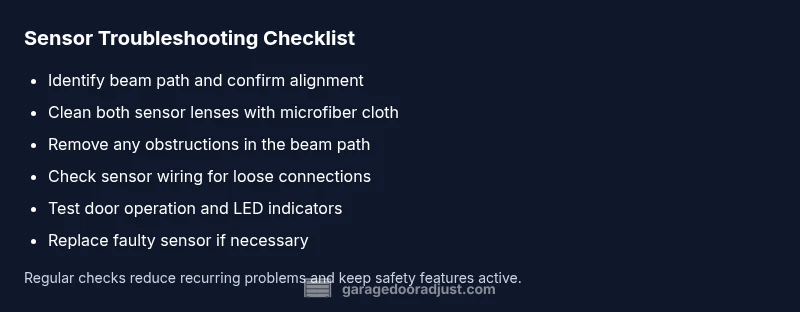
Most garage door sensor problems are caused by misalignment or dirt on the sensor lenses. Start with the simplest fix: clean the lenses with a soft cloth, ensure nothing blocks the beam, and realign the sensors so they face each other within 1-2 inches. If the door still won’t close, test using the opener and inspect wiring.
How the garage door sensor system works
A typical residential setup uses two photoelectric sensors mounted near the floor at each side of the door track. One unit acts as the transmitter, the other as the receiver. The opener believes the path is clear when the beam is uninterrupted; a broken beam triggers a safety stop. A problem with the garage door sensor often starts with misalignment, dirt on the lenses, or an obstruction in the beam path. Regular inspection helps catch trouble early, especially in dusty or cluttered garages. In 2026, homeowners who perform these checks routinely report fewer nuisance stops and safer operation. Make sure both sensors are mounted at the same height, face each other squarely, and have visible LED indicators that confirm alignment.
Visual cues and quick checks
If you notice the door reverses before closing, stops suddenly, or won’t move in response to the wall control, inspect the sensor pair first. Look for misalignment, dirt, spider webs, or bumper marks on the housings. A blinking or steady LED on one sensor often indicates misalignment or a fault in the sensor circuitry. Remember: the problem with garage door sensor is rarely dramatic on day one—it usually starts with small, repeated nuisance stops.
Simple, safe testing you can perform
Always unplug or switch off the opener before touching any wiring. With power off, inspect the wiring harnesses at both sensors for loose connectors or damaged insulation. Check that the sensors’ lenses are clear and free of smudges. If the LED indicators aren’t showing the expected solid light when both units are aligned, the beam may be misaligned or obstructed. Reconnect power and re-test after each adjustment.
Cleaning and lens care
Dust, dirt, and fingerprints can scatter the beam and trigger false readings. Use a soft microfiber cloth lightly dampened with water or a mild glass cleaner to wipe the lenses. Don’t spray liquids directly onto the sensors, and avoid abrasive cleaners. Dry with a clean side of the cloth. Regular cleaning should be part of your garage maintenance routine to prevent the problem with garage door sensor from recurring.
Aligning for reliable operation
Realigning the sensors is often the fastest fix. Loosen the mounting screws just enough to tilt the sensor housing and point the beams toward each other. Both red or green LED indicators should light steadily when aligned. Fine-tune the angle and distance until the beam is stable within a 1–2 inch gap. Re-tighten screws and re-test with the door operation to confirm the problem is resolved.
Wiring and power checks
Power supply and wiring integrity matter. Inspect the sensor wires running to the opener for wear, pinched insulation, or loose connections at the control board. If you replaced a sensor or opened up the head unit recently, ensure correct polarity and secure terminal connections. Damaged wiring can mimic sensor failure and create the impression of a persistent problem with garage door sensor.
Intermittent or silent faults
If the door seems to close sometimes but not others, intermittent faults can be caused by loose connectors, corroded terminals, or temperature-related expansion. Wiggle test the wires slightly (with power off) to see if the LED behavior changes. Replace any frayed or stiff wires. Inconsistent behavior should be addressed before it becomes a safety risk.
Final functional test and override options
After adjustments, test the door using both the wall control and the remote opener. Confirm that the door closes completely when the beam is intact and stops when the beam is broken. If you have a manual override, practice safe operation to ensure you can operate the door in emergencies. Only proceed to professional help if the problem with garage door sensor persists after these steps.
Safety and professional help
If you smell burning insulation, hear clicking that doesn’t stop, or notice obvious hardware damage, stop and call a professional. Sensors are part of the door’s safety system; improper handling can create a hazard. A licensed technician can diagnose wiring faults, sensor replacement needs, or bracket damage that a DIY approach cannot safely resolve.
Steps
Estimated time: Total time: 45-60 minutes
- 1
Power off and safety check
Disconnect power to the opener to prevent accidental operation while you inspect the sensors. This reduces the risk of injury and protects wiring while you work on the system.
Tip: Always start with de-energizing the unit. - 2
Inspect alignment and mounting
Look at both sensor mounts; ensure the housings face each other directly and are at the same height. A slight tilt can break the beam and cause false readings.
Tip: Use a level to confirm both sensors are perfectly level. - 3
Clean the lenses
Wipe both lenses with a clean microfiber cloth. Avoid touching the lens with fingers and never use ammonia-based cleaners that can damage coatings.
Tip: Clean when the door is fully open for best access. - 4
Check for obstructions and debris
Remove any objects, dust, or spider webs near the sensor path. Even small debris can disrupt the beam.
Tip: Keep a cleared path along the door frame. - 5
Test LED status and beam alignment
Power the system back on and check that both LEDs glow steadily when aligned. Realign if one LED blinks or stays off.
Tip: If LEDs disagree, realign by small adjustments. - 6
Inspect wiring connections
Verify the sensor wiring is intact, seated firmly at the control board, and free of corrosion. Replace damaged wires if necessary.
Tip: Avoid tugging on cables; handle with care. - 7
Re-test door operation
Run the door through its full cycle using both wall control and remote. Observe if the door closes fully with the beam intact and stops when broken.
Tip: Document any failing step for reference if you contact support. - 8
Decide on replacement or pro help
If the problem persists after realignment and cleaning, the sensor assembly may be faulty or there is an internal wiring fault requiring professional service.
Tip: Certified technicians can diagnose issues beyond basic DIY scope.
Diagnosis: Door reverses or fails to close when the bottom beam is active
Possible Causes
- highMisaligned sensors
- highDirty or obstructed sensor lenses
- mediumDamaged or frayed sensor wiring
- lowIncompatible or failing opener
Fixes
- easyRealign sensors until beams face each other squarely and LED indicators confirm alignment
- easyClean both lenses with a microfiber cloth; remove dust and webs
- easyCheck and reseat all sensor wires at the opener and in the sensor bags
- mediumTest with the door control; if still failing, replace the sensor assembly or call a pro
Got Questions?
What should I do first when the sensor stops working?
Start with a power-off safety check, then inspect alignment, clean both lenses, and remove any obstructions. If the issue persists, move to wiring checks before calling a pro.
First unplug the opener, check alignment and lenses, clean them, and remove obstructions. If it still fails, proceed to wiring checks or contact a professional.
Can a dirty beam cause reversals?
Yes. A dirty or dusty beam can trigger false readings and cause the door to reverse or stop prematurely. Cleaning the lenses often resolves this.
Absolutely. A dirty beam can cause false readings, so cleaning the lenses usually fixes it.
Is sensor replacement a DIY job?
Sensor replacement can be a DIY task for some models, but many installations require professional adjustment of wiring and safety features. Follow manufacturer guidance and safety cautions if you attempt it.
Sensor replacement can be DIY if you’re comfortable with electronics, but for safety and warranty reasons, you might want a pro.
Why is the LED blinking on one sensor?
A blinking LED typically signals misalignment or a fault in that sensor. Re-align and inspect the wiring to restore proper function.
A blinking LED usually means misalignment or a fault; re-align and check the wiring to fix it.
What safety steps should I take before working?
Always disconnect power, keep hands clear of the moving door, and wear eye protection if testing near the mechanism. If uncertain, stop and call a pro.
Power off first, keep clear of the door, and wear eye protection. If in doubt, call a pro.
Watch Video
Quick Summary
- Check alignment first and clean lenses.
- Eliminate obstructions in the beam path.
- Test with both wall control and remote after any adjustment.
- Call a pro if the issue persists after basic fixes.