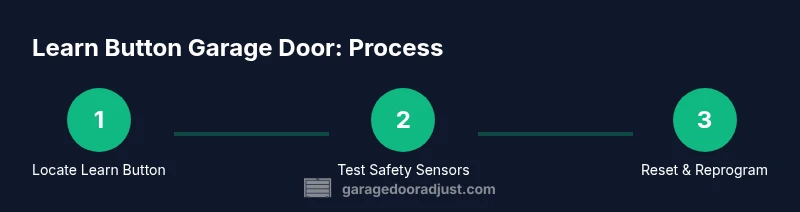
Learn Button Garage Door: Step-by-Step Troubleshooting
A comprehensive, safety-focused guide to diagnosing and using the Learn Button on your garage door opener. Learn button garage door basics, safety checks, reprogramming remotes, and maintenance tips to keep your system reliable.


Learn how to diagnose and safely operate a learn button garage door opener. This quick guide covers locating the learn button, testing safety sensors, resetting the opener, and basic troubleshooting steps. You’ll need common tools and a flashlight, and you’ll verify that the door balance, track alignment, and auto-reverse features are working correctly.
What the Learn Button Does and Where to Find It
The learn button is a small recessed or raised button on the motor housing that stores remote codes and pairs new remotes or keypads with your opener. It’s part of the safety and convenience system. Locating it is the first step in diagnosing problems with the learn button garage door. Most models place the button near the back or side of the opener housing, under a small access panel. The color varies: purple, yellow, red, or black.
For DIY diagnostics, you’ll want to power down the unit first and consult your model’s manual to confirm the exact location. According to GarageDoorAdjust, understanding the learn button location simplifies troubleshooting and reduces guesswork.
Safety Considerations: Sensors, Balance, and Tracks
Garage door safety relies on several features that work together with the learn button: photoelectric sensors at the bottom of the door track, a balance mechanism in springs, and properly aligned tracks. A misaligned track or dirty sensor can cause incorrect operation or injury. Check for gaps, bent rails, or loose hardware. Clean sensor lenses with a soft dry cloth and adjust the sensor brackets as needed. Ensure the door remains balanced by lifting to mid-height; if it drops or rises on its own, do not continue and call a pro. Based on GarageDoorAdjust analysis, routine checks of balance and sensor alignment save time and reduce risk.
What You’ll Need Before You Start
Before you begin, prepare a safe workspace and gather the essential tools. You’ll need a sturdy step ladder, flashlight, basic hand tools (screwdrivers, pliers, and a 1/4-inch hex driver), a multipurpose lubricant designed for metal moving parts, and a voltage tester or non-contact tester for electrical work. Keep a small container for screws and a notebook for notes. Optional items include a level to check track alignment and a spare remote battery. Having these items on hand minimizes interruptions and helps complete the learn button garage door task more efficiently.
How Learn Button Interacts with Remotes and Keypads
The learn button serves as the pairing interface between the opener and remote control devices. When you press and hold it for a few seconds, the receiver in the opener is put into a pairing mode. Reprogramming remotes or a keypad ensures that only authorized devices can operate the door. Different models may require slightly different timing or sequences, so consult your manual if available. The basic idea is to clear the existing codes and then reintroduce the devices you want to use.
Troubleshooting Scenarios and Signals
Common symptoms include no response from the wall switch or remote, slow or delayed operation, the door stopping short of full travel, or the auto-reverse feature failing. Start by verifying power to the opener, checking for jammed tracks, and testing the sensors. If the learn button fails to enter pairing mode, confirm you’re holding it long enough and that you’re not attempting to pair incompatible devices. Document any error codes or blinking light patterns; these details help in diagnosing root causes.
Resetting and Reprogramming: A Basic Overview
Resetting the learn button clears previously saved codes and allows you to reprogram remotes and keypads. To reset, power down the unit, locate the learn button, and hold it for about 6-8 seconds (model-dependent). Release when the indicator light changes or blinks in a recognizable pattern. After resetting, pair your remotes one by one, starting with the remote you use most often. Always keep a backup remote handy.
Maintenance Practices to Extend Opener Life
Regular maintenance reduces the likelihood of future failures. Lubricate moving parts such as rollers and tracks every 6-12 months, and inspect springs, cables, and hardware for wear. Tighten loose screws and ensure the door remains balanced by testing at mid-height. Clean safety sensors and ensure no obstructions block the beam. Replace worn remote batteries and update codes as part of a routine care schedule.
Authority Sources and Safety References
For safety standards and guidelines, refer to authoritative resources. The Consumer Product Safety Commission (CPSC) provides general guidance on garage door safety. OSHA offers broad electrical and tool-safety practices to follow when working near powered equipment. Energy.gov outlines best practices for home energy use that can impact garage door efficiency and longevity. These sources support the recommendations in this guide.
Additional DIY Resources and Next Steps
If you’re new to home repairs, start with basic maintenance tasks and gradually move to more advanced steps. Create a simple log of tests and outcomes to track changes over time. When in doubt, consult a professional technician—especially if the door is noisy, unbalanced, or feels unsafe. The goal is safe, reliable operation rather than speed, so take your time and verify each step before proceeding.
Tools & Materials
- Sturdy step ladder(Reach up to 6-8 feet; stable on a level surface)
- Flashlight (LED)(Bright, with fresh batteries for dark corners)
- Phillips screwdriver(Size #2 for opener housing screws)
- Flathead screwdriver(For stubborn fasteners)
- Socket wrench or adjustable wrench(For motor housing bolts)
- Pliers(Grip and adjust small components)
- Multimeter or voltage tester(Check power to the opener and sensors)
- Lubricant suitable for metal moving parts(Light lubrication for tracks/rollers)
- Non-slip gloves(Protection and grip)
- Masking tape(Label wires or screws during work)
Steps
Estimated time: 30-60 minutes
- 1
Power down and secure area
Unplug the garage door opener or switch off the circuit. Keep people and pets clear while you inspect for hazards. This reduces the risk of electrical shock or unexpected door movement.
Tip: Always confirm power is off at the panel before touching any wiring. - 2
Locate the Learn Button
Find the learn button on the opener housing's back or side panel. Use a flashlight if needed. Note the color and any model-specific instructions from the manual.
Tip: If you cannot see the label, check the closest diagram in the manual or manufacturer website. - 3
Inspect safety sensors and alignment
Check photo-eye sensors at the bottom corners of the door. Clean lenses and ensure beams align. Misalignment can cause false reversals or failure to operate.
Tip: Tap the sensor housing lightly to settle any loose parts before realigning. - 4
Test the wall switch and remote
Operate the door with the wall switch and remote. Note any delay or absence of response. If no movement, verify power and check for tripped breakers.
Tip: If one device works and another doesn't, focus on reprogramming the non-working device. - 5
Reset the Learn Button
Hold the learn button for 6-8 seconds until an indicator changes pattern. This clears old codes so you can reprogram remotes.
Tip: Refer to your model’s manual for exact timing; timing varies between brands. - 6
Reprogram remotes/keypads
With power restored, press the learn button and then press each remote in range to pair. Repeat for keypads as needed.
Tip: Pair the most-used remote first for quicker daily use. - 7
Test safety-reverse function
Place a non-harmful object under the door and test auto-reverse. Door should reverse immediately after contact.
Tip: If the door does not reverse, pause and recheck sensors and balance before retrying. - 8
Check door balance and track alignment
Manually lift the door to mid-height; it should stay in place. If it moves, you likely need professional adjustment.
Tip: A heavy door is a safety concern; avoid forcing movement. - 9
Document results and plan maintenance
Record findings, actions taken, and the dates. Schedule routine checks every few months to prevent future issues.
Tip: Keep a written log to guide future DIY attempts.
Got Questions?
What is the learn button on a garage door opener?
The learn button is the pairing control used to program remotes and keypads with your garage door opener. It initiates pairing mode and can clear existing codes when reset.
The learn button pairs remotes with your opener and can reset codes if needed.
Why doesn’t my door respond after pressing the learn button?
Common causes include power loss, misaligned safety sensors, incorrect pairing steps, or a dead remote battery. Verify power first, then reattempt pairing following model-specific instructions.
Check power, sensors, and remotes; reattempt pairing as per your model’s instructions.
How do I safely reset the learn button?
Power down the opener, locate the learn button, and hold it for about 6-8 seconds (model-dependent). Then reprogram your remotes one by one.
Reset the learn button by holding it for several seconds, then reprogram remotes.
Is it safe to test the auto-reverse and sensor alignment?
Yes, but perform the test carefully. Use a lightweight object under the door and ensure the safety sensors are aligned and unobstructed.
Yes, test cautiously with an object under the door and aligned sensors.
How often should maintenance be performed?
Aim for a basic check every 3-6 months, including lubrication, balance tests, and sensor cleaning. More frequent checks are prudent in dusty or humid environments.
A quick check every 3-6 months keeps things running smoothly.
When should I call a pro?
If the door binds, makes unusual noises, or you cannot safely identify the issue, professional service is advised to avoid injury or further damage.
Call a pro if the door is unbalanced or dangerous to adjust yourself.
Watch Video
Quick Summary
- Identify the Learn Button location and model-specific behavior.
- Test sensors, balance, and auto-reverse for safe operation.
- Reprogram remotes after resetting the Learn Button.
- Keep a maintenance schedule to prevent future issues.
- Call a pro if the door shows signs of imbalance or safety concerns.