Keypad for Garage Door Not Working: Troubleshooting Guide
Struggling with a keypad that won't open your garage door? This step-by-step guide covers batteries, reprogramming, interference, and when to call a pro across common brands.


Most keypad failures are caused by a dead or weak battery or being out of range. Start by replacing the keypad batteries and reprogramming the code, then check the opener's learn button and receiver wiring. If the problem persists, test the keypad in close range and consider a replacement keypad or opener.
Problem overview: keypad not responding
Keypads are a convenient way to open and close your garage door, but when the keypad for garage door not working, you may feel stuck. Most issues stem from power, pairing, or simple misconfigurations. According to GarageDoorAdjust, the majority of keypad failures can be diagnosed with a few routine checks. Understanding how the keypad communicates with the opener helps you target the right area quickly and avoid unnecessary parts replacements. This guide focuses on homeowners troubleshooting garage doors, so you can fix the problem safely and regain reliable access.
Quick checks you can perform now
Before you dive into deeper diagnostics, try these quick checks. Start with fresh batteries in the keypad and verify the code you enter is correct. Ensure the keypad is within range of the opener and that the opener itself is powered (check the outlet or circuit breaker). If your keypad still doesn’t respond, test the same code using a different remote to see if the issue is with the opener or the keypad.
How the keypad communicates with the opener
Most modern garage door systems use a wireless keypad that sends a coded signal to a receiver inside the opener. The receiver then activates the motor to open or close the door. When you press a number on the keypad, a code is transmitted only if the code is learned by the opener. If the code changes or the keypad hasn’t been learned after power loss, the opener will ignore the signal. Relearning codes is a common fix.
Common failure modes and how to verify each
Failure mode: Dead batteries. Verify by testing with a test indicator on the keypad if available, or simply replace the batteries and reenter the code. If there is no response after replacement, proceed to test proximity and learning. Failure mode: Out-of-range or interference. Move closer to the opener and remove potential interference from devices like baby monitors or cordless phones. Failure mode: Incorrect or changed codes. Re-enter the code and use the Learn button on the opener to re-sync. Failure mode: Damaged keypad or wiring. Look for cracks, moisture, or loose cables if you have a wired keypad. Failure mode: Opener receiver/power issue. Confirm the opener is powered and the receiver board is seated correctly inside the unit.
Safety and when to call a professional
Troubleshooting a keypad involves working near an energized garage door opener. Disconnect power before removing the cover to avoid shock. Keep hands away from the moving door and never run the door while the springs or track look damaged. If you’re uncomfortable with accessing the opener’s electronics or removing covers, contact a qualified technician. GarageDoorAdjust recommends scheduling professional help for complex repairs or uncertain wiring.
Prevention and long-term reliability
Regular maintenance reduces keypad failures. Replace batteries annually or when performance seems weak. Keep remotes and keypad codes up to date, and re-learn keypads after power outages or after any electrical work on the opener. Avoid placing the keypad in extreme heat or moisture, and keep it clean from dirt and ice. Document the learned codes for future reference.
Steps
Estimated time: 20-40 minutes
- 1
Check keypad batteries
Open the keypad cover and replace the batteries with fresh ones of the correct size as labeled. Reinsert and test by entering the code. Watch for indicator LED or audible beeps confirming power. If no signals, move to the next step.
Tip: Handle batteries carefully and dispose of old cells safely. - 2
Re-enter or relearn the code
Enter your code after replacing batteries. If there’s no response, use the opener’s Learn button to re-sync the keypad. Then enter the code on the keypad again and test the result.
Tip: If you don’t see confirmation LEDs, try a different code you previously used. - 3
Check range and interference
Verify you are standing within a reasonable distance of the opener. Move away from potential interference sources like cordless phones, routers, or dense metal objects. Test with a nearby, unobstructed path.
Tip: Reposition the keypad if you’ve recently moved the garage or added metal shelving near the door. - 4
Test the opener with other remotes
If a remote can open the door but the keypad cannot, the issue is likely with the keypad or its pairing. Proceed to re-learn using the Learn button and try again.
Tip: Document the remote behavior to help identify if a trend exists. - 5
Inspect wiring and receiver (if applicable)
If you have a wired keypad, check the cable for damage and ensure connectors are secure. Inspect the receiver inside the opener for signs of wear or loose wires. Only perform this step with power off.
Tip: Only attempt wiring checks if you’re comfortable; otherwise skip to call a pro. - 6
Decide on replacement or professional help
If none of the above steps restore function, consider replacing the keypad or consulting a technician for deeper inspection of the opener or control board.
Tip: A new keypad can be a cost-effective, quick fix in many cases.
Diagnosis: Keypad for garage door not working
Possible Causes
- highDead or weak keypad batteries
- mediumOut-of-range or interference
- mediumCode not learned or mismatch
- lowDamaged keypad or wiring
- lowOpener receiver or power issue
Fixes
- easyReplace keypad batteries and re-enter code
- easyMove closer to opener and remove interference sources
- easyRelearn keypad by using the Learn button on the opener and entering code
- mediumInspect keypad for physical damage and check wiring if wired keypad
- mediumCheck opener power and receiver, reset circuit board if available
Got Questions?
What batteries does a typical keypad use and how do I replace them?
Most keypads use small batteries specified on the device. Remove the cover, replace with fresh batteries, and test. If the keypad still doesn’t respond, there may be a pairing issue that requires relearning the code with the opener.
Most keypads use the battery type listed on the unit; replace and test. If it still doesn’t work, you may need to re-pair it with the opener.
How do I reprogram or relearn the keypad with the opener?
Press and hold the Learn button on the opener, then enter your code on the keypad. The keypad should acknowledge with a light or beep. Repeat if necessary and test opening the door.
Use the Learn button on the opener and enter your code on the keypad to relearn.
What if the keypad still doesn’t work after batteries and relearning?
If behavior persists, test proximity to the receiver and check for interference. Inspect wired keypad cables if present, or consider replacement. If you’re unsure, contact a professional for a safe inspection.
If it still fails after relearning, check proximity and wiring, or call a pro for safety.
Can I operate the door with a smartphone if the keypad fails?
Yes, many systems support smartphone control via a companion app. This can provide access while you troubleshoot the keypad.
You can usually use a phone app as a backup to operate the door.
Should I replace the keypad or the opener if it keeps failing?
If the keypad cannot be learned or is physically damaged, replacing the keypad is often the most cost-effective fix. If other controls fail, inspect the opener or seek a professional.
Replace the keypad if it’s the sole failing component; otherwise check the opener.
Is it safe to continue using the keypad during troubleshooting?
Only use the keypad when you’re confident in the steps and the door is stationary. If you hear unusual noises or see misaligned tracks, stop and call a pro.
Only troubleshoot if you’re confident; stop if you hear odd noises.
Watch Video
Quick Summary
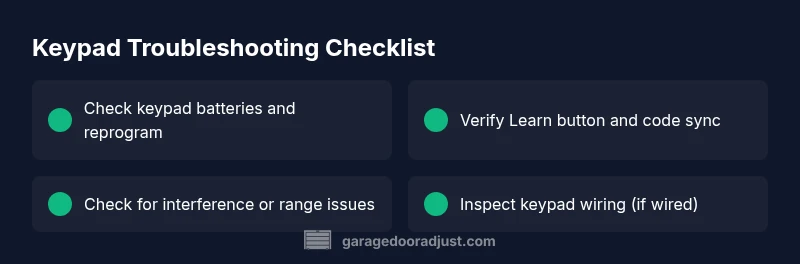
- Start with batteries, then reprogram
- Verify range and avoid interference
- Use the opener Learn button to re-sync
- Inspect wiring only if comfortable
- Call a pro for complex electrical issues