How to Prevent Garage Door From Opening by Itself: A Practical Troubleshooting Guide
Learn practical, step-by-step methods to stop a garage door from opening by itself. Diagnose remote interference, sensor alignment, and opener wiring with safety-first troubleshooting guidance.


Unplug or disable the opener to test for remote interference, then reset the device and reprogram remotes. A stuck wall button or misaligned safety sensors are the most common causes, followed by wiring or logic-board faults. Start with simple steps: isolate remotes, check the wall switch, realign sensors, and test the opener after each fix.
Why preventing a garage door from opening by itself matters
A garage door that opens on its own isn't just an irritation—it poses safety and security risks. A door that moves unexpectedly can injure people nearby, damage vehicles, and invite intruders when you’re away. According to GarageDoorAdjust, many self-opening incidents originate from a combination of remote interference, a misbehaving wall control, or a misaligned safety sensor. Understanding these patterns helps you act quickly and safely.
If you notice the door lifting or moving without command, start with the most common culprits: a stuck button, a remote being pinged by another device, or a sensor misreading the door’s path. These issues are usually solvable without specialized tools, but they demand careful, cautious steps. This guide walks homeowners through a clear troubleshooting sequence with safe checks, a diagnostic flow, and a step-by-step fix for the most likely cause. The goal is not just to stop the door today, but to prevent future occurrences through simple maintenance and mindful use of remotes and sensors.
Safety note: never bypass safety devices or disable sensors to “get the door to work.” A malfunctioning opener can cause serious injuries or property damage. If you feel unsure at any point, pause and contact a qualified technician. The GarageDoorAdjust team recommends proceeding methodically and documenting changes so you can revert if needed.
Common causes of self-opening garage doors
There are several frequent culprits behind a garage door that opens by itself. The most common issues tend to be easier to diagnose and fix than a faulty opener board, but they require attention to detail to ensure long-term safety.
- Remote interference: A neighbor’s remote, a shared garage system, or even a universal remote can send unintended signals to your opener.
- Stuck or damaged wall button: A button that’s sticky or shorted can continuously trigger the opener.
- Sensor misalignment or obstruction: The safety infrared sensors may misread the door’s path if they’re dirty, misaligned, or blocked.
- Receiver or logic-board faults: A failing receiver or a corrupted firmware can cause stray activation signals.
- Power or grounding issues: Sudden surges or grounding problems can affect the opener’s internal logic.
- Environmental or wiring problems: Weather, rodents, or loose wiring can create intermittent signals.
GarageDoorAdjust analysis shows that most incidents begin with remote interference or sensor misalignment, then escalate if basic checks are skipped. A systematic check helps you isolate the root cause without guessing. Keep a small notebook to track what you test and the results, so you don’t miss a step.
Quick safety checks you can perform today
Before you dive deeper, run through these immediate safety checks to rule out obvious causes. These steps require no special tools and are designed to be carried out safely while the door is in a stopped state.
- Power and reset: Unplug the opener from the outlet, wait 60 seconds, and plug it back in to reset the unit. This simple reset can clear stray signals or minor memory glitches.
- Wall button inspection: Press the wall control firmly a few times to ensure it isn’t stuck. If you feel resistance, do not force it; inspect the button housing for debris or wear and replace if needed.
- Remote isolation: Remove batteries from all remotes and the keypad, then test if the door still activates. This helps identify whether a stray signal is coming from a remote or another device.
- Sensor check: Look at the safety sensors at the door track. Clean any dirt, ensure the lenses are aligned, and check for misalignment or obstruction.
- App and smart devices: If your opener is connected to a smart hub or app, temporarily disable remote access to test whether a connected device is triggering the door.
If the door stops opening after these steps, you’ve likely isolated the cause to a simple, addressable issue. If not, continue with the diagnostic flow and consider professional help for safety-critical components.
Diagnostic flow overview
This section maps a practical flow from symptom to solution, helping you avoid unnecessary steps. Start with the simplest test and move toward more involved checks. The goal is to confirm a specific cause and apply the corresponding fix. Remember: if the device continues to operate unexpectedly, do not bypass safety features; call a professional.
- Symptom: The garage door opens by itself without any remote use or app activity.
- Causes (likelihood):
- Wall button stuck or shorted — high
- Remote interference — medium
- Sensor misalignment or obstruction — medium
- Opener receiver/board fault — low
- Wiring/power issues — low
- Fixes (prioritized):
- Test wall button independence and replace if stuck — easy
- Remove all remotes, reprogram after testing — easy/medium
- Realign or clean photoelectric sensors — easy/medium
- Check for loose wiring or grounding, and consult a professional for board issues — medium/hard
If you encounter a fix that doesn’t resolve the issue, return to the symptom and try the next likely cause. Documentation of tests helps a technician reproduce and resolve the fault faster.
Step-by-step: detailed fix for the most common cause
Step-by-step guidance focuses on the most frequent trigger: a misaligned safety sensor combined with occasional remote interference. Following these steps in order helps ensure safety and effectiveness. If any step feels unsafe, pause and call a professional.
- Disconnect power and confirm the door is closed. Verify you have a clear path and there are no people or pets nearby. Tip: Have a helper hold the door in a closed position if needed.
- Inspect and reset the wall control. If it is sticky or shows signs of wear, replace it. Tip: Keep a spare wall button on hand for replacement without delay.
- Disable all remotes and hard resets. Remove batteries, unplug the unit, and wait for one minute. Then reconnect power and reprogram remotes one at a time.
- Check safety sensors. Clean the lenses, realign the brackets so the beams face directly at each other, and remove any obstructions within 6 inches of the path.
- Test the opener manually with the wall button and remotes. If the door moves on its own, proceed to step 6.
- Reprogram and test again. Use the manufacturer’s reset procedure to clear prior memory, then re-pair remotes in a controlled environment.
- Monitor for erratic behavior after a test cycle. If the door still opens by itself, consult a professional to inspect the control board and wiring.
- Implement a safety-focused maintenance routine. Replace batteries yearly, inspect sensors monthly, and schedule professional inspections every 1–2 years. Estimated total time: 45-60 minutes.
Tips & Warnings
- Pro-tip: Always disconnect power before inspecting or replacing any opener components.
- Safety warning: Never bypass safety devices to “make it work.” A malfunctioning opener can injure people or damage property.
- Pro-tip: Keep a simple log of tests and dates to identify recurring patterns and provide a clear history for technicians.
Key takeaways: focus on prevention
Steps
Estimated time: 45-60 minutes
- 1
Power down and secure area
Unplug the opener and ensure the door is fully closed before inspecting any components. This reduces the risk of movement during testing.
Tip: Have a helper ready if you need to manually hold or guide the door. - 2
Test wall button integrity
Press the wall button firmly and observe if the door responds oddly. If it sticks or feels loose, replace the button.
Tip: Keep a spare button on hand for quick replacement. - 3
Isolate all remotes
Remove batteries, unplug the unit, and wait 60 seconds to reset memory. Reconnect and test one remote at a time.
Tip: Note which remotes you reset to avoid confusion. - 4
Inspect safety sensors
Check for dirt, misalignment, or cables near the sensor eyes. Clean the lenses and re-align if beams don’t face each other directly.
Tip: Sensors should be unobstructed and aligned within a few millimeters. - 5
Reprogram remotes
After testing, reprogram remotes according to the manufacturer’s instructions. Test door operation with each remote.
Tip: Only program one remote at a time to keep track. - 6
Test manual operation
Operate the door using the wall button to confirm it moves smoothly and stops safely.
Tip: If movement is erratic, stop and seek professional help. - 7
Final safety check
Reconnect power and perform a final test cycle with and without remotes to ensure consistency.
Tip: Document the results for future reference.
Diagnosis: Garage door unexpectedly opens by itself
Possible Causes
- highWall button stuck or shorted
- mediumRemote interference
- mediumSensor misalignment or obstruction
- lowOpener receiver/logic-board fault
Fixes
- easyTest wall button and replace if sticky or faulty
- easyIsolate remotes, then reprogram after testing
- easyRealign/clean safety sensors and remove obstructions
- mediumCheck wiring and consult a professional for board issues
Got Questions?
Why does my garage door open by itself?
Most often it’s remote interference, a stuck wall button, or misaligned safety sensors. Less commonly, a faulty receiver or wiring fault can cause spontaneous operation. Systematically test remotes, buttons, and sensors to identify the root cause.
Most often it’s remote interference, a stuck button, or misaligned sensors. Test remotes and sensors to find the real cause.
Can a remote be responsible even if I’m not using it?
Yes. A neighbor’s remote or a shared frequency device can accidentally trigger your opener. Isolating remotes one by one helps determine if a neighbor’s signal is the culprit.
Yes. A neighbor’s remote can trigger yours; test remotes one by one to find the offender.
How do I reset my garage door opener?
Refer to the manufacturer’s reset procedure in your manual or on the manufacturer’s site. Usually, you’ll disconnect power, wait briefly, then reprogram remotes and test. This clears old memory that could be causing stray signals.
Follow the manufacturer’s reset steps to clear memory and reprogram remotes.
Can weather or power surges trigger this behavior?
Environmental factors and power events can affect opener electronics, creating transient commands. A proper reset after a surge can solve transient issues, but ongoing problems may indicate a deeper fault.
Yes, surges can trigger the system; reset and test afterward to confirm if it’s resolved.
Is it safe to disable the safety sensors to test?
No. Safety sensors prevent the door from closing on people or objects. Do not disable them. If sensors are malfunctioning, realign/repair them rather than bypassing.
No, safety sensors must stay enabled; fix or realign them if needed.
When should I call a professional?
If the door continues to operate by itself after basic checks or if you suspect wiring or the control-board fault, contact a licensed technician. Faulty boards or wiring can be dangerous and require specialized tools.
If issues persist after basic checks or you suspect wiring or board faults, call a professional.
Watch Video
Quick Summary
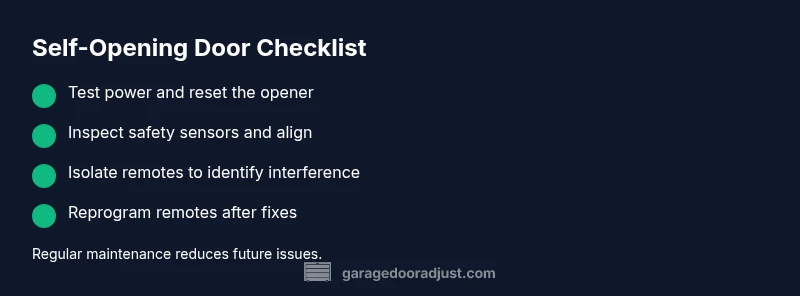
- Test power and reset the opener regularly
- Inspect safety sensors and clear debris
- Disable remotes to identify interference sources
- Reprogram remotes after fixes for reliability
- Schedule routine maintenance to prevent recurrence