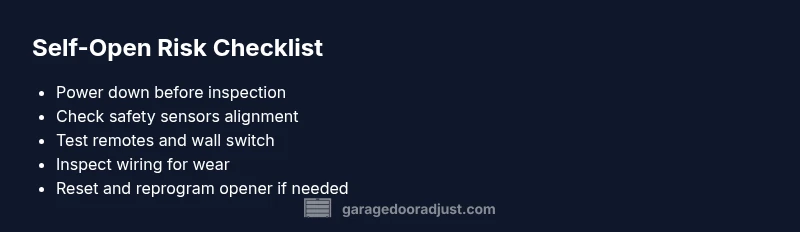
Can a Garage Door Open on Its Own? A Troubleshooting Guide
Learn how a garage door can malfunction and open on its own, identify common causes, and follow a safe, step-by-step diagnostic flow with prevention tips from GarageDoorAdjust.


Yes. A garage door can malfunction and open on its own due to sensor misalignment, remote interference, or a faulty opener button. Start with the basics: unplug the opener, test the wall switch, and check the safety sensors for dirt or misalignment. If the door still moves unaided, follow the diagnostic flow below for safe, structured fixes.
Understanding the Risk: Can a Garage Door Open on Its Own?
Homeowners often wonder if such a scenario is possible. If you ask "can a garage door malfunction and open on its own," the answer is yes in many cases. According to GarageDoorAdjust, runaway operation is usually triggered by a combination of sensor issues, remote signal interference, and electrical faults within the opener. The GarageDoorAdjust team found that safety sensors misaligned or dirty are the leading causes, followed by stray remote signals from nearby devices. The key is to treat any unexpected opening as a potential safety hazard and begin a calm, methodical investigation rather than a panic response. In practice, you may notice the door starts moving when no one is nearby, or it reverses randomly after partial closure. This behavior is not normal and should prompt a quick, structured diagnostic flow to identify the root cause and prevent injury or property damage.
Quick Causes: Why It Might Happen
- Safety sensor misalignment or dirt on the lens
- Remote controls or nearby devices sending stray signals
- A stuck or worn wall switch or button
- Power fluctuations or a malfunctioning opener motor
- Wiring issues or a misconfigured reset
- Extreme weather or temperature affecting electronics and sensors
Understanding these causes helps you prioritize checks in the right order and avoid unnecessary disassembly.
Safety First: Immediate Actions to Take
Before you touch any moving parts, prioritize safety. Keep children and pets away from the door. If the door is in motion and cannot be stopped safely, pull the emergency release cord to disengage the door from the opener and operate manually with caution. When safe, unplug the opener at the outlet to stop all power to the unit. These steps prevent injury and stop further movement as you diagnose the issue.
- Verify the area is clear and hands are away from the tracks.
- Unplug the opener to cut power, then recheck the door’s behavior manually.
Diagnostic Flow Overview: Symptom → Diagnosis → Solutions
This flow helps you structure your checks so you don’t miss a common cause. Start with the easiest checks (power, remotes) and move toward sensor alignment and wiring. If a step reveals a fault, fix or replace it before moving on. If none of the steps resolve the issue, code or reset the opener, or call a pro.
- Symptom: door moves without command or reverses unexpectedly
- Diagnosis path: verify power and remotes → inspect sensors → test door control → wiring and logic boards
- Solutions: power-down steps, sensor realignment, remote management, opener reset, professional service if needed.
Sensor and Remote Troubleshooting in Depth
The photo-eye safety sensors are the most common culprits. Dirt, spider webs, or misalignment can cause the system to misread the doorway and trigger moves or reversals. Check both photo-eyes for dirt, alignment, and obstructions. Ensure the red or green indicators on the sensors signal proper alignment when the door is closed. If signals indicate misalignment, loosen and realign the mounting brackets slightly, clean the lenses with a soft cloth, and re-test.
Remote interference can also cause spurious signals. Remove all extra remotes from the wall and nearby rooms, and temporarily remove batteries from remotes you don’t use. If the door stops opening on its own after this step, you’ve identified the culprit. Re-pair only the remotes you use.
Wiring, Wall Switch, and Opener Unit Checks
Electrical faults can let a distant button or a broken wire control the opener. Inspect the wall switch for signs of sticking or a short in the wiring. Examine the control panel and any exposed wiring for wear, fraying, or loose connections. If you see damaged wires, do not attempt field repair beyond basic cleaning—contact a professional. A faulty logic board or limit switch in the opener could also cause runaway movement and may require replacement.
Resetting and Reprogramming the Opener
If basic checks don’t resolve the issue, a factory reset and fresh remote pairing can clear spurious signals and reset safety settings. Follow the manufacturer’s instructions for your model; in general you’ll unplug, hold a programming button, or use a sequence that restores defaults. After reset, reprogram the remotes and re-test with the door in several operating scenarios. If the issue recurs, it may be a failing sensor board or motor controller.
Preventive Maintenance to Stop Recurrence
Regular maintenance reduces the odds of future runaway behavior. Clean sensors, periodically realign the photo-eyes, lubricate moving parts as recommended by the manufacturer, and perform annual safety checks. Keep the tracks free of debris and ensure the door’s balance is correct. If you notice increased door force or uneven movement, address it promptly.
When to Seek Professional Help
If you reach the end of the diagnostic flow and the door still opens by itself, a licensed technician should evaluate the opener and safety system. Professionals can diagnose internal electronics, inspect springs and cables, and test the control logic without risking injury. Do not attempt dangerous repairs or spring work yourself.
Steps
Estimated time: 60-90 minutes
- 1
Power down and secure the area
First, unplug the garage door opener to stop all electrical power. Confirm that the door cannot move by hand until you re-connect power. This prevents accidental movement during inspection.
Tip: Always unplug before touching any wiring or sensors. - 2
Test the wall switch and remote controls
Operate the door using the wall switch and a known remote. If the door responds only to one control or a stray signal appears, note which control is responsible and test removing other remotes.
Tip: Remove all unused remotes temporarily to rule out interference. - 3
Inspect safety sensors for alignment and cleanliness
Check both photo-eye sensors for dirt, spider webs, or misalignment. Clean lenses gently and adjust brackets as needed to ensure the beams stay aligned with each other.
Tip: The sensors should face each other directly and show solid indicators when aligned. - 4
Check tracks, rollers, and balance
Look for obstructions, misaligned tracks, or worn rollers that could cause abnormal movement. Ensure tracks are parallel and the door balance feels even when moved by hand.
Tip: Do not force doors; if movement is rough, stop and seek help. - 5
Inspect wiring and the opener unit
Look for loose wires, frayed insulation, or scorch marks on the opener control board. Tighten any loose connectors and replace damaged wires with the power off.
Tip: If you see burnt components, stop and call a professional. - 6
Reset the opener and reprogram remotes
Follow the manufacturer’s reset procedure to restore defaults, then reprogram your remotes and wall control. Test operation in multiple situations.
Tip: Keep a written record of the reprogramming steps for future reference. - 7
Test safety reverse and force settings
Re-test the auto-reverse feature when the door encounters an obstacle. If the reverse is too sensitive or not sensitive enough, adjust the force settings per manual.
Tip: Use small incremental adjustments and test after each change. - 8
Commission a professional if unresolved
If abnormal behavior persists, schedule a diagnostic visit with a licensed technician to evaluate sensor boards, logic, and safety systems.
Tip: Professional inspection may prevent injury and extend system life. - 9
Document maintenance for prevention
Create a maintenance checklist and perform regular checks on sensors, tracks, and wiring. Schedule annual safety inspections.
Tip: Preventive maintenance reduces future emergency repairs.
Diagnosis: Door opens or moves without command or reverses unexpectedly
Possible Causes
- highSafety sensor misalignment or dirt on lens
- mediumRemote interference or stray signals
- mediumStuck wall switch or button
- highPower issues or faulty opener motor
- lowWiring fault or control board issue
Fixes
- easyUnplug the opener to cut power and test door manually
- easyClean and realign safety sensors, remove obstructions
- easyRemove extra remotes, replace batteries in unused ones, re-pair needed remotes
- mediumInspect wiring and wall switch for faults; secure or replace damaged conductors
- mediumReset the opener to factory defaults and reprogram remotes
- hardIf problems persist, replace sensor board or seek professional service
Got Questions?
Why would my garage door open by itself?
A door can open on its own due to sensor misalignment, stray remote signals, a stuck wall switch, or a failing opener. Start with power-down, sensor checks, and reprogramming remotes before seeking further help.
Common causes include misaligned sensors, stray remotes, or a stuck button. Begin by cutting power and inspecting the sensors and remotes.
Is it dangerous if the garage door opens unexpectedly?
Yes. Unexpected opening can pose injury or property risk. Do not ignore it—shut power off, assess safety sensors, and if unresolved, contact a professional.
Yes, it can be dangerous. Stop the door, check sensors, and get a professional if needed.
Should I unplug the opener to stop movement?
Unplugging the opener stops all power to the unit and prevents further movement while you diagnose. Reconnect only after you’ve completed safety checks.
Yes, unplug to stop movement while you check the system.
Can a faulty sensor cause this problem?
Yes. A damaged or misaligned safety sensor is a frequent cause of doors moving without input. Clean, align, and test the sensors before considering replacements.
Sensor faults are common culprits; fix alignment and cleaning first.
When should I call a professional?
Call a professional if basic checks don’t resolve the issue or if you suspect wiring, sensor boards, or torsion springs are involved. Licensed techs can diagnose and repair safely.
If basic checks fail or you suspect wiring or springs, call a professional.
Can weather affect garage door sensors?
Extreme temperatures and moisture can affect sensors and electronics. Keep sensors clean and protected, and inspect seals during seasonal maintenance.
Weather can affect sensors; keep them clean and check for moisture.
Watch Video
Quick Summary
- Start with power and sensor checks for quick wins
- Dirty or misaligned sensors are the top cause
- Unplug the opener to stop runaway movement if needed
- Call a pro if the issue persists after basic fixes