How to know if your garage door opener is bad
Learn how to know if your garage door opener is bad with practical, safe checks. This guide covers power, sensors, remotes, and when to call a pro, plus a clear diagnostic flow and prevention tips from GarageDoorAdjust.


If you're wondering how to know if your garage door opener is bad, start with simple checks: verify power at the outlet, test the wall switch and remote, and inspect the safety sensors. If the door only moves a little, stutters, or won’t open fully after these steps, the opener likely needs repair or replacement.
How to know if your garage door opener is bad
According to GarageDoorAdjust, knowing how to know if your garage door opener is bad helps homeowners prevent injuries and expensive repairs. A failing opener can trap you in a garage, leave doors unsecured, or wear out tracks and gears unevenly. In this guide, we break down common symptoms, safe tests, and a practical flow from symptom to solution. Starting with quick checks often reveals whether you’re dealing with a simple battery swap or a more serious motor fault.
Common symptoms that point to a bad opener
Most homeowners notice a problem when the opener doesn’t respond to remotes or wall switches, or when the door stops partway and stalls. Other red flags include grinding noises from the motor, the door opening or closing in fits and starts, or the safety sensors blinking. GarageDoorAdjust analysis shows that power issues, sensor misalignment, and remote battery failures are frequent culprits; spotting these early can save time and money.
Quick checks you can do before calling a pro
- Verify power: Confirm the outlet is live and the circuit breaker is not tripped. Replace any dead fuses or reset GFCI outlets if applicable.
- Test the wall switch and remote: If the wall switch works but the remote does not, the issue may be with the remote battery or receiver.
- Inspect safety sensors: Ensure the photo-eye sensors are aligned, clean, and free of obstruction. Even a small misalignment can stop the door from closing.
- Check the manual release: If you can operate the door manually, the problem is likely electrical rather than mechanical.
Diagnostic flow: Symptom to diagnosis
A simple symptom often guides the next steps. If the door responds to the wall switch but not the remote, inspect the remote and receiver alignment. If the door moves slowly or stops, suspect power or sensor issues. Persistent issues after basic checks usually indicate a faulty motor or control board.
Step-by-Step: diagnosing the most common cause (power or sensor problems)
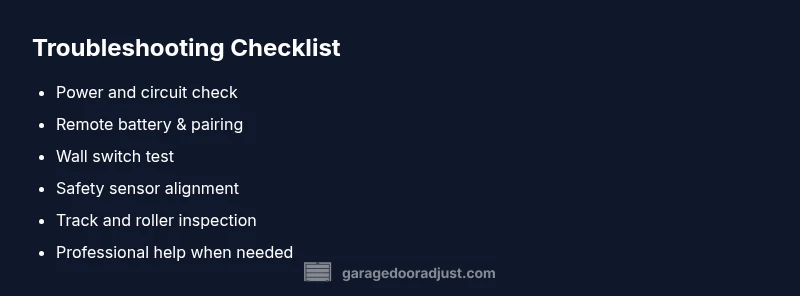
- Confirm power at the outlet and check the circuit breaker. 2. Replace the remote battery and re-sync if needed. 3. Clean and realign safety sensors. 4. Test the door with both wall switch and remote. 5. Inspect the track and rollers for binding or obstruction. 6. If nothing fixes the problem, schedule a pro evaluation.
Safety, warnings, and when to hire a pro
Working around garage doors involves high tension springs and powerful motors. If you hear unusual grinding, observe door movement irregularities, or the opener won’t engage despite basic checks, stop and contact a licensed technician. Never attempt spring replacements or major track adjustments yourself.
Prevention tips to extend opener life
Regular lubrication of moving parts, periodic sensor alignment checks, and keeping the remote battery fresh can prevent many common issues. Schedule a yearly quick inspection to catch wear before it becomes a failure.
How to test the battery in your remote and receiver
Batteries in remotes and wireless receivers degrade over time. Replace with the correct size and observe if the range improves. Re-pair remotes according to your opener model’s instructions to restore reliability.
Steps
Estimated time: 45-60 minutes
- 1
Check power and reset
Inspect the outlet, plug, and circuit breaker. If needed, reset the breaker and unplug-replug the opener. A simple power reset can clear transient faults.
Tip: Always unplug the unit before inspecting internal wiring. - 2
Test wall switch and remote
If the wall switch works but the remote doesn’t, replace the remote battery and re-sync according to the model’s instructions.
Tip: Keep a spare battery on hand for quick fixes. - 3
Inspect safety sensors
Clean the photo-eye lenses and ensure they are aligned and unobstructed. A tiny misalignment can stop the door from closing or cause it to reverse.
Tip: Use a level to ensure sensors face each other directly. - 4
Test opener with both controls
Operate the door using the wall switch and then the remote. Note any differences in speed, distance, or response.
Tip: If the door stalls, check for binding in tracks or rollers. - 5
Check tracks, rollers, and springs
Look for dents, obstructions, or loose hardware along the track and ensure rollers roll smoothly. Do not adjust springs yourself.
Tip: Only perform simple adjustments on tracks/rollers; springs require a pro. - 6
Decide on next steps
If symptoms persist after these steps, arrange a professional inspection. Provide the technician a list of tests you performed.
Tip: Document what worked and what didn’t to speed up diagnosis.
Diagnosis: Door responds to wall switch but not to remote, or door stalls during operation
Possible Causes
- highRemote battery or signal issue
- highSensor misalignment or obstruction
- mediumPower supply problem (outlet, circuit breaker)
- lowFaulty receiver or control board
Fixes
- easyReplace remote battery and re-sync with the opener
- easyClean/realign photo-eye sensors and remove obstructions
- easyTest outlet and circuit breaker, restore power
- hardIf issues persist, call a professional for receiver/control board diagnosis
Got Questions?
What should I do first if my garage door opener won’t respond at all?
Start with power checks: verify the outlet is live, reset the breaker if needed, and try the opener using both the wall switch and the remote. If nothing responds, proceed with sensor checks and remote replacement as needed.
First, check power at the outlet and reset the circuit. Then test the wall switch and remote; if nothing responds, move on to sensor checks and possible remote replacement.
Why does my door close and immediately reverse before hitting the floor?
This usually means a misaligned or blocked safety sensor. Clean the lenses, realign the eyes, and ensure nothing is blocking the sensor path. If the door still reverses, a professional inspection is recommended.
If it reverses at the last moment, check the safety sensors and clean or realign them; if still stuck, call a pro.
Can a bad remote really affect performance even if the wall switch works?
Yes. The remote may be out of sync or have low battery, or the receiver may have issues. Replacing the battery and re-syncing often resolves this without touching the wall switch.
Yes. A weak remote or out-of-sync receiver can cause issues even when the wall switch works.
Is it safe to adjust the opener’s sensors or tracks myself?
Only adjust sensors and tracks if you are comfortable and know how. Major adjustments should be handled by a professional to avoid injury.
Adjusting sensors or tracks can be risky if you’re not sure what you’re doing; better to call a pro for safety.
When should I replace the garage door opener rather than repair it?
If the unit is old, repeatedly failing, or costly to repair, replacement is often more economical and safer. Compare repair costs to a new unit’s efficiency and warranty.
If it’s old or repeatedly failing and repairs add up, replacement may be the smarter choice.
How do I reset my garage door opener after a fault?
Follow your model’s reset procedure in the user manual. Typically it involves holding a learn/program button, then re-pairing remotes and keypads.
Reset usually means pressing a learn button and re-pairing remotes, per your model’s manual.
Watch Video
Quick Summary
- Test power, switch, and battery first
- Clean and realign safety sensors
- Do not attempt spring repairs—call a pro
- Document tests to speed up professional diagnosis