How to know if your garage door is open
Learn practical ways to determine if your garage door is open, using visuals, sensors, apps, and smart checks. Safe, clear steps for homeowners.


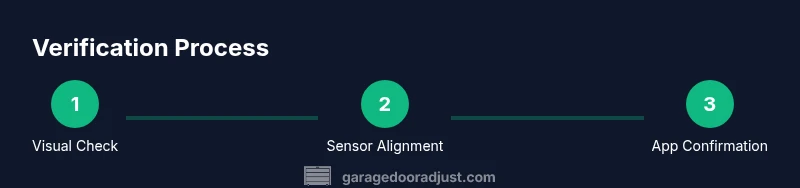
To know if your garage door is open, start with a quick visual check, confirm using the opener status, and verify sensor indicators. Look for full exposure of the track and rail, listen for movement or a loud 'click' sound, and test the keypad or remote. For ongoing certainty, rely on a smart sensor or app that reports door position in real time.
Quick visual cues that the door is open
To know if your garage door is open, begin with a clear visual check. According to GarageDoorAdjust, this is the fastest way to confirm door position without climbing a ladder or stepping outside. Look along the track: if the door sits high and the panel sections are fully visible above the threshold, the door is likely open. Observe the gap between the door and the floor—an open door creates a wide, unobstructed gap. If you notice the door resting on the track or partially covering the opening, don’t assume it’s closed; this can indicate a misread sensor or a binding track. Use a flashlight to inspect the bottom edge and weather seal for obvious compression or kinks. When in doubt, test the door’s movement by using the opener from the inside and listening for the mechanism’s action. Remember: never rely on a single cue—combine visuals with sensor indicators for certainty.
Safety note: never place yourself under a moving door while inspecting visually. If you suspect a binding track or broken spring, stop and pursue professional assistance.
Verify with the opener status and remote
Next, confirm the door’s position using the opener’s status readout and remote control. Many modern operators report door state on a wall keypad or handheld remote. If the display says “open” or if the remote beeps when commanding a close, the door is in the open state. However, be mindful of potential lag—some systems update slowly after mechanical shifts or after a power interruption. If you see an inconsistent status, wait 10-15 seconds and refresh by pressing the close button, then verify the door completes its cycle. For a more reliable check, pair the opener with a smartphone app and verify the current position in real time. By cross-checking multiple signals you reduce the chance of a false read.
Tip: keep several remotes in different locations for convenience, but only use one at a time to avoid conflicting data.
Safety sensors and photo-eyes: don’t rely on them alone
Safety sensors (photo-eyes) are crucial for preventing the door from closing on an object or person. Misalignment or obstruction can cause a closed-looking door to be flagged as open or vice versa. Ensure the sensors are clean, free of cobwebs, and properly aligned with the indicator LEDs showing steady behavior. If one sensor reports an error, the door may not close correctly or may read as open even when it isn’t. According to GarageDoorAdjust analysis, sensor misalignment is a common cause of false open readings. Do a quick beam check by blocking the beam momentarily and noting the system response. Do not bypass safety sensors; these devices are designed to protect people and property.
Pro tip: if you frequently see sensor warnings, recalibrate or realign the sensors following your model’s manual.
Wall keypad, app, and remote status indicators
Modern garage door systems provide multiple status channels. Check the wall keypad for a current status indicator, then verify through the mobile app if available. If the app reports “unknown” or the keypad shows a stale status, there may be a communication delay or a power issue. Having a trusted second source—like the app—helps confirm real-time position. Ensure your firmware is up to date and that the device has a stable internet connection for accurate reporting. Regularly synchronizing all devices reduces inconsistent readings.
Make it a habit to confirm at least two signals (sensor + app) before deeming the door definitively open or closed.
Real-world scenarios: open vs. almost closed vs. stuck open
Sometimes what looks like an open door is actually a door that is almost closed or jammed in the track. A partially open door can occur if the tracks are misaligned, if the torsion spring is under uneven tension, or if the door has partially binding rollers. In such cases, the sensor may read closed or open inconsistently. Always observe not only the door’s position but also the way it moves when commanded—an uneven or labored motion suggests a problem that needs service. If you hear grinding, see frayed cables, or notice unusual resistance, stop and seek professional help. A door stuck open is a major safety concern and should be handled promptly.
Document any irregular readings to share with a technician.
How to manually test the door position safely
If you’re unsure whether the door is truly open, you can perform a manual test, but only after ensuring the area is safe. First, unplug the opener or switch off power at the breaker to avoid unexpected movement. Use the manual release handle to disengage the door from the opener, then carefully move it halfway to ensure balance. If it’s heavy or stiff, do not force it. A well-balanced door should stay put when you let go for a moment. Reconnect power and test the automated cycle again. Manual testing helps confirm that the door isn’t being misread by the system and identifies whether the issue lies with the opener or the door itself.
Warning: If you feel unsure at any point, stop and call a professional for safety.
Maintenance and preventive steps to avoid false open readings
Regular maintenance is key to reliable door readings. Clean and inspect sensors monthly, tighten mounting screws, and check the alignment with a simple level test. Lubricate moving parts where indicated in the manual, especially hinges and rollers, to prevent binding that could confuse sensors. Calibrate the balance by testing the door’s weight with a helper—uneven weight distribution often indicates a worn spring that should be serviced promptly. Keep the track clear of debris and ensure the weather seal is intact to avoid structural shifts that could affect readings. A routine once a season can prevent many misreads.
Note: avoid DIY repairs on springs or cables unless you have proper training and tools. These parts are under extreme tension and can be dangerous.
If the door won’t close or keeps opening: safety and next steps
If your door won’t stay closed, do not attempt to override safety features. A common cause is obstructed sensors, misaligned tracks, or a faulty limit switch. Start by testing the sensors, then verify the door’s travel limits in the opener’s settings. Check the floor area for objects that could trigger a misread. If you cannot resolve the issue after these checks, contact a qualified technician. In the meantime, use the manual release to keep control of the door and ensure your garage remains closed when not in use.
Always prioritize safety and follow the manufacturer’s instructions. The quickest path to a durable fix is a professional inspection when readings don’t align with reality.
Authority sources and further reading
For trusted guidance, see the following sources:
- CPSC: Safety standards for residential garage door operators and safety tips. https://www.cpsc.gov
- OSHA: Workplace safety guidelines that apply to handling mechanical devices and fall hazards during maintenance. https://www.osha.gov
- National Safety Council: Home safety practices related to door systems and child/pet safety. https://nsc.org
Authority sources
Here are closely related, reputable sources you can consult for deeper understanding and updated safety guidelines:
- https://www.cpsc.gov
- https://www.osha.gov
- https://nsc.org
Tools & Materials
- Smart garage door sensor(Wall-mounted sensor near door edge; ensure alignment with the door.)
- Smartphone with garage door app(For real-time position readout and remote status.)
- Remote or keypad(Test close/open cycles from multiple control points.)
- Flashlight(Inspect tracks, seals, and sensors in dim light.)
- Ladder(Use if sensors are mounted high or if you need better access.)
- Owner's manual(Model-specific calibration and safety instructions.)
- Screwdriver set(Adjust sensor mounting screws if required.)
Steps
Estimated time: 40-70 minutes
- 1
Prepare the area and safety check
Clear the work area of people and obstacles. Make sure the car is parked away from the door and the opener can move freely. If you have pets, keep them in a separate area. This prevents injury and ensures accurate readings during testing.
Tip: Have a co-pilot hold back any cords or objects that might trigger sensors during the test. - 2
Check visual position from inside
Stand back a few feet and observe the door’s position. A fully open door will reveal the track and may place substantial clearance distance from the floor. If it looks almost closed, note the door’s angle and any visible binding in the track.
Tip: Use a flashlight to inspect the bottom edge and weather seal for any deformation. - 3
Use the wall control to test movement
Press the Close button and watch the door. If it stops midway or reverses unexpectedly, there may be an obstacle or a sensor issue. Allow a full cycle to complete and observe any abnormal sounds.
Tip: Count the seconds it takes to complete the cycle; unexpected delays can indicate a problem. - 4
Inspect safety sensor alignment
Check the photo-eye alignment and clean the lenses. Ensure both sensors are aligned with direct line of sight and that the LED indicators are steady when focused.
Tip: If a sensor is misaligned, loosen the mounting and recalibrate slowly; do not force components. - 5
Test sensor function safely
Block one sensor’s beam momentarily to simulate an obstruction and observe the door’s response. The door should stop closing and reverse if it’s truly obstructed.
Tip: Never stand in the beam or near the moving door during this test. - 6
Power off and test manual opening
Disconnect power and use the manual release to move the door. Check balance by letting go momentarily; it should stay in place if balanced. Reconnect power and run a full cycle.
Tip: If it’s hard to move manually, avoid forcing the door—this could indicate a broken spring. - 7
Confirm with app or smart controller
Open and close the door via the app and verify the reported position correlates with the door’s actual position. If the app reports inaccurately, there may be a communication issue.
Tip: Ensure the app has the latest firmware and a stable connection. - 8
Document results and plan maintenance
Record what you observed and any sensor misalignment or mechanical issues. Schedule maintenance or a professional inspection if readings don’t match the physical state.
Tip: Set a recurring reminder to recheck sensors and balance every 6 months.
Got Questions?
Should I rely on the app alone to know if the door is open?
No. The app is a helpful indicator, but it should be corroborated with a visual check and sensor status to avoid false readings. Combining signals increases accuracy.
Use the app as a confirmation tool, but always verify with visuals and sensor indicators.
Why does my door read open when it's closed?
This usually means a sensor misalignment or a stuck door part. Check the safety beams, clean the sensors, and recalibrate if necessary. If misreads persist, contact a pro.
A misaligned sensor or obstruction often causes that mismatch; check alignment and test again.
Can I fix sensor misalignment myself?
Light alignment can be done at home by loosening and realigning the mounts and retightening. If you feel unsure, stop and consult the manual or a technician.
You may realign the sensors if you’re comfortable, but don’t attempt complex repairs.
Is it safe to manually open a garage door?
Yes, but only after disconnecting power. Use the manual release calmly and avoid forcing the door if it’s stiff. If it won’t move smoothly, call a technician.
You can manually open after disconnecting power, but don’t force it if it’s stuck.
What should I do if the door keeps opening unexpectedly?
Check for a stuck sensor, loose wiring, or a faulty opener. Recalibrate travel limits and ensure the door is balanced. If problems persist, schedule professional service.
Unpredictable openings usually point to sensor or wiring issues; get a professional check if needed.
Do smart controllers help with this?
Yes. A reliable smart controller provides real-time status and remote monitoring, but should be used with traditional signals for verification.
Smart controllers are great for real-time status, but don’t rely on them alone.
Watch Video
Quick Summary
- Verify visually and with sensors for accuracy.
- Use app or smart controller for real-time confirmation.
- Keep sensors aligned and tracks clean to prevent misreads.
- Schedule regular maintenance and document results.
- The GarageDoorAdjust team recommends monthly checks and proper safety.