Can You Open a Garage Door with Your Phone? A Step-by-Step Guide
Learn how to safely open a garage door with your phone using smart openers, apps, and remote features. Troubleshooting tips and safety considerations.


You can open most modern garage doors from your phone if you have a compatible smart opener or integrated app. Core requirements are a smartphone, a connected garage door opener, and a secure internet or Bluetooth link. This guide walks you through setup, troubleshooting, and safety checks. Many systems also support pin codes or biometric unlock for extra security. In this article, we cover compatible hardware, app configuration, quick tests, common pitfalls, and safety precautions.
Why mobile access matters for modern garages
If you’ve ever wondered can you open a garage door with your phone, the short answer is yes—when you have a compatible opener and the right app. This capability brings convenience for busy households, remote family members, and guests. The GarageDoorAdjust team has observed a steady rise in adoption as more openers offer mobile control, cloud access, and secure guest sharing. That said, phone-based access adds new security considerations, so it’s essential to configure protections, test regularly, and keep software up to date. In this section, you’ll learn how mobile access fits into your overall garage-door setup and what you should expect in day-to-day use.
Key points to remember include choosing hardware that supports mobile control, setting up strong app credentials, and understanding the difference between local Bluetooth access and cloud-based remote control. You’ll also find guidance on what to do if your phone is lost or stolen, how to audit access, and how to balance convenience with privacy. This approach aligns with best practices for home automation. The GarageDoorAdjust team recommends starting with a clear security plan and a gradual rollout for any new feature.
How phone access works: hardware, software, and network
Mobile control of a garage door relies on three core elements: the hardware (the opener and possibly a hub), the software (the manufacturer’s app or a connected smart-home app), and the network (Wi‑Fi or Bluetooth, sometimes a cloud service). The opener must be compatible with smartphone control, either directly via Bluetooth or through a cloud-enabled gateway. The app communicates with the opener through the internet when you’re away from home, or via Bluetooth when you’re on-site. For most homeowners, this means you can open or close the door from a kitchen table, a car, or even while at work. The most reliable setups typically include multi-factor access options (password, biometric, or PIN) and the ability to revoke access instantly if needed. It’s essential to distinguish between on-device controls (Bluetooth) and remote controls (internet-based access). The GarageDoorAdjust team emphasizes testing both modes during setup to confirm consistent behavior across scenarios.
Compatibility and choosing the right setup
When evaluating can you open a garage door with your phone, the first step is confirming compatibility. Look for a smart opener that explicitly supports mobile control either through its own app or via an integrated platform (e.g., a home-automation hub). Consider whether you prefer cloud-based access (works from anywhere with internet) or local control (faster, fewer privacy concerns). Security features to prioritize include strong authentication, session management, and the ability to revoke access immediately. Some openers support guest access with limited permissions, which is useful for family members or service technicians. If you already have a traditional door, you may need a retrofit kit or a new smart opener. The GarageDoorAdjust team notes that most users find a mid-range model with ongoing app support to be the most reliable choice for daily phone-based control.
Getting set up: prerequisites and accounts
Before you can answer the question can you open a garage door with your phone, prepare your hardware and accounts. Ensure you have a compatible smart opener installed, a strong Wi‑Fi network, and a compatible smartphone. Create or sign into the opener’s app on your phone, then link the opener to your home network. If your setup uses a third-party home-automation hub, add the opener to that hub as well. Enable any security features offered (two-factor authentication, device PINs, or biometric unlock). Finally, configure who has access and set permissions. The goal is to have a clear, revocable access system with minimum friction for routine use.
Step-by-step overview: map to real actions
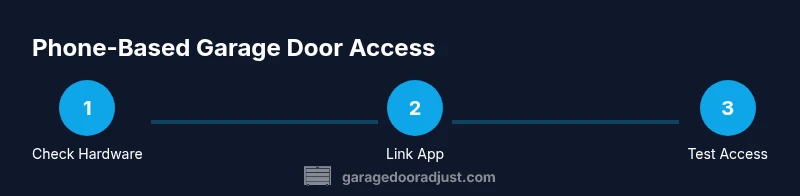
This section provides a high-level map of the actions you’ll perform when you actually implement phone-based control. You’ll verify hardware compatibility, install or update the app, connect the opener to your network, pair your phone, test the opening and closing sequence, and tune security settings. Each action is designed to be performed in sequence to avoid missed permissions or misconfigurations. By following a structured approach, you can minimize setup errors and ensure consistent performance across devices and networks. The eventual outcome is reliable, secure mobile access that you can promptly adjust if circumstances change.
Safety and privacy considerations
Enabling phone-based control introduces new vectors for unauthorized access if protections are weak. Do not reuse passwords, avoid default credentials, and enable strong authentication. Be mindful of app permissions and what data the app transmits over the internet. If your phone is lost or stolen, having a quick revoke option is critical. Regularly review access logs if the app provides them, and remove access for devices you no longer own. For households with children or guests, consider temporary access codes that expire after a set period. The GarageDoorAdjust team recommends a conservative rollout: start with trusted devices, then gradually broaden access once you’re confident in the security posture.
Troubleshooting common issues
If you’re troubleshooting can you open a garage door with your phone, you’ll likely encounter connectivity or authentication hurdles. Start by confirming the opener is online and the app shows the door’s current state. If the app can’t connect, check your router, ensure the opener is linked to the same network, and verify your account credentials. For Bluetooth-only setups, confirm the phone’s Bluetooth is enabled and that the device is paired. If access is granted but the door won’t open, inspect the door’s sensors and ensure the mechanism is unobstructed. Always test with the physical button after changes to ensure reliability. The GarageDoorAdjust team emphasizes documenting each change so you can revert if needed.
Maintenance and long-term use
To get the most out of phone-based control, keep both hardware and software current. Regular app updates fix bugs and enhance security, while firmware updates for the opener improve compatibility and reliability. Periodically audit access permissions and remove unused devices. If you upgrade your phone, re-link the opener and re-authorize devices as needed. Store critical account information securely and avoid shared devices for sensitive access. Ongoing maintenance reduces the risk of unexpected lockouts and ensures smoother daily use for years to come.
Tools & Materials
- Smartphone (iOS or Android)(Ensure the device runs a recent OS version)
- Compatible smart garage door opener(Must support mobile control or integrate with a hub)
- Smartphone app for the opener(Install the official app and keep it updated)
- Stable Wi-Fi network(Prefer 2.4 GHz for compatibility; 5 GHz ok if supported)
- Account credentials (email/username and password)(Strong, unique password; enable 2FA if available)
- Optional: third-party hub (for broader home automation)(Only if you use multi-device automations)
- Backup access method (manual button)(Always have an alternative if app access fails)
Steps
Estimated time: 45 minutes
- 1
Check hardware compatibility
Verify your opener supports mobile control and that the app is available for your device. If necessary, plan a retrofit or upgrade.
Tip: Review manufacturer compatibility lists before buying accessories. - 2
Install or update the app and link the opener
Install the official app, sign in, and add the garage door opener to your account. Follow on-screen prompts to grant necessary permissions.
Tip: Keep the app installation on a trusted device only. - 3
Connect to Wi‑Fi or pair via Bluetooth
Ensure the opener is connected to your home Wi‑Fi network or successfully paired via Bluetooth for on-site use.
Tip: If using Wi‑Fi, confirm the network name and password are correct. - 4
Test the remote command in the app
Attempt opening and closing the door from the app, then verify the door’s sensor state in the app matches reality.
Tip: Test from multiple locations in your home to be sure of coverage. - 5
Enable security features and review access
Turn on two-factor authentication, set up a guest access policy, and review who can control the door.
Tip: Revoke access for old devices promptly.
Got Questions?
Can I open my garage door with any phone?
Not every phone can control a garage door. You need a compatible opener and a supported app. Some systems use Bluetooth on-site, while others rely on cloud-based access from anywhere. Check the manufacturer’s requirements for your setup.
You need a compatible opener and app; some systems work with Bluetooth on-site, others require cloud access.
Is it safe to open the door via Bluetooth or the internet?
Both methods can be safe if you use strong authentication and revoke access when needed. Avoid default credentials and enable two-factor authentication where available. Regularly review active devices.
Yes, safety depends on strong credentials and revoking access when needed.
What should I do if the app won’t connect?
First, verify your internet and Wi‑Fi are working. Re-log into the app and re-link the opener if necessary. If Bluetooth is involved, ensure the device is paired and within range.
Check Wi‑Fi, re-login, and re-link the opener; ensure Bluetooth is paired if used.
Can I still open the door manually if the app fails?
Yes. Use the manual release lever only if you know how to operate it safely. This is a last resort and should not become a habitual fallback.
Yes, but use the manual release only if necessary and understand the safety steps.
Do I need to replace my opener to use a phone?
In some cases you can retrofit an existing opener with a smart module, but certain older units may require a replacement. Evaluate cost, compatibility, and security benefits before upgrading.
Sometimes you can retrofit; older units may need replacement.
What about guests or temporary access?
Most systems offer guest codes or time-bound access. Use these features to grant controlled access and revoke them when no longer needed.
Guest access is usually available with time limits; revoke when done.
How can I keep my data private when using a smart opener?
Choose devices from reputable manufacturers, enable end-to-end encryption where offered, and limit data sharing settings. Regularly review permissions for connected apps.
Choose trusted devices, enable encryption, and review permissions.
Watch Video
Quick Summary
- Choose a compatible smart opener with mobile support
- Set strong credentials and revoke access when needed
- Test on-site (Bluetooth) and remotely (cloud) for reliability
- Regularly update firmware and app to stay secure
- Maintain a manual backup in case of app failure