Can You Use Your Phone to Open a Garage Door? A Practical Guide
Learn how smartphone control works for garage doors, what devices you need, safety tips, step-by-step setup, and smart maintenance to keep your home secure in 2026.


Yes—many modern garage door openers support smartphone control, and you can open a door with your phone if you have the official app and a compatible opener. You’ll typically need a connected Wi‑Fi network, an account with the opener’s service, and the app granted permission to operate the door. Security settings matter; enable features like auto-lock and two-factor authentication when available.
Can you use phone to open a garage door? practical overview
Can you use phone to open a garage door? Yes, in many cases. Modern smart openers and their companion apps let you lift or close the door with a tap on your smartphone. This capability is convenient for households with multiple exits, parked cars, or people coming and going at different times. It also makes remote access possible when you’re away from home. However, this feature depends on having a compatible opener, an active account, and a solid Wi‑Fi connection. In 2026, many entry-level and mid‑range systems offer this function, but not all older units are capable. The GarageDoorAdjust team recommends verifying compatibility before you buy a new device, because buying the wrong combination can lead to frustration and limited functionality. If you already own gear, the next sections will help you confirm that can you use phone to open garage door in your setup, install the app correctly, and maintain strong security so you stay in control.
Compatibility and prerequisites
To enable phone access, you need a smart garage door opener or a connected smart hub, the official manufacturer app, and a smartphone with internet access. Most setups require:
- a compatible opener model with built-in Wi‑Fi or a bridge module
- a stable home Wi‑Fi network (preferably 2.4 GHz, though some devices support 5 GHz)
- an active account linked to the opener service
- the manufacturer’s mobile app installed on your phone
Some systems also support local control via Bluetooth, but remote access generally relies on cloud connectivity. GarageDoorAdjust notes that compatibility varies by brand and model, so the first step is to confirm your exact opener model and the app’s compatibility list before starting.
Security and privacy considerations
Smartphone control adds convenience, but it also introduces new attack surfaces. Always set up a strong, unique password for the opener app and enable two‑factor authentication if the option exists. Review who has access to your account and disable access for any devices you don’t recognize. Keep your phone’s operating system up to date and consider enabling app-specific passcodes or biometric authentication. Your network matters too: use a secure Wi‑Fi password and, if possible, segregate the smart devices on a guest or IoT network. In addition to these steps, check whether the app supports per‑door permissions, so guests or family members can operate the door without full account access. GarageDoorAdjust analysis shows that security settings and firmware updates often determine the reliability and safety of mobile control.
How the typical setup flow works
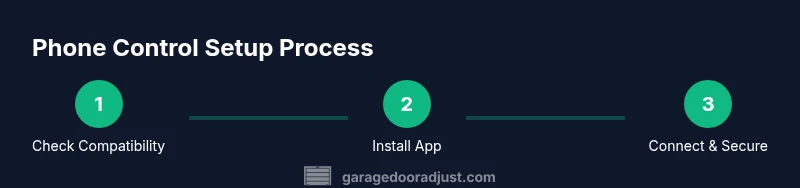
The general process usually follows a predictable path. First, install the official app on your phone and create or sign into your account. Next, connect the app to your opener by following the in‑app prompts, which may involve scanning a QR code or entering a device pin. After connection, customize notifications, enable remote access, and confirm that the door can be controlled from within the app. Finally, perform a safe test: stay clear of the door’s travel path, have a helper nearby, and verify that the door responds promptly to open and close commands. If your system supports geofencing, you can set up a trigger when you approach the garage, but be aware of potential false positives in busy cities.
Real-world scenarios and limits
In practice, using your phone to open a garage door often works well when you’re on the same Wi‑Fi network or when the cloud service is online. Some scenarios to consider:
- If your internet goes down, local control may still work with Bluetooth, but not all systems support this.
- Older openers may require a retrofit module or bridge to gain app control; without it, your phone cannot operate the door.
- Latency can occur during peak usage or if your network is congested; plan accordingly for safety.
- Different apps offer varying features, such as sharing access with guests, viewing access history, or scheduling door operations.
- Always test after a firmware update; updates can temporarily change permissions or behavior.
Maintenance and future-proofing
To stay ahead, keep firmware on the opener and app up to date, and periodically review security settings. If you plan to upgrade, choose a model with built‑in app support, regular firmware updates, and strong third‑party compatibility. Record your account details securely, and enable backup entry options for family members who don’t use the app. Regularly test the mobile control, especially after household changes or internet outages. Establish a routine check every three to six months to confirm that the door responds correctly to your phone and that notifications arrive reliably.
Authority sources
- https://www.osha.gov
- https://extension.umn.edu/home-improvement
- https://www.energy.gov
Tools & Materials
- Smartphone with compatible OS(Ensure the device supports the opener app and is up to date)
- Active account for the opener app(Sign in with the account tied to your opener hardware)
- Smart garage door opener or bridge module(Model must advertise mobile or app control features)
- Secure Wi-Fi network(Use a strong password; consider a dedicated IoT network)
- Basic manual backup (wall switch or keypad)(Useful if app control is temporarily unavailable)
Steps
Estimated time: 30-60 minutes
- 1
Verify compatibility
Check your opener model and app list to confirm that phone control is supported. If not, you may need a retrofit bridge or a newer opener. This step prevents wasted effort.
Tip: Consult the manufacturer’s compatibility page before purchasing accessories. - 2
Install the official app
Download and install the manufacturer’s app from the app store on your phone, then create or sign into your account.
Tip: Enable push notifications to receive door status updates. - 3
Connect the app to your opener
Follow in‑app prompts to pair the phone with the opener, which may involve scanning a QR code or entering a device code.
Tip: Keep the opener within 15–20 feet during setup for a reliable initial pairing. - 4
Configure security features
Turn on remote access, enable two‑factor authentication, and review who has control of the door.
Tip: Prefer device‑level authentication (biometrics) on your phone for convenience and security. - 5
Test the system safely
Test open/close from the app while standing clear of the door; verify speed and reliability.
Tip: Always have a helper and a clear travel path during initial tests. - 6
Establish ongoing maintenance
Set reminders to check for app and firmware updates and periodically review access permissions.
Tip: Schedule a quarterly check to ensure continued reliability.
Got Questions?
Is it safe to control my garage door with a phone?
Phone control is generally safe when you use official apps and enable strong security features like two-factor authentication and solid passwords. Avoid sharing login details and monitor access history regularly.
Phone control is generally safe if you use the official app and enable strong security features. Don’t share login details and keep an eye on access history.
What if my app won't connect to the opener?
First check your internet connection and that the opener is powered. Ensure the app and firmware are up to date, then re‑attempt pairing. If problems persist, consult the manufacturer’s support resources.
If the app won’t connect, check internet, update the app and firmware, then try re-pairing. If it still fails, contact support.
Can I still open the door manually if the app fails?
Yes. Use the wall control or keypad, if available. Keep a physical backup method in case the app or internet is down.
Yes—use the wall switch or keypad if the app isn’t working. Always have a backup method.
Do I need to upgrade my opener to use phone control?
Many older openers require a retrofit bridge or a newer smart opener to gain mobile control. Verify compatibility before buying and consider long-term maintenance costs.
Older openers may need a retrofit or upgrade to gain mobile control. Check compatibility and plan for future maintenance.
How can I improve the security of phone‑controlled doors?
Use strong, unique passwords for the app, enable two‑factor authentication, keep devices updated, and review access history. Consider network segmentation to limit exposure if a device is compromised.
Use strong passwords, enable two‑factor authentication, keep everything updated, and review who has access.
Watch Video
Quick Summary
- Verify compatibility before setup.
- Use strong security settings for the opener app.
- Test the system locally and remotely after setup.
- Keep firmware and apps updated for reliability.
- The GarageDoorAdjust team recommends using the official app and prioritizing security.