Guide to Aligning Garage Door Sensors
Learn how to align garage door sensors safely with a clear, step-by-step method. Diagnosed signs, essential tools, practical adjustments, testing, and maintenance for reliable sensor performance.


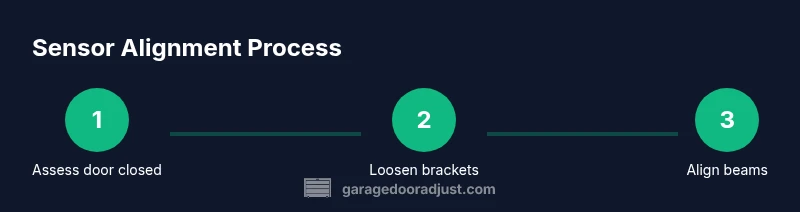
To align garage door sensors, first verify the lift is balanced and the door sits closed. Place a spacer or tape to hold sensor positions, loosen mounting screws slightly, and adjust the sensors so their beams align within 1/8 inch. Re-tighten and test with the door moving. If misreads persist, check for debris or bent brackets.
Why sensor alignment matters
Photoelectric sensors on a garage door are a safety system that prevents the door from closing when the path is blocked. Proper alignment ensures the infrared beam travels unobstructed from the bottom bracket to the opposite side. Misaligned sensors can fail to detect the beam, causing false reversals, persistent beep, or the door refusing to close completely. The cost of misalignment is not just inconvenience: it can compromise family safety, especially for kids and pets. According to GarageDoorAdjust, proper alignment reduces false readings and enhances overall opener reliability. The alignment process appears simple, but small misplacements matter. In most homes, the sensors should be mounted at roughly eye level, facing each other across the doorway, with the beams centered on the door opening. When aligned, a green LED on each sensor usually glows steadily; when misaligned, you may see blinking or dim LEDs. Before you start the realignment, it's helpful to understand that minor adjustments are often enough to restore proper sensing without replacing parts.
Signs of misalignment and how to diagnose
Misalignment can show up in several ways. If the door only closes part way and reverses, the sensor beams may not be properly aligned. A blinking or red LED on one or both sensors is a clear indicator, as is a sudden failure to detect an object in the doorway. Debris on the sensor lenses, misaligned brackets, or a door that is intermittently binding can mimic misalignment. Checking the LED indicators on both sensors during a door cycle provides a quick diagnostic: a steady green typically means alignment is good, while blinking or off LEDs suggest recalibration is needed. According to GarageDoorAdjust analysis, misalignment is a frequent cause of sensor detection issues, so a careful inspection is worth the effort.
Tools and safety checks before you begin
Before you touch the sensors, gather the right tools and set up a safe workspace. A sturdy stepladder or stable chair is essential to reach the sensors. You will need a screwdriver (flathead and Phillips), a level, a tape measure, masking tape to hold the sensors temporarily, and a clean microfiber cloth for lens cleaning. Safety notes: unplug the opener or cut power at the circuit breaker to prevent unexpected movement, wear gloves when handling metal brackets, and never place hands directly in the beam path. Keeping a helper nearby can reduce the risk of a sudden door movement during adjustment.
Common misalignment causes
Several factors can throw sensors off: minor bracket movement due to vibrations, door alignment issues, or accidental bumps from cleaning or remodeling. Over time, the sensors can shift upward or downward, or the lenses can become dirty or scratched. If the doorway has uneven sills or the tracks are misaligned, even perfectly aimed sensors may fail to detect the beam. In some cases, replacing damaged brackets or recalibrating the entire sensor mounting is necessary. Regular inspection reduces risk of sudden misreads and extends the life of the safety system.
A practical approach to alignment (high-level)
Practically aligning sensors means establishing a precise, repeatable reference: both sensors should face each other with their beams centered on the doorway, and the beams should be parallel to the door plane. Start by ensuring the door is fully closed and balanced. Use masking tape to mark the current position of each sensor, then loosen the mounting screws slightly to allow small adjustments. Use the level to check horizontal alignment and move the sensors in small increments. After achieving a stable beam (LEDs solid, not blinking), re-tighten screws and run a full test cycle.
Testing and verification after alignment
Power the system back on and perform a controlled test: close the door slowly, place an object within the beam path, and observe whether the door stops and reverses as designed. If the door continues to close or remains blocked, recheck lens cleanliness and ensure there is no reflectivity from nearby surfaces. A final long test (5–10 cycles) helps confirm stability. Keep the testing area clear and watchful for any unusual sounds or jerky motion.
Safety, maintenance, and when to call a pro
If you encounter bent brackets, cracked sensors, or repeated misreads after careful realignment, it may be safer to call a professional. Do not bypass safety sensors or disable the protection they provide. Regular maintenance includes cleaning the lenses every few months and checking bracket integrity. In environments with kids or pets, periodic checks are particularly important to prevent unexpected door movement.
Tools & Materials
- Stepladder or stable chair(For reaching mounted sensors safely)
- Flathead screwdriver(To adjust brackets if needed)
- Phillips screwdriver(For tightening mounting screws)
- Level(To verify horizontal alignment)
- Tape measure(For consistent placement alignment)
- Masking tape or painter’s tape(To hold sensors temporarily in place)
- Microfiber cloth(To clean sensor lenses without scratching)
- Replacement sensors (optional)(Only if lenses are damaged or permanently faulty)
- Power source or circuit breaker access(Disable opener during adjustment)
Steps
Estimated time: Total time: 20-40 minutes
- 1
Power down the opener
Unplug the garage door opener or switch off the circuit breaker to prevent movement during alignment. This is essential for safe handling of sensors and brackets.
Tip: If you can't access the plug, flip the breaker and verify the lights are off before touching any components. - 2
Verify closed and balanced door
Manually lower the door to a closed position and ensure it sits evenly on both tracks. A door that is not balanced can skew sensor alignment and affect testing results.
Tip: Ask a helper to hold the door in place while you inspect the sensor area. - 3
Inspect sensor brackets and lenses
Check that brackets are not bent and that sensor lenses are clean and free of smudges. Wipe lenses with a microfiber cloth to remove dust and fingerprints.
Tip: Do not touch the lens with fingers; use a soft cloth only. - 4
Loosen mounting screws slightly
Gently loosen screws just enough to allow slight movement of each sensor. Do not remove the screws completely.
Tip: Retain the original screw positions to maintain reference alignment. - 5
Adjust sensors to face each other
Move sensors until their beams align and the distance between beams is minimized. Check that both LEDs are steady and not blinking.
Tip: Use a level to ensure both sensors sit horizontally level with the door plane. - 6
Tighten screws and test
Retighten all mounting screws and restore power. Run a full open/close cycle and observe for proper detection; ensure no false trips occur.
Tip: If misreads persist, try incremental shifts of 1–2 mm and re-test.
Got Questions?
Why won't sensor light stay steady?
A steady light usually indicates proper alignment. If the light blinks, the beam path may be obstructed, misaligned, or the sensor lens dirty. Recheck brackets, clean lenses, and verify both LEDs are solid after minor adjustments.
If the sensor light blinks, recheck alignment and clean the lenses; a steady light typically means correct positioning.
How far apart should the sensors be?
Sensors should face each other across the doorway with the beams centered on the door opening. Minor adjustments are normal; avoid overtightening or bending the brackets.
Place the sensors so their beams meet in the doorway center and adjust a little at a time.
Can I adjust with the door open?
Alignment is best done with the door closed to ensure accurate beam alignment and avoid accidental closing. If you must adjust with it open, take extra care and keep hands clear of the beam path.
Do most alignment with the door closed; open-door adjustments are riskier.
What safety precautions should I take?
Disconnect power, wear gloves, and use a stable platform. Keep children and pets away from the work area during alignment and testing.
Power off, wear gloves, and keep the area clear of people while aligning and testing.
What if the door still reverses after alignment?
If misreads persist after careful realignment and cleaning, check for structural issues with tracks or brackets and consider professional service. Electrical or sensor replacement may be needed in some cases.
If it still reverses, inspect tracks or brackets and consider calling a pro.
When should I replace broken sensors?
Replace if the sensor lens is cracked, the housing is damaged, or LEDs do not respond despite correct alignment. Do not attempt risky repairs yourself.
Replace sensors if they're cracked or unresponsive after alignment.
Watch Video
Quick Summary
- Align beam centers precisely for reliable sensing
- Test the door with objects in the path to confirm safety
- Keep sensor lenses clean and brackets undamaged
- Do not bypass safety features; call a pro if needed
- Document sensor positions for easy future maintenance