Where Are Garage Door Sensors: Locate, Test, and Fix
Learn where to find garage door safety sensors, how to test alignment, and fix common issues to keep your garage door operating safely and reliably at home.


Goal: locate and test your garage door safety sensors, confirm proper alignment, and fix common misreads that cause false opens. You’ll learn where sensors are located, how to test them, and when to reset or replace units. Have basic tools and a clear workspace ready before starting.
What are garage door sensors and why they exist
Garage door sensors, primarily photoelectric safety sensors, are installed near the floor on both sides of the door opening. They create an invisible beam across the doorway; if the beam is broken, the door stops closing and reverses. This safety feature is designed to prevent injuries and property damage, especially for kids and pets. You might ask: where are garage door sensors? The core idea is that each sensor is a transmitter and receiver pair, aligned to create a continuous beam. When both units see each other, the beam is complete and the door can close; if one side is blocked or misaligned, the door will not close fully.
The two most common types are photoelectric sensors and pressure-sensitive edges (older or specialty doors). Modern residential doors use photoelectric sensors and standardize their placement. Some openers integrate safety sensors into the door track assembly; others mount them on the wall near the floor. Always consult your opener's manual for exact mounting points and compatibility. As you search for where to locate them, know that typical placement is roughly 5-6 inches from the floor on both sides of the door opening. If you are troubleshooting, verifying the sensor alignment and ensuring a clear line of sight is a foundational step.
According to GarageDoorAdjust, proper sensor alignment is a common source of false closes, making correct location and alignment a critical first step.
Where to look: sensor placements on a typical residential door
Most safety sensors sit on the floor, about 5-6 inches from the ground, on each side of the door opening. The mounting brackets are usually attached to the wall or the door jamb near the tracks, not on the moving door itself. When you inspect, check both sides for a small plastic housing with an LED indicator; a blinking light typically signals misalignment or no power. If your door has an unusual track or uneven floor, consult your opener's manual for any model-specific variations. Remember, the goal is a clear line of sight between the two units, unobstructed by dust, tape, or debris. If a beam is blocked by a crate or broom, the door will behave as if there is an obstacle, stopping or reversing unexpectedly.
Understanding the sensor units and how they communicate
Each safety sensor pair consists of a transmitter and a receiver. The transmitter emits a low-intensity infrared beam, and the receiver detects it. If the beam is interrupted, the opener automatically stops and reverses to prevent injury. The sensors typically include status LEDs: a steady light means alignment and power, while a blinking or off LED indicates misalignment, a blocked beam, or power loss. If you see a fault indicator, reference your model's troubleshooting section. Proper alignment is usually within a few millimeters; small misalignments can cause the infrared beam to miss the receiver and trigger a safety stop.
Troubleshooting common issues
Misalignment is the most frequent cause of sensor problems. If the LEDs aren’t facing each other, loosen the mounting screws a little and rotate both units together until the beams meet. Dirt, dust, or condensation on the lenses can also reduce beam strength; wipe both lenses with a clean, dry cloth or isopropyl alcohol pad. Obstructions near the sensors, such as storage boxes or brooms, can block the beam even if the sensors are correctly mounted. If one sensor is blinking or not lighting, inspect the wire connections and power supply to the opener. Finally, verify the door control’s safety feature is enabled, and avoid bending or forcing the sensor housings. GarageDoorAdjust Analysis, 2026 shows misalignment and dirty lenses as the most common culprits in residential settings.
Maintenance and replacement: when to repair or replace
Regular maintenance can extend sensor life. Clean the lenses monthly, ensure mounting brackets remain tight, and test the beam weekly using the garage door’s close command. If misalignment persists after re-tightening, consider replacing the sensor units; incompatibility with newer openers can cause poor performance. When replacing, choose units that match your door opener’s model and installation guidelines. After installation, re-test both sensors and reset the opener if required by the manufacturer.
Safety, best practices, and a quick compliance note
Always disconnect power before handling sensors to avoid electric shock. Keep children and pets away during testing. Do not bypass safety features or run a door with sensors intentionally blocked; this can cause injury or property damage. If you suspect electrical issues or water damage in sensors, contact a licensed installer. The GarageDoorAdjust team recommends following the door opener’s manual first and prioritizing user safety above all else.
Tools & Materials
- Replacement safety sensor units (IR transmitter/receiver)(Choose units compatible with your door opener model; mount per manufacturer guidance.)
- Screwdrivers (Phillips and flathead)(Used to loosen/tighten mounting brackets and adjust sensor positions.)
- Level(Check horizontal alignment of the sensor brackets.)
- Power off tool (multimeter or tester optional)(Use to verify no voltage present if you suspect wiring issues.)
- Cleaning supplies (isopropyl alcohol and lint-free cloth)(Clean lens surfaces to remove dust and condensation.)
- Ladder or stable step stool(Ensure safe access to sensor mounting points near the floor.)
- Masking tape or marker(Mark alignment positions before adjustments.)
Steps
Estimated time: 25-45 minutes
- 1
Power down and secure the area
Turn off power to the garage door opener at the wall switch and unplug if applicable. Confirm there is no active current to the opener to avoid shocks while handling sensors. Clear pets and tools from the work area.
Tip: If you’re unsure about wiring, pause and consult a professional; safety first. - 2
Locate sensor locations on both sides
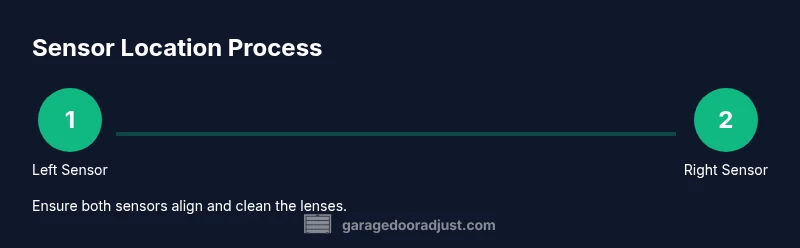
Identify the sensor housings near the door tracks on each side, about 5-6 inches above the floor. Use a flashlight to verify both units are present and unobstructed. Take a quick photo for reference before making adjustments.
Tip: Label each side (Left/Right) if you’ll be adjusting multiple parts. - 3
Check and adjust alignment
Visually center the two sensors so their beams meet in the doorway; loosen mounting screws slightly and slide both units together or apart in small increments. Re-tighten once beams align. Verify the LEDs indicate proper operation.
Tip: Keep adjustments subtle; large moves can overshoot the correct alignment. - 4
Clean the sensor lenses
Wipe both lens surfaces with an isopropyl alcohol pad or a clean lint-free cloth. Remove any dust, spiderwebs, or moisture that could scatter the infrared beam. Do not touch the lens with fingers.
Tip: Finger oils can attract dust; handle only the edges if needed. - 5
Test the beam with the door control
Trigger a close from the wall switch or remote and observe whether the beam remains intact. If the door stops due to a break in the beam, ensure there is no obvious obstruction and that the alignment remains true.
Tip: Place a small harmless obstacle at floor level to simulate obstruction. - 6
Reset or recalibrate if needed
If lights indicate a fault after testing, perform a manufacturer-recommended reset or re-pair procedure. Re-test the entire sequence to confirm both sensors respond correctly to obstructions.
Tip: Keep the user manual handy for model-specific reset steps. - 7
Replace sensors if persistent issues remain
If misreads persist after alignment and cleaning, consider replacing both sensors with compatible units. Persistent faults may indicate a faulty receiver or transmitter that cannot be recalibrated.
Tip: Always verify compatibility with your opener model before purchasing. - 8
Final safety check and documentation
Close the door from multiple controls to ensure consistent operation. Document the steps taken and keep a record for future maintenance. Reconnect power once you confirm safe operation.
Tip: A quick photo log helps track wear over time.
Got Questions?
Where are garage door safety sensors located on a standard residential door?
Most safety sensors are mounted near the floor on each side of the doorway, roughly 5-6 inches up from the floor. Look for a small plastic housing with an LED indicator on each side.
Safety sensors are typically mounted near the floor on both sides of the door opening, about 5-6 inches up, with LEDs indicating status.
Why won't my garage door close even though the door is not blocked?
If the safety beam is not aligned or is obstructed, the door will stop and reverse. Check both sensors for alignment, ensure no dust or debris blocks the lenses, and verify power to the opener.
If the beam is misaligned or blocked, the door will stop; inspect alignment and clean the lenses.
How do I test garage door sensors safely?
Close the door using the wall switch and watch if the sensors cross-beam. Use a small object at floor level to see if the beam detects an obstruction and the door reverses as expected.
Use a small floor obstacle to see if the door reverses, and verify both LEDs indicate proper operation.
Can I replace one sensor if only one side is faulty?
Best practice is to replace both sensors with compatible units to ensure proper alignment and operation across the doorway. Mismatched sensors can cause unreliable safety performance.
If one sensor is faulty, consider replacing both for reliable operation.
What should I do if a sensor is blinking or not lighting?
Blinking or off LEDs usually indicate misalignment, dust, or power issues. Check mounting screws, clean lenses, and verify wiring and power from the opener.
Blinking LEDs usually mean misalignment or power issues; re-align and clean the lenses, then test again.
Is it necessary to hire a professional for sensor issues?
For persistent electrical faults, obstructions in wiring, or when replacing units, a licensed technician can ensure safe, code-compliant installation and calibration.
If problems persist after checks, consider hiring a professional for a safe, compliant setup.
Watch Video
Quick Summary
- Identify sensor locations on both sides of the door.
- Ensure the beams meet and are unobstructed.
- Test operation with the door controls and reset if needed.
- Replace sensors if misalignment or damage persists.