How to Change a Garage Door Remote Battery: A Simple DIY Guide
Learn how to safely replace your garage door remote battery with a clear, step-by-step process. Identify the correct size, install correctly, test, and avoid common mistakes. A practical guide from GarageDoorAdjust.


Goal: You’ll learn how to change a garage door remote battery quickly and safely. The steps cover identifying the correct battery size, removing the old cell, installing the fresh battery, and testing the opener. This quick path aligns with GarageDoorAdjust guidance: verify compatibility, avoid touching exposed contacts, and only use the manufacturer’s recommended battery to prevent damage.
Safety First: Why a battery swap is usually safe
Replacing a garage door remote battery is a routine, low-risk task, but you still owe it to yourself to prep properly. Start by confirming you have the correct battery size for your specific remote model, and power down the opener if instructed in the manual. Clear the work area to avoid losing small screws, and keep pets and children away while the housing is open. Wear minimal static protection (no need for a full anti-static setup) and avoid touching the battery’s metal contacts with your fingers. Always handle new batteries by the edges and avoid dropping or bending them. According to GarageDoorAdjust, taking a few careful minutes at the outset reduces the chance of damaging the remote or wasting a battery. When in doubt, consult your remote’s manual or the manufacturer’s website for model-specific guidance.
Battery types commonly used in garage door remotes
Most remotes use small coin or flat batteries. The most common sizes are CR2032 and CR2025, with some older or specialized remotes using A23 or similar cells. Before you open the remote, check the back cover or the owner’s manual to confirm the exact size and voltage. Using an incorrect battery can leak, corrode contacts, or prevent the remote from working. If you’re unsure, remove the available battery and compare its dimensions to the new one, or bring the old battery to a local store to verify compatibility. With the right size in hand, you can safely complete the swap and maintain reliable performance. GarageDoorAdjust emphasizes avoiding counterfeit or damaged batteries and choosing a reputable brand for consistent contact performance.
Tools and safety gear you’ll want on hand
To complete the task smoothly, gather a replacement battery, a small screwdriver or coin if your remote housing has a screw, a lint-free cloth, and if needed, a non-conductive prying tool. A clean, well-lit workspace helps you spot tiny screws and avoid dropping parts. Keep the remote away from metal surfaces to prevent short circuits, and wash hands before handling new batteries to prevent oils from affecting contacts. While this is a simple task, taking a few minutes to prepare reduces the risk of losing small pieces or cracking the housing. Always dispose of old batteries according to local guidelines.
Opening the remote housing without damage
Carefully inspect the seam where the two halves of the remote meet. If there is a small screw, use a correctly sized screwdriver to remove it and set it aside in a magnetic tray. If there’s no screw, use a non-marring tool (like a plastic opening tool or a flat plastic card) to gently pry along the seam. Work slowly to avoid bending the plastic and to keep the internal contacts intact. Pause if you encounter resistance; forcing the housing can crack it, leading to more expensive repairs. After you separate the halves, take a photo of the layout to help with reassembly. This step is the most delicate part of the process, but with patience you’ll expose the battery without damage.
Inserting the new battery and reassembling the case
With the old battery removed, orient the new battery so the correct polarity aligns with the contacts (usually the plus side faces up). Place the battery securely in its compartment and check that it sits flat and doesn’t wobble. If your remote uses a battery cover with a latch, reattach it and ensure it clicks into place. Before sealing the remote, wipe any dust or oils from the housing and the battery contacts with a clean cloth. Reassemble the two halves carefully, aligning all edges, and reconnect any screws or snaps. A snug seal reduces the chance of dirt getting inside and interfering with the signal.
Testing, re-pairing if needed, and troubleshooting
Once reassembled, test the remote by standing near the door and pressing the button to verify the opener responds. If you notice intermittent operation, recheck battery orientation and ensure the battery is seated fully. Some remotes may need to be re-paired with the opener; consult your model’s manual for the exact procedure, typically involving a learn or program button on the motor unit. If the remote still doesn’t work after replacement, consider trying a fresh battery from a different brand or test the opener with a second remote to confirm the issue isn’t the receiver. Persistent problems might indicate worn contacts or a failing remote that requires replacement.
Common mistakes and how to avoid them
Common mistakes include using the wrong battery size, touching the battery with oily fingers, or forcing the housing apart. Avoid using metal tools that can short the contacts, and never press the remote while you’re opening it, as this can damage the internal components. If you accidentally drop a tiny screw or the battery, take a moment to locate it and confirm everything is properly positioned before resealing. Finally, always follow the manufacturer’s guidance for replacement batteries to maintain warranty coverage and ensure safe operation of your garage door opener.
AUTHORITY SOURCES
- Consumer Product Safety Commission (CPSC): https://www.cpsc.gov
- Occupational Safety and Health Administration (OSHA): https://www.osha.gov
- National Institute of Standards and Technology (NIST): https://www.nist.gov
Maintenance tips to extend remote life
To extend the life of your garage door remote, replace batteries before they fail, store remotes away from moisture and extreme temperatures, and avoid exposing the device to direct sunlight or heat. Regularly inspect the battery contacts for corrosion and clean gently with isopropyl alcohol if needed. Keep a spare battery on hand so you’re never left waiting for a replacement mid-week. When you notice reduced range, test with another remote and confirm the issue isn’t the receiver or worn buttons.
Tools & Materials
- Replacement battery (typical sizes: CR2032, CR2025, or A23)(Check remote housing or label for the compatible size.)
- Small flat-head screwdriver or coin(Use if your remote is secured by a small screw or has a slot.)
- Lint-free cloth or isopropyl wipes(For cleaning contacts if needed.)
- Non-metal prying tool (plastic)(Protects housing and contacts from scratches.)
- Gloves or finger protection(Minimize oils on new battery.)
Steps
Estimated time: 5-10 minutes
- 1
Gather the right battery and tools
Locate the correct replacement battery from the remote’s label or manual. Assemble a clean workspace and lay out the tools so you won’t lose small parts during the swap.
Tip: Verify battery size before opening the remote to avoid an extra trip to the store. - 2
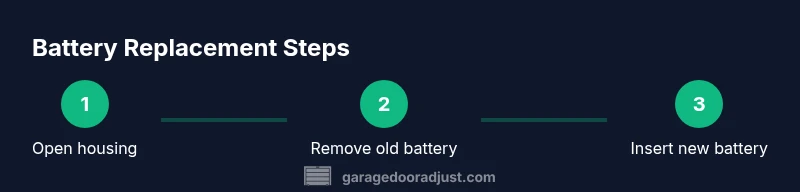
Open the remote housing
If there’s a screw, remove it with the appropriate screwdriver. If not, use a plastic tool to carefully pry along the seam, keeping pressure even and away from the circuit board.
Tip: Work slowly and avoid force; a little lift at a time reduces the risk of cracks. - 3
Remove the old battery
Carefully lift the old battery from the contact springs. Note the orientation so you can place the new one correctly.
Tip: Take a quick photo for reference if layout seems confusing. - 4
Insert the new battery
Place the new battery with the correct polarity against the springs, ensuring it sits flat with no tilt.
Tip: Press gently to ensure full contact; a loose battery will cause poor performance. - 5
Reassemble and seal the remote
Snap the halves back together, reinsert any screws, and confirm there are no gaps. Wipe away fingerprints from the housing.
Tip: Confirm all edges align before final seating to avoid a loose case. - 6
Test the remote and confirm pairing
Test the button near the opener and observe the reaction. If needed, re-pair with the motor unit following the manual.
Tip: If the opener doesn’t respond, try a different battery brand to eliminate a faulty batch.
Got Questions?
Do I need to reprogram the remote after battery replacement?
Most remotes do not require reprogramming after a battery change. If your model does, consult the manual for the exact procedure and motor unit learn button locations.
Most remotes don’t need reprogramming after a battery swap. If yours does, check the manual for the exact steps.
What battery sizes are common for garage door remotes?
Common sizes include CR2032 and CR2025, with some remotes using A23. Always verify the size printed on the back of the remote or in the manual.
Common sizes are CR2032 and CR2025, with some using A23. Check the remote or manual to confirm.
If the remote still doesn’t work after swapping the battery, what should I do?
Double-check battery orientation and seating. Try a fresh battery from a different brand. If it still fails, the remote or receiver may be faulty and require replacement.
If it still doesn’t work after swapping, verify orientation, try another battery, and consider replacement if the issue persists.
Can I replace the battery while the remote is mounted on a wall panel?
Yes, but avoid bending the remote or applying force to the housing. If the remote is densely mounted, remove it from the wall for easier access.
You can replace it while mounted, but it's easier to remove it for access.
How often should I replace garage door remote batteries?
There’s no fixed schedule; replace when the remote becomes slow to respond or the LED indicator dims, and test the opener afterward.
Replace when it slows down or the LED gets dim, then test the opener.
Watch Video
Quick Summary
- Identify the correct battery size before opening.
- Replace, not reuse a damaged battery or casing.
- Test the remote after reassembly to confirm operation.
- If issues persist, consider re-pairing or replacing the remote.