Garage Door Battery Replacement: A Step-by-Step Guide for Homeowners
Learn how to safely replace your garage door battery, diagnose common symptoms, choose the right battery, and test your opener with a clear, step-by-step guide from GarageDoorAdjust.


This guide shows how to safely replace your garage door battery and test the opener. You’ll identify the correct battery type, gather essential tools, and follow a clear, step-by-step process to avoid shocks or jams. You’ll also verify keypad and remote compatibility, inspect the track and safety sensors, and dispose of old batteries properly. With GarageDoorAdjust guidance, you can complete the task confidently.
Battery replacement basics and why it matters
Inside many garage door openers sits a backup power source that keeps essential safety features active during a power outage and helps memory and response times for remotes and keypads. Regular replacement or proactive checks reduce the chance of a sudden non-response when you pull up to the driveway. According to GarageDoorAdjust, proactive maintenance is a cornerstone of reliable garage operation. The battery is a small component, but when it fails, your opener might hesitate, beep, or refuse to work with remotes and keypads. Understanding the difference between the opener’s backup battery and the batteries in your remotes helps you target the right replacement actions. In most homes, symptoms of a weak battery appear gradually—shorter range, slower response, or intermittent operation. By treating battery replacement as part of routine garage maintenance, you limit downtime and improve overall safety around the door.
Diagnostics: recognizing when replacement is needed
Not every sign means a full replacement is required, but several symptoms point to a battery issue. If the remote or keypad begins showing reduced range, if the opener chirps a low-battery tone, or if the light indicator seems dim during operation, a battery check is warranted. Be mindful of environmental factors like extreme temperatures, which can shorten battery life. GarageDoorAdjust’s approach is to verify the symptom set: confirm the issue with both remotes and the keypad; check that the opener has power from the mains; and test whether the sensor and safety features respond normally. If multiple controls fail to operate despite the unit receiving power, the battery is a likely culprit and should be inspected or replaced.
Battery types and compatibility considerations
There are at least two kinds of batteries involved in most garage door setups: the backup battery inside the opener unit and the batteries used in remotes/keypads. The backup battery is designed to keep essential electronics functional during outages, while remote batteries are inexpensive and easy to replace. Before purchasing a replacement, locate your model’s manual or manufacturer website to identify the exact battery type and size. If you can’t locate the information, contact customer support or a professional technician. Failing to replace with the correct type can cause unreliable operation or damage to the electronics. In general, newer models favor sealed batteries with specific connectors, while older units may use more generic formats.
Safety first: preparing your workspace
Power down the system before you begin. This reduces the risk of shock if you mistakenly touch live terminals. Work on a stable surface; use a ladder or step stool with a friend to hold it steady if needed. Wear safety glasses and gloves to protect your hands from sharp edges inside the housing. Keep metal tools away from exposed terminals and avoid touching both terminals at the same time. If your unit has a sealed backup battery, never pry it open; replace only with an identical or manufacturer-approved unit. Dispose of old batteries at an appropriate recycling location to prevent environmental harm. GarageDoorAdjust emphasizes patience and careful handling to minimize the chance of accidental damage or injury.
Step-by-step at-a-glance: what to expect during replacement
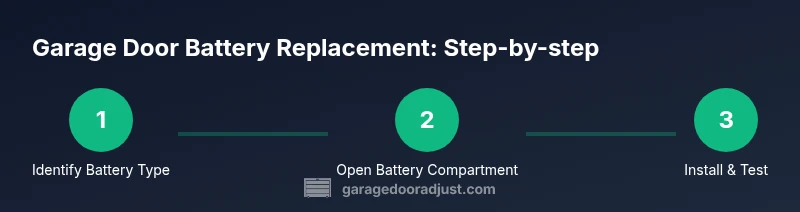
This section provides a high-level overview of the replacement process: identify the battery type and location, remove the old unit, insert the new one with correct polarity, seal the housing, and verify the system’s operation. If the battery is difficult to reach, consult the manual for alternative access points or contact a professional. After installation, re-seat any covers securely and run a few test cycles to confirm reliability. Remember to unplug the power before starting and to handle any new battery with clean hands to prevent oils from affecting connections. GarageDoorAdjust’s guidance focuses on a calm, methodical approach to avoid missteps that could compromise safety.
Remote vs opener batteries: what to expect
Remote control batteries are typically small, inexpensive replacements that homeowners can swap without tools. Opener unit backups, however, often require a precise type and careful handling due to potential safety and warranty considerations. When replacing a backup battery, ensure the unit is in a safe state and that you have identified the exact replacement specified by your model. If you’re unsure, consult the manual or a trained technician. This distinction matters because using the wrong type for the backup power source can lead to performance issues or warranty concerns. In short, treat remotes and the opener’s internal battery as two separate maintenance tasks with distinct parts.
Testing after replacement: getting everything to verify
Once the new battery is installed and the housing is resealed, power the unit back on and test from multiple controls: the wall switch, the remote, and the keypad. Look for consistent response times and reliable operation without unusual noises or error beeps. If any control fails to respond, re-check the battery installation, polarity, and connector seating. If problems persist, check the sensor alignment and track condition, and consider a professional service call. This testing ensures that the replacement delivers the expected improvement and confirms that safety features remain active.
Maintenance tips to extend battery life
Regular inspection, proper storage, and keeping the opener and sensors clean can extend the battery life and improve performance. Avoid exposing batteries to extreme temperatures, and replace them at the first sign of power degradation. Maintain a log of replacement dates and model numbers to help future upkeep. When you upgrade components, choose compatible parts to avoid compatibility issues. By integrating battery maintenance into your routine, you reduce the odds of inconvenient outages and ensure your garage door remains secure and reliable.
GarageDoorAdjust verdict: practical closing thoughts
The GarageDoorAdjust team recommends treating battery replacement as a standard maintenance item rather than waiting for an outage. A proactive approach minimizes downtime, preserves safety features, and keeps the door operating smoothly. With a clear plan, the right tools, and the correct battery type, you can complete the replacement efficiently and safely. Always follow the manufacturer’s guidance and include a post-replacement test as part of your routine.
Tools & Materials
- Replacement battery(Choose the exact type and size specified for your opener model and remote devices)
- Screwdriver set(Phillips and flat-head, depending on housing screws)
- Ladder or stable step stool(Use a partner to hold steady if needed)
- Safety glasses(Protect eyes from debris or sudden movement)
- Work gloves(Protect hands when handling metal components)
- Multimeter or voltage tester(Optional for advanced testing of circuit continuity)
- Paper towels or clean cloth(Wipe away dust and fingerprints from components)
- Battery recycling container or bag(Safe disposal and transport to recycling facility)
Steps
Estimated time: 25-40 minutes
- 1
Power down and prep workspace
Turn off the opener at the wall switch and unplug the unit from its power source if accessible. Clear the area beneath the door to avoid tripping or damage, and set a stable ladder nearby. Keeping tools organized saves time and reduces the risk of misplacing small parts.
Tip: Have a helper hold the door steady if you must use a ladder around it. - 2
Locate and access the battery
Remove the housing cover using the screwdriver you prepared. Identify whether you’re dealing with a backup battery inside the opener or batteries in remotes/keypads. If the battery is inside the main unit, note the connector orientation and take a quick photo before disconnecting anything.
Tip: If you’re unsure about access points, consult the model’s manual first. - 3
Remove the old battery
Carefully disconnect the battery leads, noting polarity. Remove the old unit without bending any nearby components. Clean any corrosion or dust from the terminals and housing with a dry cloth.
Tip: Do not pull on wires; detach connectors gently by the plug or clip. - 4
Install the new battery
Insert the new battery with the correct polarity. Reconnect leads securely and ensure there is no loose hardware. Replace any protective covers or seals to restore the housing’s integrity.
Tip: Double-check that connectors click firmly into place before closing the housing. - 5
Reassemble, power up, and test
Reattach the housing, restore power, and test the opener from the wall switch, remotes, and keypad. Listen for normal operation and watch for any error indicators. If something seems off, power down and re-check connections.
Tip: Test multiple control methods to ensure full functionality. - 6
Dispose of old battery and finalize
Place the old battery in a recycling container or authorized disposal location. Clean up tools and wrap any loose components. Keep a record of the replacement date and battery type for future reference.
Tip: Never throw batteries in regular trash; recycle per local regulations.
Got Questions?
Can I replace a garage door battery myself, or should I hire a pro?
Yes, most homeowners can replace a garage door battery themselves by following the model’s manual and safety guidelines. If you encounter unusual wiring, corrosion, or non-standard hardware, consider hiring a professional.
Most homeowners can replace the battery themselves if they follow the manual; if you see unusual wiring or corrosion, consider a pro.
What types of batteries are used in garage door openers and remotes?
Openers may use a backup internal battery, while remotes and keypads use small replaceable batteries. Always verify the exact type and size for each component in the owner’s manual.
Openers have a backup internal battery; remotes use small batteries. Check your manual for exact types.
How can I tell if the battery is truly dead?
Common signs include consistent remote failure, dim indicator lights, or a beep indicating low power. Rule out power supply issues first, then inspect the battery seal and terminals.
Look for remote failures or dim lights; rule out power issues first, then inspect the battery.
Is it dangerous to handle garage door batteries?
Handling is generally safe with basic precautions: unplug the unit, wear safety glasses, and avoid shorting terminals. If you’re uncomfortable, seek professional help.
It’s safe with basic precautions; unplug first and wear safety glasses. If unsure, get help.
What should I do if replacing the battery doesn’t fix the problem?
If issues persist, check safety sensors, track alignment, and door balance. A professional assessment may be needed for electrical or mechanical problems.
If it still doesn't work, check sensors and alignment; consider a pro for electrical issues.
How should I dispose of an old garage door battery?
Recycle old batteries at an authorized facility or local recycling program. Do not dispose of them with regular trash.
Recycle old batteries at an approved facility and don’t throw them away with the trash.
Watch Video
Quick Summary
- Identify the correct battery type for your opener and remotes.
- Power down before touching electrical components to avoid shocks.
- Test all controls (wall switch, remotes, keypad) after replacement.
- Dispose of old batteries responsibly and keep replacement records.
- Regular maintenance reduces the risk of unexpected outages.