Battery Replacement for LiftMaster Garage Door Opener: Step-by-Step
Learn to safely replace the backup battery in your LiftMaster garage door opener with our detailed, step-by-step guide. Identify the correct battery, install it properly, and test the system to ensure reliable operation.


Learn how to replace the battery in your LiftMaster garage door opener safely and effectively. This quick guide covers identifying the correct battery type, removing the old battery, installing the new one, and testing the opener. You’ll need the right battery, a screwdriver, and basic safety steps to avoid shocks or damage.
Understanding the LiftMaster backup battery system
Battery replacement for LiftMaster garage door openers is a routine maintenance task that helps ensure your system remains functional during power outages. According to GarageDoorAdjust, the typical LiftMaster unit includes a built-in backup battery that powers essential sensors and basic operation when main power is unavailable. In many models, the battery lives inside the opener cabinet, though access methods can vary by model. Before you begin, confirm the exact battery type for your unit in the owner’s manual or on the opener label. Signs that the backup battery may be failing include intermittent operation, delayed responses to the wall control, or odd beeps from the opener. Handling the replacement with care protects you and your door. This section introduces the concept of a battery replacement for LiftMaster garage door opener and sets expectations for a safe, effective process.
Identifying the right replacement battery for your LiftMaster model
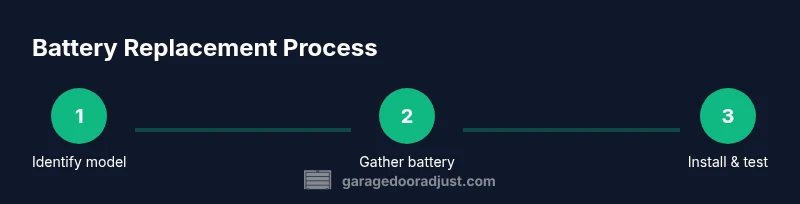
Choosing the correct replacement battery is essential for reliable operation. Start by locating the model number on your LiftMaster opener (often on the motor head or inside the cabinet) and consult the manual or the manufacturer’s support site. If you don’t have the paper manual, search for model-specific guidance online using the exact model number. Replacement batteries are model-specific, and using the wrong type can lead to inadequate power delivery or damage. When in doubt, contact the LiftMaster support line or a professional technician. GarageDoorAdjust emphasizes that using the manufacturer-approved battery minimizes risk and ensures compatibility with the unit’s charging circuitry, so prioritize accuracy over speed.
Safety first: essential precautions before you start
Working inside an opener cabinet involves electrical components and a potential for physical injury if the door moves unexpectedly. Always unplug the opener or switch off the circuit if accessible, then use the manual release to disconnect the door from the opener. Wear safety gloves to protect hands, and work in a well-lit area with the door stabilized in a mid-position. Avoid touching wiring or terminals with bare hands, and keep metal tools away from exposed contacts. If you notice corrosion, leaks, or a swollen battery, stop and consult a professional. These precautions reduce risk and support a successful battery replacement for LiftMaster garage door opener projects.
What to expect during the replacement process
The replacement itself is typically straightforward: you’ll access the battery compartment, remove the old unit, install the new one in the correct orientation, and reseal the cabinet. Depending on the model, there may be a separate battery pack or a compact internal cell. Some units require special connectors or guides to ensure proper alignment with the charging circuitry. You may hear a faint click when the new battery seats correctly. After installation, reattach any covers and reconnect power. A successful replacement should restore full functionality or improve reliability of the opener’s backup features, especially during power outages.
Testing, verification, and everyday checks after replacement
Begin by restoring power and testing the opener with the wall control in a safe area. Observe the door’s movement and listen for smooth operation without unusual noises. Use battery-backed functionality (simulate a power loss if safe to do so) to confirm the backup battery engages correctly. Check that remotes operate within expected range and that any integrated safety sensors perform as intended. If the unit shows an error code, refer to the manual for troubleshooting steps. Regular testing after battery replacement helps catch issues early and maintain reliable operation over time.
Maintenance and troubleshooting tips to extend battery life
To maximize the longevity of your LiftMaster backup battery, keep the opener in a climate-stable area and avoid extreme temperatures. Periodically inspect the battery contacts for corrosion and clean them with a dry cloth if needed. Document the replacement date and set a reminder for future checks. If you notice rapid power drain or unusual behavior, recheck the compatibility and ensure there are no loose connections. Proactive maintenance reduces the likelihood of unexpected failures and supports safer, more dependable operation of your garage door system.
Tools & Materials
- Replacement backup battery (matched to your LiftMaster model)(Check model number on opener or manual to confirm exact battery type)
- Owner's manual(Helps confirm battery type and replacement steps)
- Screwdriver (Phillips head)(Size may vary; have a spare on hand)
- Safety gloves(Protect hands while handling components)
- Flashlight(Illuminates dark corners inside the cabinet)
- Clean cloth or isopropyl wipe(Wipe contacts if needed)
Steps
Estimated time: 30-45 minutes
- 1
Power down and secure the door
Turn off power to the opener and, if possible, unplug or switch off the circuit. Lower the door to a stable position and engage the manual release to prevent movement during replacement.
Tip: Always ensure the door won’t move unexpectedly before you touch internal components. - 2
Open cabinet and locate the battery
Use a screwdriver to remove the cabinet cover screws and set the cover aside. Identify the backup battery and any connectors that attach to it.
Tip: Keep screws in a labeled container to avoid misplacement during reassembly. - 3
Remove the old battery
Carefully disconnect any leads and lift the battery straight out, noting the orientation for the new one.
Tip: Take a quick photo of the orientation to reference during installation. - 4
Insert the new battery
Place the new battery in the same orientation as the old one and reconnect any leads. Ensure it sits firmly and is correctly aligned with the contacts.
Tip: Do not force connections; if a connector won’t seat, recheck the orientation. - 5
Reassemble the cabinet and restore power
Replace the cabinet cover and screws, then restore power to the opener. Make sure all components are snug and the cover is securely fastened.
Tip: Double-check there are no loose parts before testing. - 6
Test operation and confirm backup functionality
Test the door with the wall control and a remote, simulating a power outage if safe. Confirm that the opener still operates smoothly and that safety sensors respond correctly.
Tip: If a power outage test isn’t feasible, perform a standard function test and verify responsiveness.
Got Questions?
Do I need to unplug the opener or disconnect the garage door before replacing the battery?
Yes. Unplug or switch off the circuit to the opener and use the manual release to secure the door before handling the battery.
Yes—unplug or switch off the opener and secure the door with the manual release before touching any components.
What signs indicate the backup battery needs replacement?
Intermittent operation, slower responses, or unusual beeps from the opener can indicate a failing backup battery.
Watch for intermittent operation, slow responses, or beeping from the opener as signs the battery may need replacement.
Can I replace the LiftMaster backup battery myself?
If you have the correct battery and follow the manufacturer’s steps, many models allow a DIY replacement. If uncertain, contact a technician.
Yes, many models allow a DIY replacement if you follow the manual; call a pro if you’re unsure.
Will replacing the battery reset the opener's programming?
Generally, battery replacement won’t reset programmed remotes or settings, but consult your model’s manual for exceptions.
Usually not—replacing the battery doesn’t reset settings, but check your manual for specifics.
What should I do if the remote still doesn’t work after replacement?
Check remote batteries, re-pair remotes with the opener, and verify sensor operations. If issues persist, seek professional help.
If the remote still won’t work, swap its batteries, re-pair it, or consult a technician.
Watch Video
Quick Summary
- Verify the replacement battery matches your model.
- Power down and secure the door before starting.
- Test the opener after installation in safe conditions.
- Document the replacement date for future maintenance.