Battery for Garage Door Opener: Step-by-Step Guide
Learn to identify, replace, and maintain the battery for your garage door opener. This step-by-step guide covers remote batteries, keypad backups, safety, and testing to keep your opener reliable.


Replace and test the battery for your garage door opener with a simple, safe process. Identify the battery type, choose the correct replacement, install it with correct polarity, then test the remote and keypad. This quick guide sets you up for a reliable opener and fewer surprise failures.
Why the battery matters for your garage door opener
The battery that powers your garage door opener's remote and, in some models, its keypad, is more than a convenience—it ensures reliable access and safe operation. A weak or dead battery can cause missed opens, delayed responses, or false signals that frustrate users and can trap someone inside or outside. According to GarageDoorAdjust, regular checks on the battery lifecycle extend the life of your system and reduce unexpected failures. Understanding the battery landscape helps you pick the right type, perform a safe replacement, and maintain consistent performance. In this guide we’ll cover how batteries power the system, common configurations you’ll encounter, and practical steps you can take as a homeowner to keep your opener responsive. As you read, keep in mind that a small battery swap can save you from a bigger repair bill later.
Battery types you might encounter in remotes and openers
Most garage door remotes use small coin-cell batteries, typically CR2032 or CR2025, which are widely available at hardware stores. Some older remotes or built-in keypads may use standard batteries such as AA or AAA cells. In certain models, the opener itself includes a backup battery inside the housing—for example, a sealed lead-acid 12V type—that keeps the system functional during a power outage. Familiarizing yourself with your model’s battery type avoids guessing and prevents damage during replacement. Always check the user manual or model number sticker on the device to confirm the exact battery type before purchasing replacements. If you’re unsure, remove the back cover carefully and inspect the battery against common sizes while the device is unplugged. For remote batteries, the most common sizes are CR2032 and CR2035; for keypads, coin cells are common. GarageDoorAdjust recommends verifying the size before you buy to avoid misfits.
Safety first: precautions during replacement
Before you touch any part of the opener, unplug the unit if it’s wall-mounted or ensure the remote is not actively transmitting. Wear gloves and keep metal jewelry away from the batteries to avoid short circuits. Work in a well-lit area and avoid moisture. Do not attempt to replace batteries if you notice corrosion, leaking, or damaged housing. Dispose of old batteries properly according to local guidelines. If the opener has a backup battery inside the unit, avoid opening the sealed compartment unless you are following the manufacturer's explicit instructions. If you’re unsure about battery disposal, check local hazardous waste guidelines to keep your household safe and compliant.
Tools and materials you’ll need
Having the right tools on hand prevents frayed nerves and damaged parts. Essential items include:
- Replacement battery (CR2032 or CR2025, depending on the device)
- Small screwdriver (Phillips #0 or #1, depending on the model)
- Clean cloth or lint-free wipe
- Optional: safety goggles, battery tester
- Optional: replacement cover adhesive if the back plate is loose
Preparing these items before you start helps you complete the replacement in one sitting and reduces the risk of dropping a small part into hard-to-reach areas.
How to identify the correct replacement battery for your device
Identify the exact battery type by locating the model number on the remote or keypad, then check the battery size printed inside the compartment or on the back of the device. If size isn’t clearly printed, remove the old battery and compare it to common coin-cell sizes (CR2032, CR2025, CR2035) at a glance. When possible, take the old battery to a store to match size and type. Always verify polarity—positive side up—when installing. If your device has a backup battery inside the opener itself, consult the manual for the correct replacement and any safety steps necessary to access it. Garagedoor openers can vary by model, so precise type is essential to avoid leaks, poor contact, or device damage.
Replacing the battery in common remote and keypad configurations
For remotes: open the back cover, remove the old cell, insert a new one with the correct polarity, then reassemble. For keypads: replace the coin cell in the provided slot, ensuring the contact is clean and the cover seals properly. If you see corrosion, wipe with a dry cloth and avoid liquids. After replacement, reinsert the battery, reassemble, and test the remote from a few meters away. Some remotes require you to re-pair or re-sync with the opener; if your model has a learn mode, follow the manual to re-establish contact between the remote and the receiver. If the device refuses to pair, recheck the battery orientation and ensure the device is off while testing.
Testing, maintenance, and long-term tips
Test the opener by pressing the remote and confirming the door responds promptly. If you have a keypad, verify it also operates accurately. Keep spare replacements near the garage and check them periodically for swelling or leakage. Maintain the remote by wiping contacts with a dry cloth and avoiding exposure to extreme temperatures. If you rely on a backup battery inside the opener for power outages, schedule periodic checks per manufacturer guidelines. By scheduling a quick monthly check, you reduce the risk of surprise outages and improve overall reliability.
Tools & Materials
- CR2032 or CR2025 coin-cell battery(Choose the exact size your device requires; check the back of remote or manual)
- Small screwdriver(Phillips #0 or #1, model dependent)
- Lint-free cloth(For cleaning contacts and surfaces)
- Gloves (optional)(Protects hands during replacement)
- Safety glasses (optional)(Eye protection when prying or opening the housing)
- Battery tester (optional)(Check voltage if you suspect a faulty replacement)
Steps
Estimated time: 15-25 minutes
- 1
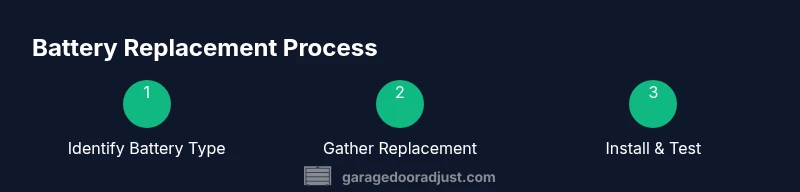
Identify the correct battery type
Locate the model number on the device and inspect the existing battery to confirm size and type. If the label is illegible, remove the old battery and compare it to common coin-cell sizes to determine the match. This step avoids ordering the wrong battery and saves time.
Tip: Take a photo of the battery before removal to reference polarity and orientation. - 2
Gather the replacement battery
Purchase the exact battery type identified in step 1, ensuring you choose a fresh, undamaged cell. Bring the old battery to the store if needed for a precise match. Avoid mixing new and old batteries in the same device to prevent leakage or reduced performance.
Tip: Keep a spare battery on hand for future replacements. - 3
Open the remote or keypad housing
Carefully remove the back cover or access panel using the appropriate screwdriver. Set the screws aside in a labeled container. Do not force the cover if it resists; recheck for hidden screws to avoid damaging the casing.
Tip: Work on a clean, flat surface to prevent losing small screws. - 4
Replace the battery
Remove the old battery, noting its orientation. Place the new battery in the same orientation, ensuring full contact with the terminals. Clean any corrosion with a dry cloth before reseating the battery.
Tip: Do not touch the battery terminals with metal tools. - 5
Reassemble and reset if required
Reattach the back cover or housing, secure screws, and ensure the seal is intact. If the device requires training or re-pairing with the opener, follow the manufacturer’s programming steps to re-link the remote or keypad.
Tip: Test the device at short range first to confirm proper operation before leaving the garage. - 6
Test the opener and dispose of the old battery
Test the remote and keypad to verify responsiveness. Dispose of the old battery at an approved recycling facility according to local guidelines. If the opener still doesn’t respond, recheck polarity and consider seeking professional assistance.
Tip: Keep a note of the replacement date for future reference.
Got Questions?
What battery types are used in garage door opener remotes?
Most remotes use CR2032 or CR2025 coin-cell batteries; some older remotes may use AAA or AA cells. Check your manual or remote back for the exact size.
Most remotes use coin-cell batteries like CR2032 or CR2025, with some older models using AAA or AA cells. Check the remote or manual for the exact size.
How can I tell when the remote battery needs replacement?
If the remote's range shortens or the signal becomes intermittent, replace the battery and retest. A blinking LED can also indicate low power.
If the range drops or signals are inconsistent, replace the battery and test again.
Is it safe to replace the battery in a garage door keypad?
Yes, most keypads use a coin-cell battery or small standard cell. Follow the manufacturer’s instructions, ensure the unit is powered off, and avoid contact with metal parts.
Yes, it's generally safe if you follow the manual and turn the device off before opening it.
What should I do with old batteries?
Dispose of old batteries at an approved recycling facility or return them to retailers that offer battery recycling. Do not throw them in the trash.
Recycle old batteries where allowed and avoid trash disposal.
What if the remote still won’t work after replacement?
Check for mispairing, reprogram the remote to the opener, and inspect for corrosion or loose contacts. If issues persist, there may be another fault beyond the battery.
If it still doesn’t work, reprogram and check for corrosion; there could be a different issue.
Do I need to reprogram my opener after replacing the battery?
Some models require re-pairing after battery replacement. Follow the owner's manual steps to re-link the remote or keypad to the opener.
Some systems need re-pairing after a battery change; follow the manual to re-link.
Watch Video
Quick Summary
- Identify the correct battery type before buying.
- Follow polarity and safety precautions to prevent damage.
- Test the device after replacement to confirm success.
- Keep spare batteries and recycle old ones properly.
- If in doubt, consult the manual or a pro.