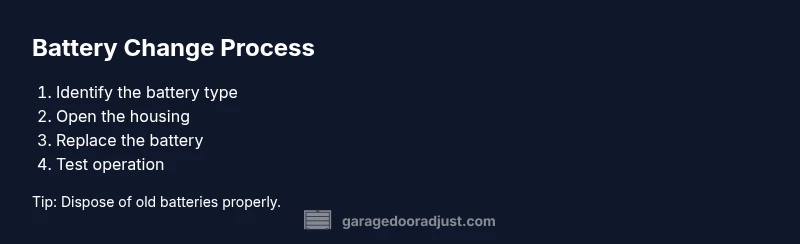
Garage Door Opener Battery Change: A Step-by-Step Guide
Learn how to safely replace batteries in your garage door opener and remotes. This guide covers battery types, safety, and a clear, step-by-step process to keep your system reliable during power outages.


According to GarageDoorAdjust, a safe garage door opener battery change ensures reliable remotes and backup power during outages. This quick answer previews the process and essential safety steps before you dive into the full guide, covering battery types, basic precautions, and the core steps to replace batteries in remotes and the opener.
Why this maintenance matters for reliability and safety
Maintaining the batteries in your garage door system is a simple yet powerful way to prevent frustrating failures at the worst moments. A proper garage door opener battery change ensures that your remote controls work when you need them and that the opener’s backup battery can provide power during an outage. Regular attention to battery health also reduces the risk of sudden door movement or loss of command, which can be dangerous if you’re near the door when testing. By treating battery maintenance as part of routine garage door care, homeowners improve reliability, security, and peace of mind in daily use.
When you plan a battery change, think beyond the remote. The opener head unit may include a backup battery or control panel that benefits from periodic checks. The goal is simple: keep control devices responsive and ensure the door can be operated even if the primary power fails. This approach aligns with recommended DIY maintenance practices and supports long-term system performance. According to GarageDoorAdjust, staying proactive about battery health reduces the chance of unexpected malfunctions and service calls during busy seasons.
Key takeaway: battery health affects function, safety, and convenience, so set a routine to inspect and replace as needed.
Tools & Materials
- replacement batteries (matching original type)(For remotes, coin-cell batteries of the same size (e.g., common small coin cells); for backup/opener units, use the type specified in the manual.)
- screwdriver set(Phillips and/or flathead as needed by your device housing.)
- gloves(Optional to protect hands from sharp edges.)
- clean cloth(Wipe away dust from the battery compartment before replacing.)
- owner's manual(Confirm battery type and replacement steps for your model.)
Steps
Estimated time: 15-25 minutes
- 1
Power down the opener and locate the battery
Power down the garage door opener and, if present, disable the automatic reversing mechanism before you access any battery. Locate whether you’re replacing a remote battery or the opener’s internal backup battery. This reduces the risk of unexpected door movement during the change.
Tip: If you can, unplug the unit or switch off the circuit breaker to ensure complete de-energization. - 2
Open the enclosure to access the battery
Use the appropriate screwdriver to remove screws or unlatch a panel. Gently separate the cover to reveal the battery housing. Do not force plastic parts or bend wires while opening.
Tip: Keep screws organized and note the cover orientation for easy reassembly. - 3
Remove the old battery
Carefully disconnect or lift out the old battery. Note the polarity and how the battery sits in its holder, so you can place the new battery correctly.
Tip: Avoid placing metal tools under the battery contacts to prevent short circuits. - 4
Insert the new battery with the correct orientation
Place the new battery in the holder with the correct polarity as indicated by markings. Re-seat it firmly but do not overtighten connections.
Tip: If polarity isn’t obvious, compare to the removed battery or check the device’s markings. - 5
Reassemble and test the system
Replace the housing and secure all screws. Restore power to the opener and test the remote and keypad, verifying normal operation and command responsiveness.
Tip: Test from wall control, remotes, and keypad to ensure full functionality.
Got Questions?
Do I need to unplug the garage door opener before changing batteries?
Yes, unplug or disable power before replacing batteries to prevent the door from moving unexpectedly. Follow the manual for specific safety steps.
Unplug or disable power to avoid movement during replacement.
Where is the backup battery located in common openers?
Location varies by model. Check the owner's manual or access the service panel on the motor head or wall button to locate the backup battery.
It varies by model; check your manual for the exact spot.
What type of batteries do remotes use?
Most remotes use a coin-cell battery; replace with the same size and voltage shown in the remote.
Remotes usually use a small coin cell—replace with the same size.
How often should I replace the battery?
Replace when you notice weak signals or delayed responses from remotes or keypad. Regular checks help prevent failures.
Replace when signals weaken or responses are slow.
What if the remote still doesn’t work after battery change?
Check alignment, reprogram remotes if needed, and inspect for interference or sensor issues. If unresolved, contact a professional.
If it still fails, try reprogramming or get expert help.
Watch Video
Quick Summary
- Always replace batteries with the correct type.
- Power down before handling any components.
- Test all devices after installation to confirm proper function.
- Keep spare batteries and disposal guidelines handy.