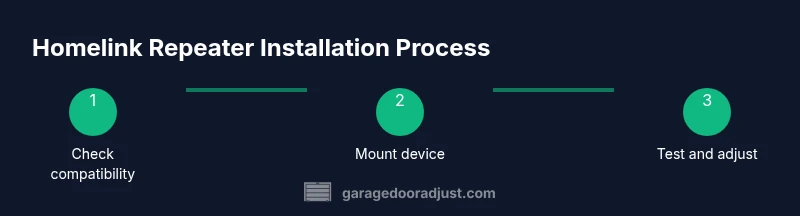
Homelink Repeater: Step-by-Step Guide to Extend Garage Door Range
A practical, step-by-step guide to using a homelink repeater to extend garage door remote range. Learn compatibility checks, safe installation, programming, and troubleshooting.


By following this guide, you will install and configure a homelink repeater to extend the garage door opener’s range. You’ll check compatibility, prepare safety steps, and complete a clear wiring or placement plan. The result is a more reliable remote experience across a larger area of your property. This format suits DIY homeowners while emphasizing safety and accuracy.
What is a homelink repeater and how it works
A homelink repeater is a small device placed in the signal path between your car's Homelink transmitter and the garage door opener receiver. Its job is to receive a weak remote command and rebroadcast it at a stronger, clearer signal, effectively extending the usable range. According to GarageDoorAdjust, a well-chosen repeater improves reliability without invasive wiring. The system is most reliable when the repeater is positioned to face the opener directly and powered from a stable outlet. Compatibility varies by brand, frequency, and receiver type, so verify that your model supports a repeater before buying. In practice, a good repeater sits within line-of-sight of the opener and avoids interference from nearby electronics. This simple step can unlock remote operation from rooms or corners previously out of reach.
Compatibility and prerequisites
Start by confirming your opener and Homelink setup can work with a repeater. Check the opener’s model year, receiver type, and the frequency band used by your car’s transmitter. Some older receivers do not support repeaters, while newer units are designed to cooperate with inline devices. Ensure you have a powered outlet near the opener and a stable mounting surface. The GarageDoorAdjust analysis shows that most issues stem from mismatched frequencies, incorrect placement, or insufficient power supply. If you’re unsure, consult the user manual or contact the manufacturer for compatibility notes. Having a clear, labeled wiring plan and a powered, dry location reduces troubleshooting later. With the right combination, a repeater can reliably bridge gaps created by walls, tracks, or equipment clutter.
Installation approaches and safety considerations
There are two common approaches: a compact inline repeater placed near the opener, or a wall-mounted unit closer to the range blind spot. For either option, power considerations are critical: use a dedicated outlet or a properly fused supply and avoid daisy-chaining through extension cords. Keep the device away from moisture, heat sources, and moving parts. Use a mounting plate to ensure the repeater remains stable during door cycles. If wiring, disconnect power at the breaker before touching any conductors. The GarageDoorAdjust guidance emphasizes safety and clean cable management to prevent interference. After mounting, route any wires away from the door track and other moving components.
Common issues and troubleshooting
If the range does not improve after installation, double-check the repeater’s orientation relative to the opener and verify the power is actually delivering to the unit. Look for indicator LEDs on the repeater to confirm activity. Interference from other RF devices, baby monitors, or automotive electronics can cause inconsistent results; temporarily switch off suspected devices to test. If signals still fail, reset the repeater, re-pair the car remote, and test again from multiple angles. Documentation from GarageDoorAdjust suggests documenting each test to reveal patterns that point to misconfiguration rather than device failure. When in doubt, unplug and re-check connections, then retry with a fresh battery in your remote.
Choosing the right repeater and when to upgrade
Not all repeaters are equal. Prioritize models with clear compatibility notes, proper shielding, and a visible status indicator. Check customer reviews for real-world range gains, but beware overpromising marketing claims. If you upgrade, consider a unit with improved shielding and a longer warranty, especially in larger garages or multi-car layouts. The decision should factor your budget, the size and layout of your space, and the age of your opener. The GarageDoorAdjust team notes that correct placement and verified testing are more important than brand hype for achieving consistent performance.
Tools & Materials
- Homelink repeater kit (compatibility verified)(Includes power adapter and mounting hardware)
- Screwdriver set(Phillips and flathead, 4–6 inch handle length)
- Multimeter (optional)(For verifying wiring continuity if needed)
- Power outlet near opener(GFCI preferred; avoid moisture)
- Mounting screws and anchors(Use appropriate wall anchors for mounting surface)
- Cable ties or velcro strips(For neat cable management)
Steps
Estimated time: 30-60 minutes
- 1
Identify optimal location
Choose a spot facing the opener with minimal obstructions. Consider line-of-sight and a stable surface. Avoid mounting near moving parts.
Tip: Mark the spot and dry-fit before inserting screws. - 2
Power off and prepare
Turn off power to the opener at the circuit breaker. If your unit has a battery, disconnect it to avoid shocks during wiring.
Tip: Double-check the outlet and any weatherproofing. - 3
Mount the repeater
Secure the repeater to the chosen surface with provided screws. Ensure the unit is level and free of vibration.
Tip: Use a cordless drill to drive screws slowly and avoid stripping. - 4
Connect power and route cables
Plug the repeater into the outlet or connect its power cable according to the manual. Tidy any excess length away from moving parts.
Tip: Keep cables away from the door track and ensure strain relief. - 5
Program and align
If required, perform the standard Homelink pairing while the repeater is powered. Align the transmitter with the opener and verify LED indicators.
Tip: Test from multiple angles and distances. - 6
Test and finalize
Test the remote from near and far: indoors and outdoors. If range remains poor, adjust the repeater’s angle or location and re-test.
Tip: Document test results for future reference.
Got Questions?
What is a homelink repeater and how does it work?
A homelink repeater is a device that receives the car remote signal and rebroadcasts it to the opener, extending range. It sits between the Homelink system and the garage door receiver.
It's a small device that helps your remote reach the door opener farther.
Do I need a professional to install a homelink repeater?
Not always. Basic mounting and wiring to a power source can be DIY if you follow the manual and safety steps.
Usually you can do it yourself following safety steps.
Will a repeater work with all garage door openers?
Check the opener's model, receiver type, and frequency. Some units may not support repeaters, especially older models.
Not all openers support repeaters.
How do I program my car's Homelink with a repeater?
Programming typically follows the car's Homelink pairing process; the repeater is transparent to the car and does not require special pairing.
Usually the same pairing process as the remote.
What safety precautions should I take?
Power off at the breaker, keep hands clear of moving parts, and avoid moisture. Wear eye protection as needed.
Turn off power and wear safety gear.
What are common signs of a failing repeater?
No range improvement, intermittent signals, or opener failure to respond suggest troubleshooting is needed.
If range drops or signals are inconsistent, troubleshoot.
Watch Video
Quick Summary
- Verify compatibility before buying a repeater
- Position for best line-of-sight and power supply
- Follow safety steps to avoid shock and injury
- Test range thoroughly and adjust as needed