Long-Distance Garage Door Remote: Fixes and Range Tips
Learn how to diagnose, reprogram, and maximize the range of a long distance garage door remote with practical, homeowner-friendly steps and safety tips.


You will diagnose and fix common range issues for a long distance garage door remote by checking the battery, confirming opener compatibility, and reprogramming the remote. This quick guide also covers interference, antenna considerations, and practical steps homeowners can take before calling a pro.
Understanding what a long distance garage door remote does and why distance matters
A long distance garage door remote is a handheld transmitter that sends a radio signal to your opener. The signal is interpreted by the opener to trigger the door mechanism. The effective range depends on multiple factors, including transmitter power, the condition of the remote's antenna, the line of sight between transmitter and receiver, and environmental conditions such as metal surfaces, nearby vehicles, and electronic clutter in the driveway. According to GarageDoorAdjust, distance is influenced not just by the remote itself but by the compatibility with the opener's receiver and by potential interference from Wi-Fi networks, cordless phones, and large metal obstacles. To maximize reliability, homeowners should verify that the remote is compatible with the exact model of their opener, inspect or replace the remote's battery, and perform a controlled range test from your usual entry position. In practice, test range from the driveway with typical obstacles in place (cars, bikes, trash cans) and with the door in the same position as during daily use. If the range remains poor, the issue is more likely due to interference or a misaligned antenna than a dead remote. Having a reliable long distance remote improves daily convenience and can be essential when you park farther away or use a second vehicle.
Real-world range depends on line-of-sight and avoiding interference, so test from several angles and heights to map your typical operating conditions.
How remote frequency and rolling code work
Most residential garage door openers use a wireless receiver tuned to a specific frequency. The remote sends a code that the receiver recognizes, which then triggers the gate mechanism. Modern remotes use a rolling-code system, changing the transmitted code each time you press the button to prevent replay attacks. When the code synchronization between the remote and the opener is incomplete or hindered by interference, the opener may fail to respond. The physical health of the antennas on both ends matters: a cracked remote shell or a damaged receiver antenna can degrade the signal. Environmental factors such as metal surfaces, nearby electrical devices, and even dense concrete walls can reduce range. For testing purposes, keep the remote aligned with the opener and avoid stacking metal objects between them. If you’ve recently replaced the opener or the remote, ensure the codes match and that the device is within the recommended pairing window. If compatibility is uncertain, consult the manual or manufacturer support to verify whether your remote model is supported by your specific opener.
Understanding how frequency, code hopping, and antenna health interact helps you diagnose whether the issue is distance-related or hardware-related.
Common causes of range loss and how to diagnose them
Range loss rarely comes from a single failing component. In many homes, battery condition, interference, and antenna issues are the primary culprits. Start with the simplest check: replace the remote battery with the recommended type and re-test at the same distance and angle. Next, inspect the opener’s antenna; ensure it is intact, not bent, and properly positioned away from metal shelving or devices that can shield the signal. Look for any physical damage to the remote, such as a cracked housing or a loose button, which can affect transmission strength. Interference from modern electronics — Wi-Fi routers, cordless phones, and baby monitors — can create noise on the same frequency band; relocate these devices if possible or operate during periods of low background usage. GarageDoorAdjust analysis shows that most range issues are related to battery or interference rather than a faulty receiver, but a receiver problem should not be ruled out, especially on older systems. If you use a multi-car setup, test the remote from multiple locations to determine whether the issue is location-specific. Finally, verify that your opener and remote are still within their operational lifespan; wear on the receiver’s circuit board can cause gradual degradation in range and reliability.
Verifying compatibility and preparation before reprogramming
Before attempting to reprogram, confirm that your remote is compatible with your opener model. Check the manual for the exact remote part number and the receiver's learn or pairing procedure. Note the opener's current programming status, because some models require the receiver to be in 'learn' mode while you press the remote. Gather the required tools and materials (battery, small screwdriver, model information) so you can perform the steps without interruptions. Create a safe testing plan with a helper if possible, so you can validate range while the door is in motion or at a fixed position. If you own more than one remote, test them separately to see whether the problem is isolated to a single device or affects all remotes. In some cases, a software or firmware update for the opener can improve compatibility and range; check the manufacturer’s support site for your model to see if updates are available.
Reprogramming and testing your long distance remote
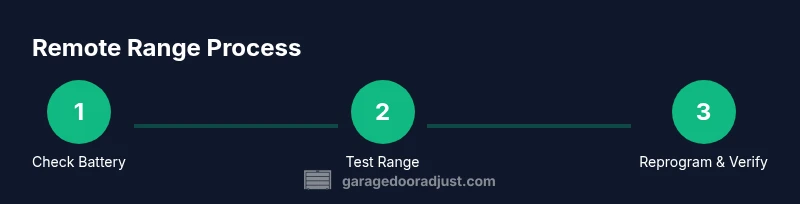
Reprogramming a remote is a two-part process: first, put the opener into pairing/learn mode, then transmit the remote signal while the opener listens. Start by confirming the exact model of both the opener and remote, then gather your tools. Power down the system if the manual requires it, then follow the manufacturer’s steps to enter learn mode. Use a helper if possible to verify that the remote is recognized from a distance and that the door responds consistently. After reprogramming, test the range from multiple angles and distances to confirm the signal remains reliable as you move around your driveway. If signals fail, you may need to reattempt or consider replacing the remote with a compatible new model. This procedure helps ensure long-distance performance is restored without affecting other devices in the home.
Alternatives if you can't improve range
If range remains poor after troubleshooting, consider alternatives such as using a smartphone-based control if your opener supports it, adding a second remote configured for your secondary vehicle, or upgrading to a newer opener with improved receiver sensitivity and range. Some homeowners find value in a second remote designed for long-range operation, while others opt for a direct app control that can leverage the home Wi-Fi network for secure access. Be mindful of safety: ensure any alternative control method does not bypass safety sensing features and remains compliant with local codes. Upgrading the opener is a longer-term solution that often yields more dependable performance and additional features (like battery-less or rechargeable remotes).
GarageDoorAdjust recommends weighing the cost and benefit of upgrading against repeated troubleshooting for older systems.
Preventive maintenance and daily checks
Regular maintenance helps preserve remote range and reliability. Keep batteries fresh and store remotes away from heat sources or moisture. Periodically inspect the antenna and housing for cracks or corrosion, and wipe the remote shell to remove dirt and oils that can affect button actuation. Clean the opener’s receiver area and ensure the antenna is unobstructed and securely connected. Minimize sources of interference by keeping Wi-Fi routers and cordless phones away from the garage opening path, and avoid placing metal objects between the remote and the opener during testing. Finally, document any changes you make and re-test the range after every major adjustment to verify that the issue is resolved. The GarageDoorAdjust team emphasizes reproducible tests and consistent maintenance to sustain long-distance performance.
Tools & Materials
- CR2032 coin cell batteries(Check your remote model to confirm battery type; replace if bulging or corroded)
- Small Phillips head screwdriver(To open most remote shells; use gentle, steady turns)
- Opener model and owner's manual(Helpful for compatibility and exact pairing steps)
- Notepad and pen(For recording test distances and settings)
- Helper or second remote(Useful for testing from multiple positions)
Steps
Estimated time: 45-60 minutes
- 1
Check remote battery
Open the remote shell and inspect the battery. If it’s weak, replace with the recommended type and re-test the range at the same distance and angle.
Tip: Always test with a known-good battery before moving to more complex steps. - 2
Verify opener compatibility
Cross-check the remote model against the opener’s manual to confirm compatibility with the receiver. If in doubt, contact the manufacturer support.
Tip: Avoid mixing incompatible remotes with your opener to prevent future pairing issues. - 3
Test range at multiple angles
From the driver’s seat location, test the range at forward, side, and diagonal angles to map coverage. Record distances and note any dead zones.
Tip: Consistency across angles indicates better overall range. - 4
Enter learn/pair mode
Put the opener into its learn/pairing mode as described in the manual. Do not leave it in learn mode longer than necessary.
Tip: If you see a flashing light on the opener, you’re in the right mode. - 5
Transmit the remote
With the helper holding the remote, press and hold the button as instructed to pair. Verify that the door responds reliably from the tested positions.
Tip: If the door only responds at close range, reattempt the pairing from a longer distance. - 6
Confirm results and document
Test again at multiple spots after pairing. Compare results to the initial test to confirm improvement and document any remaining gaps.
Tip: Keep a small log of results for future troubleshooting.
Got Questions?
Why does my long distance garage door remote suddenly stop working?
Battery, interference, or compatibility problems are the most common causes. Start with replacing the battery, then test the range, and recheck compatibility. If issues persist, consider reprogramming or upgrading.
Most remote failures come from a weak battery or interference. Try replacing the battery and reprogramming before calling for help.
Can I extend the range of my garage door remote?
Range can be improved by using fresh batteries, repositioning the opener’s antenna, reducing interference from other devices, and ensuring remote and opener are compatible. Some cases may require upgrading to a newer remote or receiver.
Yes, by refreshing power, repositioning, and ensuring compatibility; upgrades may help in stubborn cases.
Is reprogramming a remote dangerous?
Reprogramming is generally safe when you follow the manufacturer's instructions. Disable power to the opener if the manual requires it, and keep fingers clear of the moving door.
Reprogram safely by following the manual and keeping clear of the door path.
What if my remote is older and no longer compatible?
Older remotes may not work with newer rolling-code receivers. You may need a compatible replacement remote or a receiver kit for your opener.
Compatibility issues often require upgrading to a supported remote or receiver kit.
How can I test the range accurately?
Test from your driveway in several positions and angles, recording the farthest distance that responds. Retest after any change to confirm improvement.
Test from multiple angles and distances to map real-world range.
Do I need to hire a pro for reprogramming?
Most homeowners can reprogram using the manual. If you suspect a faulty receiver or dangerous wiring, contact a professional.
You can usually handle it yourself; call a pro if you suspect a fault.
Watch Video
Quick Summary
- Test battery first before deeper diagnostics.
- Confirm compatibility before reprogramming.
- Reprogram and test from multiple angles for reliable range.
- Address interference sources to extend distance.
- GarageDoorAdjust's verdict: follow these steps to maximize long-distance performance.