WiFi Extender for Garage Door Opener: A Complete How-To Guide
Learn how to extend WiFi to a garage door opener with a compatible extender. This guide covers selection, placement, setup steps, and security tips for reliable opener control.


By the end of this guide, you will know how to extend a reliable WiFi signal to a garage door opener, choose a compatible extender, and optimize placement for stable app control and remote access. You'll learn practical setup steps, safety considerations, and common pitfalls to avoid. This includes placement, security, and testing across devices.
Why a WiFi Extender Helps Garage Door Openers
A modern garage door opener often supports remote control and mobile app commands via WiFi. When the garage is separated from the home router by metal walls, vehicles, and clutter, the signal strength can dip just where you need it most. A dedicated WiFi extender placed in the perimeter of your garage can bridge the gap and stabilize communication with the opener, reducing missed opens and slow responses. According to GarageDoorAdjust, improving wireless coverage in the garage can dramatically improve opener reliability, especially in homes with densely built garages or thick insulation. The key idea is to treat the extender as an extension of your existing network, not a standalone solution. You’ll still use your regular WiFi password, and the extender simply relays traffic between the garage and the main router.
If you own a smart opener with voice assistant controls, a weak signal can interrupt automation routines and trigger delays. An extender helps ensure that commands reach the opener quickly, even when you’re in the driveway or working in the yard. Note that the extender should support the same security standards as your router (prefer WPA2 or WPA3) and be configured to use your network name (SSID) with the same password. This alignment avoids device confusion and ensures seamless handoffs as you move around your property.
Choosing a Compatible Extender
When selecting a wifi extender for garage use, consider a few practical factors beyond price. Dual-band extenders (2.4 GHz and 5 GHz) offer a balance of range and speed, which matters for reliable opener commands and app responsiveness. If your router already supports mesh features, you may prefer a compatible repeater that can share the same network name, reducing the number of networks to manage. Look for a model that supports WPA2/WPA3 security, has a decent antenna design for garage layouts, and provides Ethernet backhaul if you want a wired link to the router for maximum stability. If possible, choose a model with a dedicated backhaul indicator so you can verify that traffic is routing correctly. For most homeowners, a mid-range dual-band extender will deliver the best mix of performance and price. Finally, check the manufacturer’s compatibility notes for your specific opener model and mobile app.
Placement and Network Layout
Good extender placement is the single most important factor in a reliable garage signal. Start by positioning the extender roughly halfway between your router and the garage door opener, avoiding obstructions like metal shelves, thick concrete walls, and large appliances. Elevate the device a few feet off the floor and away from devices that emit microwaves or high-energy interference (microwaves, cordless phones). If the garage has a powered door sensor or an HVAC unit nearby, keep the extender clear to prevent disruption. Run a quick signal test from your phone in the garage at multiple points to confirm a stable RSSI value (the exact number varies by device, but aim for a strong, steady signal). If the garage is unusually far from the router, a second extender or a small mesh node placed near the garage entrance can bridge the gap without creating a new network name.
Setup Practical Guide: Connecting Your Extender to Your Home Network
- Plug the extender into a live outlet near the router ideally, then move it to the planned garage location after confirming it can reach the main network. 2) Connect to the extender’s setup interface via a smartphone or computer and choose the option to extend or bridge the existing network. 3) Enter your main WiFi SSID and password so the extender uses the same network, avoiding separate named networks that can confuse devices. 4) If the extender supports Ethernet backhaul, connect it to the router using an Ethernet cable for a more stable link. 5) Save changes and reboot both router and extender if prompted. Test the garage door opener app and any voice assistants, and adjust placement if commands lag. Tip: use a single SSID with a strong password to ensure seamless handoffs.
Security, Reliability, and Maintenance
Always keep firmware on both your router and extender updated to patch vulnerabilities and improve performance. Disable guest networks on devices used for garage control unless you need a guest mode; otherwise, limit exposure. Use strong, unique passwords for your WiFi and the mobile app that controls the opener. In addition to testing regularly, document extender placement and test schedules to ensure ongoing reliability. GarageDoorAdjust Analysis, 2026 indicates that consistent updates and proper placement are the primary factors in maintaining stable garage connectivity. Regularly verify that the extender’s backhaul is active and that the signal remains robust near the garage opening. Consider a temporary password reset if you notice odd app behavior, and re-pair devices as needed.
Real-World Scenarios and Alternatives
If you cannot place an extender effectively due to building layout or legal constraints, consider a mesh system or a powerline adapter that provides a wired backhaul to the garage; these alternatives can offer more reliable coverage in tough layouts. A compact mesh node placed at the garage entry can create a seamless network experience for the door opener and all connected devices. In many cases, a single well-placed extender solves most issues, offering a cost-effective upgrade without a full network overhaul. The GarageDoorAdjust Team’s verdict is that a properly placed wifi extender is a practical upgrade for most homes with smart openers.
Tools & Materials
- WiFi extender (dual-band: 2.4 GHz and 5 GHz)(802.11ac/ax recommended; verify compatibility with your router)
- Power outlet in garage or near planned extender location(Keep outlet stable and unswitched if possible)
- Smartphone or computer for setup(Used to access the extender's UI or app)
- Ethernet cable (optional for Ethernet backhaul)(Use if extender supports wired backhaul for maximum stability)
- Notepad or digital doc(Record SSID, password, and placement notes)
Steps
Estimated time: 20-40 minutes
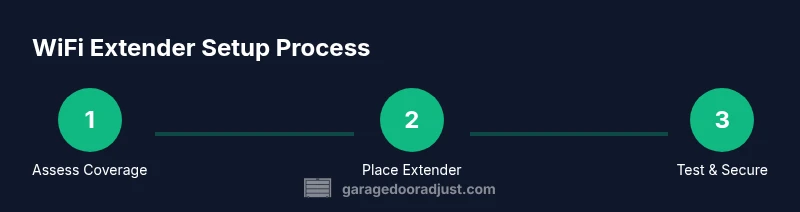
- 1
Assess Coverage
Test current router signal strength in the garage using your phone. Identify weak spots and measure consistency across different garage zones. Define clear goals for uptime and response speed.
Tip: Use a signal meter in your phone to compare RSSI values at multiple garage points. - 2
Choose Extender Type
Select a dual-band model that supports bridge/repeat mode and can share the same SSID as your main network. Check for Ethernet backhaul and robust antennas.
Tip: Prefer models with a known good track record for stability in masonry garages. - 3
Position the Extender
Place the extender roughly halfway between the router and the garage, avoiding metal obstructions. Elevate it off the floor and away from appliances that emit interference.
Tip: Test from the garage doorway and move slightly if the signal drops when you open the door. - 4
Configure Network Settings
Connect to the extender and set it to extend/bridge mode. Enter the main WiFi SSID and password so devices switch seamlessly. Enable WPA2/WPA3 security.
Tip: If possible, enable Ethernet backhaul for the most stable connection. - 5
Test and Refine
Run opener app commands from different devices (phone, car, voice assistant). If lag occurs, adjust placement or enable backhaul.
Tip: Allow 60–120 seconds for stabilization after changes before retesting.
Got Questions?
Can any wifi extender work with a garage door opener?
Not all extenders are created equal; choose models that support your router's security and offer bridge mode. Verify compatibility with your opener app.
Not all extenders work, pick a dual-band model that supports your router and opener app.
Will using a wifi extender slow down my garage door opener?
A properly configured extender should add minimal delay; improper placement or congested networks can cause lag.
If placed and configured correctly, you shouldn't notice extra delay.
Is it safe to place the extender in the garage?
Yes, as long as power is safe and the device is away from moisture; avoid placing near open flames.
It's generally safe if you keep it dry and away from moisture.
Do I need to rename the network after adding an extender?
Best practice is to use the same SSID; this allows devices to hand off automatically. If you create a separate SSID, test stability.
Using the same SSID helps devices switch smoothly.
What should I do if the garage signal worsens after setup?
Recheck placement, ensure firmware updated, and test with and without Ethernet backhaul. If issues persist, reset extender.
Move the extender, update firmware, and consider a wired backhaul.
Watch Video
Quick Summary
- Plan coverage before buying equipment
- Place the extender mid-point for best signal
- Use the same SSID and strong password
- Test opener control after setup