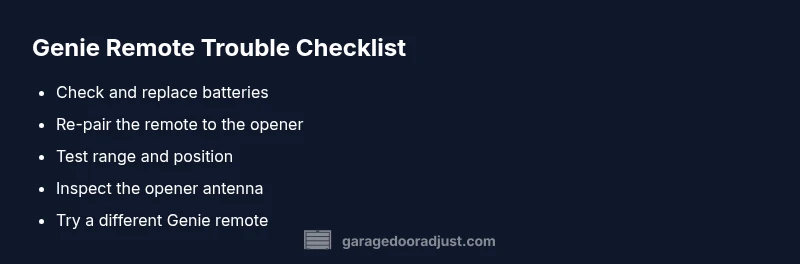
Genie Garage Door Remote Not Working: Comprehensive Troubleshooting
Struggling with a genie garage door remote not working? This urgent troubleshooting guide helps you diagnose, re-pair, replace batteries, and restore control quickly with clear steps and safety reminders.


Most Genie garage door remotes stop working due to simple causes: dead batteries, a forgotten pairing, or radio interference. Start by replacing the remote’s batteries and re-synchronizing with the opener. If the issue persists, check the wall control, ensure the antenna isn’t damaged, and consider reprogramming or replacing the remote.
Genie garage door remote control not working: Quick assessment
When a Genie remote stops functioning, homeowners often face a moment of frustration. In most cases, the原因 are straightforward and fixable without specialized tools. The GarageDoorAdjust team has found that battery health, pairing status, and RF interference are the dominant culprits. By approaching the problem with a calm, systematic checklist, you can restore operation quickly and safely. This guide emphasizes practical, step-by-step diagnostics to keep you in control of your door and your time. Remember, while many fixes are within reach, safety around garage doors always comes first, and professional help is advised if the door behaves unpredictably.
Quick checks you can do in 5–10 minutes
- Inspect the remote’s battery: replace with a fresh, correctly oriented battery if the LED light is dim or absent.
- Test the range: stand near the opener and press the remote; if you hear the opener hum but the door won’t move, the signal may be weak or mispaired.
- Use the wall control: if the wall button operates the door, the issue is often with the remote rather than the opener.
- Look for interference: nearby devices (other remotes, wireless cameras, or cordless phones) can disrupt RF signals; move away from potential sources temporarily to test.
- Check the antenna on the opener: ensure it isn’t bent or damaged and points downward to improve reception.
- Re-pair when needed: a fresh pairing can resolve misalignment between the remote and the opener.
If this quick 5–10 minute check doesn’t restore function, continue with the diagnostic flow and the more detailed steps below.
Diagnostic flow: symptom → diagnosis → action
Symptoms provide the first clues. Start with simple, observable signs like whether the remote’s LED lights up, whether the door moves when using the wall control, and whether the keypad or other remotes behave similarly.
- If the remote’s LED doesn’t light: battery issue or dead circuit; replace the battery and re-test.
- If the wall control works but the remote doesn’t: remote pairing or antenna problem likely.
- If nothing works: check for power to the opener and potential RF interference.
Diagnosis follows this progression. Actions should begin with the easiest fixes (battery, range test) and move toward reprogramming or replacement only if simpler steps fail. Always verify after each fix that the door operates from both the remote and the wall control.
Step-by-step: Re-syncing the Genie remote (high-probable fix)
- Remove the remote battery and wait 30 seconds to discharge any residual energy.
- Reinsert the battery, ensuring correct polarity and a firm connection to the contacts.
- Locate the Learn/Program button on the garage door opener unit.
- Press and release the Learn button, then within 30 seconds, press and hold a button on the Genie remote until you hear a confirmation click or see the LED on the opener blink.
- Test the remote from different distances and angles; ensure it can operate the door consistently.
If pairing fails, try a different Genie remote if available, or consult the user manual for model-specific steps. Reboot the opener by cycling power if needed and reattempt pairing. Always maintain a safe stance and keep hands clear of moving parts during testing.
Interference, range, and environmental factors
RF remotes operate within a certain range, and metal structures, vehicles, or metal overheads can block signals. If your remote worked previously but suddenly stopped, consider recent changes in the environment: new electronics, Wi‑Fi devices, or changes in door alignment can affect performance. Test the remote from different spots around the garage and note any pattern (works near the door but not farther away). If interference is suspected, relocate devices or temporarily turn them off to observe changes. In some cases, upgrading to a newer Genie remote with improved frequency handling can address persistent interference.
Safety and maintenance reminders
Garage doors are heavy and operate under spring tension. Always protect yourself with proper footwear and avoid placing fingers in the doorway path. If you hear grinding, grinding or unusual noises, stop using the door and contact a professional. Do not attempt to adjust torsion springs or repair cables yourself. When working with remotes and openers, disconnect power to the opener if you need to access internal components to avoid accidental activation. Regular maintenance and annual safety checks reduce the risk of injuries and further faults.
When to call a pro
If the Genie remote still won’t work after battery replacement, re-pairing, and interference testing, or if you notice frayed wiring, loose connections inside the opener, unusual noises, or the door fails to respond to the wall control as well, it’s time to seal the issue with a professional. A trained technician can diagnose hidden faults and ensure safe operation. Pro help is especially recommended when dealing with torsion springs or any component under tension, as improper handling can cause injury and door damage.
Prevention: keeping Genie remotes reliable long-term
- Schedule periodic checks for the remote battery and the Learn button on the opener, especially after power outages.
- Keep the remote away from devices that emit strong RF signals when testing, and avoid placing it near metal surfaces that can absorb signals.
- Pair new remotes only when you’re in a safe position with the door properly balanced.
- Replace worn remotes and consider upgrading to a more robust Genie model if you frequently encounter pairing failures or interference. Regular maintenance helps avoid repetitive failures and keeps your system responsive.
Steps
Estimated time: 20-40 minutes
- 1
Check and replace batteries
Open the Genie remote and inspect the battery. If dim or none, replace with a fresh battery of the correct size. Re-test the LED and function from close range.
Tip: Keep a spare battery on hand and verify polarity before inserting. - 2
Test the opener’s wall control
Verify that the wall switch can operate the door. If it does, the issue is likely isolated to the remote or its pairing.
Tip: If the wall control doesn’t work, address opener power or safety sensors first. - 3
Re-pair the remote
Access the Learn/Program button on the opener. Press it, then within 30 seconds press a button on the Genie remote until the opener signals a successful pairing.
Tip: If multiple remotes exist, pair them one by one to avoid conflicts. - 4
Test near the door
Test the remote from several distances and angles, ensuring the door responds reliably and consistently.
Tip: Avoid obstacles between the remote and the opener during testing. - 5
Check for interference
Power down nearby devices that emit RF signals and re-test. If interference is the issue, relocation or shielding may help.
Tip: Document any patterns to determine whether certain devices create issues. - 6
Consider a replacement remote
If pairing repeatedly fails or the remote remains inconsistent, program a new Genie remote or upgrade the remote model.
Tip: Only purchase genuine Genie remotes or compatible models from reputable sellers.
Diagnosis: Genie garage door remote not working
Possible Causes
- highDead or weak battery
- highRemote not paired or mispaired with the opener
- mediumRF interference or range issues
- lowDamaged or misaligned antenna on the opener
Fixes
- easyReplace the remote’s battery with a fresh one and test the LED indicator
- easyRe-sync/pair the remote to the Genie opener following the Learn/Program button procedure
- easyTest for RF interference by turning off nearby wireless devices and testing range
- easyInspect or adjust the opener’s antenna and ensure it is properly oriented
- mediumProgram a new Genie remote or replace the existing one if pairing fails repeatedly
Got Questions?
Why won't my Genie remote pair with the opener after replacing the battery?
Pairing failures after battery changes usually mean the Learn button procedure wasn’t completed within the time window. Repeat the pairing steps precisely and within the opener’s specified window. If it still won’t pair, check for interference and ensure the remote is compatible.
If the battery change breaks pairing, redo the pairing within the time window and check for interference.
Do Genie remotes require a specific battery type?
Most Genie remotes require a fresh battery of the correct size. Refer to the user manual for the exact spec and avoid mixing old and new batteries in the same remote.
Use the correct size battery and avoid mixing old and new ones in the remote.
What should I do if the wall control works but the remote does not?
The issue is likely with the remote or its pairing. Re-pair the remote and test again. If the wall control fails too, the opener or safety sensors may need inspection.
If the wall control works but the remote doesn't, re-pair the remote and test again.
How can I tell if RF interference is the cause?
Move away from other wireless devices and test. If the remote works in a different area or after reducing devices, interference is likely the cause.
Test away from other wireless devices to check for interference.
When is replacement the best option?
If multiple remotes fail to pair after troubleshooting or the remote shows damage, replacing it with a compatible Genie model is often the most reliable option.
If several remotes fail and look damaged, replacement is usually the best option.
Watch Video
Quick Summary
- Test battery and lighting first for a quick fix
- Re-pair the remote before replacing hardware
- Check for RF interference and proximity to metal objects
- Use professional help for springs or wiring issues
- Regular maintenance prevents repeat failures