Garage Door Reversing: When It Tries to Close Instead of Open
Urgent guide to diagnose why your garage door tries to close instead of open. Learn sensor checks, track and limit settings, and safe reset steps from GarageDoorAdjust. Clear, step-by-step instructions to restore normal operation.


According to GarageDoorAdjust, a garage door that tries to close instead of open is most often triggered by safety-sensor issues or a mis-adjusted limit. Start with the simplest checks: ensure the photo-eye sensors are aligned and unobstructed, unplug and replug the opener to reset, and test the door manually for binding. If it persists, avoid forcing operation and call a pro.
Symptom overview: garage door trying to close instead of open
The symptom described in this guide is exactly what many homeowners encounter: the door begins to open, but mid-way or at the end of the cycle it abruptly reverses and starts closing. This reversal can happen almost instantly or after a partial travel, sometimes accompanied by a soft click as the safety sensor stops the door. It is frustrating and presents safety concerns especially for children and pets. According to GarageDoorAdjust, doors that exhibit this behavior are most often triggered by sensor issues or mis-set limit and travel adjustments. The root cause may be a misaligned photo-eye, a dirty lens, a miscalibrated opener, or a binding track. Before you attempt to manually force the door or bypass safety features, understand that these are safety-critical systems that should be addressed carefully. We will walk you through a logical diagnostic flow to identify the cause and restore normal opening and closing. If you smell burning plastic or hear grinding, stop and disconnect power immediately and call a technician.
Safety sensor checks: photo eye alignment and wiring
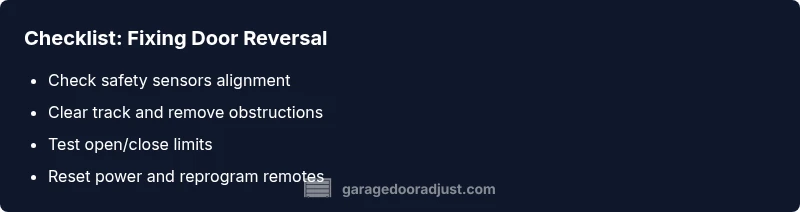
Photo-eye safety sensors are the primary gatekeepers for safe garage door operation. A common reason the door reverses is misalignment, dust on the lens, or incorrect wiring. Start by locating both sensors near the bottom track ends. They should face each other with a clear line of sight. Look for solid indicator lights: typically, a steady light means proper alignment; a blinking light can indicate misalignment or a fault. Clean the sensor lenses with a soft, dry cloth to remove dust, spider webs, or condensation. If alignment is off, gently adjust the sensor brackets until the lights stay solid when you test the door. Inspect connecting wires for wear or damage, especially where they run along the track or through any clamps. Do not bypass sensors; safety features exist to prevent injuries.
Track and door balance checks
A door that binds in the tracks or is off-balance can trigger the opener to seek safety, causing a reversal. Inspect the tracks for bends, dents, or obstructions. Ensure tracks are vertical and properly fastened; loose screws can cause misalignment. Listen for grinding or scraping which indicates rollers or track wear. Check the rollers for wear and replace if needed. Clear any debris or ice from the bottom seal and track, and lubricate moving parts with a light garage-door lubricant. A misaligned track may allow the door to move briefly but then force the opener to stop and reverse.
Electrical control and limit switches
Openers use limit switches to determine how far the door travels in each direction. If the open limit is set too low or the close limit is miscalibrated, the door may reach its travel limit and reverse as if it has encountered an obstacle. Access your opener's control panel or outdated DIP switches to verify limit settings. If you’re unsure, consult the manual or contact the manufacturer. Check for any loose wiring on the control board or sensors. A failing logic board can also cause erratic reversal; this typically requires professional diagnosis.
Quick fixes and safety reminders
Before attempting any repair, unplug the opener to reduce risk. Do a manual operation test by pulling the emergency release cord and lifting the door a few inches. If it stays balanced, the issue is likely with the opener or sensors rather than the door hardware. Reconnect power and perform a test: set the door to open and observe whether it continues to reverse. Do not disable safety features or force the door through a reversal; this can cause injury and further damage. If you’re uncomfortable with any step, contact a qualified technician.
Resetting and reprogramming the opener
Sometimes a full reset helps restore correct open/close behavior. Start by unplugging the opener, waiting 60 seconds, then plugging it back in. If your system supports it, use the reset or learn button to reprogram remotes and keypads. After resetting, re-test the door’s open travel to confirm it stops reversing before the fully open position. If the problem persists, the fault is deeper (sensor wiring, control board, or mechanical misalignment) and a pro should assess the system.
Steps
Estimated time: 60-90 minutes
- 1
Power down and test manual operation
Unplug the opener and try lifting the door manually. If it balances, the issue is likely within the opener or sensors rather than the door hardware. Reconnect power and proceed to a sensor check.
Tip: Secure the door with a temporary latch or clamps during manual testing to prevent accidental movement. - 2
Check safety sensors and alignment
Locate the photo-eye sensors at the bottom of each track. Ensure both lenses are clean and directly facing each other with nothing in between. Realign brackets slightly if the lights aren’t steady when tested.
Tip: Test by passing a hand in front of each sensor while the door is at a safe distance; the opener should stop and reverse if sensors are working. - 3
Inspect track and rollers for obstructions
Clear debris from tracks. Check vertical alignment with a level and tighten loose screws. Look for worn rollers and replace if necessary to avoid sticking or binding.
Tip: Lubricate the track with a light garage-door lubricant; avoid lubricants on plastic sensors or pulleys. - 4
Verify and adjust travel limits
Access the opener’s limits: open and close positions determine how far the door travels. Adjust the open-limit to ensure full travel is reached without reversal; test multiple cycles.
Tip: Make small adjustments and test after each change to avoid overshooting the limit. - 5
Reset the opener and reprogram remotes
Power-cycle the unit, then use the reset/learn button to reprogram remotes. Run several open/close cycles to confirm consistent operation.
Tip: Keep a log of which remotes were paired in case you need to troubleshoot later. - 6
If unresolved, call a professional
Some issues involve control boards, wiring, or structural problems beyond DIY scope. Schedule a visit from a qualified technician.
Tip: Document sensor alignment, track condition, and any error codes to speed up diagnosis.
Diagnosis: Garage door tries to close instead of open
Possible Causes
- highMisaligned or obstructed photo-eye safety sensor
- highIncorrect open/close limit setting on the opener
- mediumWiring damage to safety sensors or control board
- mediumTrack misalignment causing the door to bind
- lowPower disruption or stale remote signal
Fixes
- easyRealign photo-eye sensors and clear any debris or spider webs
- easyReset open-limit and close-limit settings on the opener
- mediumInspect sensor wiring for damage and reconnect properly
- easyInspect/realign tracks and remove obstructions
- easyPower cycle the opener and replace remote battery if needed
Got Questions?
Why does my garage door close instead of opening?
This behavior is typically caused by misaligned safety sensors or an incorrect travel limit setting. Inspect sensors, realign if needed, and verify the opener’s open/close limits. If the issue persists, consult a professional.
Usually sensor misalignment or wrong travel limits cause the door to close instead of open. Check sensors and limits, then call a pro if needed.
Can safety sensors cause this issue even if there’s no obstruction?
Yes. Misalignment or faulty sensors can trigger the closing reversal even with a clear path. Clean and align the lenses and test the system to confirm.
Yes. Misaligned sensors can trigger reversal even with nothing in the way; recheck alignment and test.
What if the door is stuck mid-travel and won’t open?
Stalling mid-travel can indicate a binding track, worn rollers, or a faulty limit switch. Disconnect power and inspect for obstructions or binding before attempting any reset.
If it stalls mid-travel, inspect for obstructions or binding and reset safely.
Is it safe to manually operate the door during troubleshooting?
Only if you disconnect the opener via the emergency release and ensure the door remains stable. Keep hands clear of the tracks and springs.
Yes, but only with the emergency release engaged and the door supported.
How do I reset the opener’s travel limits?
Locate the limit adjustment screws or a digital setting in your opener’s manual. Turn small amounts and test after each adjustment to avoid overcorrection.
Find the limit screws or settings, adjust a little, then test.
When should I call a professional?
If sensor wiring is damaged, the control board fails, or the door is structurally misaligned, a licensed tech should handle it. Prioritize safety and avoid trying to repair high-tension components yourself.
Call a professional if wiring, board issues, or structural misalignment are suspected.
Watch Video
Quick Summary
- Check safety sensors first and ensure a clear path.
- Reset limits and test in safe, incremental steps.
- If in doubt, call a qualified technician promptly.