Garage Door Remote Parts: A DIY Guide for Homeowners
Comprehensive DIY guide to diagnose, repair, and replace garage door remote parts. Learn battery checks, pairing, compatibility, and safety for homeowners.


By the end of this guide, you will be able to diagnose common garage door remote parts issues, identify the correct components, and safely test replacements. You’ll cover batteries, PCB boards, housing, and programming steps. Essential prerequisites include knowing your remote model, having basic hand tools, and powering down the opener before work. This quick guide sets expectations and safe practices for DIY fixes.
Anatomy of garage door remote parts
A typical garage door remote consists of several components that work together to send a secure signal to the opener. The main parts are the battery, the printed circuit board (PCB), the housing, the push buttons, the antenna, and the infrared or RF transmitter. Understanding these parts helps homeowners pinpoint failures and decide on a repair or replacement. According to GarageDoorAdjust, familiarity with the components reduces repair time and improves safety during DIY fixes. The remote’s battery provides power; the PCB handles encoding and decoding the radio signal; the housing protects delicate electronics and keeps the circuit grounded. The buttons physically actuate the switch matrix, while the antenna and transmitter control how far and reliably the signal travels. When you have a basic map of these parts, you can diagnose problems more accurately and avoid unnecessary replacements. In the next sections, we’ll break down each part, common failure modes, and how to test them with simple tools.
Compatibility and common failure points
Not all remotes are interchangeable; compatibility depends on brand, frequency, and code encoding. Common failure points include battery corrosion, worn button membranes, water damage, and misprogrammed codes. Older systems may require replacing the entire remote or the opener receiver. To reduce wasted parts and ensure you purchase the correct garage door remote parts for your model, identify your device’s exact model number, frequency, and code type before buying replacements. This section helps you assess whether the fault lies in the remote, the opener, or the control circuitry behind the wall.
Tools and safety basics
Before you begin, gather basic tools and review safety basics. Work on a clean, well-lit surface and disconnect power to the opener if you must interact with wiring or receivers. Use non-conductive tools near exposed electronics and wear eye protection if prying or trimming components. Keep a trash and parts tray handy so tiny screws don’t get lost. Recording model numbers and taking photos during disassembly helps you reassemble correctly and reduces the chance of wiring mistakes.
Diagnosing battery issues
Battery problems are the most common cause of remote failures, especially in older models. Signs include reduced range, delayed responses, or complete non-responsiveness. Remove the battery and inspect the contacts for corrosion or residue. A quick clean with isopropyl alcohol can restore connectivity in many cases; if corrosion is severe, replacement is the safer option.
Replacing the battery: a hands-on process
Replace the battery with the correct size (commonly CR2032) and orient it according to polarity marks. Gently re-seat the contacts and snap the housing back into place. Test the remote immediately to confirm the LED flashes and the opener responds. If not, continue with deeper diagnostics such as testing the PCB or re-pairing with the opener.
Replacing or reprogramming the remote's PCB or housing
If the PCB shows physical damage or the housing is cracked, you may need a replacement PCB module or a new shell. Ensure you source compatible parts from reputable vendors and avoid mismatched frequencies. When in doubt, moving to a replacement remote that matches your opener model can save time and maintain security.
Re-syncing and pairing with the opener
Pairing is essential after any internal repair or battery swap. Put the opener into pairing mode and press the remote button within the recommended window. Follow the exact timing and button sequence specified by your model’s instructions. If codes were changed, you may need to reset to factory defaults before attempting re-pairing.
Inspecting the opener receiver and antenna
Sometimes the problem lies with the wall-mounted receiver or its antenna rather than the remote. Check for loose connections, damaged coax, or bent antenna elements. A weak/blocked signal from the receiver can mimic remote failure, so test with a known-good remote to confirm.
Common mistakes and how to avoid them
Rushing through reassembly, neglecting to test after each step, and using incorrect batteries are frequent missteps. Always document screw placement, verify polarity, and check the door’s safety reversing sensor as part of the test cycle. When in doubt, pause and re-check manufacturer instructions.
When to replace vs repair remote parts
Most fixes come down to a cost-benefit decision: cheap batteries and simple pairing are easy repairs; damaged PCBs or enclosures often justify replacing parts to maintain reliability and security. If the opener’s receiver is older or if corrosion is widespread, replacement may deliver the best long-term value.
Cost ranges and parts sources
Replacement remote shells, PCBs, or batteries generally fall into a modest price range depending on brand and model. Expect costs to vary with the part type and vendor; prices are influenced by compatibility and whether you buy branded or aftermarket components. Always compare warranty terms and return policies when shopping for garage door remote parts.
Troubleshooting flow and authoritative sources
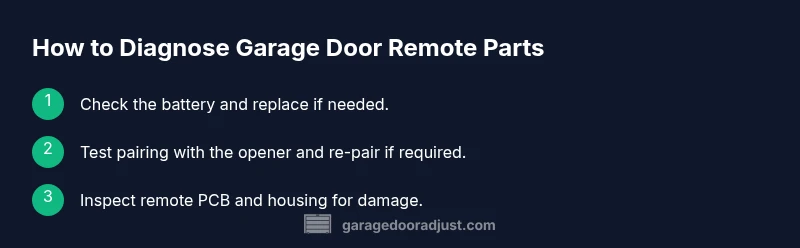
When you’re unsure, start with the battery and a quick reset, then verify pairing and receiver status. If issues persist, consult the opener’s manual or reputable resources for official guidance. For safety and best practices, consult authoritative sources such as OSHA.gov, extension.university.edu, and energy.gov for related safety guidelines and device handling. The GarageDoorAdjust team also emphasizes cautious testing and proper reassembly to avoid injuries and damage.
Tools & Materials
- Screwdriver set (Phillips and flathead)(Phillips #2 and flathead for opening remote housing)
- Replacement battery (CR2032)(Check model for correct size; carry spare)
- Digital multimeter (optional)(For testing battery voltage and continuity)
- Non-conductive plastic pry tools(To avoid scratching plastic housing)
- Isopropyl alcohol and lint-free wipes(For cleaning contacts and springs)
- Camera or smartphone for reference photos(Helpful to document steps for reassembly)
- Replacement remote shell or PCB module (if needed)(Only if you are certain of compatibility)
Steps
Estimated time: 45-75 minutes
- 1
Power down and gather model info
Power down the opener and remove the battery. Inspect the remote to locate model numbers, frequency, and identifying marks. Having this information helps you choose compatible replacement parts and reduces trial-and-error testing.
Tip: Take a photo of the board and label screws before disassembly. - 2
Open the remote housing safely
Use a non-metal tool to pry apart the housing gently. Keep track of the order of parts and springs so reassembly is straightforward. Work on a clean, padded surface to avoid losing small components.
Tip: Work slowly and avoid forcing snaps; misaligned parts can damage circuits. - 3
Inspect battery and contacts
Remove the battery and examine the springs and contacts for corrosion or damage. Clean any residue with isopropyl alcohol and a lint-free wipe. If springs are bent, replace them carefully.
Tip: A corroded battery contact is a frequent cause of poor range. - 4
Replace the battery
Insert a fresh battery in the correct orientation as indicated by the polarity markings. Re-seat contacts and ensure the battery is snug but not squeezed. Reassemble the shell partially to test without fully closing.
Tip: Use a fresh CR2032 and avoid touching contacts with oily fingers. - 5
Inspect PCB and housing for damage
Look for cracks, burnt components, or loose connectors on the PCB. If you see visible damage, a replacement PCB or remote shell may be required. Do not attempt to solder damaged components unless you’re experienced.
Tip: Minor surface scratches are OK; deep burns require replacement. - 6
Reassemble and test the shell
Carefully reassemble the remote, aligning all tabs and springs. Press the buttons to verify responsive feedback from the PCB. Close the housing if everything tests correctly.
Tip: Ensure the buttons register reliably before final assembly. - 7
Re-program or re-pair with the opener
With the opener power on, initiate the pairing mode per your model’s instructions and press the remote button to pair. If codes were changed, reset them to factory defaults first.
Tip: Follow exact manufacturer steps; incorrect timing can fail pairing. - 8
Test range and reliability
Test the remote at various distances and through any obstacles. If signals fail consistently, you may need to replace the receiver or the entire remote
Tip: Test indoors, then test outdoors for reliability.
Got Questions?
What are the most common remote parts that fail?
Battery depletion, worn buttons, damaged PCB, corroded contacts, and damaged housing are typical causes. Replacing the battery or re-pairing often resolves many issues.
Common failures include weak batteries, worn buttons, and damaged PCBs; replacing the battery often fixes it.
Can I program a universal garage door remote with my current setup?
Universal remotes work with some openers but not all. Check compatibility and follow pairing steps carefully before purchasing.
Universal remotes can work with some systems; verify compatibility first.
How do I know if the remote battery is dead?
A short range, delayed response, or intermittent operation usually signals a dead or dying battery.
If the range is short or it responds slowly, the battery may be dead.
Is it safe to open the remote housing?
Yes, with the opener powered down and screws kept in a tray. Avoid touching circuitry with metal tools.
It's usually safe to open the shell if power is off, but be careful with the electronics.
Where can I buy replacement garage door remote parts?
Look for official brand remotes or reputable aftermarket sellers; compare model compatibility and warranty.
You can buy parts from the brand, or reputable suppliers; always check compatibility.
What if my remote still won’t work after replacing parts?
If pairing fails or the opener can’t detect signals, the receiver or wiring may be the issue; consult a professional if needed.
If issues persist after parts, the problem might be with the opener receiver.
Watch Video
Quick Summary
- Identify the correct remote parts before buying.
- Battery checks solve most remote issues.
- Re-pairing is essential after replacement.
- Keep components organized to avoid damage.
- Test range after each repair to verify reliability.