Garage Door Remote Antenna: Repair & Replacement Guide
Learn how to diagnose, test, and replace your garage door remote antenna to restore reliable remote operation. Step-by-step tips, safety notes, and pros’ insights for homeowners troubleshooting garage doors.


You're about to diagnose and fix your garage door remote antenna. This guide shows how to test signal strength, adjust antenna orientation, and replace a damaged antenna for reliable operation. Gather basic tools, confirm compatibility with your opener model, and follow safe steps to avoid damaging the receiver in your garage setup.
Understanding how the garage door remote antenna works
The garage door remote antenna is a small but crucial part of the openers communication system. It captures radio signals emitted by the handheld remote and forwards them to the receiver inside the garage door opener. A well-positioned antenna with minimal interference translates to reliable operation, especially at longer distances. If the opener doesn’t respond consistently, the garage door remote antenna is a logical starting point for diagnosis. The antenna and receiver operate on a defined frequency, so improper placement can dramatically reduce range. In many systems, the remote antenna is designed to be adjustible to reduce dead zones and improve signal integrity across your garage bay. Understanding this helps homeowners troubleshoot without unnecessary parts replacements.
GarageDoorAdjust notes that minor changes in placement or wiring can yield meaningful gains in signal quality, making the garage door remote antenna the right first fix.
Causes of weak signals and failure points in the garage door remote antenna
Weak signal issues can stem from physical damage, corrosion, loose connections, or incorrect mounting. A bent or kinked antenna reduces radiation efficiency and can cut the usable range in half. Moisture exposure or dust buildup accelerates corrosion at connector points, especially where the antenna attaches to the receiver. Electrical tape or loose fasteners around the mount can introduce intermittent contact. Interference from nearby wireless devices—such as security cameras, neighborhood sensors, or even metal shelving—can mask the true strength of the garage door remote antenna signal. In many cases, replacing a damaged antenna or rerouting the lead resolves these symptoms faster than replacing the opener itself.
How to test the garage door remote antenna and signal strength
Start by confirming you have power to the opener and a known-good remote. Test the remote at increasing distances inside the garage: 6–10 ft, then 20 ft, and finally to the driveway if possible. Note any dead zones or consistent gaps in response. Observe the receiver’s LED indicator if available; a steady blink usually signals a healthy link, while no activity suggests a possible antenna issue. For some models, you can temporarily detach exterior accessories or shields to see if shielding is causing interference. Remember that the garage door remote antenna is just one part of the chain; if the receiver board is damaged, no amount of antenna tweaking will fully restore operation.
Replacing or upgrading the garage door remote antenna
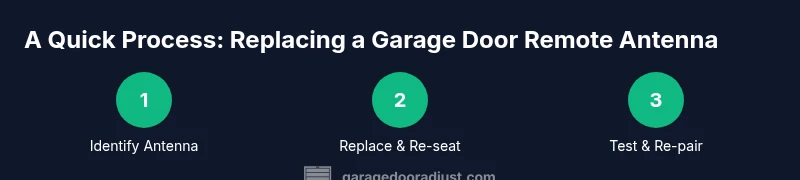
If the tests point to a faulty antenna, replace it with a model that matches your opener’s frequency and connector type. When choosing a replacement, verify compatibility with your opener brand, model, and the frequency band it uses. Install the new antenna firmly to the mounting point, ensuring there is no loose wiring and that the antenna is directed away from metal objects. After replacement, re-test the remote across multiple distances to confirm improved range and reliability. If your opener uses a modular receiver, you may need to re-pair the remotes after changing the antenna.
Antenna positioning for optimal range
Positioning matters as much as replacing the antenna. Keep the antenna vertical if possible and avoid routing near metal cabinets, thick walls, or power cables that can create interference. Elevate the antenna away from fluorescent fixtures and other RF-emitting devices when feasible. In some garages, slightly detaching the antenna from its immediate housing and pointing it toward the direction of the remote helps. If your system allows, install a longer, compliant antenna that provides better line-of-sight to the handheld remote without bending or kinking the lead.
GarageDoorAdjust recommends testing after each repositioning to quantify gains in signal strength and ensure consistent operation across all remotes.
Compatibility and pairing with your opener
Even with a healthy antenna, the remote must be programmed to your specific opener. Check the user manual for pairing steps—you may need to press a learn button on the opener and then trigger the remote. Some models require a safety door position sensor to be active during pairing. After replacement or repositioning, re-pairing often resolves residual problems caused by a mismatch between the remote and the receiver. If you’re using a universal remote, ensure it supports your brand and frequency; not all universal remotes are compatible with every opener. GarageDoorAdjust notes that verifying compatibility upfront saves time and avoids misfires caused by incompatible remotes.
When in doubt, consult the manufacturer’s guidance for your specific model.
Safety considerations and best practices
Always unplug or switch off the opener’s power before working near internal electronics. Avoid touching live terminals or exposed conductors, and use insulated tools when handling any wiring near the receiver. If the unit is mounted in a tight, hard-to-reach space, use proper lighting and a stable ladder or scaffold. Keep children and pets away during maintenance to prevent accidental operation. Finally, use manufacturer-approved replacement antennas and avoid third-party parts that could compromise security features or warranty terms.
Following these safety guidelines helps protect you and preserves the integrity of the garage door system.
Maintenance tips to extend the life of the garage door remote antenna
Regularly inspect the antenna for bending, corrosion, or loose fittings. Wipe away dust and moisture, especially after rain or snow exposure. Keep the area around the receiver clear of clutter to reduce signal blockage. If you notice periodic issues, document the distances and conditions to spot trends over time. Periodic re-pairing of remotes after service can ensure continued reliability. A simple annual check can save you from bigger repairs later and keep the garage door functioning smoothly.
AUTHORITY SOURCES
Note: The following sources provide safety guidance and general principles for electronics handling, data communication, and device reliability. They are recommended references for deeper learning about RF signaling, safety, and responsible maintenance:
- https://www.osha.gov
- https://www.energy.gov
- https://www.nist.gov
Common troubleshooting checklist
- Confirm power to the opener and test multiple remotes.
- Inspect the garage door remote antenna for damage, corrosion, or loose mounting.
- Replace with a compatible antenna if damage is found.
- Re-pair remotes after antenna work.
- Test signal at several distances and with different remotes to confirm consistency.
Tools & Materials
- Screwdriver set (Phillips and flathead)(For opening the opener housing and mounting screws)
- Replacement antenna compatible with your opener model(Check model number and frequency)
- Wire cutters/pliers(If you need to trim or adjust wiring)
- Electrical tape or heat shrink tubing(For securing exposed wiring)
- Multimeter (optional)(Test continuity if wiring issue is suspected)
- Clean cloth and isopropyl alcohol(Clean contact points and connectors)
Steps
Estimated time: 30-60 minutes
- 1
Identify compatibility and gather tools
Locate the exact opener model and review the manual to confirm the correct antenna type and connector. Pull together the replacement antenna and basic tools before you start. This prevents mid-task trips to the hardware store and keeps the work safe and organized.
Tip: Double-check model numbers and frequency before purchasing a replacement antenna. - 2
Power down the opener and access the antenna
Unplug the opener or switch off the circuit breaker. Remove any covers or housings to expose the antenna lead and mounting bracket. Take a quick photo of the original wiring configuration to guide reassembly.
Tip: Never work on energized electrical components. - 3
Inspect the existing antenna for damage
Look for bent or corroded elements, loose screws, or frayed wires. If you see obvious damage, plan to replace the antenna rather than attempting a repair. Record what you find for reference in the reassembly notes.
Tip: Damage followed by moisture is a red flag for replacement. - 4
Remove the damaged antenna
Loosen mounting screws and gently detach the antenna lead from the receiver. If there are connectors, disconnect them carefully without pulling on the wires. Keep fasteners in a labeled tray so you don’t lose them.
Tip: Describing the original routing helps when installing the new antenna. - 5
Install the replacement antenna
Attach the new antenna to the same mounting point and secure it with the original screws. Reconnect any connectors, ensuring snug, clean contacts. Route the lead away from sharp edges and electrical cables.
Tip: Avoid bending the antenna sharply; use a smooth, gradual bend if needed. - 6
Reconnect power and perform initial test
Restore power to the opener and observe the receiver LED or indicator. Use the remote at close range first to confirm basic responsiveness. If there’s no response, re-check wiring and ensure the antenna is properly seated.
Tip: If the LED doesn’t light, re-check power and connections before assuming a replacement is defective. - 7
Re-pair remotes if required
If your model requires re-learning remotes after antenna work, follow the manufacturer’s pairing steps. This step ensures the remote codes align with the opener’s receiver. Test each remote across several distances to verify coverage.
Tip: Keep the manual handy for model-specific steps. - 8
Final test and cleanup
Test the door operation from multiple positions (inside the garage, near the driveway). Ensure the area is free of tools and packaging. Close up the housing and restore any safety covers.
Tip: Document the changes and test results for future reference.
Got Questions?
Can I replace just the antenna on a garage door remote?
In many cases, the antenna can be replaced if it is user-accessible and the model supports a separate antenna. Some remotes have a fixed, non-replaceable antenna. Check your opener’s manual or contact the manufacturer for model-specific guidance.
Yes, in many cases you can replace the antenna if your model supports a separate part; otherwise check the manual for fixed antennas.
Will a damaged antenna cause the opener to fail to respond to any remotes?
A damaged or poorly connected antenna can prevent the opener from receiving signals, leading to missed openings. However, low battery in remotes or sensor issues can also cause similar symptoms, so test all parts.
A bad antenna can stop responses, but check batteries and sensors too.
Are universal remotes compatible with all garage door openers?
Universal remotes work with many brands but require compatibility checks and programming. Some models may not support universal remotes due to security protocols or frequency differences. Always verify compatibility with your opener model.
Many universal remotes work, but you should confirm compatibility with your specific opener before buying.
How can I test my remote antenna for signal strength?
Test by operating the remote at several distances and noting response consistency. If signal improves after repositioning the antenna, the adjustment is successful. Use the opener’s indicator light or LED status to gauge signal quality.
Test at different distances; if repositioning helps, you’re on the right track.
Is it safe to adjust the antenna position while the opener is powered?
No. Always power off the opener before handling the antenna or wiring. Use insulated tools and avoid contact with live components to prevent shock or damage.
Never adjust it with power on; turn it off and unplug first.
What should I do if replacing the antenna doesn't fix the issue?
If issues persist, there may be a deeper receiver or wiring fault. Consider professional inspection or testing the receiver board with the manufacturer’s guidance. Don’t force replacement parts that don’t address the root cause.
If replacement fails, there may be another fault; consider professional help.
Watch Video
Quick Summary
- Identify antenna issues before replacing other parts
- Use compatible replacement antennas and re-pair remotes if needed
- Position and secure the antenna away from interference sources
- Test at multiple distances to confirm improvements
- Follow safety guidelines to avoid shocks or injuries