Garage Door Open Troubleshooting: Quick, Safe Fixes
Learn fast, safe steps to diagnose and fix a garage door that won't open. From power checks to safety sensor alignment, this guide helps homeowners troubleshoot confidently.


If your garage door won't open, start with simple checks: verify power to the opener, replace remote batteries, and confirm the wall switch is on. If nothing changes, move to diagnose track alignment, safety sensor visibility, and limit settings, then follow the step-by-step fixes to get the door moving again safely.
Why the garage door open problem happens
When a garage door fails to open, homeowners often assume the opener is dead. In reality, most issues fall into a handful of everyday causes. Power supply problems, misaligned safety sensors, a remote that hasn’t been paired, or physical obstructions on the track are the usual culprits. Additionally, wear in the mechanical components—rollers, tracks, springs—can create resistance that stops the door from lifting smoothly. Since a garage door is a heavy system, even small misadjustments can thwart operation. This is where a structured approach helps. According to GarageDoorAdjust, starting with the simplest checks yields fast wins and reduces the risk of personal injury. By tracing symptoms to a likely cause and applying controlled fixes, you can often restore function without expensive service calls. In this section, we’ll lay out the diagnostic flow and prepare you for the hands-on steps that follow. The goal is to identify the root cause, confirm safety, and restore reliable operation without guesswork.
Start with the basics: power, remotes, and switches
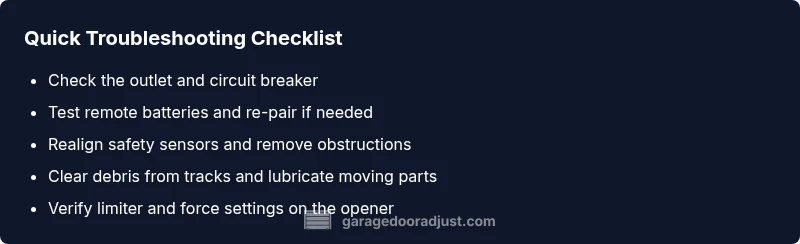
Most garage door open issues originate in basic, verifiable conditions. Begin by confirming that the opener is powered: check the outlet, ensure the circuit breaker is not tripped, and verify the indoor or outdoor power switch is on. Then test the remote and wall switch: replace the remote batteries, re-pair the remote if needed, and press the wall switch firmly to see if the door responds. If the door only responds intermittently, note the pattern (only when it’s cold, only after a reset, etc.), as this helps narrow down whether the problem is electrical, a signal issue, or a mechanical binding. During this phase, avoid attempting to pry open a stuck door manually or forcing components—safety comes first. If the door remains unresponsive after these steps, proceed to targeted checks in the next sections.
Safety sensors and beam alignment
The photoelectric safety sensors are designed to prevent the door from closing on people or objects. If the beam is blocked or misaligned, the opener will refuse to operate in the open direction. Inspect the sensors at each side of the door: ensure they face each other directly, check that the LED indicators show a steady, stable light, and remove any obstructions such as leaves, cobwebs, or small toys near the sensors. Realignment usually takes a few minutes: loosen the mounting screws slightly, adjust the sensor housings until the LED indicators illuminate consistently, then retighten. After alignment, test the door by using the remote and the wall switch; the door should move freely. If the sensors are fine but the problem persists, continue with checks on the tracks and hardware.
Tracks, rollers, and mechanical binding
Even when the opener is healthy, the door can fail to rise if the tracks are damaged or obstructed. Look for dents, gaps, or bends in the vertical or horizontal tracks. Clear debris from the tracks, and verify that the rollers roll smoothly in their channels. For a DIY check, unplug the opener first, then manually lift the door about one quarter of its travel to see if it moves steadily. If you feel sticking or binding, the spring tension and cable assembly may be involved, which are high-risk repairs and require professional service. Lubricate moving parts with a light silicone-based spray—avoid heavy grease on aluminum tracks, as it can attract dust. After addressing obstructions and ensuring smooth movement manually, plug the opener back in and test operation again. If you still encounter resistance, we move to the next diagnostic stage.
Opener settings, limits, and calibration
Modern openers rely on limit switches and force settings to determine how far the door travels. If the limits are mis-set, the door may stop short of opening or fail to respond to the opener. Consult the user manual or the manufacturer’s website for model-specific instructions to locate the limit screws or programming steps. Reset the opener to factory defaults if you suspect a software glitch, then reprogram remotes and keyless entries. After re-zeroing limits, run the door through a full travel cycle using the wall switch before testing the remote. If the door still won’t open despite proper limit and force settings, this indicates a likely mechanical wear or a more advanced electronics issue and warrants the next steps.
When to call a professional and what to expect
If you reach the point where none of the above steps restore a reliable open, or if you notice frayed cables, a bending track, snapped spring, or exposed wires, stop and call a pro immediately. Torsion springs and other high-tension components pose severe injury risks. A certified technician will perform a safe manual operation, check balance, inspect springs and cables, test the opener logic, and ensure all safety devices function. Expect a diagnostic visit to take 60-90 minutes, with parts replaced only if necessary. Ask for a written estimate and a breakdown of labor versus parts. A professional should also inspect the door balance and lubrication as part of routine maintenance.
Maintenance to prevent future issues
To reduce future failures, adopt a simple maintenance routine: test the opener monthly, lubricate rollers and tracks lightly, replace weather stripping as needed, and keep the door balanced. Confirm that the door opens and closes smoothly by manual operation and ensure safety sensors stay aligned after any adjustment. Periodically check the fasteners on the tracks and hinges and tighten any loose screws. Keep the remote and keypad clean and updated; consider replacing batteries at least once a year. By establishing a proactive schedule and addressing issues early, you’ll extend the life of the system and minimize emergency service calls.
Steps
Estimated time: 30-45 minutes
- 1
Check power and outlet
Unplug the opener, inspect the outlet, and verify the circuit is on. Plug the opener back in and listen for a humming motor. If there is no hum, check the breaker and power source.
Tip: Always unplug before handling any wiring. - 2
Test wall switch and remote batteries
Replace remote batteries and re-pair if needed. Press the wall switch firmly and observe the door movement. If the door responds intermittently, note patterns.
Tip: Keep spare batteries and a simple pairing guide handy. - 3
Inspect safety sensors
Check both sensors for dirt, misalignment, or mispointing. Clean lenses and realign until lights indicate proper alignment.
Tip: Do this before heavy disassembly. - 4
Check tracks and rollers
Visually inspect for dents, warps, and debris in tracks. Remove debris and lubricate moving parts lightly with silicone spray.
Tip: Never use heavy grease on aluminum tracks. - 5
Test door balance manually
With the opener unplugged, try lifting the door about a quarter of its travel. It should feel balanced and move smoothly; if it sticks, there may be spring or cable issues.
Tip: If you feel tension, stop and call a pro. - 6
Reset opener settings
Follow the manual to reset to factory defaults, then reprogram remotes. Test full travel with the switch before trying the remote.
Tip: Document your programming steps for future reference. - 7
Re-test and observe
Run the door from wall switch and remote, watching for smooth travel and correct stopping points. Listen for grinding sounds or uneven movement.
Tip: If noise appears, stop and re-check alignment. - 8
Call a professional if needed
If any high-tension parts show wear or damage, or if the door still won’t open after steps, call a licensed technician.
Tip: A quick diagnostic visit can prevent costly damage.
Diagnosis: Garage door won't open using the remote or wall switch
Possible Causes
- highPower issue (outlet, circuit breaker, or unplugged)
- highSafety sensors misaligned or obstructed
- mediumDoor off track or obstruction
- lowBroken torsion spring or damaged cables
- lowFaulty remote or keypad
Fixes
- easyCheck outlet and reset circuit breaker; plug the opener back in
- easyRealign safety sensors and remove obstructions
- easyInspect tracks for damage or debris and clear obstructions
- easyTest and adjust limit switches and force settings on the opener
- easyReprogram remotes/keypad and replace batteries
- hardIf you notice frayed cables or broken springs, call a professional
Got Questions?
What should I do first when my garage door won't open?
Begin with power checks, battery replacement, and wall switch status. If there’s no response, follow the diagnostic flow to narrow down causes.
First check power and batteries, then the wall switch. If still not opening, use the step-by-step guide.
How do I realign the safety sensors?
Clean the sensor lenses, loosen mounting screws, adjust until the indicators show solid alignment, then retighten. Test with the opener.
Clean and align the sensors until the lights are steady, then test with the opener.
Can I fix a broken torsion spring myself?
No. Torsion springs are under high tension and can cause severe injury. A licensed technician should handle spring repairs.
Torsion springs are dangerous; call a professional for repairs.
What does it mean if the door opens partway and stops?
The issue could be limit settings or a binding track. Inspect tracks and reset the limits as needed.
It may be a limit setting or track binding; inspect and adjust.
Is it safe to manually open the door during a power outage?
Only if you disconnect the opener and confirm the area is clear. Use caution and avoid heavy manual force.
Only manually if you’ve disconnected the opener and it's safe to do so.
Watch Video
Quick Summary
- Start with power, remote, and wall switch checks
- Realign safety sensors before more invasive steps
- Avoid forcing a stuck door; call a pro if springs are involved
- Test limits and balance after adjustments
- Maintain a monthly routine to prevent future faults