Garage Door Not Working with Remote: Quick Troubleshooting Guide
Urgent, practical guide to diagnose and fix a garage door that won't respond to the remote. Step-by-step diagnostic flow, safety tips, and guidance on when to call a professional.


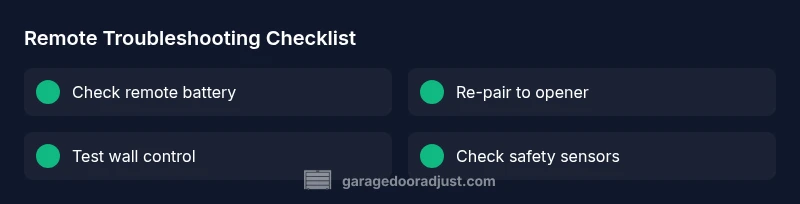
Start with the basics: replace remote batteries, then re-pair the remote to the opener. If the door still won’t respond, test the wall control and receiver LED, and verify the antenna alignment. If problems persist, follow the diagnostic flow below and schedule a professional inspection if needed.
Why the garage door not working with remote happens
A remote-controlled garage door can stop responding for several reasons, and the issue is almost never because the opener itself is faulty from the start. The two most common culprits are a dead or weak battery in the remote and a failed pairing between the remote and the opener. In many homes, homeowners also overlook simple range and interference problems, especially if a car or metal shelving sits near the opener unit. If you notice occasional delays or intermittent response, the problem is often transient interference or a misaligned antenna. According to GarageDoorAdjust, the vast majority of
Quick checks you can do in minutes
Before you dive into deeper diagnostics, run through these quick checks. First, replace the remote battery with a fresh one of the same type and re-test. If you have more than one remote, try the other one—if it works, the first remote is likely worn or out of date. Then look at the wall control panel inside the garage: is it lit, and does it respond when pressed? Move any nearby electronic devices or metal objects away from the opener to reduce interference. Check the opener power: a tripped GFCI or blown fuse can disable the unit even if the remote seems functional. Remember to test range by standing near the door and gradually stepping back to see where the signal drops. GarageDoorAdjust's guidance emphasizes starting with simple, reversible steps before escalating to more complex repairs.
Diagnostic thinking: symptoms, causes, and fixes
When the remote stops working, think through the symptom-to-diagnosis path. If the LED on the remote blinks abnormally or does not blink at all when pressed, the battery or the remote’s internal electronics are suspects. If the opener’s receiver LED blinks in a particular pattern when the button is pressed, the issue may be with pairing or receiver calibration. If there is no LED activity, potential power or wiring issues to the opener should be checked. Always rule out simple causes first, then move toward the more complex possibilities. This logical flow helps avoid unnecessary replacements and reduces downtime.
Practical steps to diagnose and fix common causes
The most frequent failure points are the remote battery, pairing status, receiver or learning mode, and the wall switch. Start by confirming the correct battery type, then re-pair the remote by activating the opener’s learning mode and pressing the remote button. If re-pairing doesn’t fix the issue, inspect the receiver LED on the opener: a steady vs blinking light can indicate different fault conditions. Next, ensure the antenna is intact and unobstructed. Lastly, verify there’s no interference from other devices (car remotes, wireless cameras, or neighbor remotes) in the same frequency band. If all else fails, the problem may be with the receiver or the logic board, which requires professional attention.
Safety, interference, and prevention tips
Safety matters when working around an automatic door. Always unplug the opener or switch off the circuit breaker before inspecting wiring or internal components. Avoid bypassing safety sensors—misalignment or obstruction can cause the door to reverse unexpectedly, posing a serious injury risk. To prevent future issues, keep the antenna free of contact and avoid mounting metal racks directly above the opener. Regular maintenance, like wiping the sensor eyes and lubricating moving parts per the manufacturer’s guidelines, can extend the life of your system. GarageDoorAdjust notes that routine maintenance reduces unexpected failures and outages, especially in environments with dust or humidity.
When to call a professional and how to prepare for a visit
If the door remains unresponsive after battery replacement, re-pairing attempts, and a full diagnostic flow, it’s time to involve a professional. A technician can test the receiver, measure signal strength, and inspect the control board for faults. To speed up the visit, document recent changes (new remotes, re-pairs), note any error codes from the opener, and provide photos of the receiver and wiring. In emergency situations where the door fails to stay open or closed, avoid attempting dangerous DIY fixes and contact a licensed technician immediately.
Long-term maintenance and best practices
Create a simple maintenance routine: check and replace remote batteries yearly, re-test pairing after any electrical work, and inspect safety sensors monthly. Keep the remote in a sealed location to reduce corrosion, and consider upgrading to a modern opener with rolling code technology if your unit is older. By maintaining a regular schedule, you can minimize the chances of the garage door not working with remote and extend the life of your system. GarageDoorAdjust recommends keeping spare remotes and recording their codes for quick replacements.
Steps
Estimated time: 45-60 minutes
- 1
Check remote battery and cleanliness
Power down the sender by removing the battery and inspecting for corrosion or dirt. Clean the contacts gently and replace with a fresh battery of the same type. Re-test the remote at close range before moving farther away to confirm basic function.
Tip: Use a fresh, high-quality battery; avoid reusing old or mixed battery types. - 2
Re-pair the remote to the opener
Put the opener in learning/pairing mode per the model's manual, then press and hold the remote button until the LED on the opener blinks or stays solid (per instructions). Test with the remote again. If multiple remotes, test each one.
Tip: Keep a written note of the exact pairing sequence for future use. - 3
Test wall control and opener power
Press the wall control inside the garage and observe the door’s action. If it doesn’t respond, check the opener’s power supply and outlet. Reset the power by unplugging for 30 seconds and plugging back in.
Tip: Ensure the circuit breaker is not tripped and the GFCI, if present, is reset. - 4
Inspect receiver LED and antenna
Look at the opener’s receiver LED; note any blinking pattern that indicates fault conditions. Check the antenna for loose connections or damage and ensure it has a clear path to receive signals without obstruction.
Tip: A loose or damaged antenna often causes intermittent response. - 5
Check safety sensors and range
Align the safety sensors so they face each other directly and clean their lenses. Test by placing a small obstacle in front of one sensor to verify it stops the door from closing. Ensure the door reverses if anything blocks the beam.
Tip: Misaligned safety sensors can mimic remote issues and pose a safety risk.
Diagnosis: Garage door won't respond to remote
Possible Causes
- highDead or weak remote battery
- highFaulty remote-pairing or programming
- mediumReceiver/IR receiver failure at the opener
- lowInterference or range issues (metal objects, neighbors' remotes)
- lowDamaged safety sensor or travel limit switch
- lowPower to opener outlet issues
Fixes
- easyReplace remote battery and re-pair the remote to the opener
- easyReset the opener's learning mode and reprogram remotes
- mediumInspect receiver LED and check wiring or replace receiver module
- easyMove metal objects away, re-pair after testing range, switch to a different remote
- easyCheck safety sensors alignment and test with a small object blocking beam
- easyPower cycle the opener and check the outlet; ensure GFCI is not tripped
Got Questions?
Why won’t my garage door respond to the remote?
Most often this is due to a dead battery or an unpaired remote. Other common causes include a misaligned antenna, a faulty receiver, or interference from nearby devices. Following a structured diagnostic flow helps pinpoint the exact cause.
Most often, it’s the battery or pairing. If those aren’t the issue, check the antenna, receiver, and potential interference.
How do I re-pair my remote to the opener?
Put the opener into learning mode by following the manual, then press the remote button until the opener acknowledges the pairing (LED pattern). Repeat for other remotes.
Put the opener in learning mode, press the remote button until you see the indicator, and you’re paired.
Can interference affect remote range between my car and the opener?
Yes. Metal objects, other remotes, or wireless devices can reduce range. Try removing potential sources of interference and test again at closer distances.
Yes, interference can shorten the range. Remove nearby devices and test up close.
Is it safe to disable safety sensors to operate the door with the remote?
No. Safety sensors are essential for preventing injury. If they’re misaligned, fix them rather than bypass them.
No—safety sensors are there to protect you. Fix alignment instead of bypassing them.
What should I do if the receiver LED is off or blinking oddly?
LED patterns indicate different faults. Check power, confirm wiring, and consult the manual or a pro if the pattern remains unresolved.
If the LED is off or blinking strangely, check power and wiring, then seek help if needed.
When should I call a professional?
If you’ve completed the diagnostic steps and the remote still won’t work, or you notice wiring, power, or safety sensor problems, it’s time to schedule a professional inspection.
Call a pro if the issue persists after steps or if you see wiring or safety sensor problems.
Watch Video
Quick Summary
- Start with batteries and pairing as the first step
- Test wall control and power sources before deeper diagnostics
- Inspect safety sensors and the antenna for proper alignment
- Follow the diagnostic flow before calling a pro
- Keep spare remotes and maintain the system regularly