Garage Door Light Stays On After Closing: Quick Troubleshooting Guide
Discover fast, safe steps to diagnose and fix a garage door light that stays on after closing. Learn common causes, safety tips, and when to call a pro.


Most likely a sensor misalignment or a misprogrammed opener that continues powering the light after closing. Start by visually aligning the photoelectric sensors and clearing any debris in the beam path. If the light stays on, reset the opener and unplug briefly to test power, then recheck sensor wiring.
Overview: Why the garage door light stays on after closing
If the garage door light stays on after closing, it isn't just a minor annoyance—it can signal a fault in the opener circuit, a misread safety beam, or a power-keeping feature that isn't behaving. According to GarageDoorAdjust, the most common culprits are sensor misalignment, incorrect programming of the opener, or a wiring issue that keeps the light energized even when the door is fully closed. Understanding how the light is wired and how the sensor circuit operates helps you prioritize checks that are safe and effective. In this guide, we walk you through practical, non-destructive steps you can perform to confirm symptoms, identify a likely cause, and determine whether you can fix it yourself or need professional help. By starting with the simplest checks and moving to targeted tests, you’ll minimize guesswork and protect both your family and your garage.
Key ideas: the light is tied to the door control, not merely the bulb; the sensors detect beam interruption, and even a slight misalignment can keep the circuit active. We’ll begin with quick checks you can perform right away and then move to more involved diagnostics.
Common causes you can fix yourself
There are several common reasons the garage door light stays on after closing. The first and most frequent is sensor misalignment: when the photoelectric eyes aren’t aligned, they can falsely sense still-open status and keep power to the light. A second frequent cause is debris or spider webs on the sensor lenses, which disturb the beam. Third, the opener’s safety features or reversing logic may be out of sync due to a small programming error or a recent reset. Fourth, wiring issues—loose connectors, damaged insulation, or a frayed wire—can keep the circuit energized. Finally, a soft switch or timer feature inside the opener can occasionally be misconfigured, leaving the light lit after the door is closed. If you notice any flicker or inconsistent behavior, document when it happens to help narrow down the root cause. In many homes, cleaning the sensor lenses and re-aligning them resolves the issue without tools.
Safety first: basic precautions before you touch anything
Safety comes first when troubleshooting a live garage door opener. Before you touch any components, unplug the opener or switch off the circuit, and keep hands away from the moving parts. Use a flashlight to inspect the sensor lenses without leaning into the path of the door. Wear protective gloves if you’ll handle wiring near the control box. Avoid using metal tools near live terminals, and never test under load with the door in motion. If you smell burning insulation or see damaged wiring, stop and disconnect power immediately and call a professional. These precautions protect you and prevent further damage to the door system. According to GarageDoorAdjust safety guidelines, never bypass safety features to “fix” the light issue.
Diagnostic tips: narrowing down the cause
To narrow down the cause, start with the simplest explanations. Confirm the door is fully closing and that the beam between the two sensors is uninterrupted. Look for misalignment marks on the mounting brackets and test each sensor LED indicator: a solid light usually means alignment, while blinking can indicate misalignment or fault. Clean lens surfaces with a dry microfiber cloth, removing any dust or spider webs. If you have recently reset the opener, re-check sensor settings and memory. In many cases, a quick sensor realignment or a reset resolves the problem. GarageDoorAdjust's diagnostic approach emphasizes starting with sensor alignment, then moving to wiring checks if needed.
Quick fixes you can try now
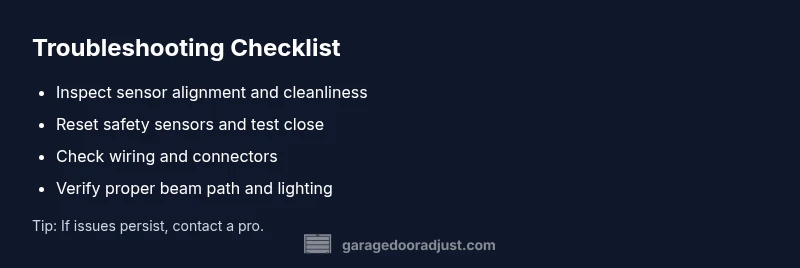
If the light stays on after closing, begin with the least invasive steps: realign both sensors until their LEDs indicate proper alignment, clean the sensor lenses, and ensure there are no obstructions in the beam. Re-sync the opener by performing a full reset of the safety sensors and test the closing cycle. If this does not resolve the issue, inspect the wiring at the sensors and control board for loose connectors or damaged insulation. Avoid replacing components without confirming the root cause, and consider professional help if you encounter unfamiliar wiring or control-board symptoms. Pro tip: take photos of sensor positions before adjusting so you can revert if needed. The GarageDoorAdjust team recommends documenting each step for future maintenance and safety.
Prevention and maintenance to avoid repeats
Regular maintenance helps prevent the light from staying on after closing. Clean sensor lenses every few months and check alignment whenever you notice odd behavior. Schedule a quarterly test of the auto-reverse feature and the safety sensor indicators. Keep the sensor areas free of dust, spider webs, and dirt—these are common culprits for misreads. Replace any wiring or components that show wear or damage promptly. Finally, keep the area around the opener clean and avoid placing objects that could reflect or obstruct sensors. Consistent checks reduce the likelihood of a recurrence and extend the life of your door system.
When to call a professional
If you have confirmed sensor misalignment or wiring damage but lack the tools or confidence to safely fix it, or if the opener shows unfamiliar error codes after a reset, contact a licensed garage door technician. Electrical work near a garage door can present hazards if not handled properly. The GarageDoorAdjust team emphasizes that some fixes—especially those involving control boards and high-tension springs—are best left to trained pros. A professional can safely test the entire system, verify sensor operation, and ensure the door closes correctly with proper safety features engaged.
Steps
Estimated time: 30-45 minutes
- 1
Power down safely
Unplug the opener or switch off the circuit, then disconnect any separate door control power before handling sensors or wiring. Wait 30 seconds to discharge capacitors. This keeps you safe while you inspect components.
Tip: Always de-energize before touching moving parts. - 2
Inspect sensors for alignment
Look at the photoelectric sensors mounted on either side of the door. The lenses should face each other directly with a clear line of sight. Check the LED indicators on both units; solid or steady indicators usually mean proper alignment.
Tip: Use a dry microfiber cloth to clean lenses; avoid touching the lens surfaces with fingers. - 3
Test the beam path
Cover one sensor briefly with a hand or a piece of cardboard to see if the door responds or the light changes. If the door fully closes or the light behavior changes, the beam path is likely correct; if not, the sensor may be misaligned.
Tip: Do not cover both sensors at the same time; test one at a time. - 4
Reset and re-pair the opener
Reconnect power and perform a full reset of the opener’s safety sensor memory per the user manual. Re-pair any remotes or keypads as needed and run a full close cycle to verify normal operation.
Tip: Note LED codes or blinking patterns; they can help diagnose sensor status. - 5
Final test and verification
Close the door and observe the light. If it stays off after closing, you’re likely fixed. If it comes back on, proceed to inspect wiring at the sensors and control board or call a professional.
Tip: Document your results to track whether the issue recurs.
Diagnosis: Garage door light stays on after closing
Possible Causes
- highPhotoelectric sensor misalignment or obstruction
- mediumWiring issue or loose connector to the opener
- lowOutdated or misconfigured opener programming
Fixes
- easyRealign and clean the photoelectric sensors and ensure the beam path is clear
- easyReset the opener's safety sensor memory and re-test the closing cycle
- mediumInspect and repair any damaged wiring or loose connectors at the sensors and control board
Got Questions?
What is the most common cause of a garage door light staying on after closing?
Sensor misalignment is typically the main culprit; when the beam isn’t read correctly, the light can stay energized even after the door closes.
Sensor misalignment is usually the top cause.
Can I fix this myself?
Yes for simple sensor alignment and resets; avoid touching live wiring or replacing components without identifying the root cause.
Yes for simple fixes, but don’t touch live wiring.
What safety steps should I take before working near the opener?
Disconnect power, keep hands away from moving parts, and wear gloves. Do not bypass safety features.
Disconnect power and stay clear of moving parts.
If the light comes back after I reset, what next?
Check for obstruction, confirm sensor alignment, and inspect wiring. If unresolved, call a pro.
If it returns after reset, inspect wiring and sensors or call a pro.
Is it safe to override the sensor to turn the light off?
No—bypassing safety components is unsafe and can cause injury or damage. Follow proper troubleshooting steps instead.
Don’t bypass safety features.
How long should a sensor realignment take?
Most fixes take about 20-45 minutes, depending on access and wiring.
Usually 20-45 minutes.
Watch Video
Quick Summary
- Assess sensor alignment first and clean lenses.
- Reset the opener to clear glitches and re-test.
- Inspect wiring for loose connections or damage.
- Call a pro if electrical work or major components are involved.