Garage Door Keypad Battery Replacement Guide
A practical, step-by-step guide for replacing your garage door keypad battery, with safety tips, common battery types, and troubleshooting.


To replace a garage door keypad battery, identify your keypad model, power down the unit if possible, and install a fresh battery of the same type (typically CR2032 coin cell or AA). Steps: remove the cover, take out the dead battery, insert the new one with the correct polarity, reseal the cover, and test the keypad and opener. This takes about 5–10 minutes.
Why the garage door keypad battery matters
The garage door keypad battery powers the entry system you rely on every day. When the battery is weak or dead, the keypad may fail to communicate with the opener, leaving you stuck outside or forced to use the manual release. For homeowners, that can be frustrating, especially in bad weather. The garage door keypad battery doesn’t just keep devices running; it preserves security by ensuring only authorized users can open the door. In this guide from GarageDoorAdjust, we explain how to identify the correct battery type for your model, replace it safely, and verify full operation. Regular checks help you avoid awkward moments when you need to come home late or leave for work on a timer. As you read, you’ll learn to recognize signs of depletion, prepare the right tools, and complete a successful replacement with confidence. According to GarageDoorAdjust, replacing a garage door keypad battery is a quick, safe DIY task for most homeowners. Signs of a failing keypad battery include slower response times, inconsistent signaling, or a keypad that won’t wake up. Since the battery is inside the keypad, you won’t know its condition without opening the housing.
Battery types and model identification
Most garage door keypads use a coin-cell battery such as CR2032, but some older or specialty models may take AA or AAA cells. The exact type depends on the model and the size of the battery compartment. To identify the right battery, locate the existing cell or check the keypad's label or manual. If you can't read the label from the outside, carefully open the housing following the manufacturer instructions and note the battery type printed on the cell or inside the compartment. When you see the markings, you can purchase a compatible replacement to match the current voltage and capacity. This is especially important for a garage door keypad battery, as mismatched voltage can damage the opener or cause unreliable signaling. If you already have a spare battery on hand, compare the new battery to the old one to confirm dimensions and polarity. In many cases, you will see the phrase CR2032 on the outer sleeve; if you are unsure, contact the manufacturer or refer to the model number on the keypad.
Tools and safety considerations
Before you begin, gather a few simple tools and follow safety precautions to avoid shorts or damage. Tools: small flathead screwdriver, a fresh battery of the correct type, a clean cloth, and your camera or phone to note orientation. Optional items include a multimeter for quick voltage checks and a non-conductive mat to protect the surface. Safety: power down is ideal if the keypad is connected to live wiring, and wear gloves to keep oils from your skin off the contacts. Work in a dry area and avoid metal jewelry that could short the contacts. Keep the remote controls handy in case you need to re-pair the opener after replacement. Remember, the goal is to replace the keypad battery without damaging the housing or the wiring. With the right tools and a careful approach, you can complete the replacement in a few minutes.
Step-by-step battery replacement overview
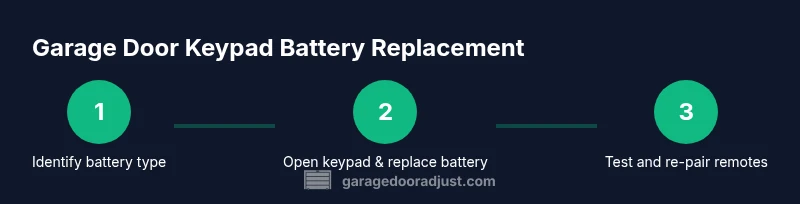
This section provides a concise preview of the actions you will perform in the detailed STEP-BY-STEP guide. First, confirm the battery type by inspecting the existing cell or keypad label. Next, remove the housing cover and extract the old battery without bending the contacts. Then, insert the new battery with the correct polarity and ensure it sits firmly in place. Finally, close the housing, restore power if you disconnected it, and test the keypad by entering a code and triggering the opener. If the keypad or opener lags, recheck polarity and seating; a loose contact is a common cause of short-lived batteries. This overview helps you approach the full process with confidence and reduces the chance of misplacing the battery or damaging the housing.
Troubleshooting after replacement
If the keypad still fails after you replace the battery, start with the simplest checks. Confirm the battery is seated correctly and contacts are clean. Inspect the wiring or harness inside the housing for any signs of corrosion or loose connectors. If your opener is battery-powered or has a backup battery, verify that the main power is on and the backup system is functioning. In some models, you may need to re-pair the keypad with the opener or perform a factory reset. If the problem persists, inspect the remote controls for parallel issues and check the receiver inside the opener unit. Regular troubleshooting reduces the need for service calls and extends the life of the keypad and opener.
Maintenance tips to extend keypad life
To maximize reliability, schedule periodic checks of the garage door keypad battery and related hardware. Store spare batteries in a cool, dry place away from direct sunlight to preserve shelf life. Keep the keypad housing clean and dry, and wipe away any dust or moisture that can affect contacts. If you live in a humid or corrosive environment, consider a protective cover for the keypad and check seals around the housing annually. For the best long-term performance, replace the keypad battery before it becomes completely depleted, and avoid letting the battery sit in a discharged state, which can shorten its life. As you care for the keypad, you’ll also reduce the risk of unexpected opener failures in rain, snow, or heat.
Authority sources
- https://www.cpsc.gov
- https://www.osha.gov
- https://www.nist.gov
Common mistakes to avoid
Avoid using the wrong battery type or inserting it with incorrect polarity, as this can damage the keypad or opener. Do not force the housing cover back on if it doesn’t seat easily; forcing it can crack the housing or misalign connectors. Never touch the contacts with metal tools, and avoid attempting battery replacement if you suspect water damage or exposed wiring. Finally, don't skip testing after replacement; always verify that both the keypad and opener respond correctly to a keypad entry.
Tools & Materials
- Small flathead screwdriver(Needed to remove housing screws or pry open the cover gently)
- Fresh battery (type identified from keypad)(Common types are CR2032 for coin cells or AA for some models)
- Clean cloth or wipe(Use to wipe contacts and dry surface)
- Camera or phone(Take a photo of battery orientation for reference)
- Multimeter (optional)(Useful to verify battery voltage before replacement)
Steps
Estimated time: 10-15 minutes
- 1
Identify battery type
Inspect the existing battery or the keypad label to determine the correct battery type and polarity. If you cannot read the label, consult the model number sticker on the keypad or the user manual.
Tip: Take a photo of the battery orientation before removal. - 2
Power down and prepare your space
If the keypad is connected to power or a main opener, switch off the circuit or unplug the opener to avoid shorts. Clear the area and lay a soft cloth to prevent metal-to-housing contact.
Tip: Working on a dry surface reduces the risk of moisture-related shorts. - 3
Open housing and remove old battery
Carefully remove the housing cover using the screwdriver. Gently lift out the old battery, noting the polarity and contact position.
Tip: Keep screws organized so you don’t lose small parts. - 4
Insert new battery with correct polarity
Place the new battery into the compartment, aligning polarity exactly as the old battery was positioned. Ensure the battery sits firmly and makes full contact with the terminals.
Tip: Do not force the battery into place; if resistance occurs, recheck orientation. - 5
Close housing and reconnect power
Reattach the housing cover, secure screws, and restore power to the opener if you disconnected it. Confirm the cover is flush and the keypad case is sealed.
Tip: Test the fit before fully tightening screws to avoid misalignment. - 6
Test and re-pair remotes if needed
Enter the keypad code to trigger the opener and verify responsiveness. If remotes were paired previously, re-pair them according to the model instructions.
Tip: Keep remotes handy for quick verification after replacement.
Got Questions?
What battery types are used in garage door keypads?
Most garage door keypads use coin-cell batteries such as CR2032, while some models may use AA cells. Always verify the exact type from the keypad or manual.
Most keypads use coin cells like CR2032 or AA batteries; check your manual to confirm the exact type.
How do I identify which battery my keypad needs?
Look at the existing battery or inspect the keypad label for the battery type. If needed, open the housing following the manufacturer's instructions to read the labeling.
Check the current battery or the keypad label, and open the housing if needed to confirm the type.
Can I reuse an old battery if it still has some charge?
No. Do not reuse a battery once it has discharged, as it can fail unexpectedly and damage the opener. Use a fresh battery for reliable signaling.
Avoid reusing a discharged battery in the keypad; replace with a fresh one for reliability.
What safety precautions should I follow?
Power down if possible, wear gloves, and keep metal away from contacts. Work on a dry surface to prevent shorts.
Power down when possible, wear gloves, and keep metals away from the contacts.
What if the keypad still doesn't respond after replacement?
Check remote pairing, verify wiring or receivers in the opener, and consider resetting the opener according to model instructions.
If it still fails, try re-pairing remotes and resetting the opener per the model guide.
Watch Video
Quick Summary
- Identify the correct battery type before starting
- Power down safely and inspect orientation
- Insert with correct polarity and test thoroughly
- Re-pair remotes if required
- Keep spare batteries and schedule regular checks