Chamberlain Power Drive: Install, Diagnose, and Repair Guide
Learn to install, diagnose, and repair a Chamberlain Power Drive garage door opener with safety-first steps, troubleshooting tips, and maintenance guidance from GarageDoorAdjust.


In this guide you’ll install, diagnose, and safely repair a Chamberlain Power Drive garage door opener. You’ll learn essential safety steps, identify common issues (squeaks, misalignment, opener stops), and follow a clear, step-by-step installation or repair workflow. Before you begin, gather the tools, verify power is off, and check the door balance to prevent injury.
What is Chamberlain Power Drive?
According to GarageDoorAdjust, chamberlain power drive openers are designed for reliable operation with emphasis on safety and quiet performance. The Power Drive line includes units that sit on the ceiling, connect to a reinforced rail system, and provide smooth torque distribution for consistent lifting. This guide uses general, manufacturer-aligned practices to help homeowners diagnose, install, and repair these openers without assuming prior professional experience. By understanding how a modern power-driven opener integrates the motor, trolley, sensors, and remote controls, you’ll be prepared to handle common maintenance tasks and minor repairs with confidence.
Safety First: Power Off, Lockout, and Workspace Setup
Working on a garage door opener can be dangerous if power is active or if the door shifts unexpectedly. Always disconnect the garage door opener from power before any inspection or disassembly. Use a lockout tag or simply unplug the unit at the outlet, then test the wall control to confirm no power is present. Clear the area beneath the door of tools and obstacles, and have a helper on standby if you plan to remove heavy components or use a ladder. Safety sensors and the door balance are central to a safe setup, so address these before proceeding with any adjustments.
Tools, Materials, and Prep: What You Need Before You Start
Before tackling a Chamberlain Power Drive project, assemble a basic set of tools to avoid mid-task interruptions. Having a tidy workspace reduces the risk of dropped parts. You’ll also want to review your door’s balance and track alignment, which helps prevent injuries and ensures smooth operation. A well-prepared setup contributes to faster, safer results and minimizes the chance of incorrect reassembly.
Common Symptoms and Causes of Power Drive Opener Issues
When a Chamberlain Power Drive system misbehaves, symptoms vary but often point to root causes such as misaligned tracks, loose mounting hardware, sensor misadjustments, or worn drive belts and gears. A humming motor with no movement might indicate torque loss or an obstructed rail. A door that reverses unexpectedly can signal safety sensor misalignment or obstruction. Narrowing the issue to a specific subsystem—motor, drive mechanism, or control wiring—helps you choose the correct fix without unnecessary repairs.
Step-by-Step Overview: Safe Installation or Repair Flow
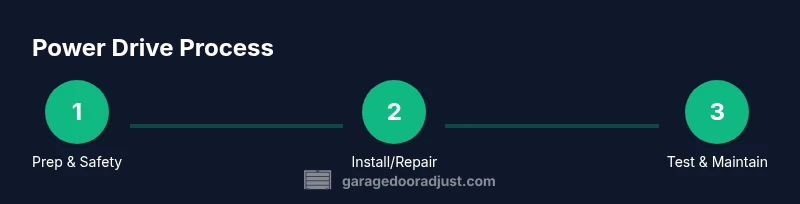
The following workflow emphasizes safety, clarity, and incremental checks. Start by verifying power is off and the door balance is healthy, then install or replace components in logical, reversible steps. Testing after each major action minimizes risk and helps you identify issues early. When in doubt, pause, reassess, and consult the manufacturer’s manual for model-specific details. A careful approach reduces the chance of misalignment or injury.
Wiring, Sensors, and Safety Devices: Alignment Matters
Sensors that prevent the door from closing on an obstacle are essential safety features. After any wiring changes or motor work, recheck the photoelectric sensors’ alignment and path of the infrared beam. Ensure that both sensors face each other directly across the opening and that no misalignment or dirt blocks the beam. Additionally, confirm the door’s travel limits and force settings are appropriate for your door weight and height. Small misadjustments here can lead to inconsistent stopping or unexpected reversals.
Remotes, Keypads, and Pairing: Getting Everything Synced
Program your remotes and keyless entry pad according to the Chamberlain Power Drive model you use. Typically, you’ll press a learn/pairing button on the opener while you hold the remote until a light confirms pairing. If you’ve replaced sensors or re-wired the control circuit, re-syncing remotes ensures you don’t encounter intermittent signals or security-code issues. Keep a log of paired devices and their entry codes in a safe place.
Maintenance and Longevity: Proactive Care You Can Do
Regular maintenance extends the life of your Chamberlain Power Drive opener. Lubricate moving parts like rollers and tracks every 6–12 months with a light silicone-based lubricant, wipe down the rail to remove dust, and check mounting screws for tightness. Inspect the door balance by releasing the opener and lifting the door manually; it should stay in place when roughly halfway raised. If it sags or binds, repair or balance the door before re-engaging the opener.
Troubleshooting Quick Fixes: When to Try at Home and When to Call a Pro
Some issues respond well to quick quizzes of the basics: if the door is slow, clean, and partially lubricated, it may flow more smoothly after a gentle lubrication cycle. If the opener’s lights flash in a pattern, refer to the user manual for the meaning of the codes. However, if you encounter frayed wiring, burnt smells, or severe misalignment, stop immediately and contact a professional. For anything involving door balance, springs, or heavy mechanical components, professional service is strongly advised.
Tools & Materials
- Cordless drill (18V recommended)(Battery charged; extra bit set handy)
- Flat-head and Phillips screwdrivers(Variety of sizes; keep magnetic tip if possible)
- Wrench set (6- to 15-mm)(Have adjustable wrench as backup)
- Stepladder (6 ft or taller)(Stable surface; have a helper hold the base)
- Tape measure(For rail and track alignment checks)
- Safety glasses(Protect eyes from debris and snapping components)
- Duct tape or painter’s tape(Label wires and mark positions)
- Silicone-based lubricant(Avoid heavy grease; use sparingly on rollers and rails)
- Wire nuts and electrical tape(For safe splices if you modify wiring)
- Multimeter (optional)(Useful for checking voltage on control circuits)
- Owner’s manual or model-specific guide(Model details and limit settings vary)
Steps
Estimated time: 90-150 minutes
- 1
Disconnect power and secure the workspace
Turn off power at the circuit, unplug the opener, and release tension on the door with the manual release if needed. Verify no movement is possible before touching any components. This prevents accidental door movement that could cause injury.
Tip: Double-check the wall control and surge strip to ensure no residual power remains. - 2
Inspect door balance and track alignment
Manually lift the door about halfway; it should stay steady. If it drops or drags, balance the door or call a professional. Inspect tracks for obstructions, dents, or loose screws; tighten or replace as needed.
Tip: Use a friend to help lift and hold the door during inspection to stay safe. - 3
Mount or reattach the Power Drive unit
Secure the opener to the ceiling joists according to the manufacturer’s mounting pattern. Ensure the rail is level and the opener’s framework is firmly attached to prevent wobble.
Tip: Avoid over-tightening screws; use washers if mounting uneven surfaces. - 4
Attach the rail, belt/chain, and trolley
Install or replace the rail and attach the drive belt or chain to the trolley. Check for proper alignment with the door’s travel path and ensure there’s smooth clearance at every joint.
Tip: Lubricate the rails lightly after assembly; avoid lubricants on plastic gears unless specified. - 5
Reconnect safety sensors and wiring
Reconnect the photoelectric sensors and any safety devices. Test the sensors by placing an object in front of the beam to confirm the door stops as intended.
Tip: Make sure sensor faces are clean and free from obstructions. - 6
Program remotes and keypad
Use the learn button to pair remotes and keypads. Hold the remote near the opener and watch for the confirmation light. Document each paired device for future reference.
Tip: If pairing fails, reset the opener’s memory and retry following the manual. - 7
Set travel limits and force settings
Adjust the travel limits so the door fully opens and closes without binding. Set force to the minimum required to prevent strain on components and improve safety.
Tip: Test with the door at various heights to ensure balanced operation. - 8
Test operation and safety features
Run several opening and closing cycles with the door under no load, then with a light load if applicable. Confirm the door reverses on obstacle detection and that the auto-reverse feature works correctly.
Tip: Record several test results; note any abnormal noises or delays.
Got Questions?
Do I need to replace the entire power drive unit or can I patch a component?
Many issues can be resolved by replacing a faulty sensor, belt, or motor mount rather than the whole unit. Evaluate the cost and risk; for older units, replacement may offer better reliability and warranty options.
Often you can replace parts like sensors or belts instead of the whole unit, but consider replacement for age or multiple failures.
What safety features should I verify after installation?
Test auto-reverse, hold-here-to-stop, and safety sensor alignment. Make sure photoelectric sensors are clean and aligned, and that the door reverses when an object blocks its path.
Make sure the door reverses on contact and the safety sensors are clean and aligned.
How do I program remotes for the Chamberlain Power Drive?
Use the learn button on the opener while holding the remote nearby until the LED blinks. Repeat for additional remotes and keypads, then test each one.
Press the learn button, hold the remote until the light blinks, then test the remote.
Why is my door reversing or not stopping at the floor?
Those symptoms often point to misadjusted travel limits, safety sensor misalignment, or a dirty floor path. Re-check limits and sensors, then test again.
Re-check the travel limits and safety sensors; misalignment can cause reversing.
Is it safe to DIY install a power drive opener?
DIY can be safe for basic tasks with proper safety steps and adherence to the manual. If you encounter heavy components, springs, or wiring, hire a professional.
DIY is possible for simple tasks, but call a pro for springs or heavy wiring.
How often should I lubricate garage door components?
Lubricate moving parts such as rollers and hinges every 6–12 months, or more often in harsh climates. Wipe away excess lubricant to avoid dirt buildup.
Lubricate yearly to every other year depending on climate; wipe off excess.
Watch Video
Quick Summary
- Respect safety: always cut power before work.
- Balance and alignment prevent future problems.
- Follow the manual for model-specific settings and codes.
- Test thoroughly after each major step.
- Regular maintenance extends life and reliability.