Replace Garage Door Remote: A Practical Step-by-Step Guide
This practical guide walks homeowners through replacing a garage door remote: verify compatibility, program the new remote to your opener, and test for reliable operation. Includes tips, safety notes, and troubleshooting for a DIY-friendly upgrade.


With this guide you will replace a garage door remote and restore reliable access to your garage. You’ll confirm compatibility, gather the right remote, program it to your opener, and test both inside and outside the door. The steps cover common issues, security considerations, and quick troubleshooting tips for a smooth, DIY-friendly replacement.
Why replacing a garage door remote can be worth it
According to GarageDoorAdjust, replacing a garage door remote is a smart move when the original remote is lost, damaged, the battery is dead, or when you upgrade to a more secure or feature-rich model. A replacement remote can save you the trouble of climbing to the wall-mounted button or dealing with a neighbor’s inconsistent entry. In many homes, a functioning remote improves daily convenience and reduces the risk of exposure to the elements during cold mornings. By upgrading to a newer remote, you may also gain enhanced security features such as rolling codes or multi-button controls that reduce the chance of unauthorized entry. If you’re the type who travels or frequently forgets things, a new remote can become a small but meaningful boost to overall household efficiency. The decision often comes down to reliability, ease of use, and the cost relative to a full opener replacement. Consider how often you use the door and whether the current remote fails during peak hours.
How a garage door remote communicates with your opener
A garage door remote sends a radio frequency (RF) signal to the opener’s receiver. The remote and the opener establish a code during programming, typically a fixed code or rolling code system. When you press the remote button, the opener compares the received code with the one programmed into its memory. If they match, the door motor engages and the door starts to move. Modern systems often employ rolling codes to prevent code capture by nearby devices. Power and battery condition affect range and reliability, so if the remote is weak, the signal may not reach the opener from the far end of the driveway. Understanding this handshake helps you troubleshoot issues more effectively and guides your choice when buying a replacement.
Choosing the right replacement remote
Compatibility is the first consideration. You need a remote that matches your opener’s frequency and the coding system it uses (fixed vs rolling codes). The easiest path is to purchase a replacement remote designed for your opener brand, model, and frequency. If you’re unsure, check the opener’s manual, inside the wall control unit, or the label on the original remote for model numbers. Some universal remotes can work with multiple brands if they support the same frequency and code type, but you’ll still need to follow the pairing steps precisely. Another factor is the number of buttons and features you want; some remotes offer extra controls for gate access or garage-light automation. Finally, verify returns and warranty terms in case the remote doesn’t pair after purchase.
Before you buy: confirm compatibility and features
Gather essential information before purchasing a replacement remote. Locate the model number on the opener or remote itself, note the frequency (often indicated on a label), and identify whether your system uses rolling codes or fixed codes. If you have a newer, internet-connected opener, you may have the option to program via a smartphone app or a companion hand-held controller. Consider whether you want a single-remote solution or a multi-button remote that can control additional devices. Review the manufacturer’s compatibility list and read customer reviews for real-world pairing success. If your opener is several years old, you may want to replace the receiver in the opener as part of an upgrade, but that is usually unnecessary for a simple remote replacement.
Common symptoms that indicate replacement is needed
A replacement remote becomes necessary when the old unit no longer programs correctly, or the range becomes unreliable. Signs include persistent failure to program, intermittent operation, rapid battery drain, a missing or worn-out case, and a frequently blinking LED during attempts to pair. If you hear a click from the opener but there is no door movement, or the remote works only from very close proximity, it’s a strong hint that the remote’s electronics or battery are failing. In some cases, you may also notice an increase in false triggers caused by signal interference, which is a signal that the remote should be replaced or a different frequency chosen. If you inherit a used home, ensure the remote hasn’t been paired with a different system that could cause conflicts.
Safety, security, and privacy considerations
Protect your home by understanding the security implications of remote replacement. GarageDoorAdjust analysis shows that weak or unpaired remotes can leave doors vulnerable to unauthorized access. When you replace or reprogram a remote, ensure you only pair it with your current opener and reset any older remotes. Do not share the new remote with guests or service people without reprogramming after they leave. Store batteries securely and dispose of old ones properly. Keep your opener’s learning sequence as short as possible to minimize the risk of accidental pairing with nearby devices. If you suspect your system has been compromised, contact the manufacturer for reset procedures.
Budgeting and cost expectations
Replacement remotes generally fall into a modest price range, with budget models offering basic functionality and higher-end remotes delivering additional buttons or smart features. Expect to pay more for remotes designed to work with advanced rolling-code openers or those that integrate with hubs or smart-home ecosystems. Compare prices across reputable retailers and verify compatibility before purchasing. Remember that buying an officially branded remote for your opener is often the simplest approach and reduces the likelihood of post-purchase pairing issues. If you’re on a tight budget, look for promotions or bundles that include a spare battery and a basic case to protect the remote from moisture and impact.
Maintenance after replacement and long-term care
After replacement, keep the remote clean and dry, and inspect the case for cracks that could expose the internal components. Periodically test the remote’s range and battery health, and replace the battery at the first sign of reduced performance. Reprogram the remote if you replace the opener or perform significant maintenance on the system. Maintain a small log of the remote model, pairing date, and the opener model for future reference. By adopting a light maintenance routine, you can maximize the lifespan of the replacement remote and minimize repeat issues.
Authority sources
- https://www.cpsc.gov/
- https://www.ftc.gov/
- https://www.osha.gov/
Note: These references provide general safety, consumer protection, and best-practice guidance relevant to home hardware updates and security considerations. Always refer to your specific opener manual for model-specific instructions.
Tools & Materials
- Compatible replacement remote(Must match your opener brand, model, and frequency or rolling-code standard)
- CR2032 coin cell battery(Bring a fresh battery for testing and operation)
- Phillips head screwdriver(Small size to access remote housing if needed)
- Opener manual or model label(Helpful for verifying compatibility and programming steps)
- Notebook or smartphone to log model and pairing details(Record the replacement remote model, frequency, and pairing date)
Steps
Estimated time: 30-60 minutes
- 1
Identify compatibility
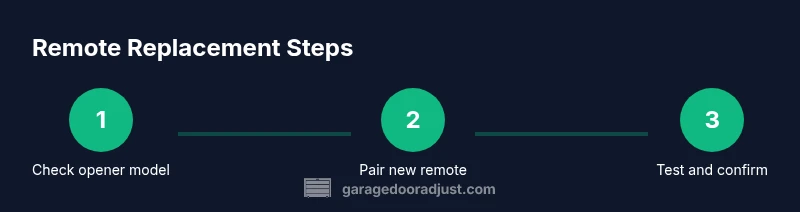
Check the opener model and the original remote to confirm frequency and code type (fixed vs rolling). Note the model numbers, and verify that the replacement remote supports the same communication protocol.
Tip: Bring the old remote and the opener manual when shopping to avoid compatibility issues. - 2
Acquire the correct remote
Purchase a replacement remote that explicitly lists compatibility with your opener brand and model. If you’re unsure, contact the manufacturer or a reputable retailer for guidance.
Tip: Ask about return policy if the remote won’t pair after purchase. - 3
Prepare the opener for programming
Locate the Learn button on the opener (usually near the light lens or on the back of the unit). Ensure the opener is powered and there is a fresh battery in the remote.
Tip: Power down the opener briefly if you’ll be performing extensive resets. - 4
Program the new remote
Press and release the Learn button on the opener, then within 30 seconds press and hold the remote button you wish to program until the indicator light blinks or you hear a confirmation beep.
Tip: If the light doesn’t respond, repeat the Learn button step and ensure the remote’s battery is new. - 5
Test the remote range
Test from inside the garage and from outside at various distances to ensure consistent operation and reliable opening/closing.
Tip: Test from the furthest practical distance and at different angles for a robust check. - 6
Troubleshoot or reattempt
If pairing fails, verify you are using the correct remote and try again from the start. Consider resetting the opener or consulting the manual for model-specific steps.
Tip: Document the pairing sequence and note any error indicators for future reference.
Got Questions?
Can I replace my garage door remote with a universal remote?
Yes, many universal remotes work with common openers if they support the same frequency and rolling code standard. You may need to program via the Learn button and match codes. Always verify compatibility before purchase.
Universal remotes can work if they match your opener’s frequency and coding. Check compatibility and follow the pairing steps carefully.
How long does it take to replace and program a new remote?
Most replacements take about 15 to 30 minutes, depending on the model and your familiarity with the steps. Allow extra time for testing and potential resets.
Typically under thirty minutes, plus some extra time if you need to reset or troubleshoot.
Do I need to replace the receiver in the opener when replacing the remote?
Usually not. A compatible remote should pair with the existing receiver. If pairing consistently fails, the receiver may be at fault and require service.
Most of the time you don’t need to replace the receiver. If pairing fails repeatedly, check the receiver.
What if the new remote’s battery dies quickly after replacement?
Install a fresh battery and re-test. If the problem persists, check for a weak signal or a faulty remote. Some models require a full reprogram after battery replacement.
Try a fresh battery first and re-test. If it continues, verify compatibility or consider a different remote.
Why won’t my new remote program?
Ensure you’re following the exact sequence for your opener model, confirm the Learn button procedure, and verify remote compatibility. Consult the manual or manufacturer if problems persist.
Make sure you’re using the right steps for your model and that the remote is compatible. Check the manual for help.
Is it safe to share my remote with others?
Reprogram after sharing; avoid leaving a single remote active for multiple households. For best security, re-pair the remote after guests leave and store spare devices securely.
Yes, but reprogram after sharing and only keep trusted remotes active.
Watch Video
Quick Summary
- Confirm compatibility before purchasing a replacement remote
- Use the opener’s Learn button to pair the new remote
- Test range and reliability across multiple positions
- Keep records of model numbers and pairing dates
- Prioritize safety and security during programming