Remote for Garage Door: A Practical How-To Guide
Learn how to choose, program, and troubleshoot a remote for your garage door. This comprehensive guide covers compatibility, pairing steps, battery checks, range optimization, and security for reliable operation.


This guide will help you select the right remote for your garage door, confirm compatibility, and complete a safe, step-by-step pairing. You’ll also learn about battery checks, verifying range, and troubleshooting common issues like unresponsive remotes. By following these steps, homeowners can restore reliable remote control quickly and securely.
Understanding the remote for garage door
The remote you carry in your car or keep by the door is more than a convenience; it's the primary link to your opener. Most modern systems use rolling-code technology to prevent unauthorized access, yet compatibility depends on the opener brand, model, and frequency. According to GarageDoorAdjust, start by identifying your opener’s brand and model number on the unit itself or in the manual. The GarageDoorAdjust team found that mismatches between remotes and receivers are the leading cause of pairing failures, so verifying compatibility is worth the few minutes upfront. This ensures you buy a remote that works with your receiver and supports secure rolling codes. Time spent matching brands reduces frustration later.
Choosing the right remote and compatibility checks
When choosing a remote, consider the number of doors you want to operate, the type of code (rolling vs fixed), and the compatibility with your opener’s receiver. There are compact single-button remotes and multi-button models that control additional doors or lights. Rolling-code remotes are more secure and commonly supported by newer openers. Before buying, verify compatibility with your exact opener brand and model. Check if the remote uses the same frequency as your receiver (often 315 MHz or 390 MHz) and whether the receiver supports the type of code used. If you’re unsure, consult your manual or use GarageDoorAdjust's compatibility checklist. If you have a newer opener, you may also pair via a smartphone integration, but the physical remote remains the simplest fallback.
Step-by-Step Overview for pairing (high-level)
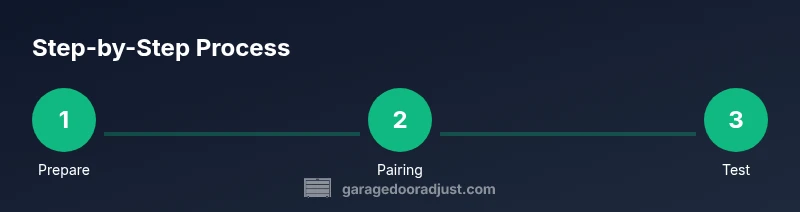
Pairing a remote with your opener is a quick, repeatable process once you know the exact steps for your model. The overview below covers common steps across brands: power down the opener momentarily, locate the learn/pair button on the receiver, set the remote to pairing mode, and test the control at the door. Some brands require you to hold the learn button for several seconds, while others use a sequence of button presses on the remote. Always refer to your model’s manual for brand-specific details. The following STEP-BY-STEP section gives exact actions and timings you can follow safely.
Battery maintenance and range optimization
Battery health directly affects range and reliability. Most remotes use standard batteries (coin cells) or replaceable AA/AAA cells. Inspect the battery type listed on the back of the remote and replace when the range noticeably drops or the LED indicator weakens. Store remotes away from metal objects that can interfere with signals. If you have trouble reaching the opener, try testing from a known-good distance and note if obstacles reduce range. Keeping a spare battery on hand avoids delays during a mid-day session.
Troubleshooting common pairing issues
Symptom: remote won’t trigger the opener. Action: check battery, confirm compatibility, re-pair using the steps for your model. Symptom: intermittent operation or slow response. Action: ensure no metal clutter or large devices near the receiver; test the remote in direct line of sight. Symptom: LED blinks but opener doesn't respond. Action: verify that you are within the pairing window and that the receiver isn't locked to another remote. If all else fails, consult the manual.
Safety, security, and maintenance practices
Always disconnect power when opening the receiver area for maintenance. Use rolling-code remotes to minimize risk; do not share codes publicly; store spare remotes in a secure location away from children. After successful pairing, test the auto-reverse safety features by lightly obstructing the door to ensure it stops. Regularly inspect the antenna and receiver wiring for signs of wear, and replace components that appear damaged or corroded.
Tools & Materials
- Universal garage door remote(Choose a model compatible with your opener brand and model.)
- Batteries (as specified by remote)(Use the correct type (e.g., coin cell, AA/AAA) as listed.)
- Screwdriver set(Phillips #2 is common for remotes; include a flathead if needed.)
- Low-voltage tester or multimeter(Optional for verifying wiring in older receivers.)
- Paper and pen(Label remotes and record pairing data for future reference.)
Steps
Estimated time: 30-60 minutes
- 1
Prepare the opener and remote
Power off the garage door opener at the main breaker or disconnect switch to prevent any motion during work. Remove the remote from your car if you typically leave it in the vehicle. Confirm the remote is compatible with your opener brand and model before starting the pairing process.
Tip: Double-check model compatibility to avoid wasted steps. - 2
Open the remote case
Use a small screwdriver to gently pry open the remote casing. Remove the battery cover to access the pairing terminals or circuit board if required by your model. Keep the screws in a labeled container for easy reassembly.
Tip: Handle the circuit board by the edges to avoid damage. - 3
Locate the learn/pair button on the receiver
Find the learn or pairing button on the garage door opener receiver, usually on the back or side of the unit. Some models require you to power the unit back on first. If your receiver has a transparent LED, it may indicate pairing status.
Tip: Consult your manual for the exact location; locations vary by brand. - 4
Put the remote into pairing mode
With the remote open, press and hold its button until the status LED blinks or a confirmation tone sounds. Some models require you to press a sequence of buttons; follow your manual precisely. If the LED stays solid, you may need to re-check battery placement.
Tip: Don’t release the button too early; timing matters for some models. - 5
Complete the pairing and test
Press the remote button and observe the opener’s response. If it triggers, proceed to test from multiple positions and at different angles to ensure reliable range. Reassemble the remote casing and store the remote with its label.
Tip: Test with the door in both open and closed positions to confirm reliability. - 6
Document and secure
Record the remote’s model, pairing date, and any notes about the opener. If you have multiple remotes, repeat the steps for each one and label them for easy identification in the future.
Tip: Keep a spare battery on hand near the remotes.
Got Questions?
Can I program multiple remotes to the same garage door opener?
Yes. Most openers support more than one remote. Repeat the pairing steps for each remote and label them to prevent confusion.
Most openers support multiple remotes. You can pair each remote by repeating the steps and labeling them.
What if my remote won’t pair after following the steps?
Check the battery, verify compatibility, and ensure you’re within the pairing window. If needed, reset the opener and try again from the start.
If it won't pair, check the battery and compatibility, then retry within the pairing window.
How do I know if my remote uses rolling-code or fixed-code?
Refer to the opener’s manual or specs. Rolling-code remotes are common on newer systems and require a dynamic code exchange with the receiver.
Check the manual for rolling-code support; newer openers usually require it.
Is it safe to program a remote while I’m in the car?
Yes, as long as you can reach the remote and keep the vehicle stationary. For safety, avoid parking in the driveway where the door could descend unexpectedly.
You can program from your car if you stay safe and stationary.
What should I do if the battery dies and I have no spare?
Replace with the correct battery type and keep a spare on hand for future use. If you’re away from a store, consider using a temporary backup remote if available.
If you’re without a spare battery, replace with the correct type and keep a spare handy next time.
Watch Video
Quick Summary
- Verify opener-brand compatibility before buying a remote.
- Follow brand-specific pairing steps for reliable results.
- Test range in multiple positions and document each remote.
- Maintain fresh batteries to prevent loss of range.