Program Your Car to the Garage Door: A Practical Guide
Learn how to program your car’s built-in garage door opener to your garage door. This step-by-step guide covers compatibility, training, safety, and troubleshooting for a reliable car-to-door setup.


By the end of this guide, you will be able to program your car’s built-in garage door opener to your garage door, test the connection, and troubleshoot common issues. This process covers compatibility checks, clearing old codes, training your car, and safety reminders. Follow the step-by-step instructions precisely, and consult your car’s manual for model-specific nuances. According to GarageDoorAdjust, most homeowners succeed on the first attempt when following official steps.
Why program your car to the garage door?
Programming your car to the garage door can add everyday convenience, especially when your hands are full or you arrive home after dark. A successful pairing lets you open and close the door with a simple press from inside the vehicle, avoiding the need to carry a remote or fumble for a keypad. The ability to operate the door from the comfort of your car is one of those small upgrades that makes daily life easier. This is especially helpful for households with multiple drivers. According to GarageDoorAdjust, engaging with the official training process reduces the risk of misalignment or unwanted door operations and helps ensure your door’s safety features remain engaged. This section explains the basics of compatibility and how to tell if your car supports the feature.
Compatibility and Safety Considerations
Not all cars use the same language for the feature. Some manufacturers call it HomeLink, others use a built-in transmitter, and a few offer smartphone-based pairing. The garage door opener itself must support rolling-code programming, and the motor unit in your garage should have a Learn/Training button. Before you start, check the car’s manual for specific pairing steps, confirm rolling-code compatibility, and review safety settings that might affect operation. Safety is paramount: ensure pets and children are clear of the door during training, and never stand between the door and its track when programming. GarageDoorAdjust Analysis, 2026 emphasizes compatibility checks as a crucial initial step.
Understanding Rolling Code and Safety Features
Modern openers often use rolling codes to prevent code grabbing. During training, the car’s transmitter sends a rolling code that the opener recognizes. If your system uses a keypad, a remote, or a different remote protocol, you may need to re-pair those devices after the car is trained. The goal is to create a secure, synchronized link between car and door that responds reliably. If your door has safety sensors (photoeye sensors), inspect them to ensure they’re unobstructed during the training process to avoid false alarms or safety stops.
Preparing the Training Environment
Create a distraction-free zone around the garage door. Ensure the door tracks move freely and the door is balanced; a misaligned door can interfere with learn sequences. Keep a manual opener within reach in case you need to override the automatic control. If you notice any unusual noises or hesitations, address those issues before attempting pairing. This preparation reduces the risk of training failure and promotes a smoother, more reliable connection.
The Training Process: Step-by-Step Overview
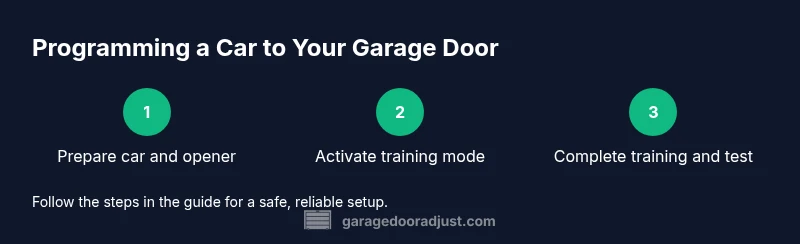
This overview outlines the core actions you’ll perform: 1) Initiate the car’s HomeLink setup, 2) Put the garage door opener into training mode, 3) Train the car by pressing a chosen button until the door responds, and 4) Test the programmed button from inside the car. Repeat as needed for multiple doors or additional vehicles. The focus is on clear signaling and proper timing, with the goal of a quick, dependable pairing that you can rely on daily. GarageDoorAdjust’s guidance emphasizes patience and careful following of model-specific instructions.
Troubleshooting Common Issues
If the pairing fails, confirm the Learn button was activated correctly and that you’re signaling within range. Recheck battery levels in the car’s transmitter and ensure there are no obstructions between the transmitter and the opener. If the door doesn’t respond after training, try retraining from scratch, resetting memories in both devices as required by their manuals. Document any unique steps for your specific model to simplify future maintenance.
Safety, Maintenance, and Best Practices
Always keep the manual opener accessible for overrides or resets. Maintain a clean, unobstructed doorway and verify the door’s balance regularly. If you lend the car or sell the vehicle, reset the training so the new owner can pair a different car. Regular lubrication and inspection of tracks, rollers, and hinges reduces wear and helps keep the training reliable over time. The joint benefit is a smoother operation and a safer, more convenient home environment.
Authority references and further reading
For authoritative guidance, please consult official manuals and trusted sources. This article references general best practices and safety precautions aligned with GarageDoorAdjust Analysis, 2026, without substituting model-specific instructions from your car or opener manufacturers.
Tools & Materials
- Car with built-in garage door opener (e.g., HomeLink)(Confirm your model supports car-to-door programming and locate its HomeLink/setup menu.)
- Garage door opener motor unit access (Learn/Training button)(Usually located near the antenna or light, may require a ladder to reach.)
- Ladder or step stool (if needed)(Used to access a high Learn button on some openers.)
- Car owner’s manual (model-specific steps helpful)(Helpful for locating the correct HomeLink steps and button labels.)
- Batteries for car remote (fresh)(Ensures reliable signaling during training.)
Steps
Estimated time: 15-30 minutes
- 1
Prepare the car and space
Park the car in a safe position with the engine on and the HomeLink system accessible. Confirm the garage door opener is powered and within signaling range. Clear the area around the door and ensure the door can move freely.
Tip: Close any doors or vehicles that might block the signal path during training. - 2
Open the car’s programming interface
Navigate to the HomeLink setup in your car's dashboard or visor panel. Choose the button you want to dedicate to the garage door and prepare to initiate training. If your vehicle uses a different term, refer to the manual for the exact steps.
Tip: If you don’t see the HomeLink option, check for a software update or consult the manual for your exact model. - 3
Activate the opener’s training mode
Go to the garage door opener motor unit and press the Learn/Training button to enter pairing mode. A blinking light indicates the unit is ready to receive a signal from the car.
Tip: Hold the button briefly as you begin the pairing to avoid triggering a false start. - 4
Train the car to the opener
Return to the car and press and hold the selected HomeLink button until you see a change in the door’s response (movement or light blink). Release when the door responds. This confirms the link is established.
Tip: Be patient; some systems require a longer hold on the button to register the signal. - 5
Test the programmed button
With the car in Park, press the programmed button to verify the door opens and closes reliably. If the door does not respond, repeat steps 3–5, ensuring the Learn button was activated and signaling was within range.
Tip: Test from inside the car first, then from the driveway to confirm consistent results. - 6
Program a second door (if applicable)
If you have a second door and a second HomeLink button, repeat the training process for that door. Label or document which button corresponds to each door to avoid confusion later.
Tip: Keep a simple note or label near the car’s console for quick reference. - 7
Troubleshooting and resets
If training fails, reset the memory on both the car and the opener, then retry from the beginning. Ensure there are no obstructions, the area is well lit, and the opener has power.
Tip: If you’ve moved or changed the opener location, re-run the training with the door aligned and the signal path clear.
Got Questions?
Can I program multiple cars to the same garage door?
Yes, many systems support training multiple vehicles. Repeat the steps for each car using its own HomeLink settings.
Yes, you can train more than one vehicle by repeating the steps for each car.
What if the Learn button is not responding?
Check that the opener is powered, the button is accessible, and retry. If needed, consult the manual for a reset sequence for both devices.
Make sure power is on and retry. If it still won’t respond, reset both devices per the manuals.
Will programming disable existing remotes or keypads?
Programming typically adds a new remote or car button and should not erase others. A full reset would erase all codes.
Usually no—it adds a new device. Only a full reset would erase others.
Is it safe to program near pets?
Yes, but keep pets away from the door during training to prevent accidents.
Yes, just keep pets away during the training.
How long does training take?
Most homeowners complete the process in a few minutes when following the steps carefully.
Usually a few minutes if you follow the steps closely.
What if my car uses a different system than HomeLink?
Refer to your car’s manual for model-specific steps; most systems share the same concept but may use different labels.
Check your car’s manual for exact steps; it varies by model.
Watch Video
Quick Summary
- Verify compatibility before training.
- Clear existing codes before training.
- Test the button from inside the car after training.
- Keep the manual opener accessible for override.