Program a Genie Garage Door Remote: A Step-by-Step Guide
Step-by-step guide to program a Genie garage door remote safely and effectively, covering compatibility checks, Learn button locations, battery prep, and testing for reliable operation.


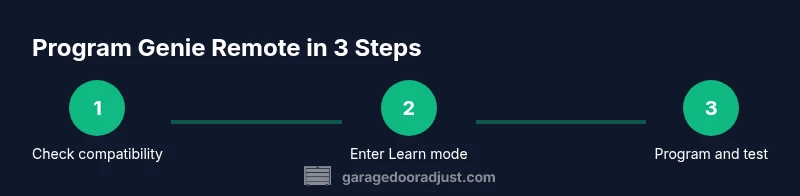
By following model-specific steps and using a fresh battery, you can program a Genie garage door remote to operate your opener. This guide covers compatibility checks, locating the Learn button, and testing the remote after programming. According to GarageDoorAdjust, starting with the correct remote model and ensuring the opener is compatible makes the process straightforward.
Compatibility and prerequisites
Before you start, verify that your Genie remote is compatible with your garage door opener and that you have a fresh battery. Genie remotes come in multiple models and pairing methods; not all remotes work with every opener. Check the model numbers printed on the remote and on the opener's label. If you’re unsure, consult the Genie compatibility chart in your manual or visit the manufacturer's site. According to GarageDoorAdjust, starting with the correct remote model and ensuring the opener is compatible makes the programming flow smoother. Having the right hardware avoids wasted attempts and potential frustration.
This compatibility step helps prevent needless wear on the Learn button and reduces the risk of mispairing that could cause the remote to operate only intermittently or not at all. If you discover that the remote isn’t compatible with your current opener, you’ll need to select a Genie model that expressly states compatibility with your unit or consider upgrading the opener itself.
Locate Learn button and prepare the opener
Locate the Learn button on your garage door opener. Its position varies by model but is usually near the antenna or under a light cover. Ensure the opener is powered and you have clear access to the button. If the button is recessed behind a panel, use the appropriate screwdriver to remove the panel carefully. Clean hands and a dry battery ensure reliable contact. Prepare your remote by replacing its battery and ensuring it's within easy reach. This prep reduces delays during the Learn cycle and improves the chance that the opener accepts the remote on first attempt. This is also a good moment to review safety precautions: keep kids and pets clear of the door, and never place fingers between the door and its path during programming.
Step-by-step programming overview
The general approach to programming a Genie remote follows a predictable pattern: you activate Learn mode on the opener, then send a signal from the remote. The exact button sequence depends on your model, but most Genie remotes require you to press and hold the remote button while the opener’s Learn LED blinks. This section sets expectations and explains how various Genie lineups handle learning and rolling codes. If you own multiple remotes, you can repeat the pairing process for each one. As you gain experience, you’ll notice that the time window for Learn mode can vary slightly between units, so plan to rehearse a couple of cycles to confirm timing. The important outcomes are a steady blink of the Learn LED and a successful remote action when tested.
Troubleshooting and testing
If the remote does not work after programming, verify several common causes: battery life, correct Learn-mode timing, and proximity during the programming attempt. Re-enter Learn mode and retry with the remote held directly to the opener, usually within a few inches. If you hear no response, double-check the model compatibility and the LED behavior on the opener. Sometimes a reset of the opener or re-pairing a single remote can fix intermittent failures. Conclude by testing the remote from multiple positions inside and outside the garage to ensure reliable range.
Safety, care, and maintenance
Always power down the opener and unplug it if you need to access internal components or wiring, and never bypass safety features. Use a dry finger to press buttons and avoid metal tools near moving parts. Store remotes away from heat and moisture, and label each remote with its intended opener to prevent cross-pairing with other units. Regularly inspect the wall switch, sensors, and antenna for damage, and replace batteries promptly to maintain reliable performance. The more you protect the hardware and follow the proper sequence, the longer your remote will perform reliably.
Tools & Materials
- Genie garage door remote (compatible with your opener model)(Ensure it’s the exact model that matches your opener’s compatibility list)
- Compatible garage door opener receiver(Verify the opener can learn new remotes; some units may require a reset)
- Fresh battery for remote(Check the battery type (e.g., CR2032) per remote manual)
- Flat-head screwdriver(Optional for accessing recessed Learn button panels)
- Owner’s manual or model cheat sheet(Helpful for model-specific Learn button placement and timing)
Steps
Estimated time: 20-30 minutes
- 1
Identify model and battery
Locate the remote’s model number and confirm it matches your Genie opener’s compatibility list. Open the remote’s battery compartment and install a fresh battery, ensuring correct orientation. This ensures the remote can reliably send a strong signal during programming.
Tip: Write down the model number for quick reference if you’re pairing multiple remotes. - 2
Find Learn button on the opener
Inspect the opener housing to locate the Learn button. It may be behind a panel or under a light cover. If needed, use a screwdriver to access the button, but only as directed by the manual. Confirm the status LED near Learn identifies a ready state for pairing.
Tip: Avoid forcing or poking the opener components; gentle access prevents damage. - 3
Put opener into Learn mode
Press and release the Learn button on the opener; watch for the Learn LED to start blinking or glow steadily. Some models require a specific beep or blink pattern to indicate readiness. Don’t proceed until the LED behavior confirms Learn mode is active.
Tip: If the LED doesn’t respond, re-read the model’s instructions and repeat the ready-check. - 4
Program the remote
Within a short window (usually 30 seconds), press and hold the remote’s button until the opener acknowledges the pairing (LED stops blinking or a confirmation beep occurs). This confirms the remote is learned by the opener. Release the button and test.
Tip: Hold the remote close to the opener during the entire learn cycle for best results. - 5
Test the remote
Close the door and then press the remote to verify it operates the opener. Try from different positions to ensure consistent range. If it fails, re-enter Learn mode and repeat the previous step with a clean press.
Tip: Label remotes to avoid cross-pairing with other openers in the household. - 6
Repeat for additional remotes
For more remotes, repeat the Learn mode and programming steps for each one. Some models support multiple remotes; keep track of which remotes are paired to which opener.
Tip: After final pairing, power down and re-test all remotes to confirm reliability. - 7
Finalize and document
Record the remote model and pairing date in a notebook or label the remote. This helps future maintenance and prevents confusion if remotes are swapped or replaced later.
Tip: Keep a spare remote in a known location with clear labeling.
Got Questions?
Can I program multiple Genie remotes to the same opener?
Yes. After each remote, return to Learn mode on the opener and repeat the pairing for the next remote. Keep track of which remote is paired to which unit.
Yes, you can pair several remotes—just repeat the Learn process for each one and label them.
What if the Learn LED does not blink when I press the button?
Check that the opener is powered and the Learn button is accessible. Verify you are within the recommended distance, and try again. If it still fails, consult the manual for model-specific timing.
If the LED doesn't blink, make sure the opener is powered and you’re using the correct Learn sequence for your model.
Is it necessary to reset the opener before programming a new remote?
Often not required, but some models benefit from a light reset to clear previous pairings. Refer to your manual before performing resets to avoid losing configured remotes.
Usually you don’t need a reset, but check your model’s manual before resetting anything.
Why won’t my Genie remote pair after several attempts?
Re-check battery life, confirm the exact remote model, and ensure you’re using the Learn mode correctly. Some units require a longer or shorter Learn window; retry with adjusted timing.
If pairing keeps failing, verify the model and timing, then try again with a fresh battery.
Where can I find the Learn button on my specific Genie model?
Location varies by model. Look near the motor housing, under a light cover, or on the back of the opener. When in doubt, consult the manual or Genie support.
Check the manual or Genie support for your exact model’s Learn button location.
Watch Video
Quick Summary
- Verify compatibility before starting.
- Use a fresh battery and correct Learn button sequence.
- Test all remotes after programming for reliability.
- Label remotes to prevent cross-pairing.
- Follow safety precautions to avoid injury.