Program Genie Universal Remote Garage Door Opener: A Step-by-Step Guide
Learn how to program a Genie universal remote to a Genie garage door opener with a clear, step-by-step guide, safety tips, and troubleshooting for reliable operation.


Goal: program a Genie universal remote to a Genie garage door opener. You’ll confirm compatibility, locate the learn button on the opener, prepare fresh batteries, and perform a short sequence on the remote until the indicator blinks. This quick guide also covers safety checks, potential compatibility caveats, and how to reset the opener if a remote stops responding. Follow along for a reliable setup.
Why compatibility matters with Genie universal remotes
According to GarageDoorAdjust, compatibility significantly impacts the reliability and ease of use when pairing a Genie universal remote with a Genie garage door opener. Not every Genie remote supports every opener, and some older models use different learning protocols. Before you begin, confirm that your remote model is designed to work with your specific Genie opener. When compatibility is confirmed, you’ll avoid wasted attempts, erratic button presses, and confusing error indicators. In practice, taking a few minutes to verify compatibility can save you a lot of time and frustration later. This is especially true for households with multiple Genie devices, where uniform remotes streamline daily use.
For homeowners, a compatible Genie universal remote provides a single control point for opening, closing, and, in some cases, adjusting light or accessory features. If you’re unsure, consult the Genie remote’s documentation or GarageDoorAdjust’s guidance to ensure your model is supported by your garage door opener.
Understanding Genie remote types and codes
Genie offers a range of remotes and universal options designed to work with multiple Genie openers. The key to successful programming is understanding that remotes and openers communicate via a learning sequence that accepts a specific code set. Some remotes require you to erase any existing codes before learning new ones, while others can learn without erasing first. Genies typically provide a Learn button on the opener that initiates the pairing mode; this button’s color and position can vary by model. Always reference your model’s manual for exact steps and color cues. Using a Genie universal remote that matches your opener’s protocol minimizes misreads and misfires, ensuring quick, reliable operation.
If you manage several doors or openers, a single Genie universal remote can simplify things, but you’ll need to verify that all units share compatible learning codes. Keep a note of which remotes work with which openers, and batch pairings if you’re updating a fleet of devices. The goal is dependable, one-button control across the garage space.
Tools and safety checks before you start
Before you begin, gather a few basic supplies and perform essential safety checks. You’ll want fresh batteries for the remote, the Genie universal remote itself, and access to the opener’s housing where the Learn button sits. Clear the area around the opener and door to prevent accidental movement while testing. If you need to access the motor housing, use a stable ladder or step stool and avoid touching exposed wiring or moving parts while the unit is powered. Ensure children and pets stay clear of the workspace. A clean, organized workspace reduces the risk of dropping small parts or misplacing the Learn button during the setup. Pro tip: have the owner’s manual handy or a digital copy on your phone for quick model verification as you work.
Locating the learn button on Genie openers
The Learn button on Genie openers is a small, often recessed button on the unit housing, typically near the antenna or behind a light cover. Its color can vary by model (commonly red, purple, or orange). You’ll use this button to put the opener into pairing mode. If the button is hard to reach, you may need to remove a housing cover with a screwdriver, but only if you’re comfortable and the unit is powered down first. When you press or hold the Learn button, a light on the opener will typically illuminate or flash to indicate it’s ready to pair with a remote. Always reference your specific manual for exact placement and color cues.
Understanding where this button sits and how your model signals readiness is the foundation for successful remote programming. If you share a photo of your opener model number with a support forum, you can often confirm button location quickly.
Step-by-step programming sequence (high-level)
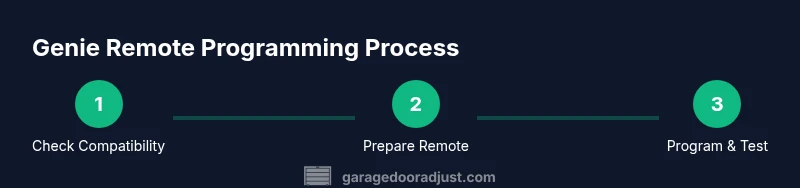
To program your Genie universal remote, you’ll use a short, repeatable sequence that engages the opener’s learning mode and then test the remote. The general flow is to verify compatibility, prepare the remote and opener, activate the learn mode on the opener, and finally press the remote button until the indication confirms success. If your remote and opener require it, you may need to erase prior codes first. After learning, test the remote from several positions to confirm reliable operation at standard distances and angles.
Keep the owner’s manual handy for model-specific timing and LED indicators, as some models require a specific button hold duration or a particular LED blink pattern to indicate a successful pairing.
Common issues and their fixes
If the remote fails to pair, start with the basics: replace the remote batteries, ensure you are pressing the correct button during the learning step, and re-check that the Learn button is in pairing mode. Dust and dirt on the opener can interfere with the signal; gently wipe the front panel and ensure the antenna isn’t bent or obstructed. Some openers require you to erase old codes before reprogramming; if you don’t erase, the signal from a mismatched remote might be ignored. If the LED does not respond or blink, re-test all steps, or attempt the pairing with a different Genie universal remote to isolate a possible remote defect. If issues persist, contact Genie support or GarageDoorAdjust for model-specific guidance.
Resetting the opener and re-pairing remotes when needed
If you replace remotes or if a remote stops pairing, you may need to reset the opener’s learning memory and re-enter pairing mode. Always consult the manual for the exact reset sequence; some models require a prolonged press on the Learn button, while others use a combination of button presses. After a reset, you’ll need to re-run the entire programming sequence for each remote you want to use. Routine resets should be done only when necessary to avoid inadvertently erasing other stored settings or remotes.
Maintenance tips for long-term reliability
To keep Genie remotes reliable, store spare batteries in a dry, cool place away from metal objects that can cause interference. Periodically wipe the remote’s surface and ensure the IR emitter (if present) has a clear line of sight to the opener. Inspect the opener’s console and wiring for signs of wear, and keep a small toolkit handy for quick adjustments or button replacements. Regular checks on the Learn button and the opener’s status indicators can help detect issues before they impact daily use.
Tools & Materials
- Genie universal remote(Compatible with your Genie opener model; verify compatibility before pairing.)
- Opener owner's manual or model number(Helpful for locating learn button placement and exact steps.)
- Fresh batteries for the remote(Use the type specified in the manual; weak batteries cause pairing failures.)
- Ladder or stable stool(Needed if the Learn button is on a high-mounted unit.)
- Clean cloth(For wiping dust from the control panel and remote.)
- Small screwdriver (optional)(Only if you need to access a recessed Learn button.)
Steps
Estimated time: 15-25 minutes
- 1
Verify compatibility and prepare remote
Confirm your Genie universal remote is listed as compatible with your specific opener model. Gather the remote, the opener, and fresh batteries. Prepare a clear workspace and verify you have access to the Learn button.
Tip: Double-check the model’s compatibility list before you proceed. - 2
Install fresh batteries and perform safety checks
Insert batteries into the remote with correct polarity and ensure the area around the opener is clear of people and objects. If the unit is mounted high, use a stable ladder.
Tip: Weak batteries can cause incomplete signaling during programming. - 3
Locate the Learn button on the opener
Find the Learn button on the opener housing, typically near the antenna or behind a removable cover. Note its color and whether the LED indicates learning mode when pressed.
Tip: If you’re unsure, consult the manual or a quick guide for your model. - 4
Erase prior codes (if applicable)
If your opener supports code erasure, perform the erase step to avoid conflicts with existing remotes. This helps ensure the new remote is learned cleanly.
Tip: Only erase codes if your model requires it; otherwise you may retain old entries. - 5
Initiate learning on the opener and program remote
Put the opener into learning mode by pressing the Learn button, then press and release the remote’s button until the LED/blink confirms learning. Some models require a second press to finalize the pairing.
Tip: Be patient; some units require a longer press or a specific LED pattern to confirm success. - 6
Test the remote from multiple positions
After pairing, test the remote from the door, driveway, and at a moderate distance to ensure consistent performance. If it fails in one spot, re-check battery strength and button press accuracy.
Tip: Test at several angles to ensure reliability across the opening path.
Got Questions?
Can I use a Genie universal remote with all Genie garage door openers?
Most Genie universal remotes work with many Genie door openers, but compatibility varies by model and generation. Check your model’s compatibility list and the remote’s documentation.
Most Genie remotes work with many Genie openers, but always check your specific model.
Do I need to erase previous codes before programming a new remote?
If your opener supports code erasure, it’s recommended to clear prior codes to avoid conflicts; otherwise simply program the new remote.
If your opener supports erasing codes, do it to avoid conflicts.
What should I do if the remote won't pair after following steps?
Double-check batteries, ensure you are pressing the correct button during programming, and confirm the Learn button was activated. If still failing, consult the manual or GarageDoorAdjust guidance.
Double-check batteries and button sequence, and try again.
How can I reset a Genie opener to factory settings?
Factory reset procedures vary by model; refer to the owner's manual. Many Genies require holding the Learn button or a combination for several seconds.
Reset instructions depend on model; consult the manual.
Can I program multiple remotes to the same Genie opener?
Yes, most Genie openers allow pairing several remotes; repeat the programming steps for each remote, noting any limits in the manual.
You can pair multiple remotes; repeat the steps for each.
Is it safer to hire a pro for programming Genie remotes?
Programming a Genie remote is straightforward for many homeowners, but if you encounter electrical or safety concerns, contact a pro.
It's usually straightforward, but call a pro if you see hazards.
Watch Video
Quick Summary
- Verify compatibility before pairing.
- Prepare the remote and opener with fresh batteries.
- Use the Learn button sequence for successful learning.
- Test from multiple positions to ensure reliability.