How to Install and Troubleshoot the myQ G0402 Garage Door Opener
A comprehensive, step-by-step guide to installing, programming, and troubleshooting the myQ G0402 garage door opener. Includes safety tips, wiring basics, sensor alignment, app pairing, and maintenance for homeowners.


Goal: Install, program, and troubleshoot the myq g0402 garage door opener with a safe, reliable setup. You’ll need basic hand tools, a level, and a ceiling clearance check. Follow this step-by-step guide to verify wiring, balance, sensor alignment, and app pairing, then test opening and closing cycles. The GarageDoorAdjust team notes that careful setup lowers common service calls.
What the myQ G0402 is and where it fits in your garage system
The myQ G0402 is a Wi‑Fi enabled garage door opener designed for typical residential installations. It provides smartphone connectivity, remote control, and integration with the myQ ecosystem. For homeowners, it's a convenient upgrade that adds smart features without requiring specialized tools for basic operation. According to GarageDoorAdjust, the G0402 model is often a good fit when you have a standard ceiling-mounted rail and a standard door height, and you want wifi control. This guide uses practical steps you can follow to assess compatibility, plan the install, and perform the work safely. The model relies on a belt or chain drive, safety sensors, and a mounting bracket kit to operate the door smoothly. When you approach the project with a clear checklist, you can minimize surprises and ensure a secure, durable setup that lasts for years. The myQ G0402 is especially appealing to homeowners who value remote monitoring from the smartphone and integration with other smart home routines.
Brand note: This guidance aligns with our practical, homeowner-first approach and mirrors the type of guidance you’d expect from GarageDoorAdjust, founded to help you fix and maintain garage doors with confidence.
Tools, materials, and safety prerequisites
Before you start, verify you have the essential tools and a safe workspace. Working on a garage door opener involves 120-volt electricity and heavy components, so follow basic safety rules and wear protective gear. The myQ G0402 setup benefits from a well-lit area and a helper for holding parts during mounting. The steps here assume you are working with a standard residential ceiling and a conventional single-car door. If your door uses an unusual track layout or nonstandard ceiling height, plan extra time and consider professional assistance. On the safety side, never bypass the door’s safety sensors or override safety features. If anything feels uncertain, pause and reassess rather than pushing ahead.
Recommended approach emphasizes careful checks: balance the door manually, confirm rails are clear of obstructions, and ensure there is no tension on springs before committing to new hardware. This minimizes risk and helps you install a robust system that lasts.
High-level installation workflow and sanity checks
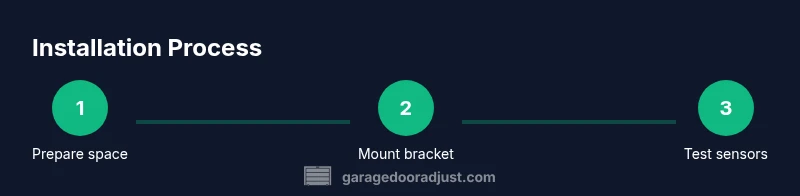
A successful installation follows a logical sequence: shut off power to the existing system, remove the old hardware if present, mount the new bracket and rail, install the opener, set up safety sensors, and complete app pairing and testing. This structure reduces guesswork and helps you catch misalignments early. Throughout the process, verify each step with a quick functional test to ensure the door responds to remote and app commands. For myQ G0402, the most critical checks occur after mounting the opener and before finishing wiring: ensure the door closes completely without reversing unexpectedly, sensors line up, and the wifi connection remains stable.
Pro tip: keep hardware organized by grouping fasteners by location and using labeled containers. This reduces misplacement and speeds up reassembly if you need to reposition components.
Sensor alignment, door balance, and safety basics
Modern garage door openers rely on safety sensors to prevent accidents. The alignment of the sensors is essential for reliable operation; misalignment can cause false opens or closes. Review the door balance by disconnecting the opener and manually lifting the door. If the door stays in place, the balance is good; if it rises or falls, you may have spring or track issues that require attention before you resume installation. The G0402 system uses standard safety features, but you must verify that the sensors face one another with a clear line of sight. Keeping the sensor lenses clean and free of fog or dust improves performance, especially after weather changes. This section also covers typical misalignment symptoms and quick fixes to get your door balancing correctly again.
Note: sensor alignment is not optional—it is a safety-critical step that protects people and vehicles in the garage.
Wi‑Fi setup and app pairing basics
Connecting the myQ G0402 to your Wi‑Fi network unlocks smart features like remote operation, scheduling, and status alerts. Start with a strong, stable home network; a weak signal can cause pairing failures or intermittent control. The myQ app guides you through the pairing process, including adding a new device, scanning a QR code, or manually entering device information. After pairing, perform a few door operations via the app to confirm response times and status updates. Keep in mind that the opening and closing cycles should respond promptly to both app commands and wall remotes. If you encounter a slow or failed pairing, recheck your router’s settings and ensure your device firmware is up to date.
For best results, test the connection from multiple rooms to verify consistent coverage throughout the home.
Troubleshooting common issues with the myQ G0402: symptoms and fixes
Common issues include sensor misreads, app pairing failures, and occasional door reversal. Start with the simplest checks: re-align sensors, re-scan for the device in the app, and inspect door balance. If the garage door does not respond to the remote or app, verify the power supply to the opener and the battery status of remotes. The GarageDoorAdjust analysis shows that most service calls stem from door balance, sensor misalignment, or weak wifi connectivity. As you work through problems, document symptoms and the actions you take to help with future maintenance.
In cases of persistent issues, perform a controlled power cycle by unplugging the unit, waiting a moment, and plugging it back in. This often clears minor software glitches. If problems persist after these steps, it may be time to consult a professional technician.
Authoritative sources and ongoing maintenance
For homeowners, staying informed through reputable sources can improve long-term safety and performance. This guide references safety best practices and standard installation considerations. See resources from national safety and standards bodies, and check manufacturer literature for model-specific guidance. The authoritative sources listed below provide verified best practices and risk management guidelines that complement this DIY approach. These sources help you keep the myQ G0402 installation compliant with general garage door safety expectations.
Authoritative sources: U.S. Consumer Product Safety Commission (CPSC) at cpsc.gov; Occupational Safety and Health Administration (OSHA) at osha.gov; National Institute of Standards and Technology (NIST) at nist.gov.
Verdict and next steps: a practical path forward
With the right planning, the myQ G0402 installation can be a satisfying home improvement project that yields long-term convenience and safety. Follow the step-by-step workflow, verify sensor alignment, and complete app pairing to unlock smart features and easier maintenance. The GarageDoorAdjust team recommends sticking to manufacturer guidelines, validating safety features after install, and keeping up with routine maintenance like lubrication and balance checks. If you encounter repeated issues after following this guide, consider scheduling a local professional assessment to avoid safety risks and ensure durable operation.
Tools & Materials
- Safety glasses(Eye protection mandatory when mounting hardware)
- Ladder(Stable ladder tall enough to reach ceiling rails)
- Cordless drill(With bits suitable for wood and metal mounting)
- Screwdrivers (Phillips and flat-head)(Used for fasteners and disconnecting wiring harnesses)
- Tape measure(At least 8 feet for rail and bracket spacing)
- Level(Ensure brackets are perfectly horizontal)
- Wrench set(For mounting bolts and tension adjustments)
- Wire nuts and electrical tape(Secure and insulate wiring connections)
- Pliers(Gripping and bending small components)
- Mounting hardware and anchors(Hardware included with the opener; use appropriate anchors for ceiling joists)
- Electrical tester(Verify power is off before wiring)
- Manuals and cheater sheets(Keep model-specific installation sheets on hand)
Steps
Estimated time: 45-60 minutes
- 1
Power down and prep workspace
Begin by unplugging the existing opener or switching off power at the outlet or circuit breaker. Clear the area and secure the door in the closed position to prevent movement while you work. Gather tools, confirm you have a helper if needed, and inspect the ceiling area for obstructions.
Tip: Double-check that your power is completely disconnected before touching wires; a moment of caution prevents shocks. - 2
Remove old unit and mount new bracket
Carefully detach the old device and detach any mounting hardware. Install the new ceiling bracket or rail bracket according to the G0402 kit instructions, ensuring it is aligned with the ceiling joists. Use a level to verify the bracket is straight before tightening.
Tip: Label fasteners by location to simplify reassembly if you need to reposition components. - 3
Attach the opener to the ceiling and align the rail
With a helper, lift the opener into position and secure the mounting hardware. Attach the rail assembly to the bracket and verify the alignment with the door track. Ensure there is no binding and that the rail sits parallel to the door.
Tip: Do not force misaligned parts; adjust gradually and test clearance as you go. - 4
Install safety sensors and wiring
Mount the safety sensors on opposite sides of the door near the floor, facing each other. Run the wiring neatly along the track and use cable clips to keep it out of the way of moving parts. Restore power and confirm that the sensor indicators show proper alignment.
Tip: Keep sensor lenses clean; dust and fog can affect accuracy. - 5
Program the opener and pair with the app
Power on the opener and follow the on-device prompts to reset or initialize. Launch the myQ app and add a new device, following the steps to pair the opener with your home network. Verify that the app shows the door status and respond to commands.
Tip: If you encounter pairing issues, temporarily disable other network devices that may interfere with the signal. - 6
Test operation and safety features
Test the door cycle using the wall control, remote, and app. Check auto-reverse and ensure the door stops when obstructed. Run a final sensor check by introducing a soft obstruction and confirm the door reverses as intended.
Tip: Always stay clear of the moving door during tests and reset tests if anything changes.
Got Questions?
Is the myQ G0402 compatible with my existing single-car garage door setup?
The G0402 is designed for standard residential doors with common mounting hardware; most single-car doors are compatible, but you should verify door type, rail length, and mounting brackets before purchasing.
Most single-car doors work with the G0402, but check your rail and brackets first.
Is professional installation required for the myQ G0402?
DIY installation can be successful for many homeowners comfortable with basic electrical and carpentry tasks. If wiring or ceiling mounting feels daunting, consider hiring a professional.
DIY is possible for many, but hire a pro if you're not comfortable with wiring or mounting.
How do I pair the myQ G0402 with the smartphone app?
Power the opener, enable Wi‑Fi, and follow the app's prompts to add a new device. Make sure your phone is on the same network and the opener is powered.
Open the myQ app, add a device, and follow the steps to pair it with your opener.
What should I do if the safety sensors won’t align?
Check for obstructions, clean sensor lenses, and reposition brackets until the indicators show proper alignment. If misalignment continues, adjust the rail or door balance.
Ensure sensors face each other with a clear line of sight and no obstructions.
How long does installation typically take?
The duration depends on your garage setup and experience. Plan for a focused session and take breaks as needed.
It varies, so set aside ample time and work in a well-lit area.
How do I reset the opener to factory settings?
Power cycle the unit and use the reset option in the control panel or the myQ app to restore defaults. After reset, reprogram remotes, sensors, and Wi‑Fi.
Reset the unit, then re-link remotes and the app.
Watch Video
Quick Summary
- Plan safety-first and verify power is off.
- Follow the step-by-step sequence for a solid install.
- Align sensors and balance the door for safe operation.
- Pair the opener with the myQ app for smart control.
- Verify safety features after installation.